¶ Phenomenon Description
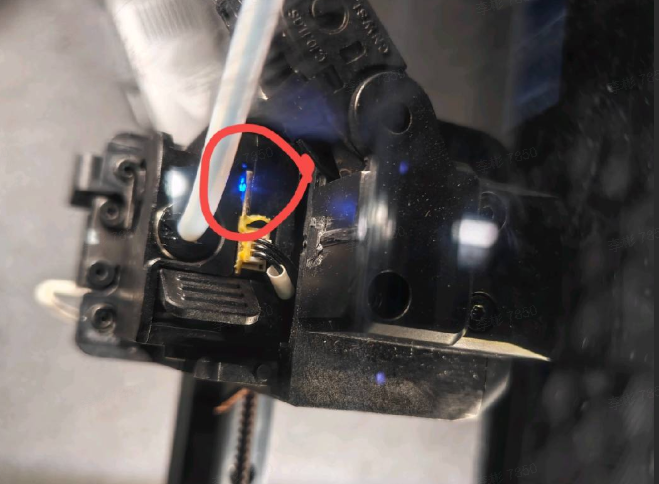
- The filament break detection module of the extruder still shows a blue light when there is no filament.
- The material break detection module's light on/off status is normal, but the machine still indicates that there is filament in the extruder (you can skip above step and proceed with the inspection)
¶ Cause Analysis
- Residual filament triggering
- Deformation of PTFE tube
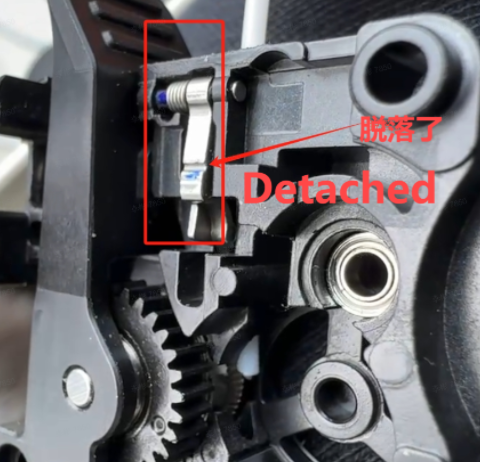
- Detachment/breakage of the fixed spring on the filament break detection trigger plate
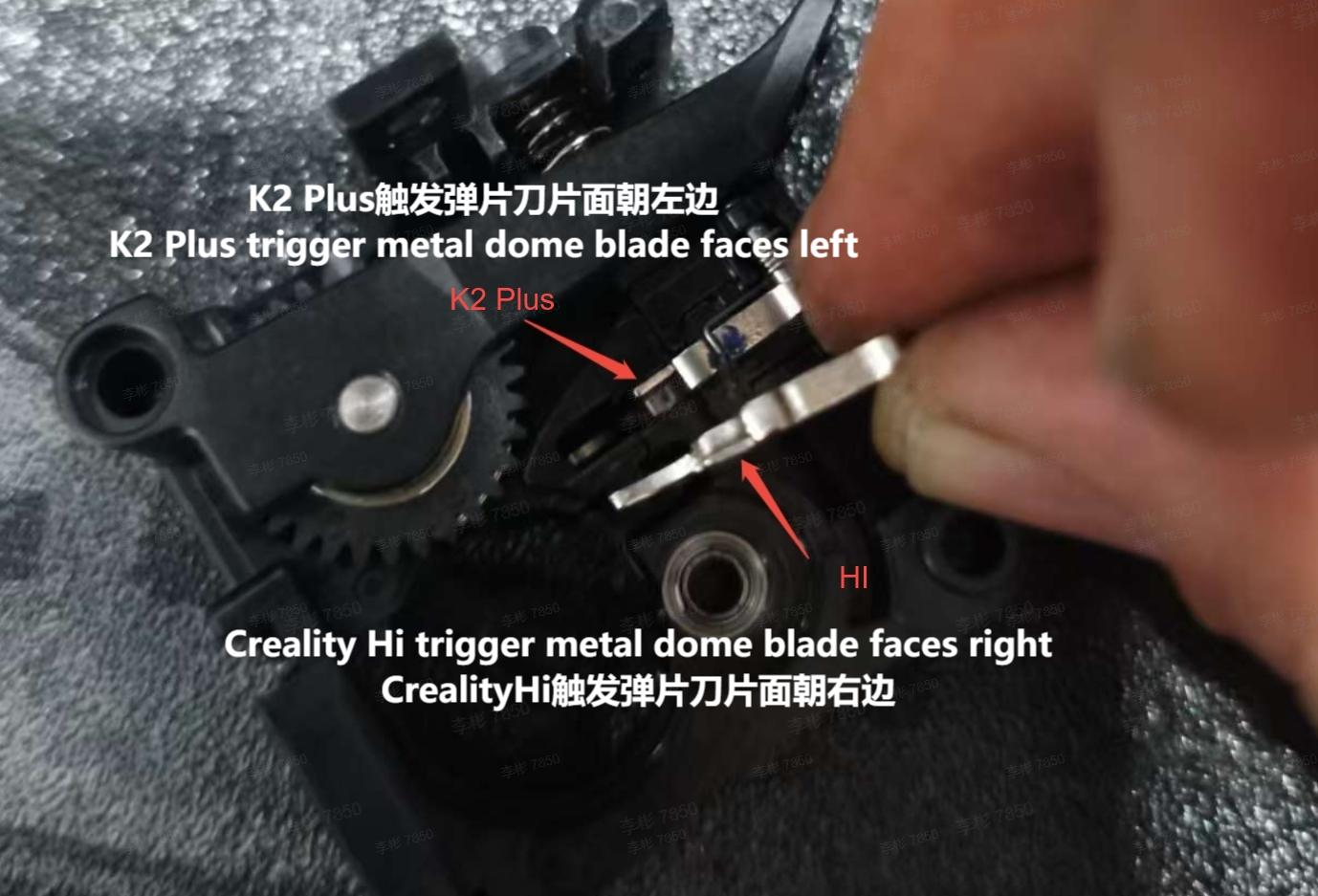
- Incorrect assembly of the trigger plate
- Quality issue with the filament break detection module
- Problem with the filament break detection cable
- Quality issue with the hotend circuit board
¶ Troubleshooting 1
1. Check the working status of the filament break detector. Without inserting filament and removing the PTFE tube (to avoid false triggering due to tube deformation), check if the detector's light is blue. Normally, blue light should be on when filament is detected, and off when no filament is present.
¶ Further investigation:
A. Check if there is any residual filament or debris in the feeding tube, clean it and try again.
B. Check if the port clasp of the filament break detector is intact. If it's broken or has poor contact, it may cause false triggering.
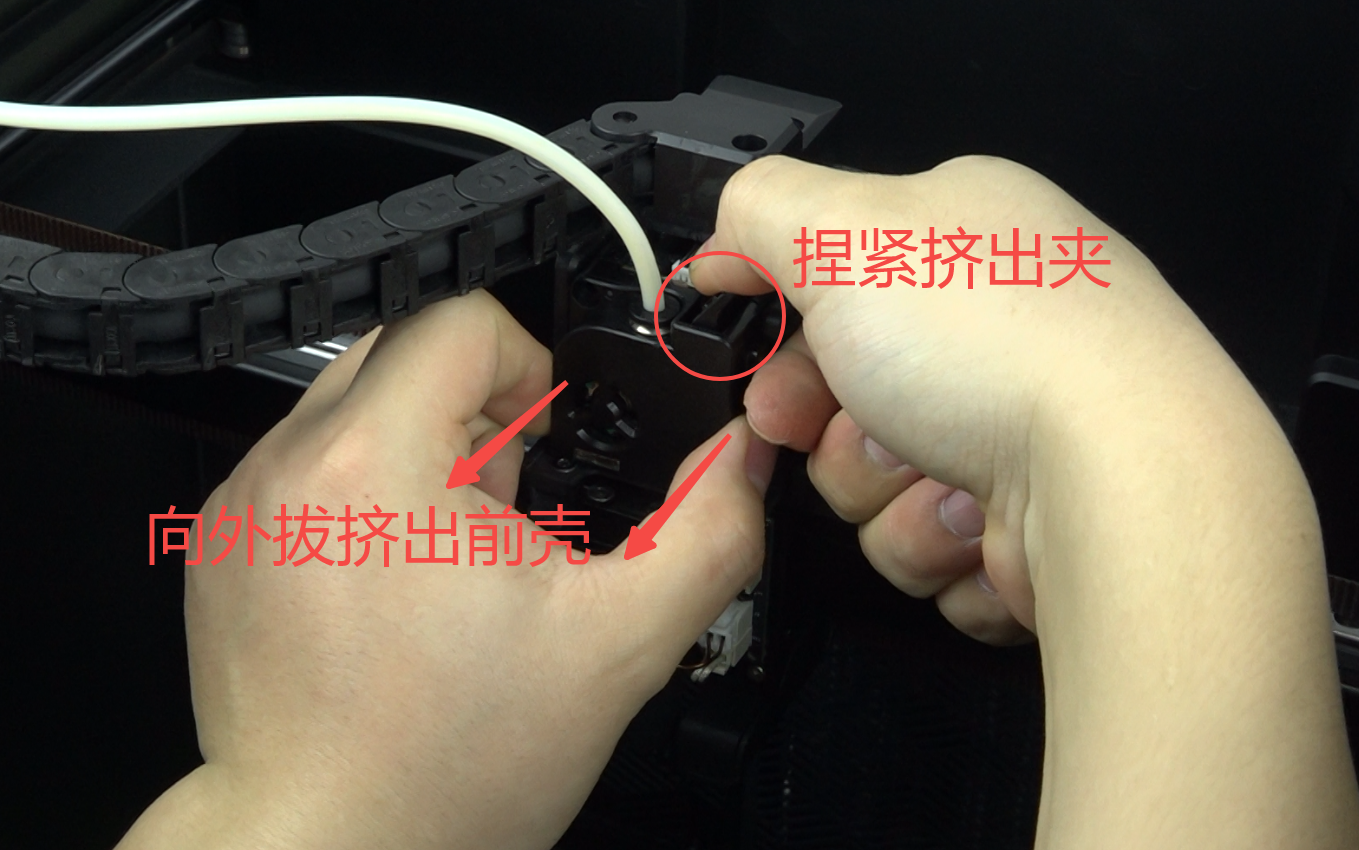
2. Disassemble the front cover of the extruder, check if the spring on the trigger plate is detached or broken. If not, check the direction of the trigger metal dome blade (left for K2 Plus, right for Creality Hi).
 |
 |
3. Check if the filament break detection cable is damaged or has poor contact. You can also directly swap it with the cutter module cable (compatible with the filament break detection cable) to rule out cable issues. If confirmed as a cable problem, replace the filament break detection cable (sku: 3103090095).
After removing the extruder motor, check if there's any damage to the wiring on the back of the motor. For Wiki reference: Replace K2 Plus Extrusion Motor Assembly
¶ Troubleshooting 2
¶ If the issue persists after completing Troubleshooting 1
When everything checks out normal but your printer still pops up error code 122, error code 2852 or other filament detection exception. With no filament in the extruder, check the following two scenarios:
¶ When using CFS
:Check the color of the filament detection icon (normally, when filament is present, the icon shows green. Without filament, the icon shows gray):
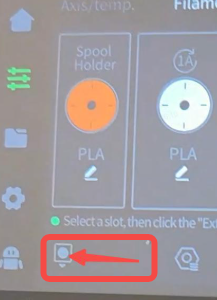
When an error occurs, there's no filament present, but the filament detection icon shows green
Troubleshooting: Disconnect the filament detection terminal and observe if the filament detection icon still shows green.
- If after disconnecting the terminal, the filament detection icon still shows green, this indicates a hotend circuit board failure. Please replace the hotend circuit board (SKU: 2101020285). For replacement steps, refer to Wiki: Replace K2 Plus Hotend Circuit Board
- If after disconnecting the terminal, the filament detection icon no longer shows green, this indicates a filament detection module failure. Please replace the filament break detection module (SKU: 4001090035). For replacement steps, refer to Wiki: Replace K2 Plus Hotend Circuit Board
¶ When using external filament spool holder
Check if there's no yellow filament detection signal icon on the main interface (normally, when there's no filament, this icon will display. When filament is present, this icon won't display).
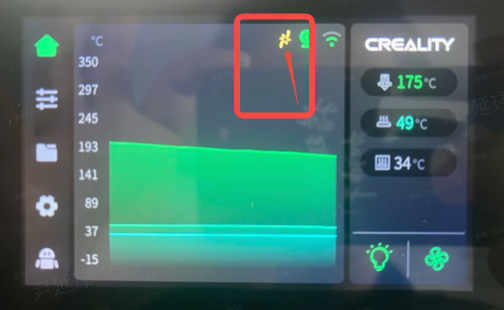
There's no filament in the extruder, but it falsely reports detecting filament, and the yellow filament detection signal icon is not displayed.
Troubleshooting: Disconnect the filament detection terminal and observe whether the yellow filament detection signal appears.
- If after disconnecting the terminal, the yellow filament detection signal icon still doesn't appear, this indicates a hotend circuit board failure. Please replace the hotend circuit board (SKU: 2101020285). For replacement steps, refer to Wiki: Replace K2 Plus Hotend Circuit Board
- If after disconnecting the terminal, the yellow filament detection signal icon appears, this indicates a filament detection module failure. Please replace the filament break detection module (SKU: 4001090035). For replacement steps, refer to Wiki: Replace K2 Plus Hotend Circuit Board
¶ Notes
When replacing the filament detection module or hotend circuit board included with the machine, if you cannot find the included filament detection module and hotend circuit board, please contact customer service (Mail: cs@creality.com) for replacement.