¶ 1. Overview
Particles lodged inside the nozzle can restrict or completely block the flow of molten filament. This may cause thin, inconsistent extrusion or prevent extrusion altogether. The resulting fluctuations in pressure and flow can affect print quality.
Clog symptoms can resemble those of other issues, such as an incorrect Z offset, insufficient nozzle temperature, or damp filament. If you notice any of the following signs, check whether the nozzle is clogged:
Under-extrusion: Thin or intermittent extrusion, with gaps between printed layers.
Extruder clicking: Clicking sounds as the extruder gears slip while feeding filament.
Irregular extrusion: Filament curls upward at the nozzle opening instead of flowing downward.
Sudden decline in first-layer quality: Stringing, material buildup, or no extrusion.
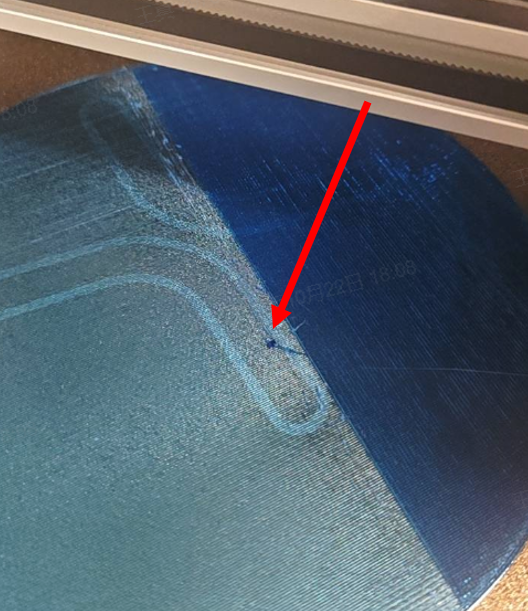
This guide covers the 0.2 mm, 0.4 mm, and 0.6 mm hotends for the i8. The number of cleaning attempts required depends on the severity of the clog. Multiple attempts may be needed to clear the nozzle.
¶ 1.1 Possible Causes
- Inconsistent filament diameter. Filament is typically specified as 1.75 ± 0.03 mm. Oversized filament may become lodged in the heatbreak or heatsink section of the hotend. Undersized filament may not be gripped securely by the extruder gears, preventing proper feeding.
- Debris in the filament path. Contaminants on the filament or inside the extruder can enter the hotend and partially or completely block the nozzle.
- Particles in filled filaments. Particles in carbon-fiber-reinforced, glow-in-the-dark, or glitter filaments can obstruct the nozzle opening.
- Residual material after a filament change. Material left in the hotend when switching between filament types—for example, PLA and PC, or ASA and TPU—can contribute to a blockage.
¶ 1.2 Signs of a Possible Clog
¶ Quick Check
Raise the nozzle clear of the heated bed and use the printer controls to extrude filament at its normal printing temperature. If extrusion remains weak or stops, a blockage may be present.
¶ 2. Tools Required
- Nozzle cleaning needles: 0.15 mm, 0.30–0.35 mm, and 0.40–0.50 mm
- Pliers
- 2.0 mm hex key
- Heat-resistant gloves
- A short length of filament
¶ 3. Safety Precautions
IMPORTANT
Before working on the printer's electrical components or toolhead cables, turn off the printer and unplug it to prevent accidental touchscreen inputs, short circuits, equipment damage, and other hazards.
Check the hotend and heated bed temperatures before maintenance or troubleshooting. Avoid handling hot components. Where a verified procedure requires handling a hot component, wear heat-resistant gloves.
¶ 4. Unclogging Methods
Note:
Start with Method 1. If extrusion does not return to normal, proceed to the verified next-stage procedure.
¶ 4.1 Method 1: Extrude Using the Printer Controls
¶ 4.1.1 Step 1: Heat the Nozzle
Set the nozzle temperature slightly above the filament's normal printing temperature. Recommended temperatures: 250 °C for PLA and 270 °C for PETG.
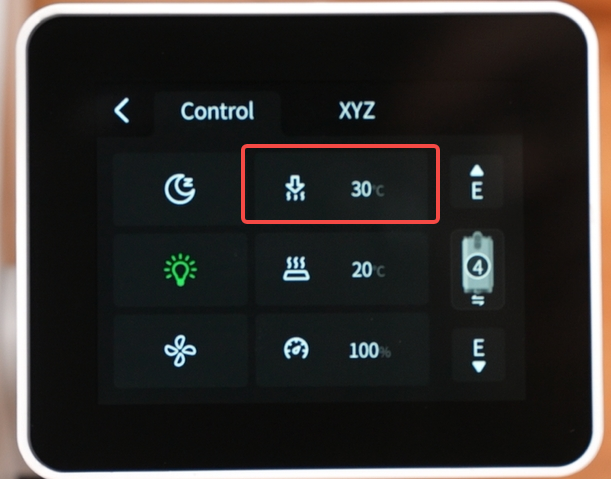
¶ 4.1.2 Step 2: Extrude Filament
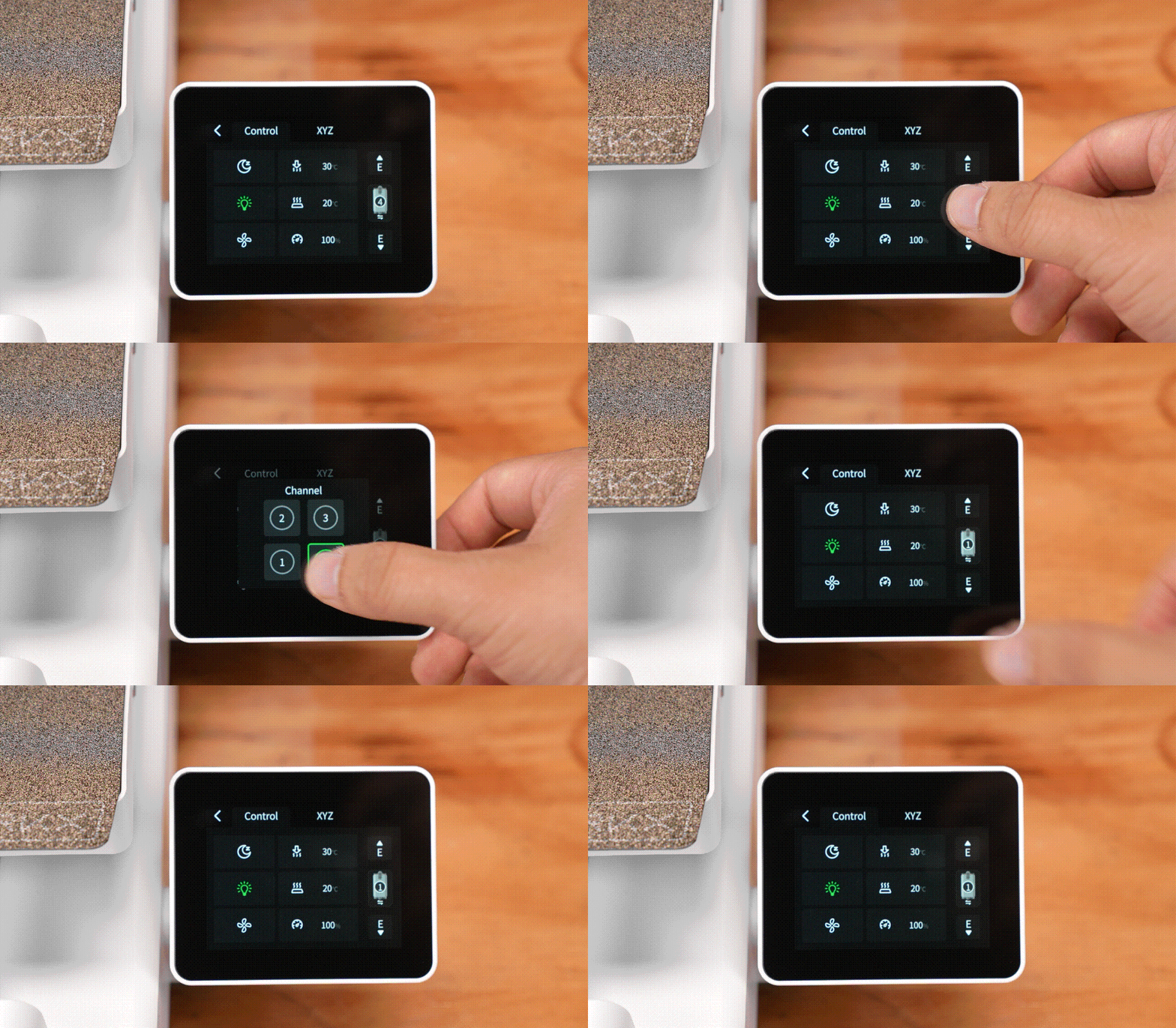
- Tap Switch Channel on the touchscreen to select the affected channel.
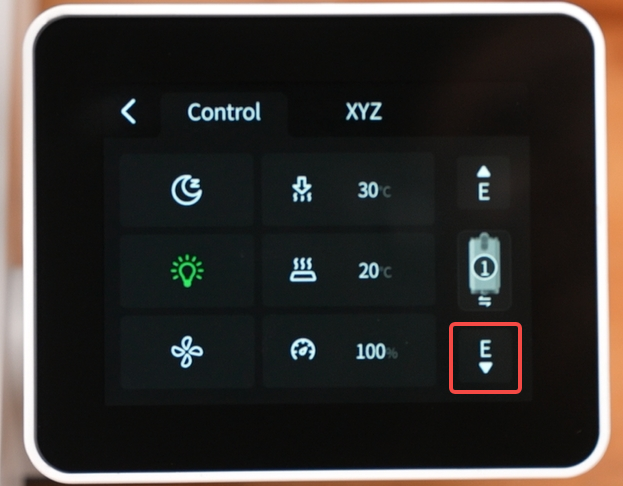
- Tap Extrude on the screen repeatedly to try to extrude the filament.
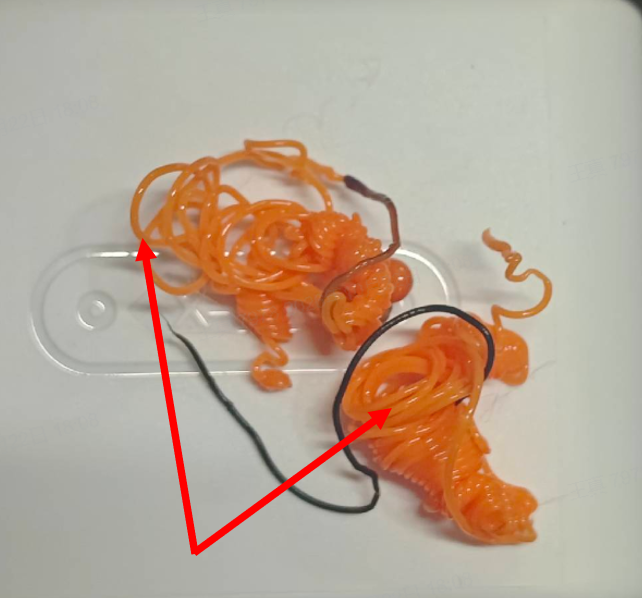
- Check the extrusion. A continuous, steady flow of filament indicates that normal extrusion has resumed.
 |
 |
 |
¶ 4.2 Method 2: Remove Trapped Filament with a Heated Tool
¶ 4.2.1 When to Use This Method
The hotend is completely clogged, and no molten filament can be extruded even after following Method 1.
¶ 4.2.2 Procedure
1. Move the toolhead to the far left along the X-axis to cut the filament, then remove the hotend.
2. Heat the hotend to the appropriate temperature (PLA: 250 °C; PETG: 270 °C), then remove it.
Note: Wear heat-resistant gloves throughout the procedure.
3. Choose one of the following methods based on the cleaning tool you are using:
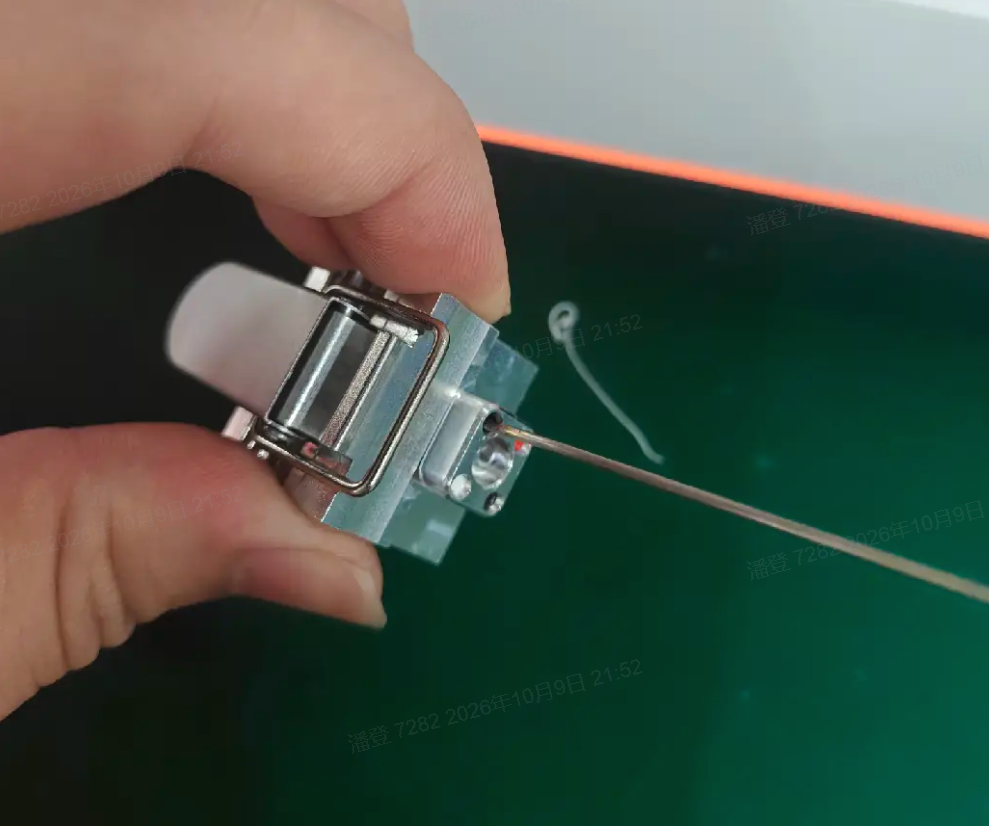
- Using an unclogging needle (recommended): Heat the tip of the needle until it glows red, then forcefully insert it into the clogged channel.
- Using filament: After removing the hotend, forcefully insert the filament into the clogged channel.
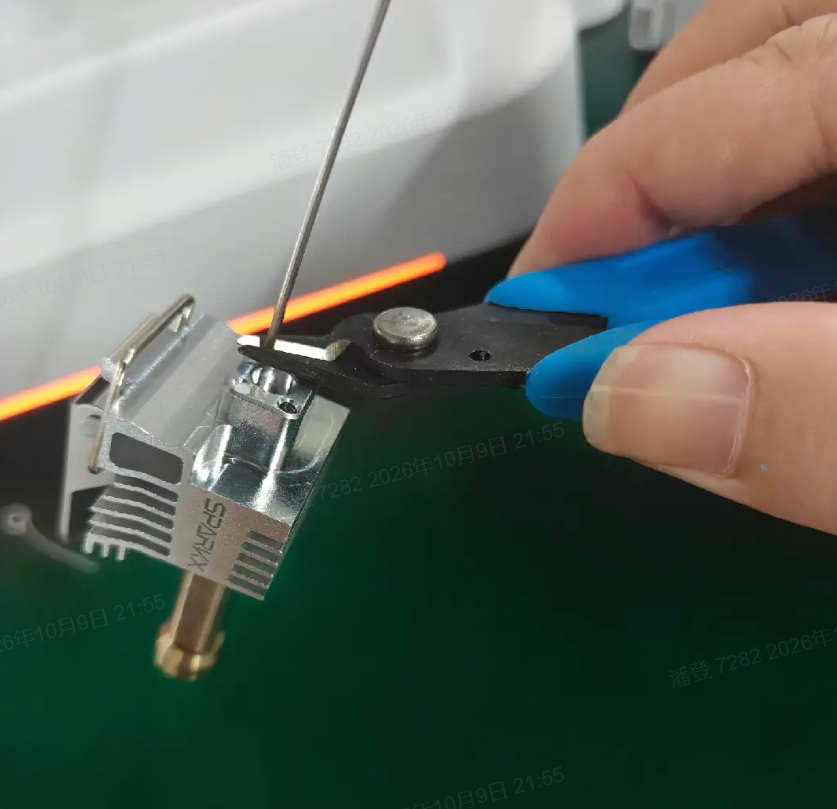
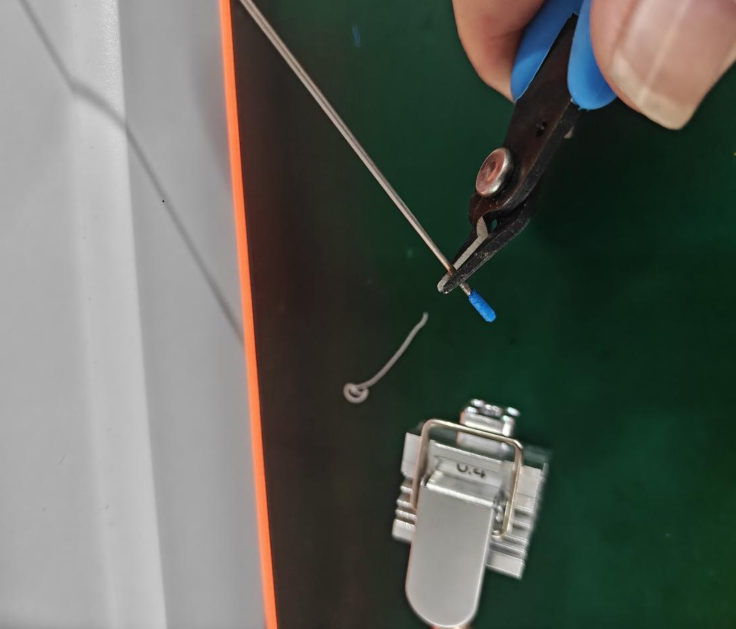
4. Wait 30 seconds for the hotend to cool. Use filament cutters or pliers to grip the base of the needle or filament. Use the step on the hotend as a fulcrum to pull the needle or filament out.
If you cannot pull out the clogged filament or fully insert the needle or filament into the heatbreak, try again as follows:
Hotend: Reinstall the hotend in the heating assembly and heat it to the appropriate temperature.
Unclogging needle: Before trying again, insert the needle into the melting zone of the hotend and heat it to 160–180 °C.
Filament: Wait for the hotend to reach the appropriate temperature again, then repeatedly push the filament forcefully into the clogged channel.
 |
 |
 |
¶ 4.2.3 Check the Result
Reconnect the PTFE tube, load filament, and repeat the extrusion check in Method 1. If extrusion is still restricted or absent, further cleaning may be required.
Run a test print to check whether normal printing has been restored. If the problem persists, the nozzle may be damaged and the hotend may need to be replaced.
¶ 5. Additional Notes
A 0.2 mm nozzle can be more difficult to unclog and may require additional cleaning attempts.
Larger nozzle openings can allow larger particles to pass, reducing the risk of particle-related blockages compared with a 0.4 mm nozzle under otherwise comparable conditions.