¶ 1. Overview
Support structures help print models with overhangs. Creality Print offers a range of support settings that can be adjusted for the model and materials.
This guide introduces dedicated support filament for PLA and explains how to use it with the SPARKX i8 for cleaner supported surfaces and easier support removal.
¶ 2. Support Filament for PLA
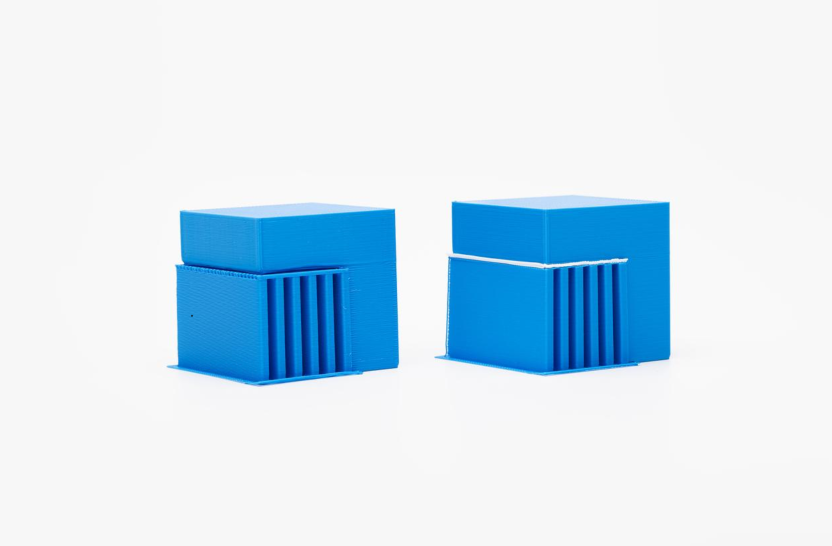
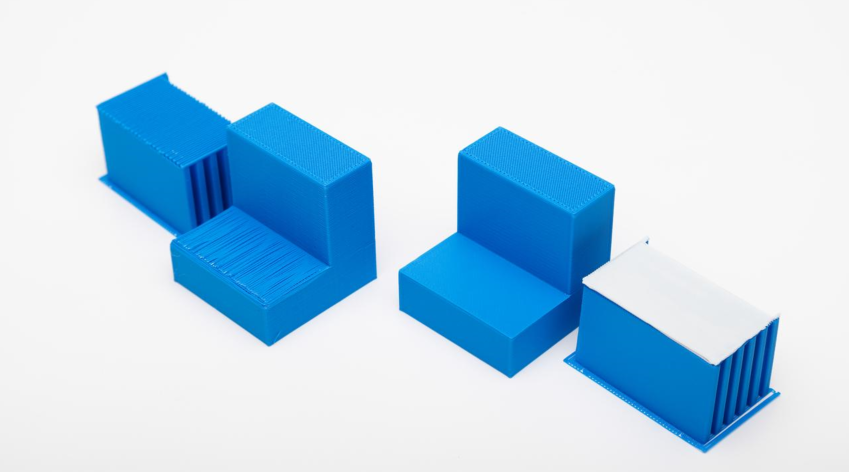
When both the model and its supports are printed in standard PLA, they can bond too strongly if they are in close contact. A small gap is therefore usually left between them to make the supports easier to remove. However, that gap leaves the first model layer above the supports less fully supported, which can cause sagging, pronounced extrusion lines, or a rough underside.
Dedicated support filament for PLA is designed to provide sufficient support during printing while separating more easily afterward. It helps balance support removability with the quality of the supported surface.
 |
 |
¶ 3. Before You Print
Do not use PLA and PETG as support materials for each other on the i8.
This material combination is not supported on the i8 and may increase the risk of nozzle clogs.
¶ 4. How to Print with Easy-to-Remove Supports
¶ 4.1 Prepare the Filaments
For a model printed in PLA, we recommend Creality Support For PLA as the dedicated support filament.
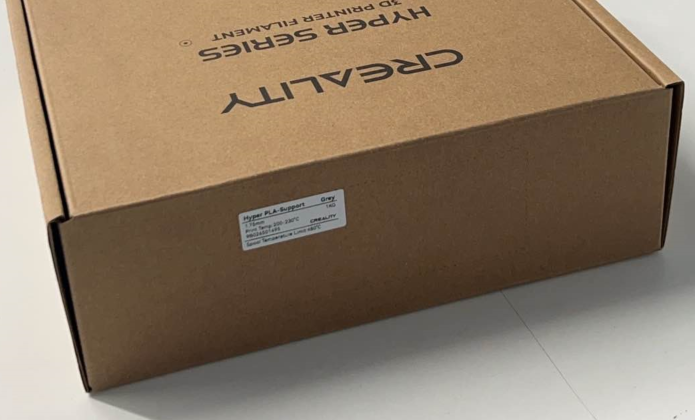
Note: Do not combine filaments with substantially different printing temperature requirements. For example, do not use PETG as support for a PLA model on the i8.
¶ 4.2 Complete Filament Loading
Complete the loading procedure for all PLA and dedicated support filaments used in the job. For detailed instructions, see the Filament Loading and Unloading Guide.
¶ 4.3 Configure the Support Settings
1. In the slicer, select the PLA filament for the model and the dedicated support filament profile, Generic Support for PLA, then enable supports.
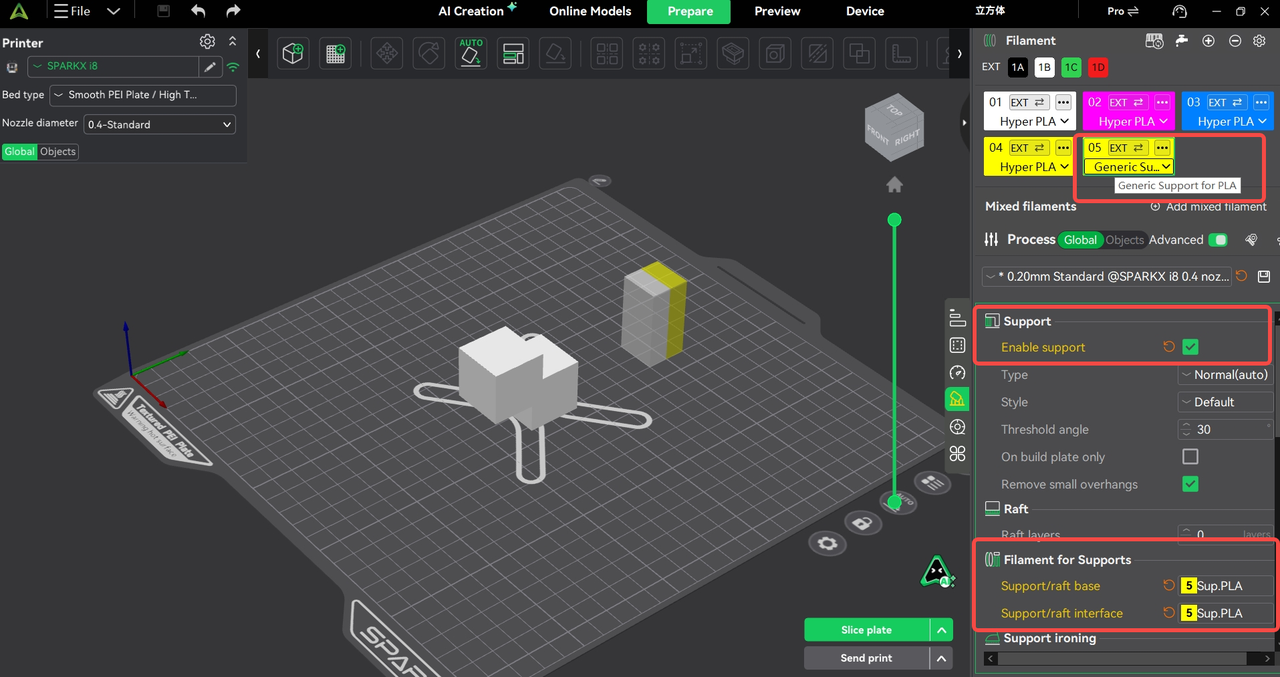
2. Assign the dedicated support filament to the support base or support interface. The slicer will prompt you to adjust the relevant settings.
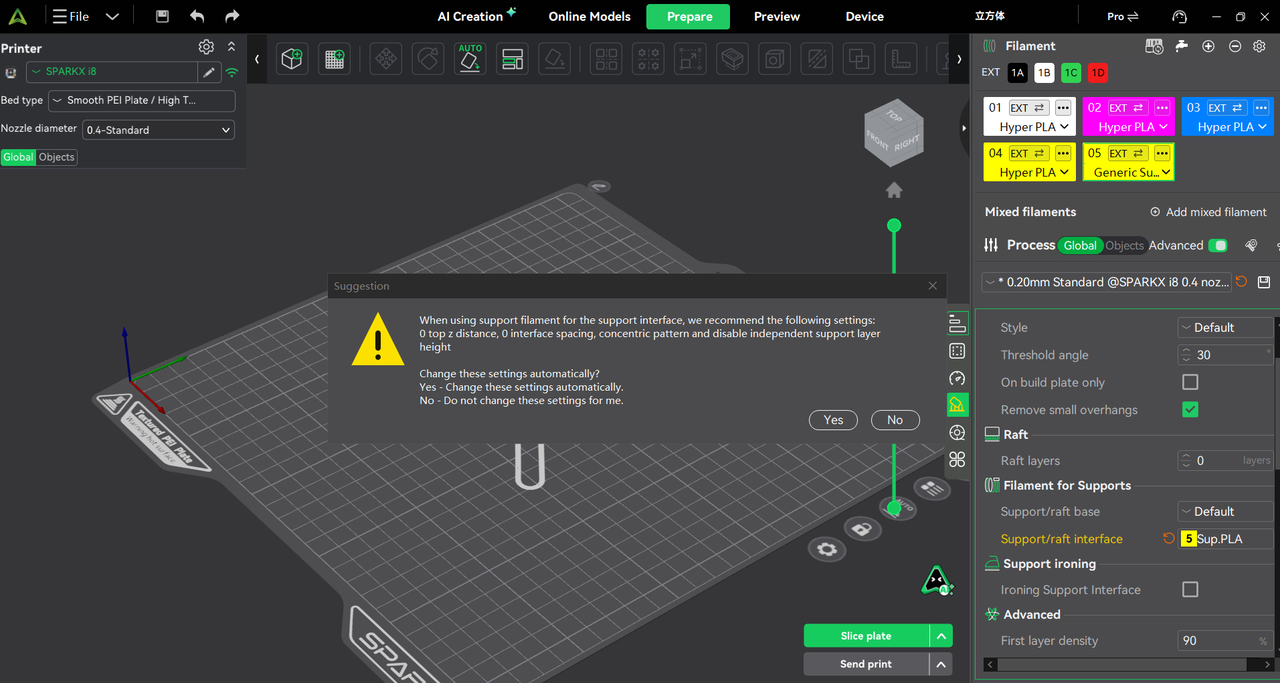
3. Refer to the screenshots below for the detailed settings.
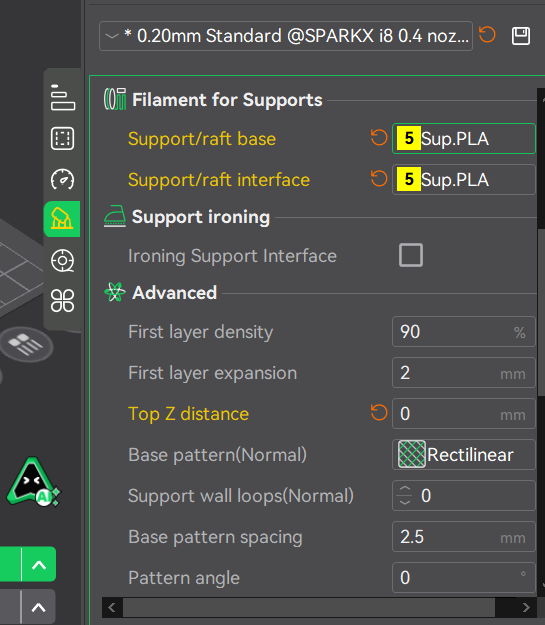 |
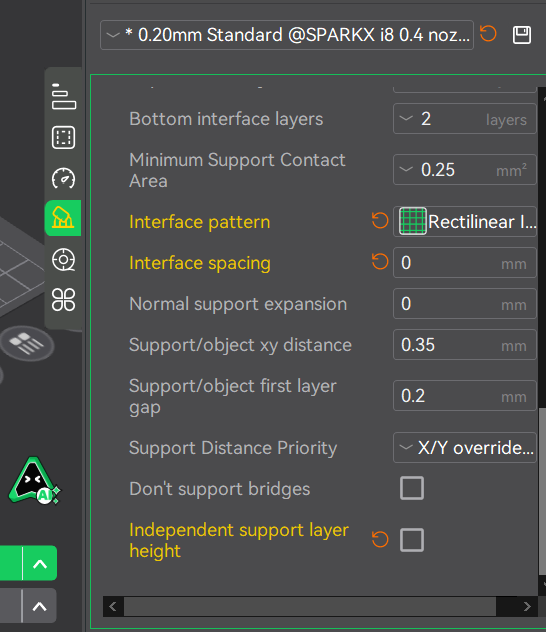 |
¶ 4.4 Preview the Sliced Model
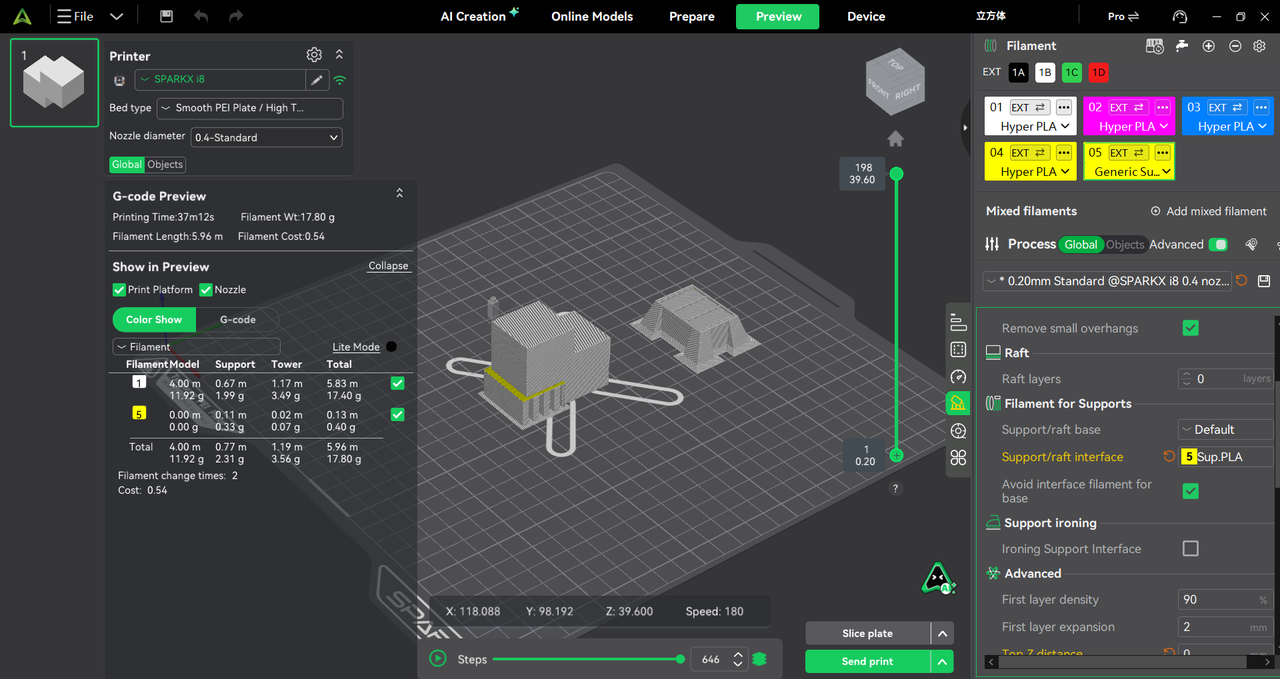
Slice the model and check the preview to see where the dedicated support filament is used.
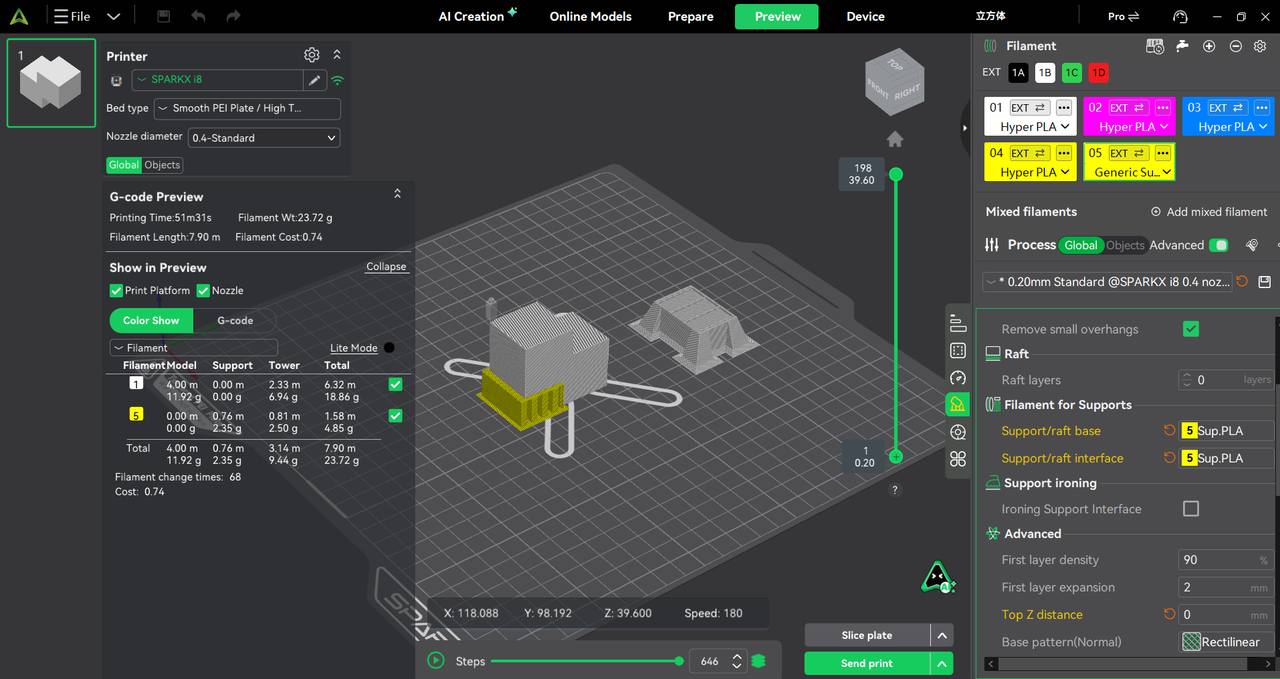 |
 |