¶ What Is Layer Shifting
Layer shifting refers to a printing defect in which one or more layers of a 3D printed model are displaced as a whole along the X-axis or Y-axis relative to the previous layers during the printing process. This results in step-like offsets, misaligned contours, or structural deformation in the printed part.
Layer shifting typically appears at a certain height where the model suddenly “shifts,” and all subsequent layers continue printing from the new offset position. This is a relatively common printing anomaly in FDM 3D printing.
¶ Common Causes of Layer Shifting
Loose or slipping belts
Excessive printing speed or acceleration
Collisions between the model and the toolhead during printing
¶ SPARKX i7 Layer Shifting Troubleshooting
¶ Check for Motion System Interference
Interference from external resistance in the motion system is one of the most common causes of layer shifting. Check the printer’s placement as well as the condition and routing of cables and PTFE tubes to ensure that all axes can move freely without obstruction.
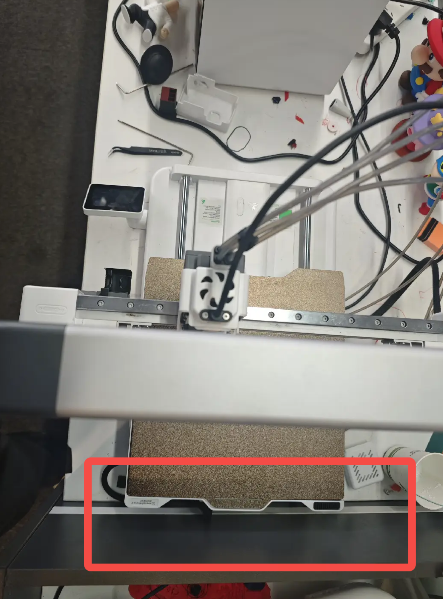
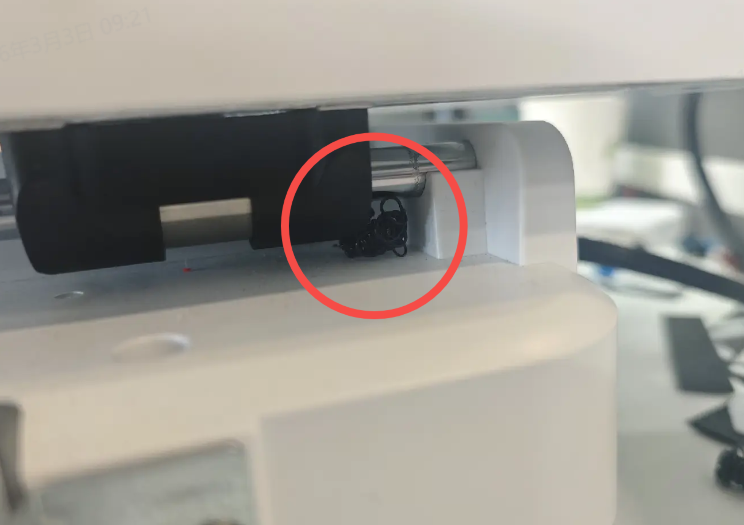
Move the heated bed forward and backward to confirm that there is sufficient clearance at the front and rear of the printer, and that no debris is interfering with the underside of the heated bed.
 |
 |
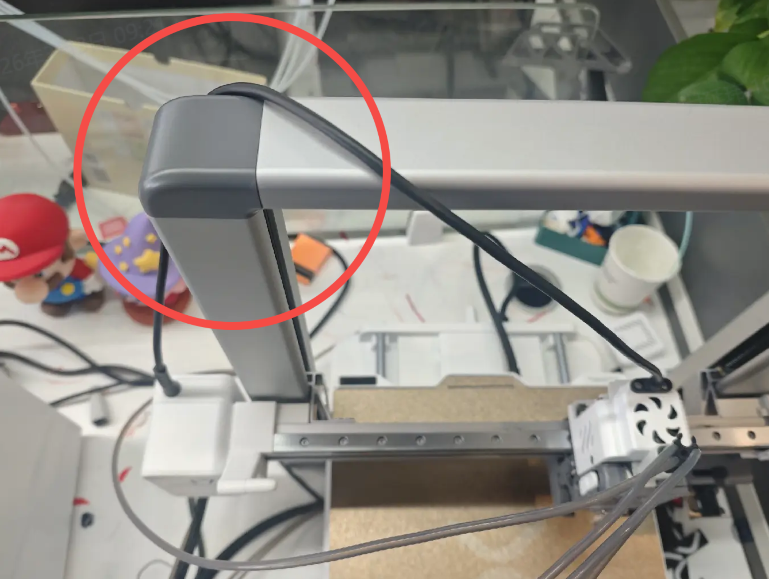
Move the toolhead left and right to ensure that the PTFE tube and toolhead cable do not interfere with toolhead movement.
¶ Check the belts on all axes to ensure they are properly tensioned.
Loose drive belts may slip and cause layer shifting.
For belt tensioning instructions, please refer to SPARKX i7 Belt Tensioning
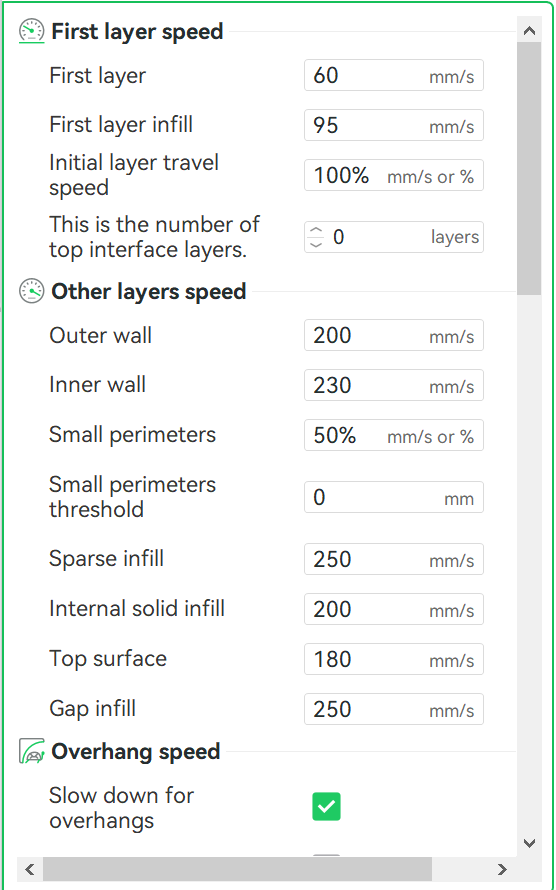
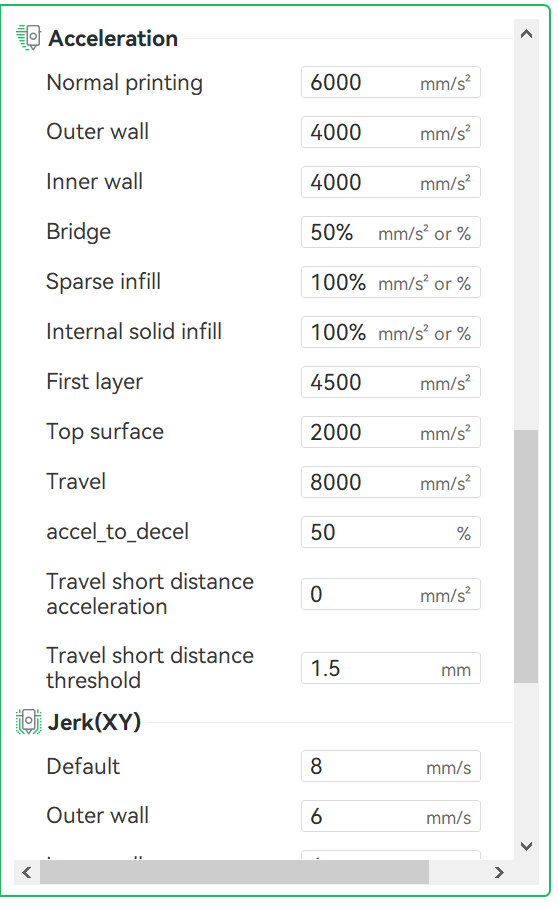
¶ Check whether the slicing parameters are appropriate for the i7’s printing performance.
Check the speed and acceleration settings in the slicer. The SPARKX i7 supports a maximum speed of 500 mm/s and a maximum acceleration of 10,000 mm/s². Exceeding these limits may cause skipped steps during printing, leading to layer shifting.
 |
 |
¶ Check whether the Creality Print software and its online settings are up to date
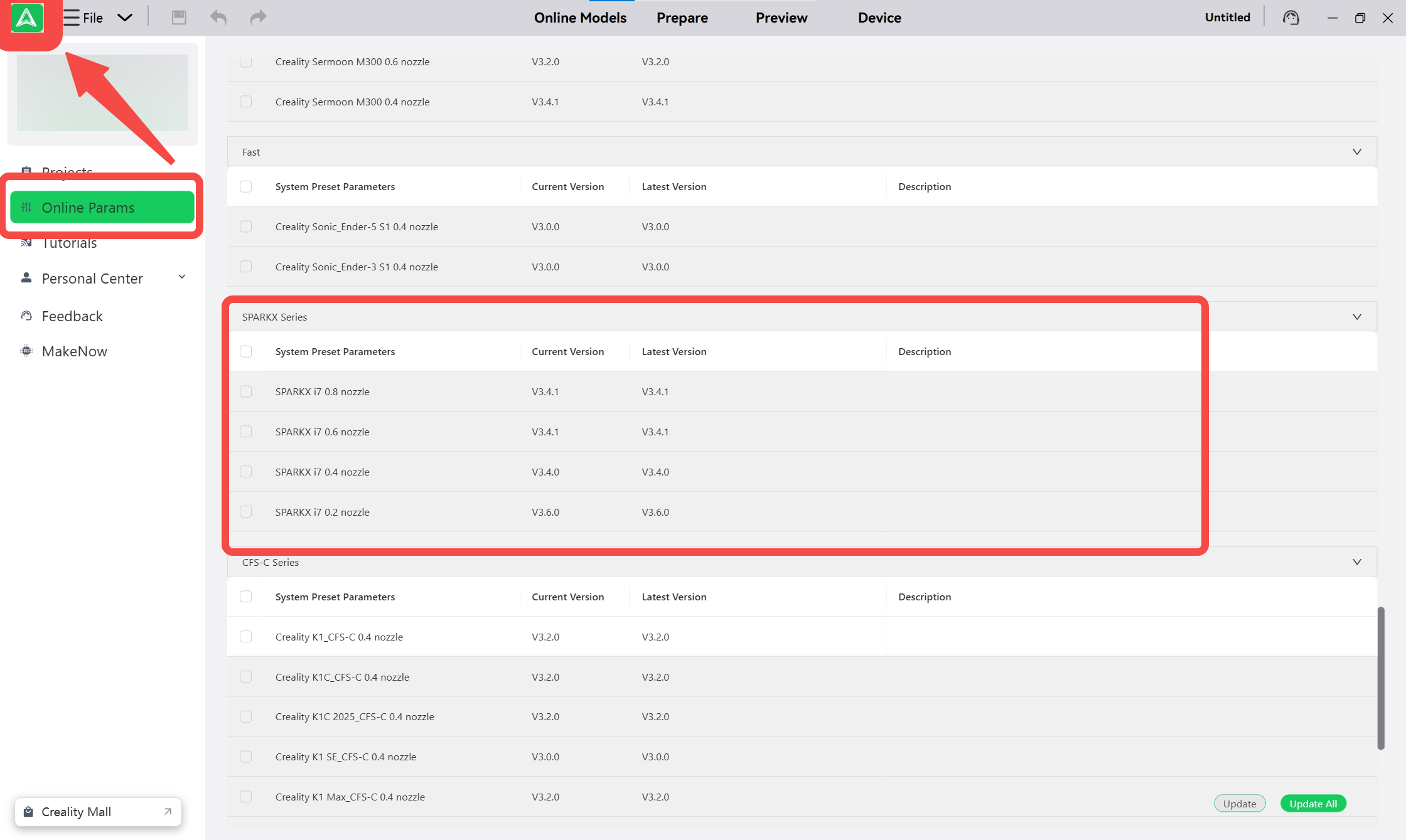
Check the version of the Creality Print software.
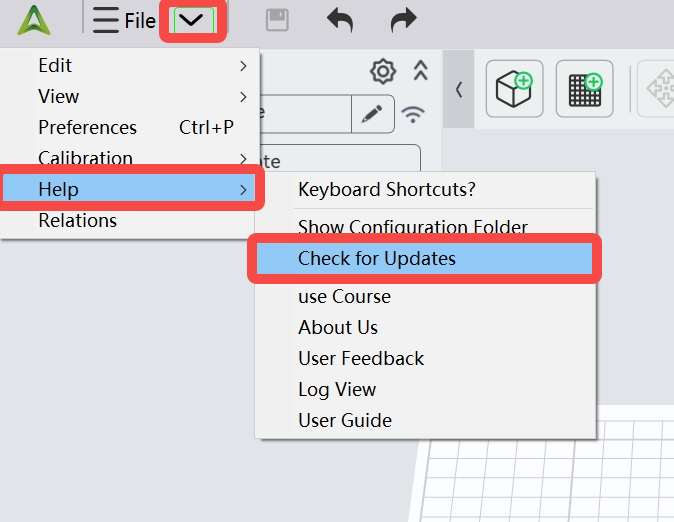
Check the version of the online params