¶ Extruder Front Cover Resonance Noise
The SPARKX i7 extruder front cover is secured with snap-fit clips. In early versions, the clip tightness was optimized for ease of installation and removal. However, during printing, the high-speed movement of the toolhead may cause wear on the clips over time, leading to looseness. This can result in abnormal resonance and unwanted noise.
¶ How to Identify
The noise originates from the toolhead.
The noise occurs during toolhead movement, especially when the X-axis is homing.
The noise disappears after removing the nozzle cover.
¶ Required Tools and Materials
Foam pad (approximately 1mm thick)
Tape
¶ Solution
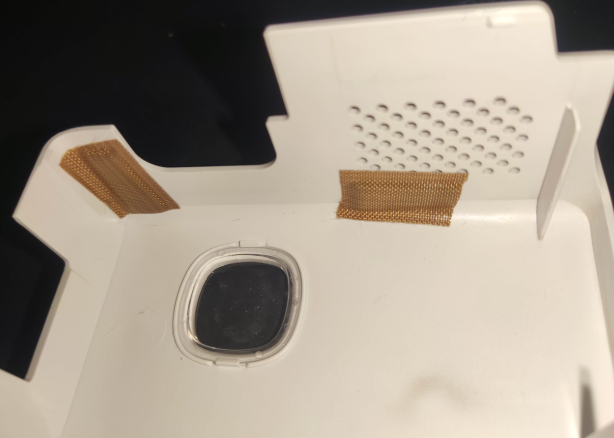
Apply a foam pad or other soft cushioning material (no thicker than 1 mm) to the corresponding contact area inside the nozzle cover. This effectively reduces noise caused by resonance of the nozzle cover.
¶ Mainboard Cooling Fan Noise (Base Cover)
After a period of use, the mainboard cooling fan located in the base cover of the i7 may develop abnormal shaft behavior, causing loud noise when the fan starts spinning. Once the fan reaches a stable operating speed, the noise disappears and does not affect printer functionality.
We identified this issue early and have already optimized it by improving the fan design. If your printer experiences this issue, you may use the following solution.
¶ How to Identify
The noise originates from the bottom of the printer.
The abnormal noise occurs only during the pre-print preparation stage and disappears once printing starts.
¶ Required Tools and Materials
Replacement mainboard cooling fan
H2.0 hex wrench
¶ Solution
Replace the mainboard cooling fan. For replacement instructions, please refer to: Replace i7 Mainboard Cooling Fan.
Alternatively, you may contact our after-sales support team for assistance.