¶ FR0122: External Spool Filament Detected During Use
¶ Applicable Model: SPARKX i7
¶ Why This Message Appears
When feeding filament via CFS Lite, if the Toolhead Filament Sensor detects filament and the system determines (via CFS Lite retraction) that it is not from CFS Lite, this message will appear.
Possible causes include:
External spool filament is being used, and the filament was not unloaded properly or not removed after unloading
Filament has broken inside the Toolhead, triggering the Filament Sensor
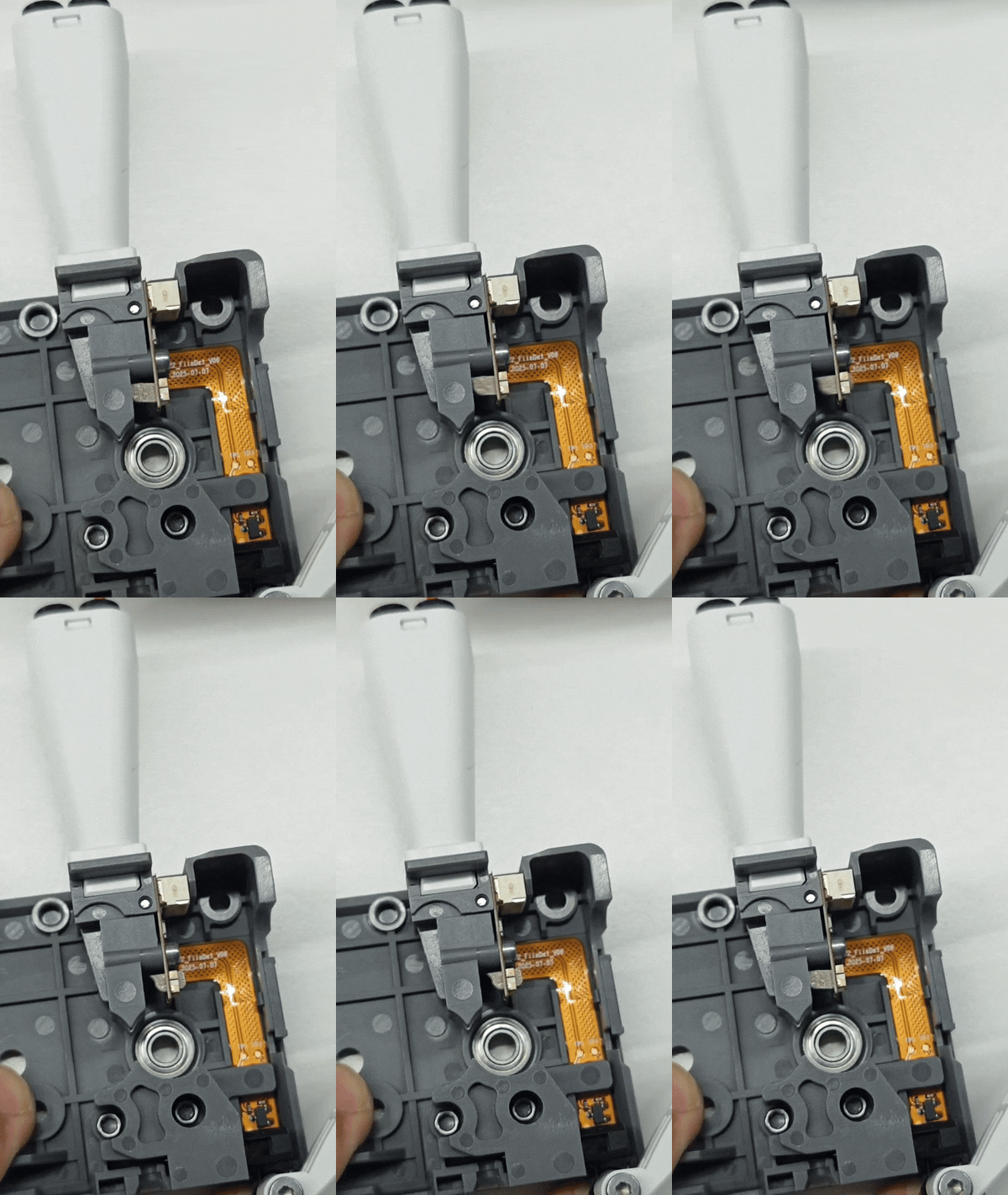
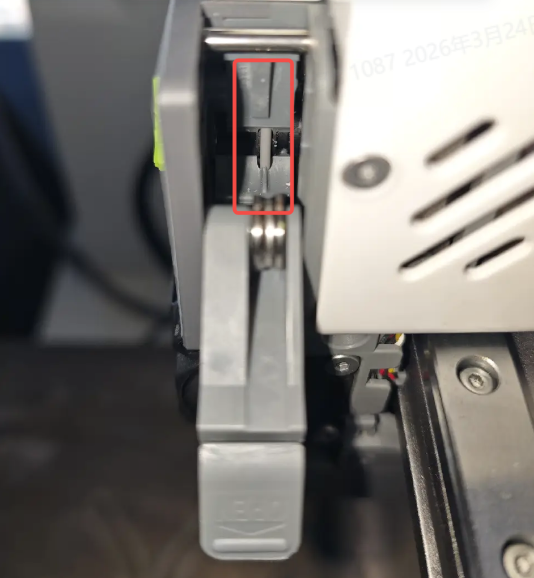
The Filament Sensor actuator (movable lever) is stuck and cannot return properly
The Filament Sensor board is damaged
¶ How to Resolve the Issue
Remove any external spool filament that has entered the Toolhead
Check the printer and inspect whether any broken filament remains inside the Toolhead; if so, remove it completely
If no residual filament is found but the Filament Sensor indicator on top of the Toolhead remains on, it is recommended to perform extruder cleaning and maintenance. Please refer to the SPARKX i7 Extruder Cleaning and Maintenance Guide
If the issue persists, the Filament Sensor module may be faulty. Replacement may be required, or you may contact the SPARKX after-sales support team for assistance
¶ General Troubleshooting Steps
Remove all filament from the Toolhead and ensure no external filament is present
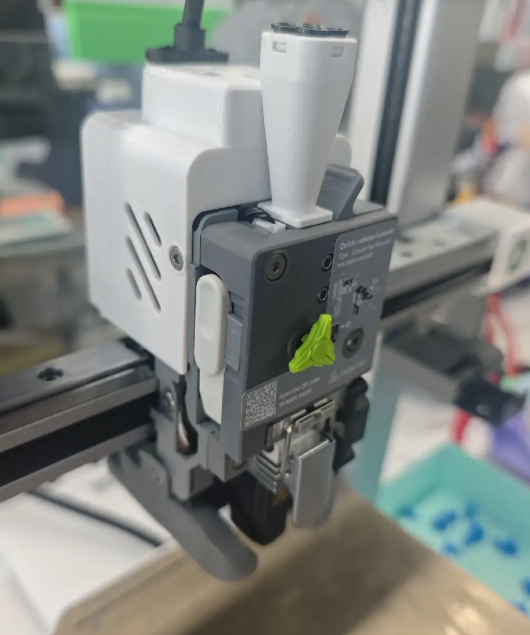
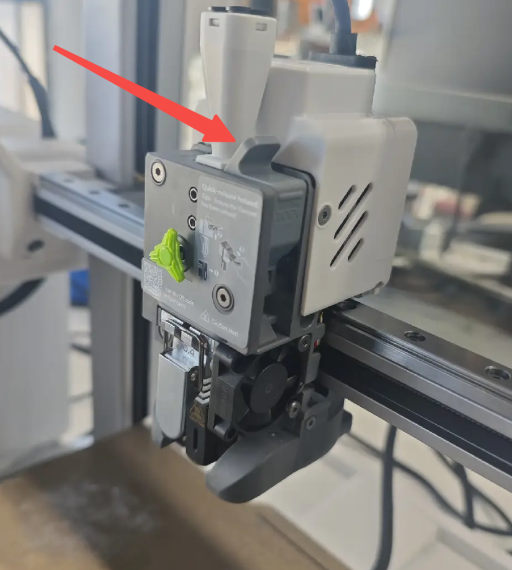
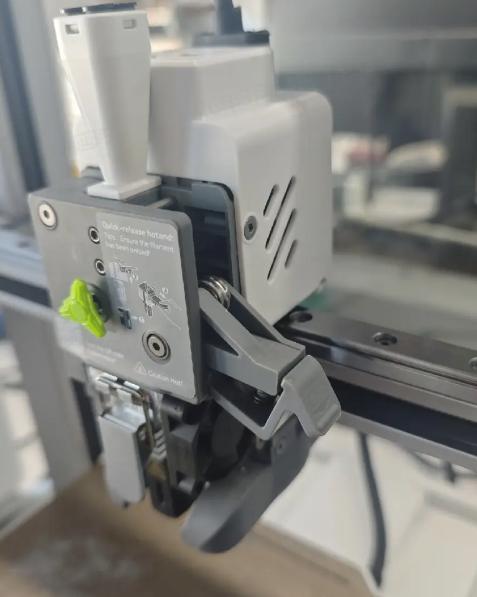
Remove the extruder front cover, open the Extruder Lever, and check whether there is any residual filament inside the extruder
 |
 |
 |
 |
¶ If residual filament is found and cannot be removed from the Toolhead Manifold, disassemble the extruder to remove it For detailed instructions, refer to the SPARKX i7 Extruder Cleaning and Maintenance Guide
¶ If no filament is present inside the extruder but the error persists, the Filament Sensor module may be abnormal. Follow the steps below:
¶ Check Whether the Filament Sensor Actuator Returns Properly
Remove the extruder front cover
Insert a long piece of filament from the Toolhead Manifold into the extruder, then pull it out
Observe whether the actuator inside the Filament Sensor returns smoothly