¶ Operation Video
Replace i7 Strain gauge (Leveling Sensor)
¶ i7 Auto-Leveling Sensor
Used for auto-calibration of the nozzle-to-platform distance to ensure a flat first layer.
¶ Required Tools
- New i7 Auto-Leveling Sensor
Purchase Link:i7 Auto-Leveling Sensor
- H1.5 Hex wrench (included in the bed leveling sensor accessory package)
¶ Procedure
¶ Safety Preparation
For your personal safety and to avoid machine damage, please turn off the power and unplug the Power cable before starting the replacement. Do not operate while powered on.
Before operation, please make sure the Heated Bed and Hotend have completely cooled down to avoid burns.
¶ Remove the Old Hotend Cooling Fan
¶ Remove the Toolhead Cable
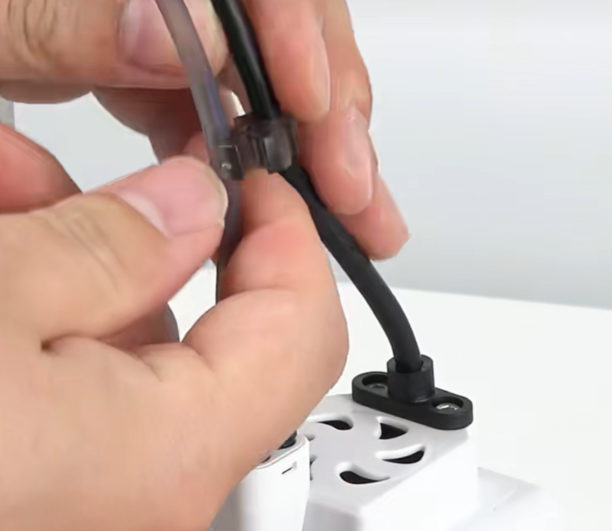
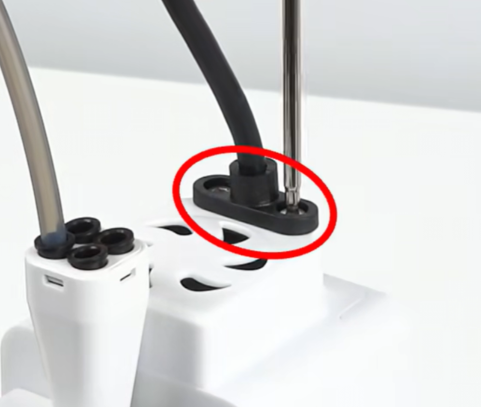
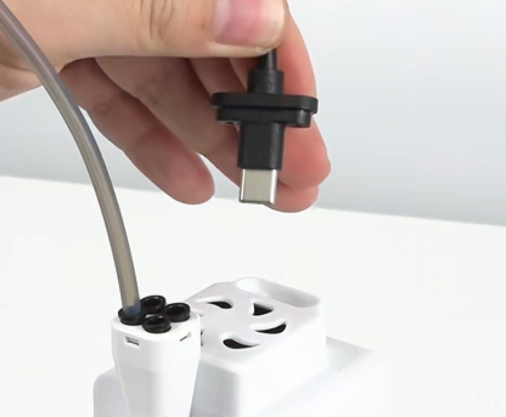
Remove the clip securing the PTFE tube and Toolhead Cable. Use the Hex wrench to remove the two fixing screws of the Toolhead Cable, then unplug the cable.
 |
 |
 |
¶ Remove the Extruder Cooling Fan
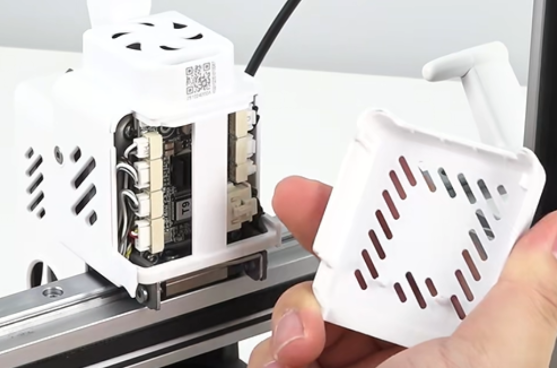
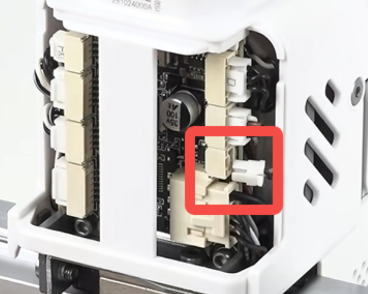
Remove the i7 Toolhead Back Cover, then unplug the Extruder Cooling Fan connector. Tweezers can be used for assistance.
 |
 |
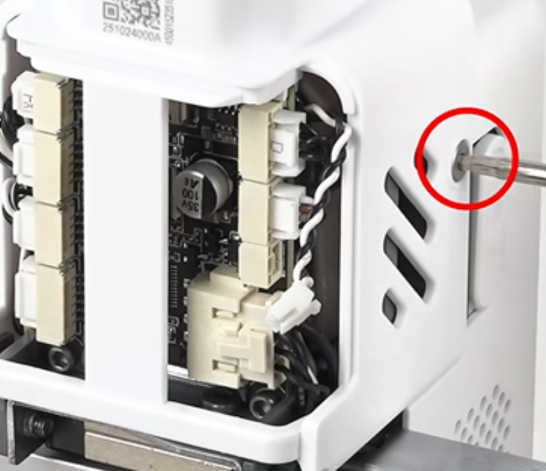
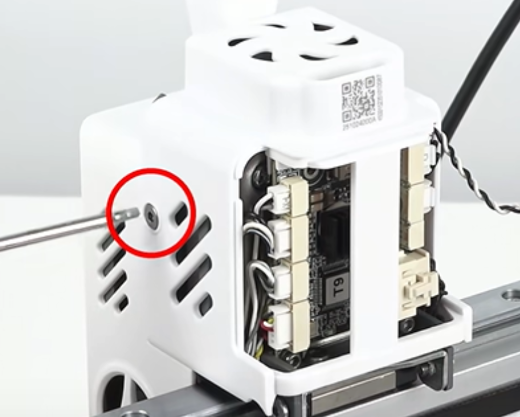
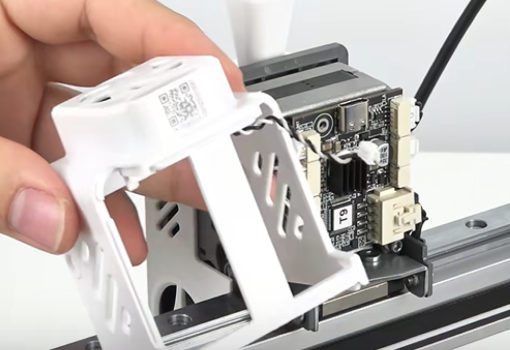
Unscrew the left and right screws securing the rear extruder housing, then remove the rear housing.
 |
 |
 |
¶ Remove the Old Hotend Cooling Fan
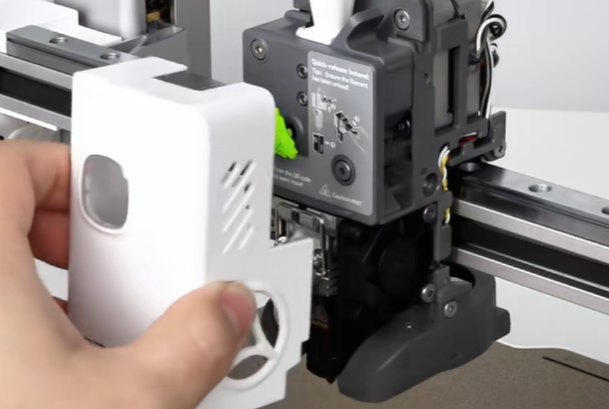
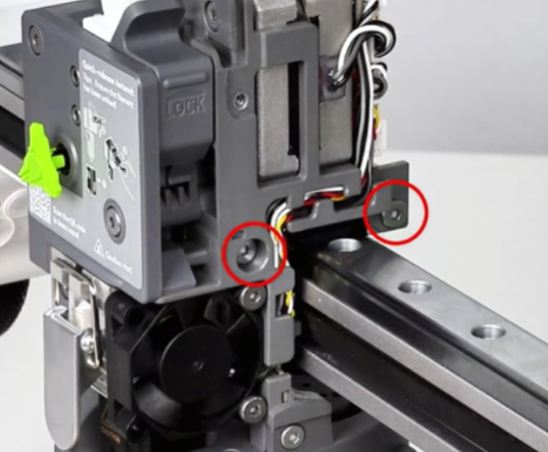
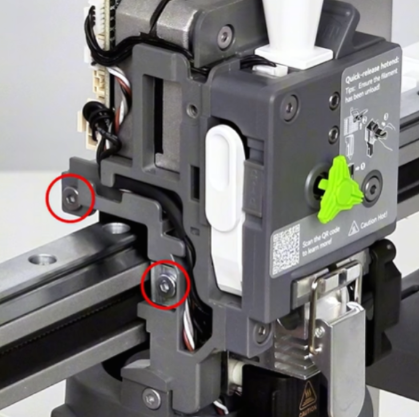
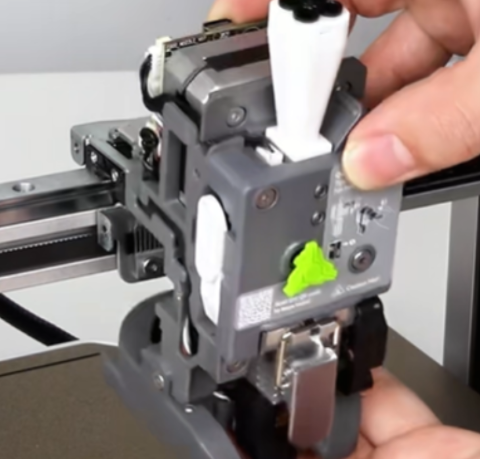
Remove the Toolhead front cover, remove the four screws securing the Toolhead, then remove the Toolhead.
 |
 |
 |
 |
Face the i7 Toolhead Board toward yourself, unplug the connector on the left side, and remove the cable from the cable routing slot.
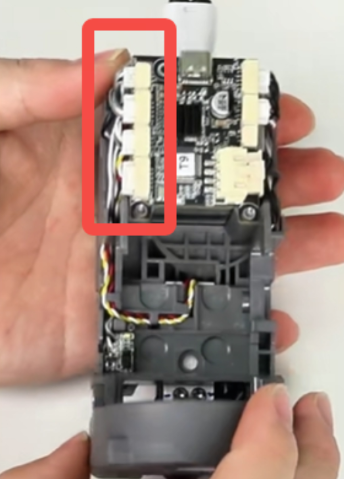 |
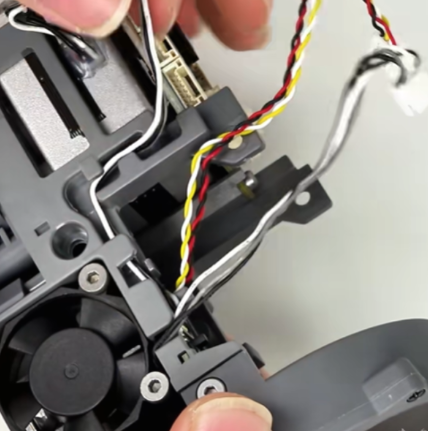 |
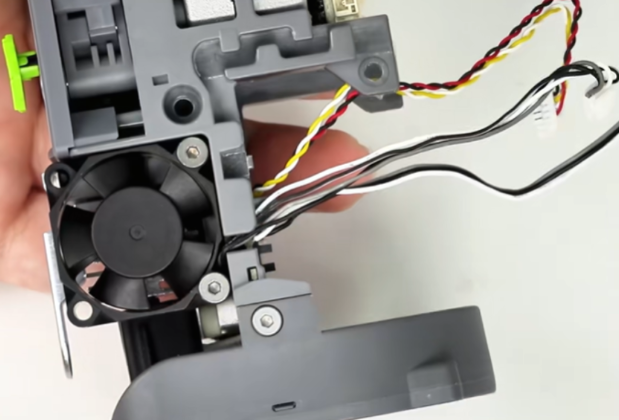 |
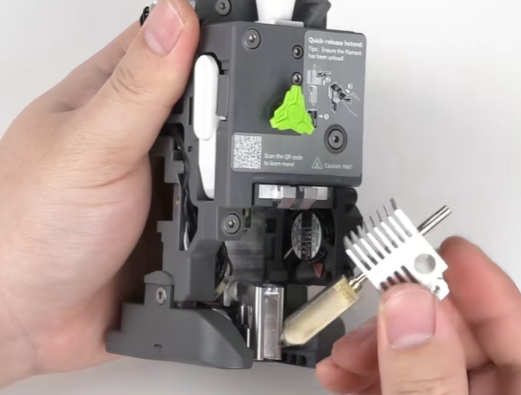
Remove the i7 Hotend Sock and the quick-release Hotend.
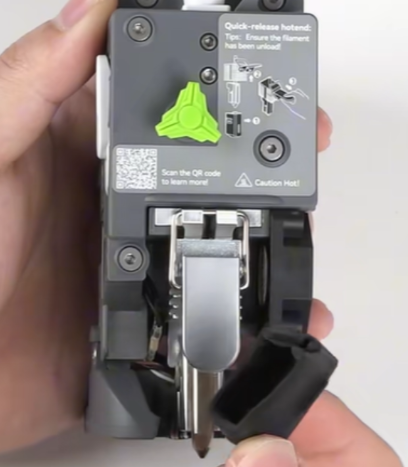 |
 |
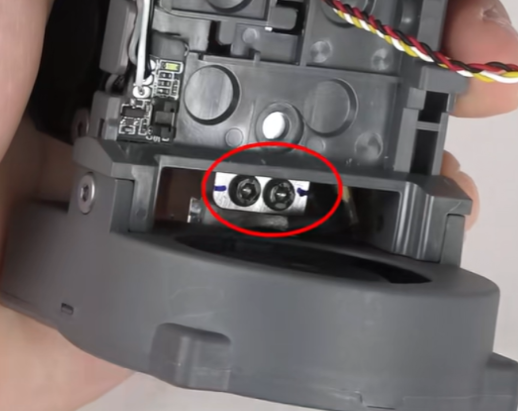
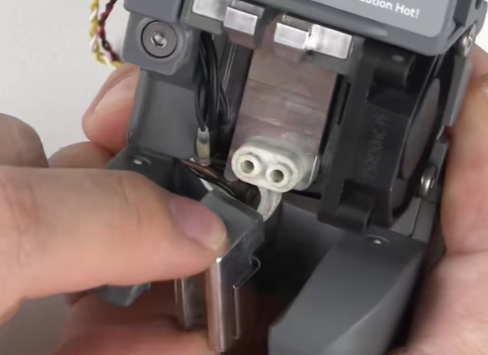
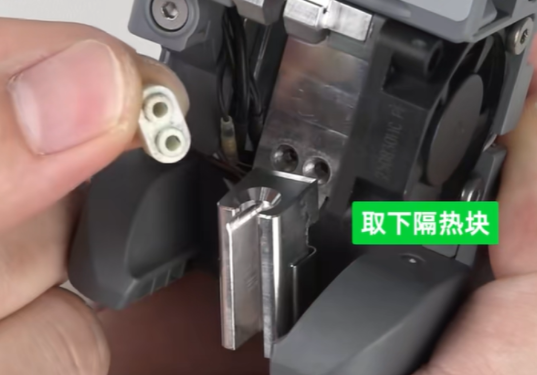
Use the Hex wrench (H2.0) to remove the fixing screws of the i7 Hotend Heating Assembly on the back, loosen the heating assembly, and remove the insulation block.
 |
 |
 |
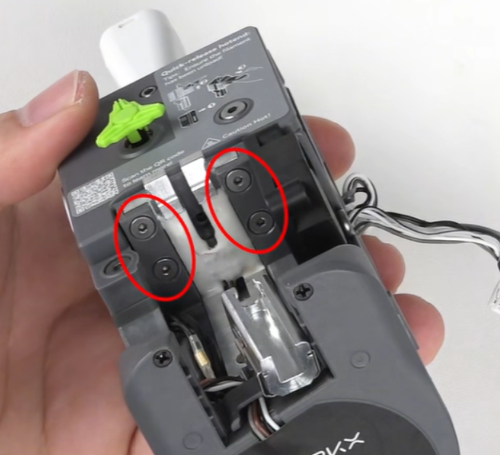
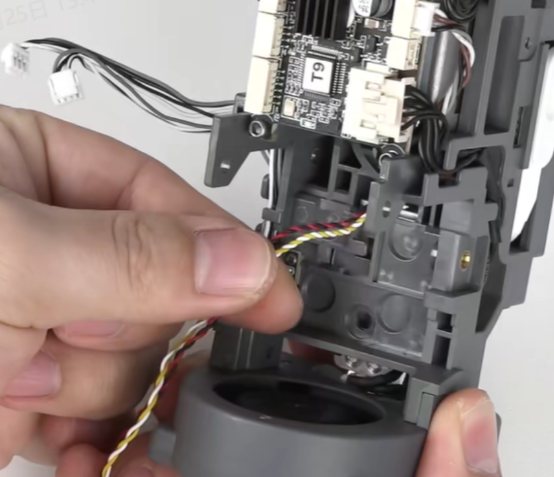
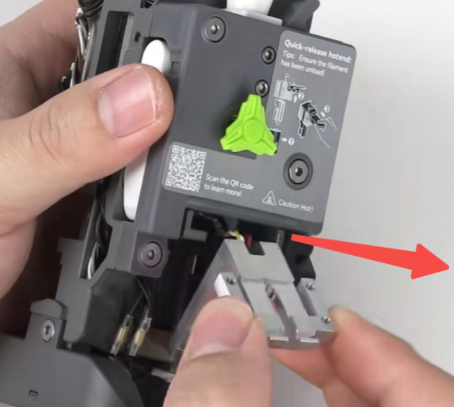
Remove the four fixing screws of the i7 Leveling Sensor, then slide it forward to remove it.
 |
 |
 |
¶ Install the New Leveling Sensor
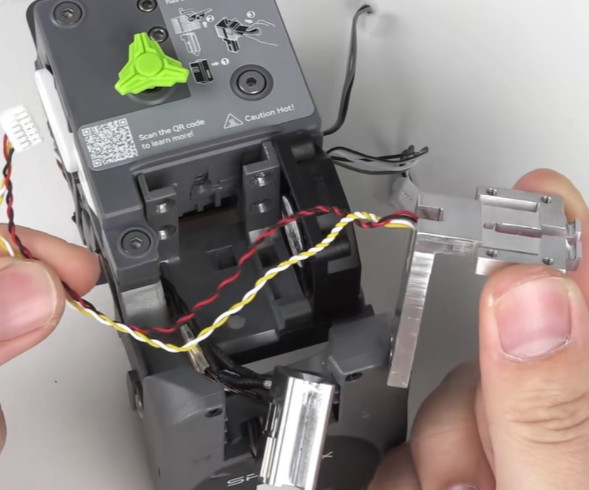
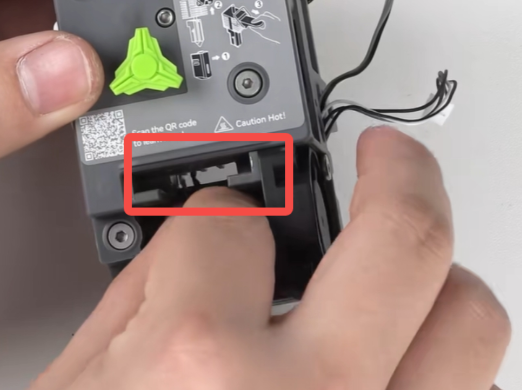
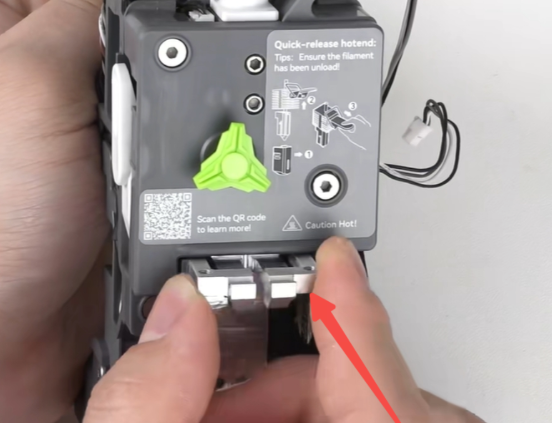
Prepare the new i7 Leveling Sensor. Route the cable through the opening in the Toolhead, slide the sensor into the guide slot.
 |
 |
 |
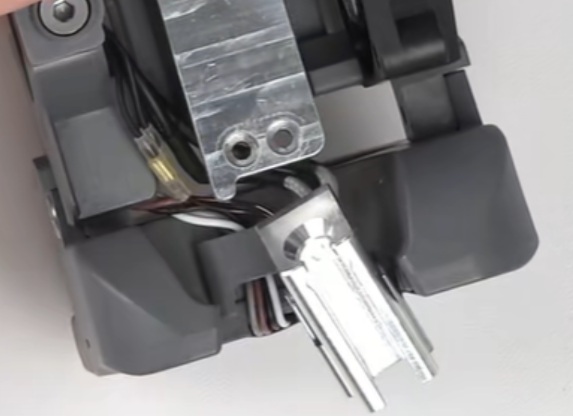
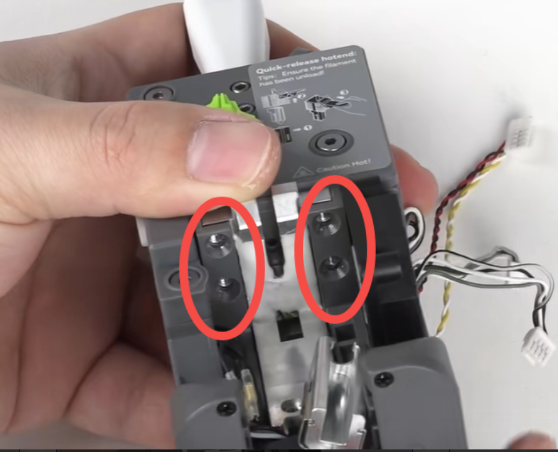
Pay attention to the routing position of the i7 Hotend Heating Assembly cable. After adjusting it into the correct position, tighten the four fixing screws (in a diagonal sequence).
 |
 |
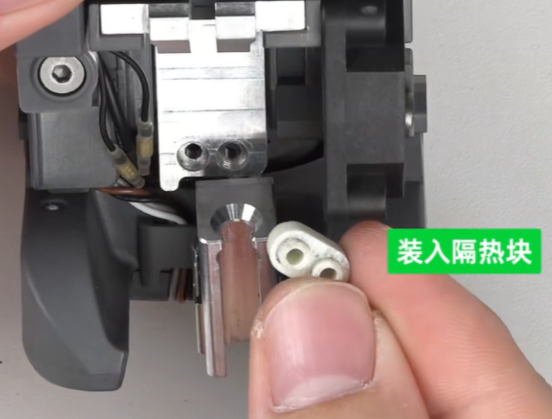
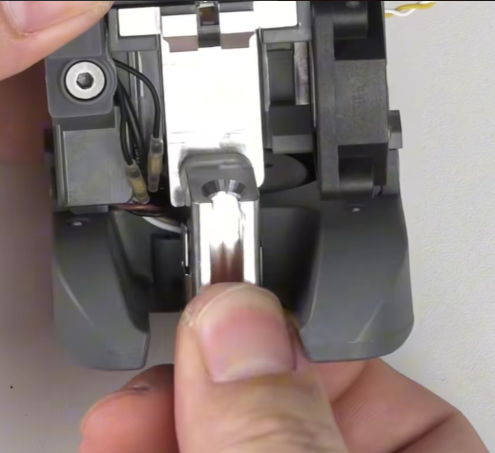
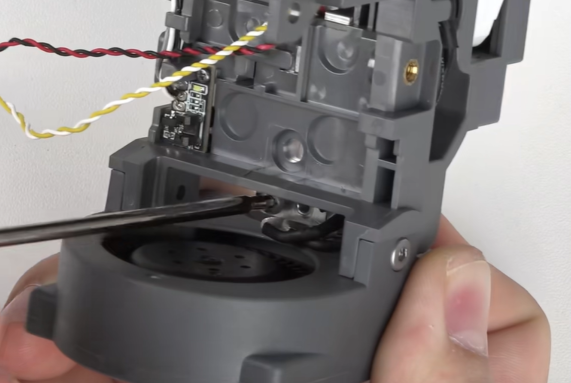
Reinstall the insulation block and the i7 Hotend Heating Assembly, tighten the two fixing screws on the back, then loosen the fixing screws by half a turn in the reverse direction.
 |
 |
 |
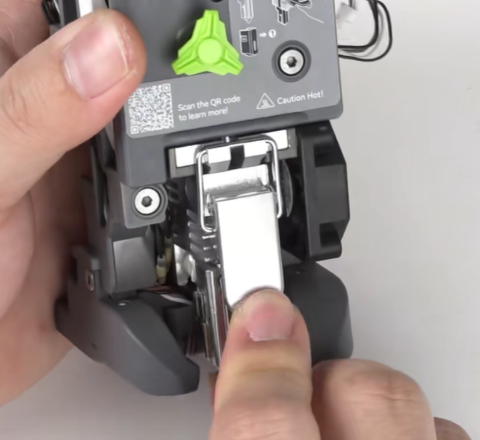
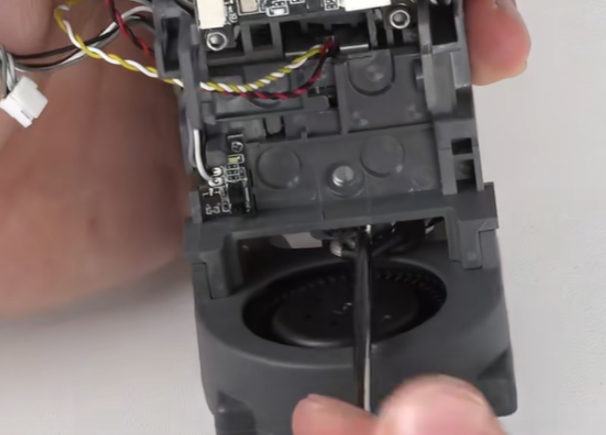
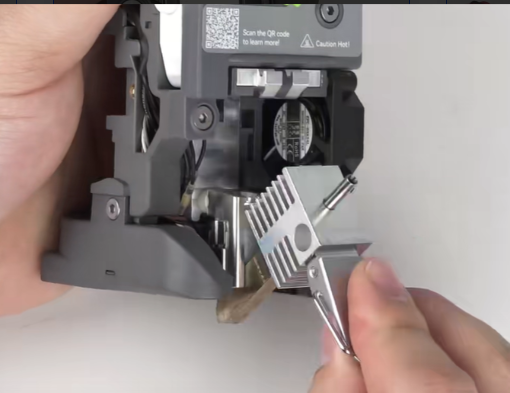
Insert the quick-release Hotend and fasten the latch. Then fully tighten the fixing screws of the i7 Hotend Heating Assembly. After tightening, check whether the quick-release Hotend can be installed and removed smoothly.
 |
 |
 |
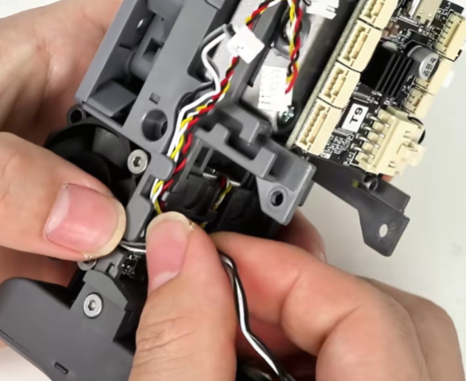
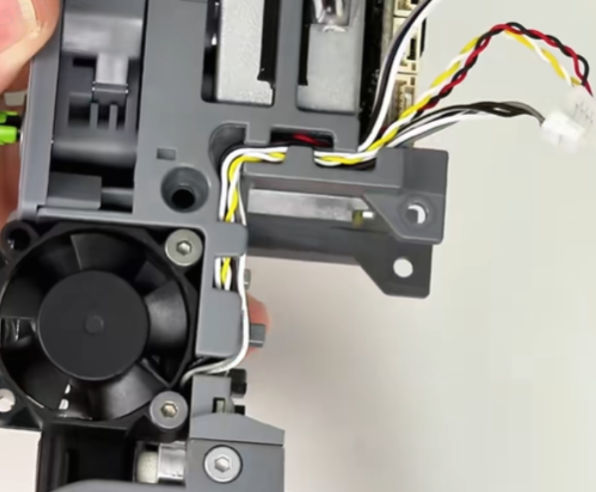
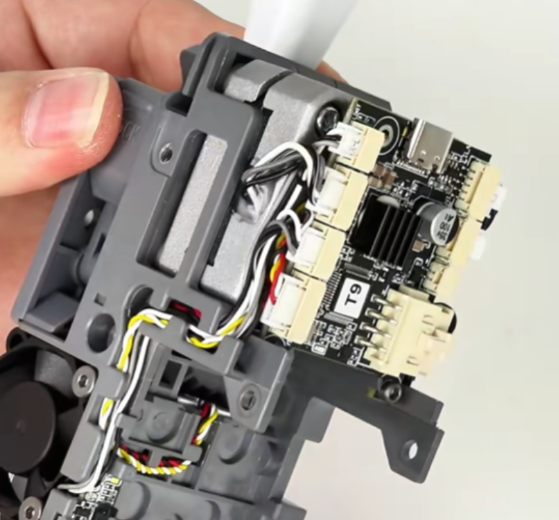
Route the cable neatly into the cable slot and reconnect the terminal.
 |
 |
 |
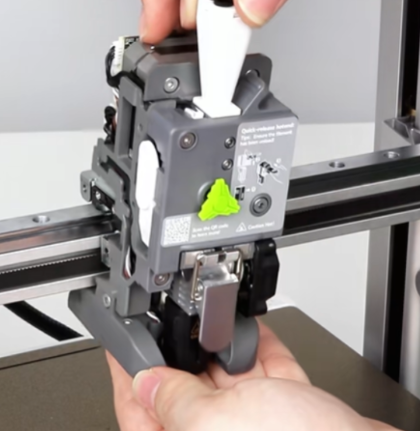
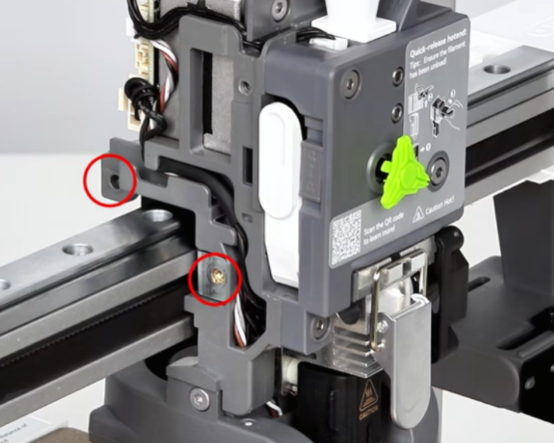
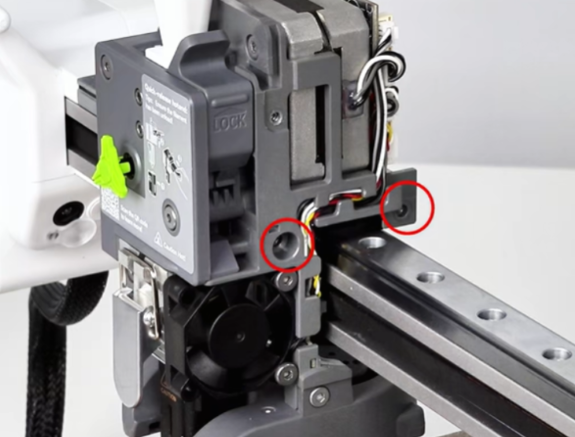
Reinstall the Toolhead onto the X-axis Assembly slider and tighten the four fixing screws.
 |
 |
 |
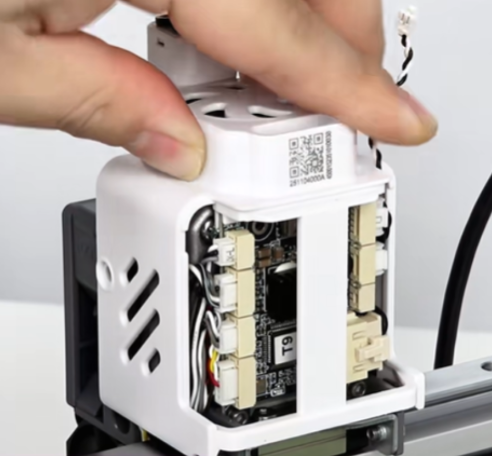
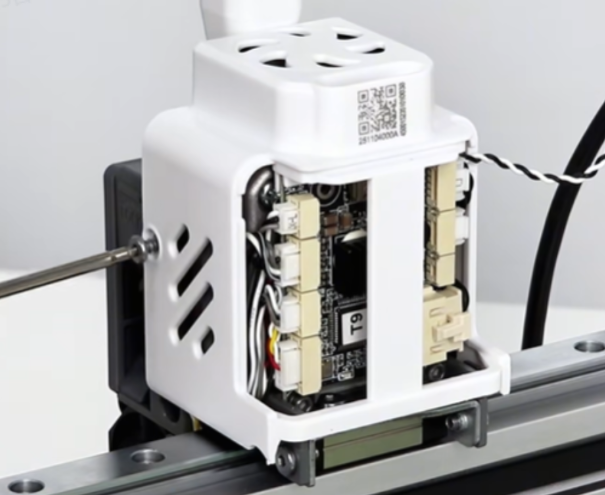
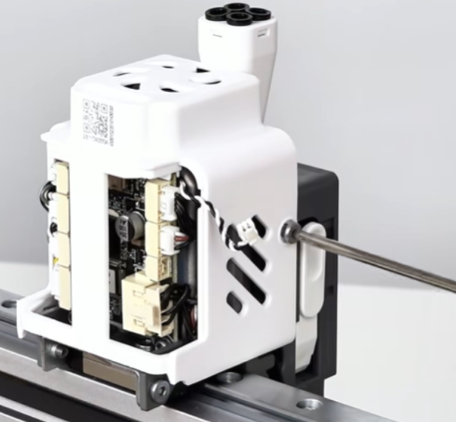
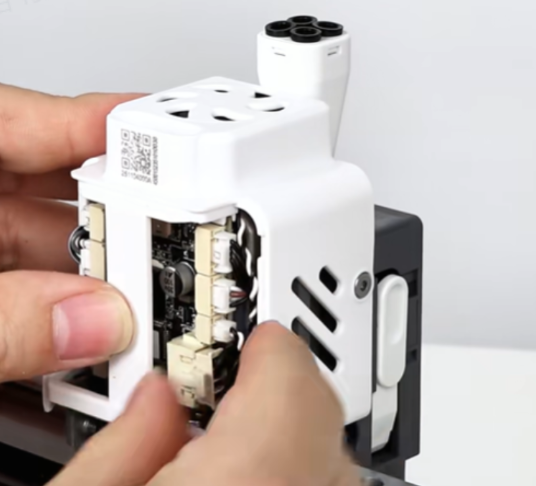
Reinstall the rear extruder housing, tighten the two fixing screws, reconnect the terminal, and install the rear housing.
 |
 |
 |
 |
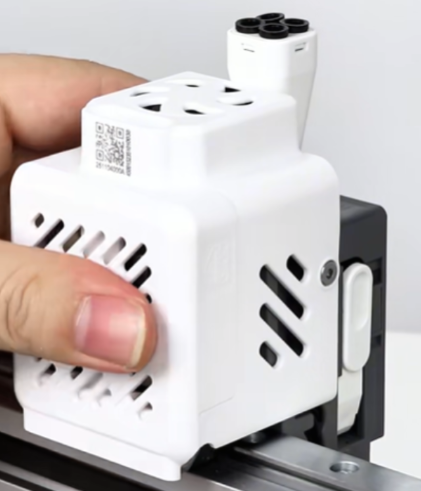 |
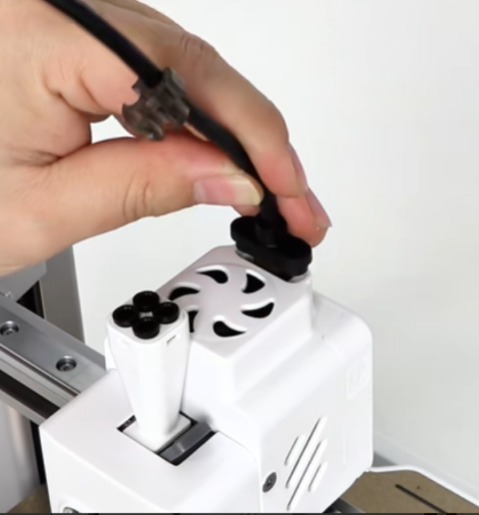
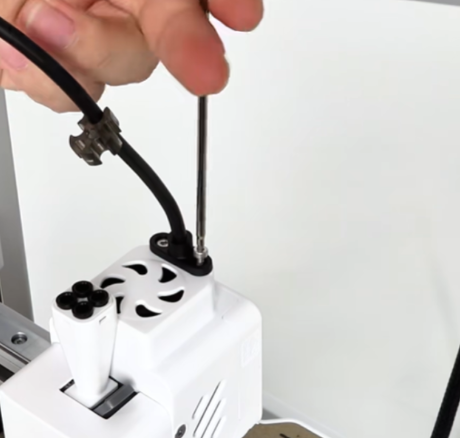
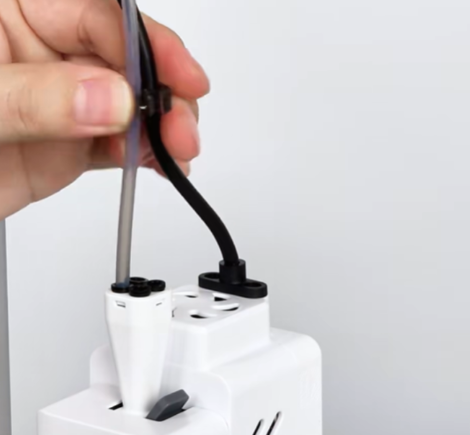
Reconnect the Toolhead Cable, tighten the fixing screws, and reinstall the PTFE tube and cable clip.
 |
 |
 |