¶ Operation Video
Replace i7 Quick-release hotend
¶ About the i7 Hotend
The hotend is installed on the toolhead and is responsible for extruding filament. For the SparkX i7 printer, we offer hotends with four nozzle diameters: 0.2 mm, 0.4 mm, 0.6 mm, and 0.8 mm, allowing you to choose the most suitable option based on your printing needs.
The i7 hotend features a quick-release design. In this guide, we will demonstrate how to replace the i7 series quick-release hotend.
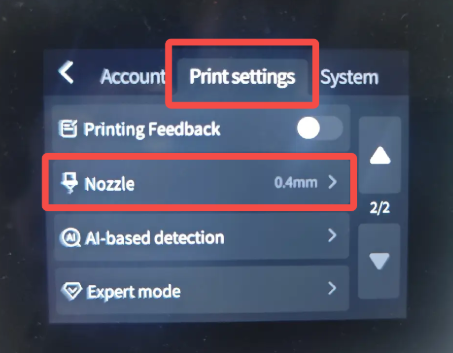
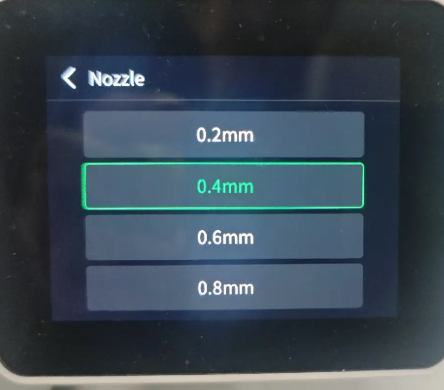
Note: If you replace the hotend with a different nozzle size, please remember to update the nozzle settings on the printer accordingly.
¶ When to Replace the Hotend
When switching to a different nozzle size
When the hotend is clogged
When the hotend is damaged
After more than six months of use, replacement is recommended
¶ Required Tools
A new i7 Hotend Assembly
Heat-resistant gloves
¶ Safety Preparation
Before starting, make sure that the hotend and heated bed have cooled down to avoid burns. If the operation must be performed while the hotend is still warm, always wear heat-resistant gloves to ensure personal safety.
¶ Replacement Procedure
The hotend can only be replaced when the toolhead is not loaded with filament. If filament is loaded, please unload it first, or manually press the cutter arm to cut the filament.
¶ Removing the Old Hotend
Ensure the toolhead is unloaded, or confirm that the filament has been cut by the filament cutter.
Remove the toolhead front cover to expose the extruder and hotend.
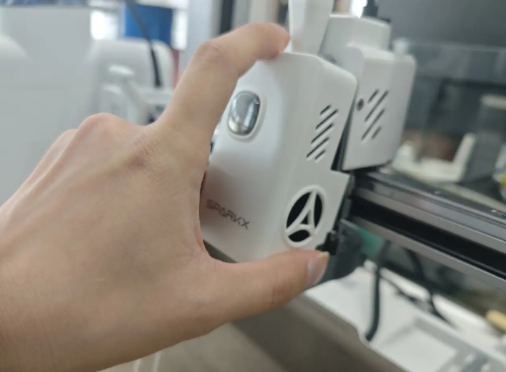
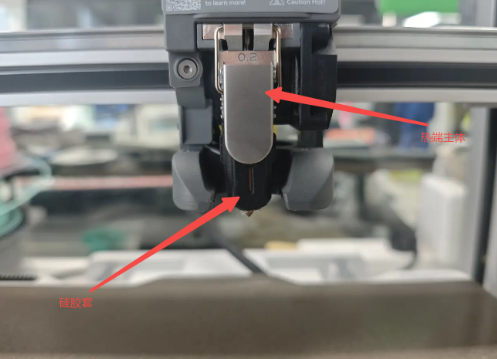
Remove the hotend sock. You may use a wrench to gently pry it off for easier removal. Pinch both sides of the silicone sock and pull it outward and downward.
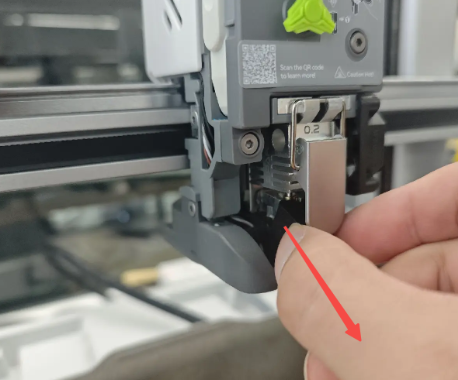
Flip the hotend release lever upward. Hook the latch onto the upper protrusion and pull the lever upward until the hotend is released.
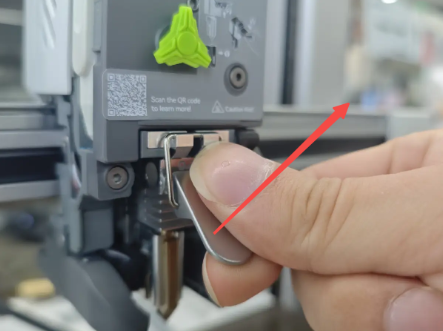 |
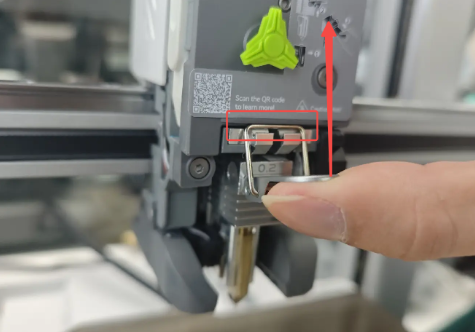 |
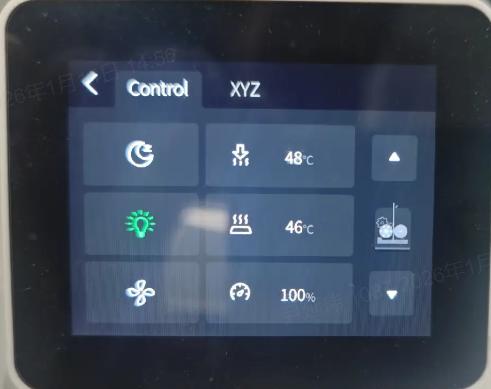
If the hotend is too tight to remove, set the hotend temperature to 100 °C from the printer control interface, then try again.
Warning: Do not touch the nozzle after heating to avoid burns.
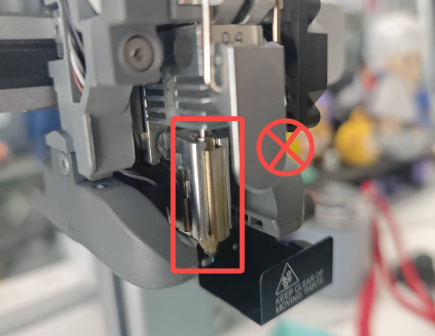
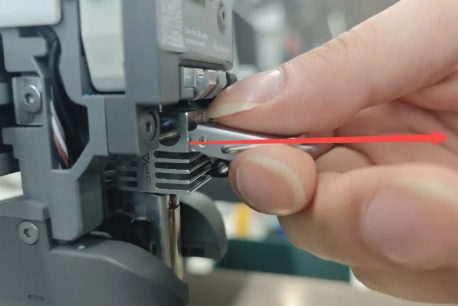
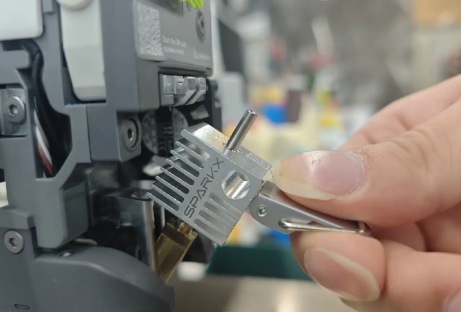
Hold the release lever and pull the integrated hotend assembly straight out horizontally.
 |
 |
¶ Installing the New Hotend
Prepare the new hotend to be installed.
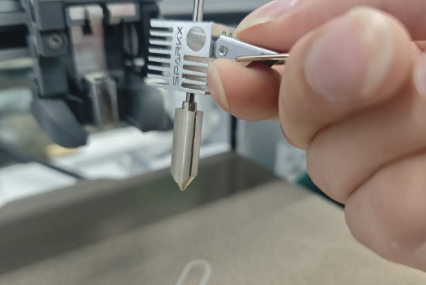
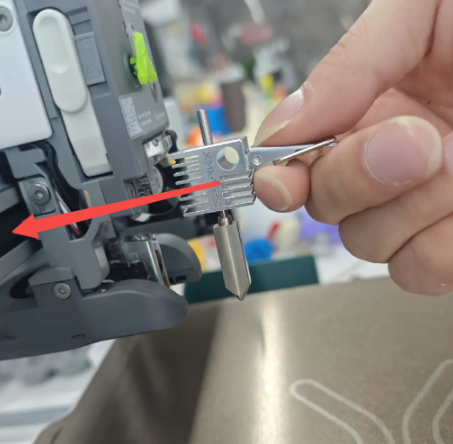
Hold the release lever and insert the hotend horizontally into the heating assembly, ensuring that the nozzle is properly seated.
 |
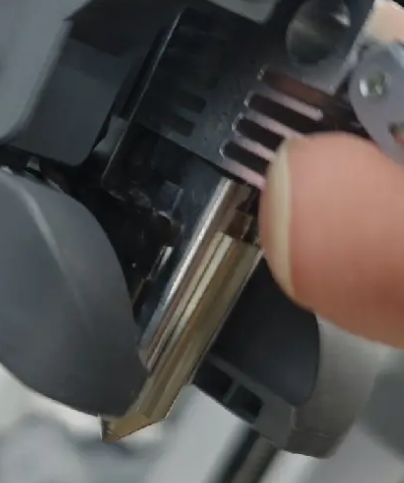 |
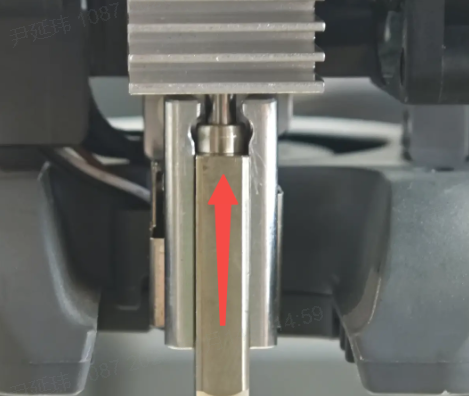
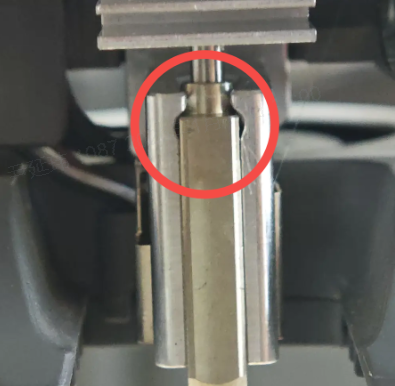
As shown in the image, lift the Hotend upward.
 |
 |
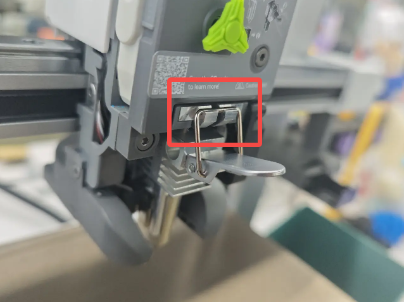
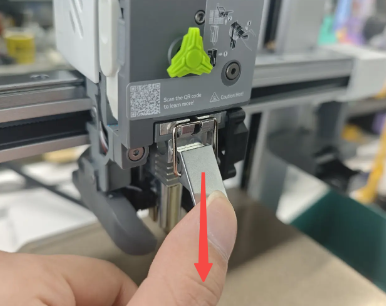
Engage the latch hook into the upper slot and press the release lever downward to lock the hotend in place.
 |
 |
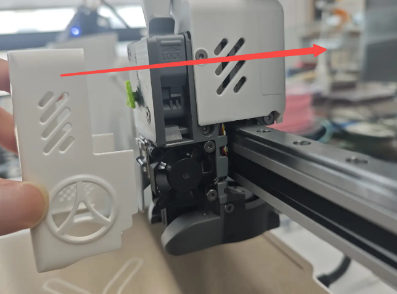
Reinstall the hotend sock and the toolhead front cover to complete the installation.
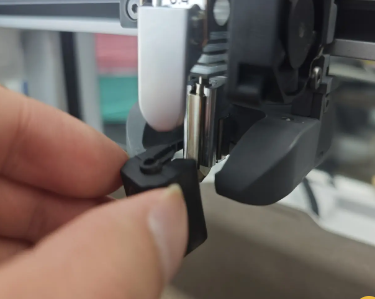
Align the notch of the silicone sock with the nozzle, push it in at an angle, then reinstall the front cover horizontally.
 |
 |
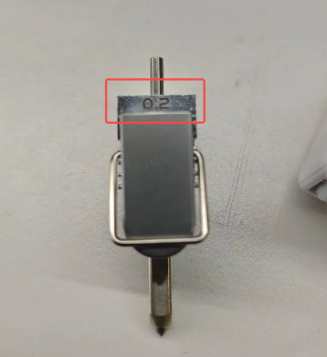
Check whether the installed hotend specification matches the printer settings.
On the printer, go to Settings → Print Settings → Nozzle to view and modify the nozzle parameters if necessary.
 |
 |