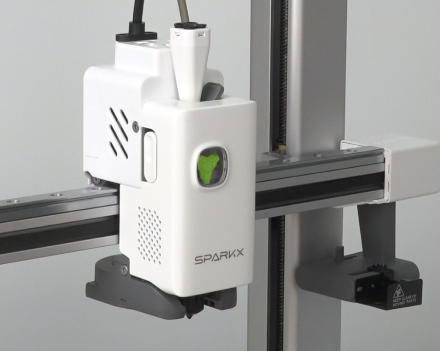
¶ Operation Video
Replace i7 Filament runout detection module
¶ Preparation Tools
- New i7 Series Filament & Cutter Sensor
- Hexagonal wrench
- New filament break detection module
¶ Replacement Steps
Before replacement, remove the filament from the extruder
¶ Disassembly
Press the tube connector and pull out the PTFE tube
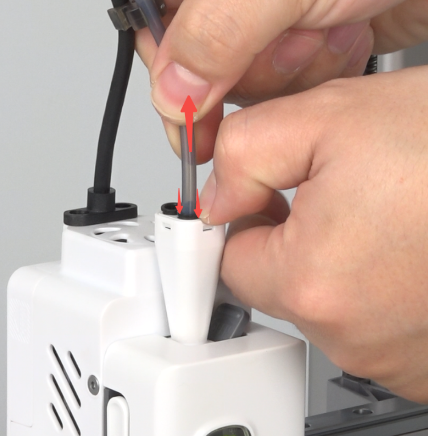
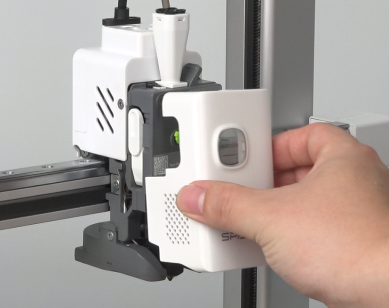
Remove the tool head front cover
Unplug the filament & cutter sensor wire.
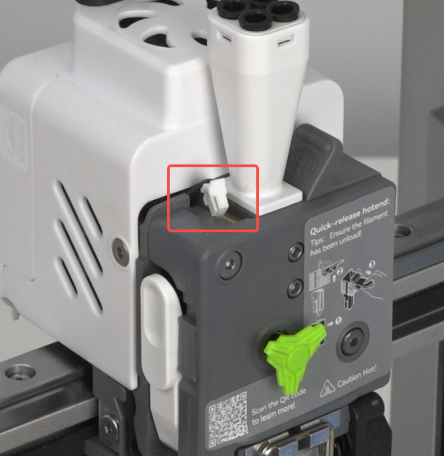
Open the extruder handle.
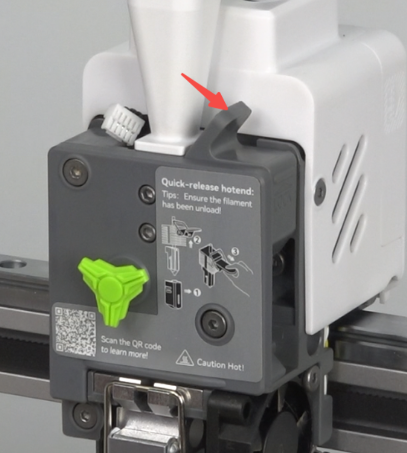 |
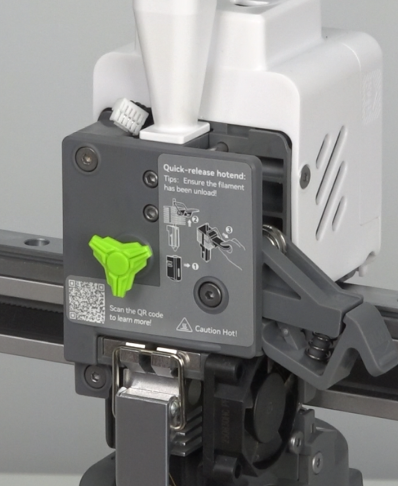 |
Use the hexagonal wrench to unscrew the 3 screws securing the extruder front cover
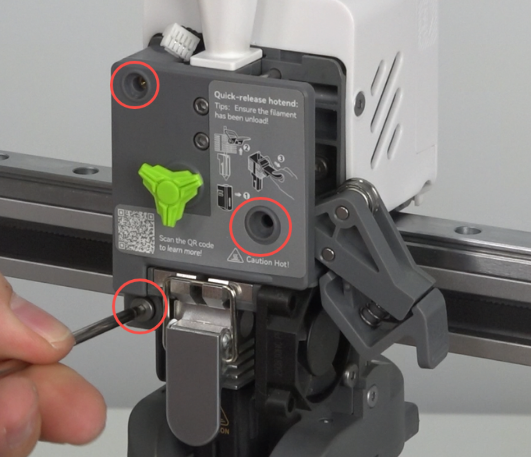
Remove the extruder front cover and extruder handle.
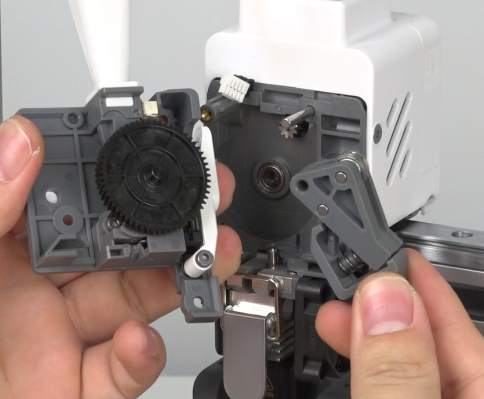
Pull out the small dial.
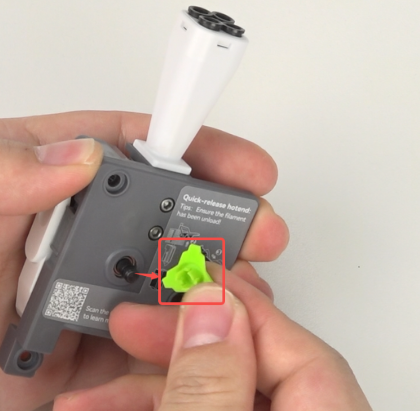
Press the gear shaft with your index finger and pull out the large gear.
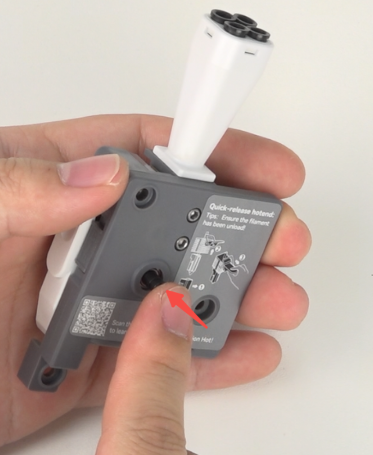 |
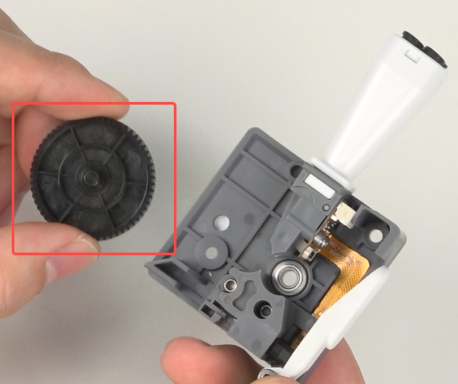 |
Push the slider upward to unlock the cutter push rod.
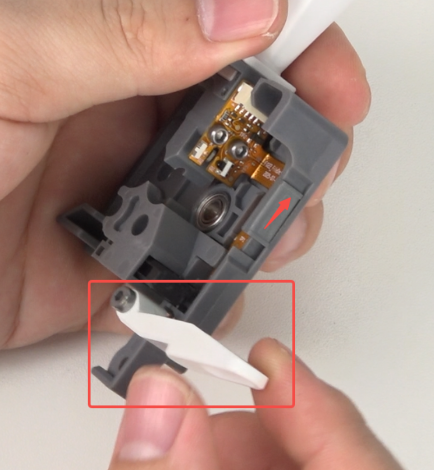
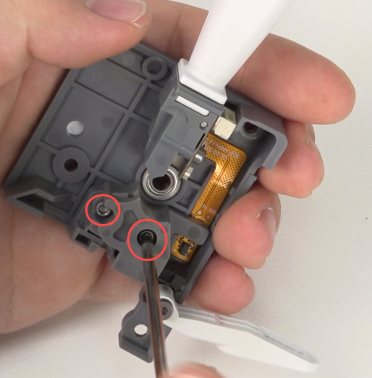
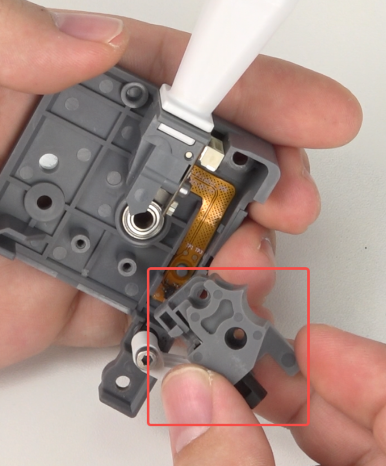
Use the hexagonal wrench to unscrew the 2 screws securing the lower feeder block, and remove the lower feeder block.
 |
 |
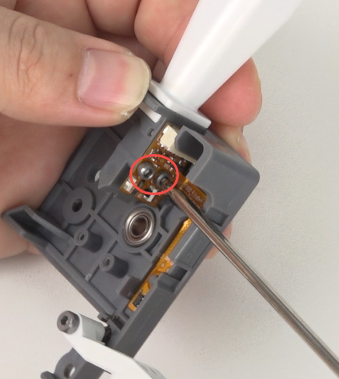
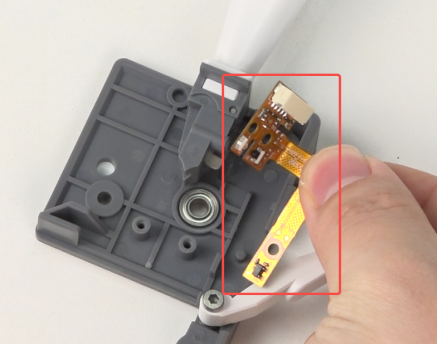
Use the hexagonal wrench to unscrew the 2 screws securing the filament break detection module, and remove the filament & cutter sensor.
 |
 |
¶ Installation
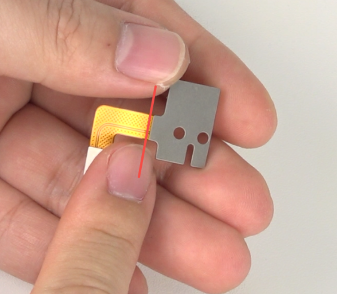
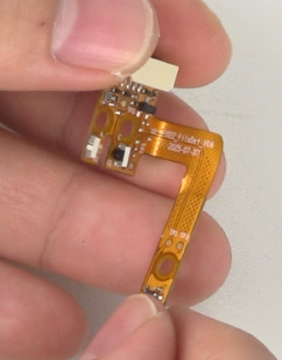
Bend the new filament & cutter sensor's metal sheet 90 degrees
 |
 |
Place the filament & cutter sensor into the extruder front part, paying attention to align the positioning posts
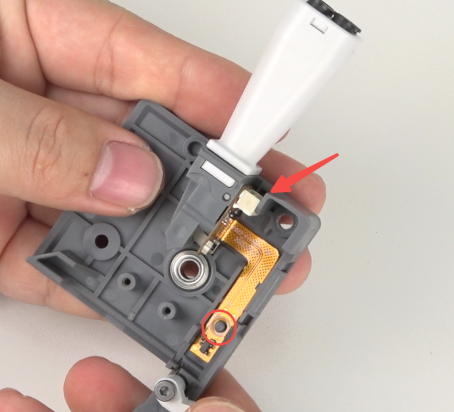
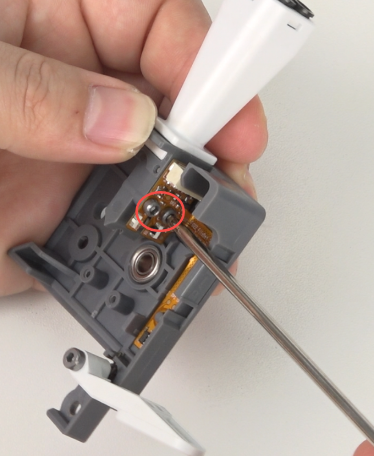
Use the hexagonal wrench to tighten the 2 screws securing the filament break detection module.
Insert the lower feeder block, and use the hexagonal wrench to tighten the 2 screws securing the lower feeder block.
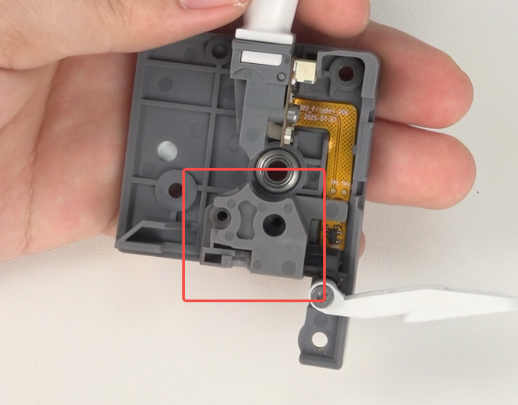 |
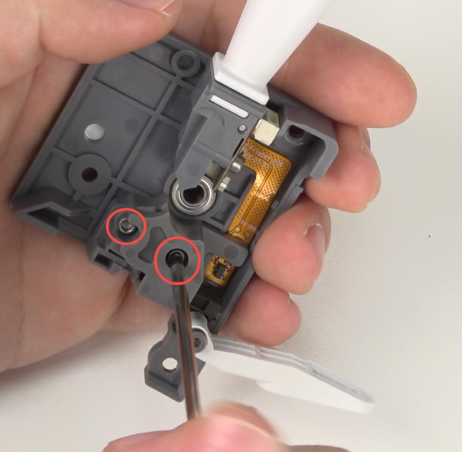 |
Close the cutter push rod, push the slider downward.
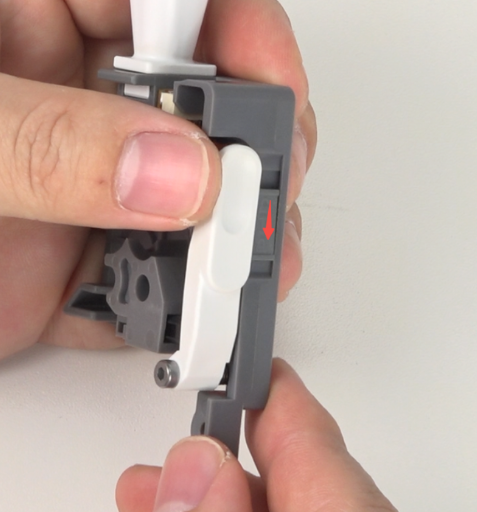
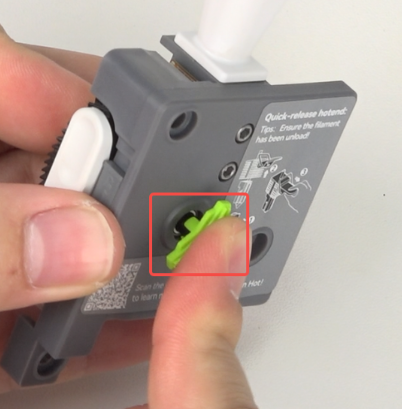
Insert the large gear with the gear shaft passing through the bearing, install the small dial.
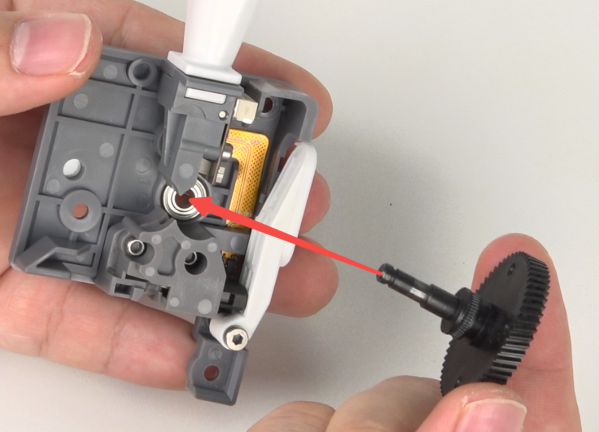 |
 |
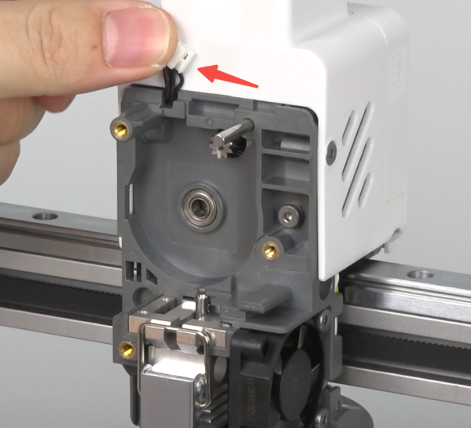
Arrange the filament & cutter sensor wires to prevent them from being pinched when installing the extruder front cover
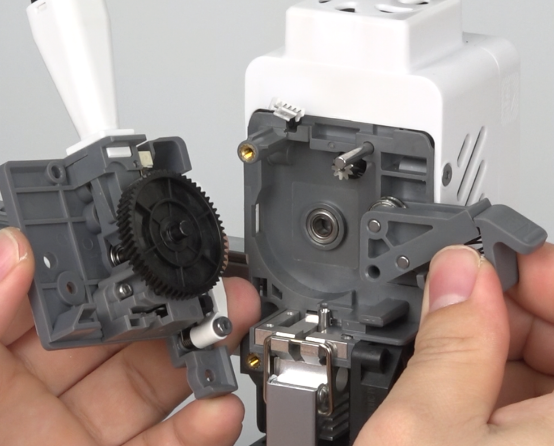
Install the extruder front cover and extruder handle
 |
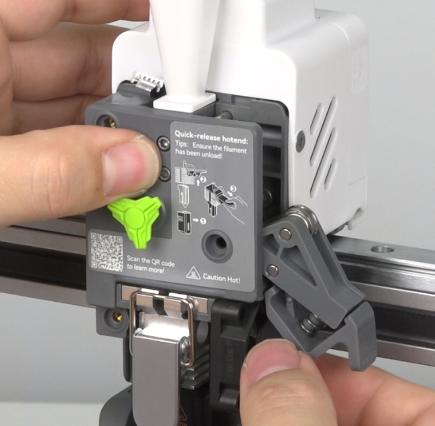 |
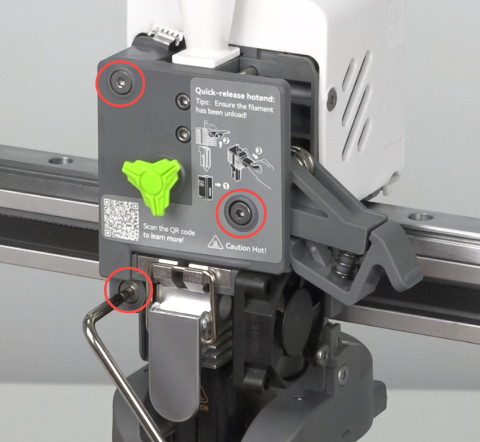
Use the hexagonal wrench to tighten the 3 screws securing the extruder front cover, holding the extruder handle up to align with the holes.
 |
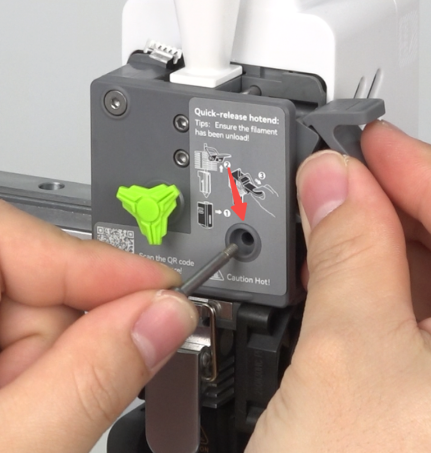 |
Close the extruder handle.
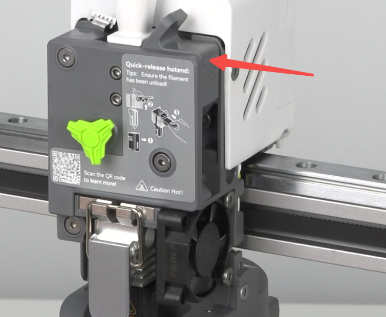
Insert the filament & cutter sensor wires
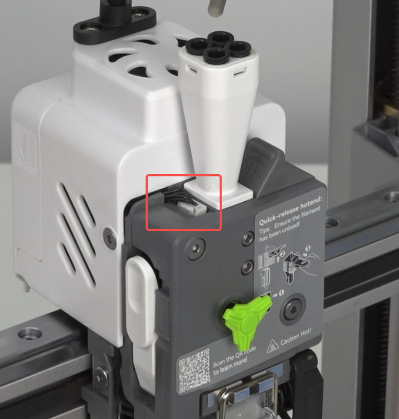
Install the front cover