¶ Preparations Before Printing
¶ Filament Preparation
- Select a filament with appropriate hardness. Common flexible filaments used in 3D printing have a wide range of hardness levels. From harder to softer, the order is: 77D > 70D > 68D > 55D > 95A > 85A > 83A > 80A > 75A > 70A.
SPARKX i7 supports printing flexible filaments with a hardness of 95A or higher. If you want to print TPU filament using the CFS Lite, the filament must have a hardness of 64D or higher.
Filament Hardness Recommendations:
SPARKX i7 (Standalone): 95A or higher
SPARKX i7 Autofill Combo: 64D or higher
SPARKX i7 Color Combo: 64D or higher
- Dry the filament. Use a filament dryer to dry the filament to prevent moisture absorption, which can cause print quality issues such as excessive oozing and stringing.
Appendix: TPU Filament Hardness of Creality Brand:
|
Filament Type
|
Hardness
|
|
CR-TPU
|
95A
|
|
HP-TPU
|
95A
|
¶ Printer Preparation
For flexible filaments that cannot be printed using the CFS lite, an external spool holder is required.
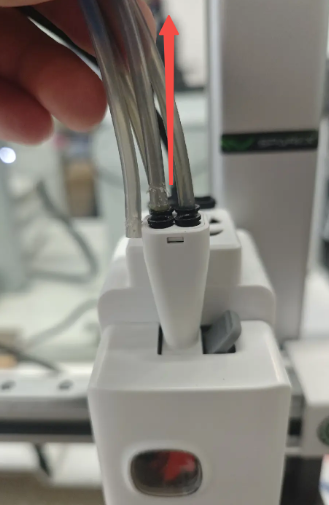
Remove all PTFE tubes from the Toolhead.
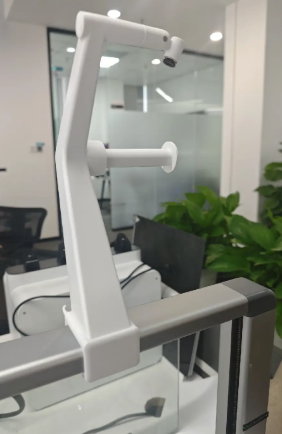
Install the external spool holder on top of the printer gantry.
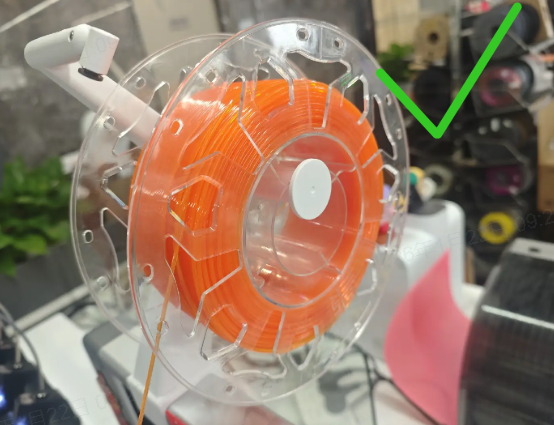
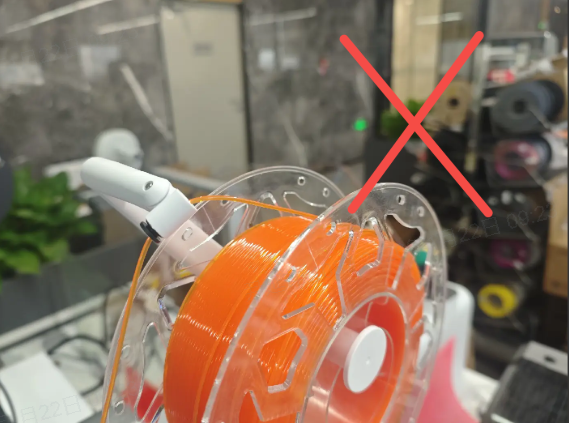
Load the filament. When printing flexible filament, do not feed it into the extruder through the pneumatic fitting of the spool holder.
 |
 |
Prepare a PTFE tube approximately 10 cm long and insert it into any pneumatic fitting of the five-way connector on the Toolhead.
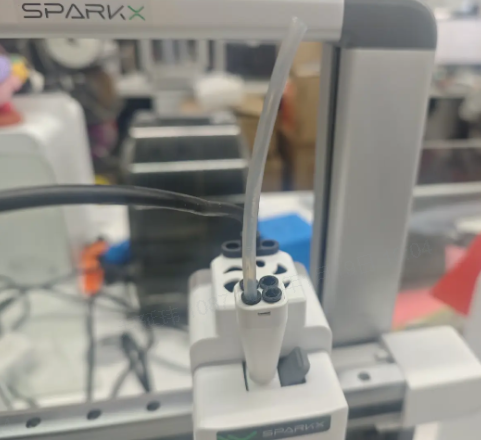
Load the filament to be printed. Remove the extruder front cover, open the extruder idler latch, and insert the filament into the PTFE tube.
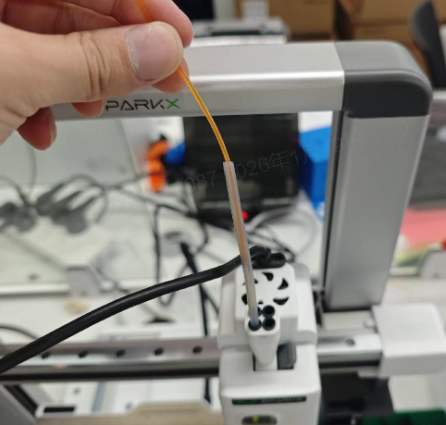
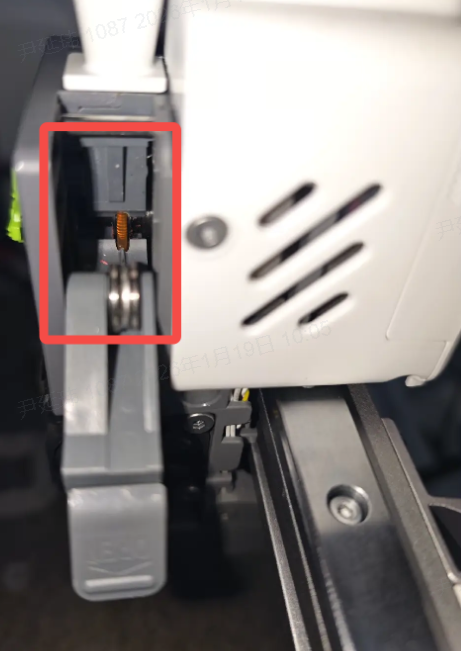
When the filament end is observed entering the extruder drive gears, close the latch and reinstall the extruder front cover.
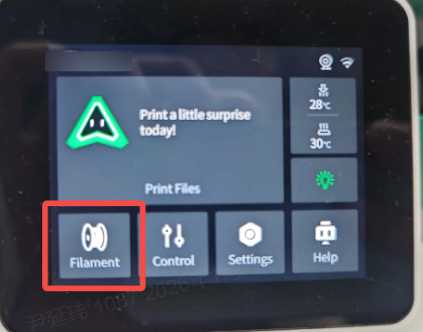
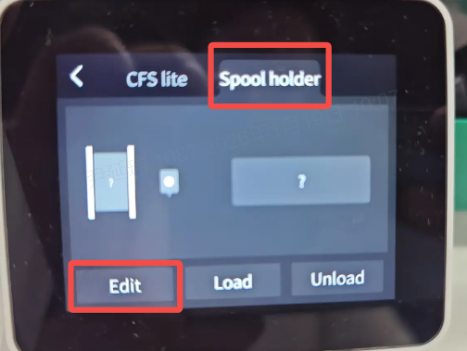
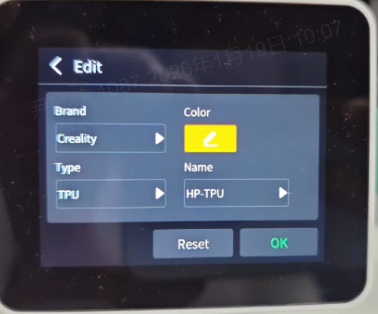
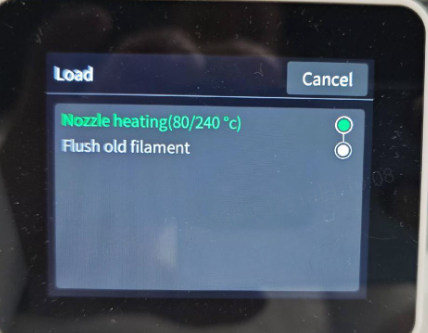
Enter the Filament interface, select External Spool Holder, edit the filament information, and tap Load.
Follow the on-screen prompts to complete the filament loading process.
|
|
|
|
¶ Slicing Settings
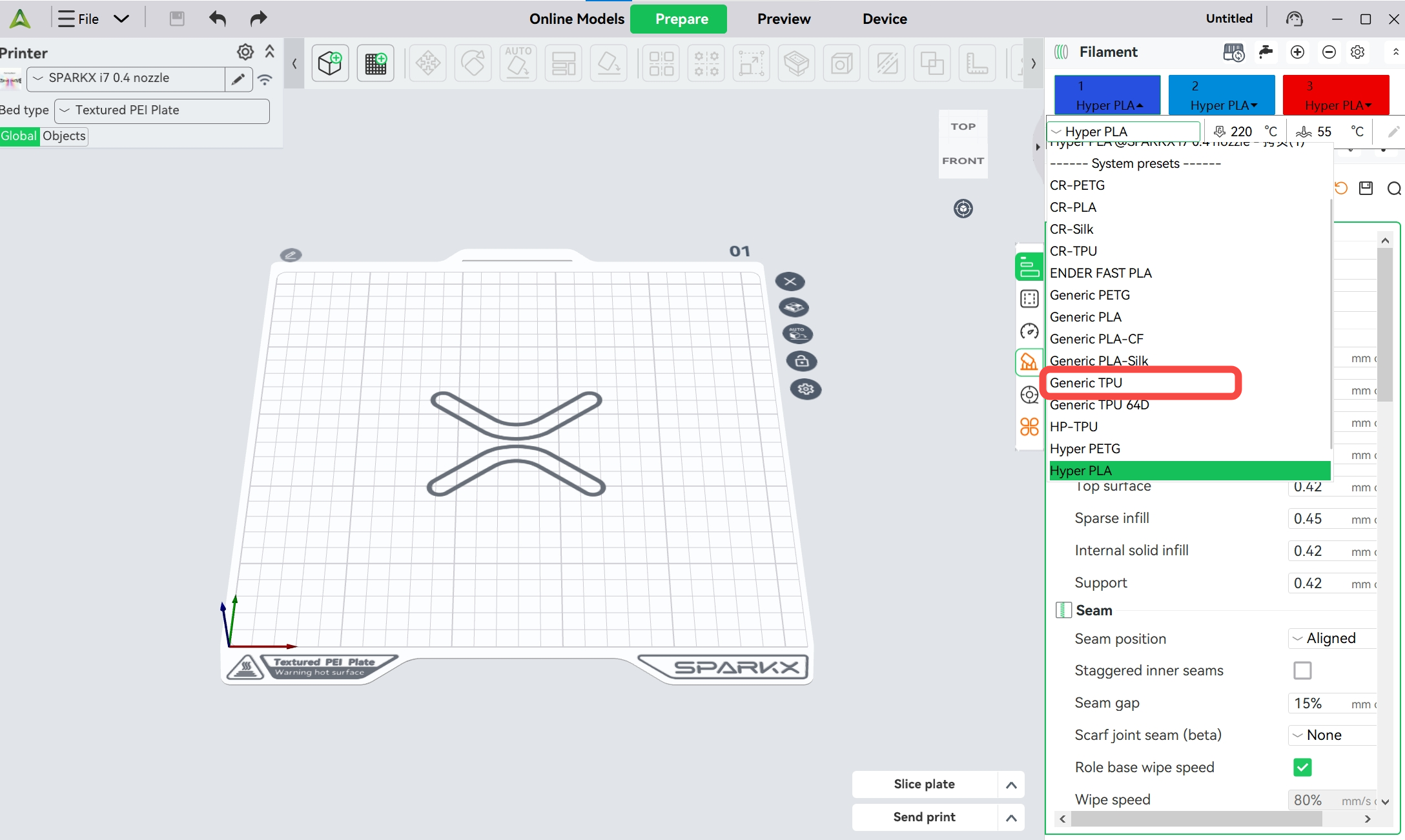
When printing flexible filaments, it is recommended to use a 0.4 mm nozzle along with the corresponding preset parameters. For Creality CR-TPU and HP-TPU, dedicated filament presets are available. If you are using third-party flexible filaments, we recommend selecting the more conservative “Generic TPU” preset.
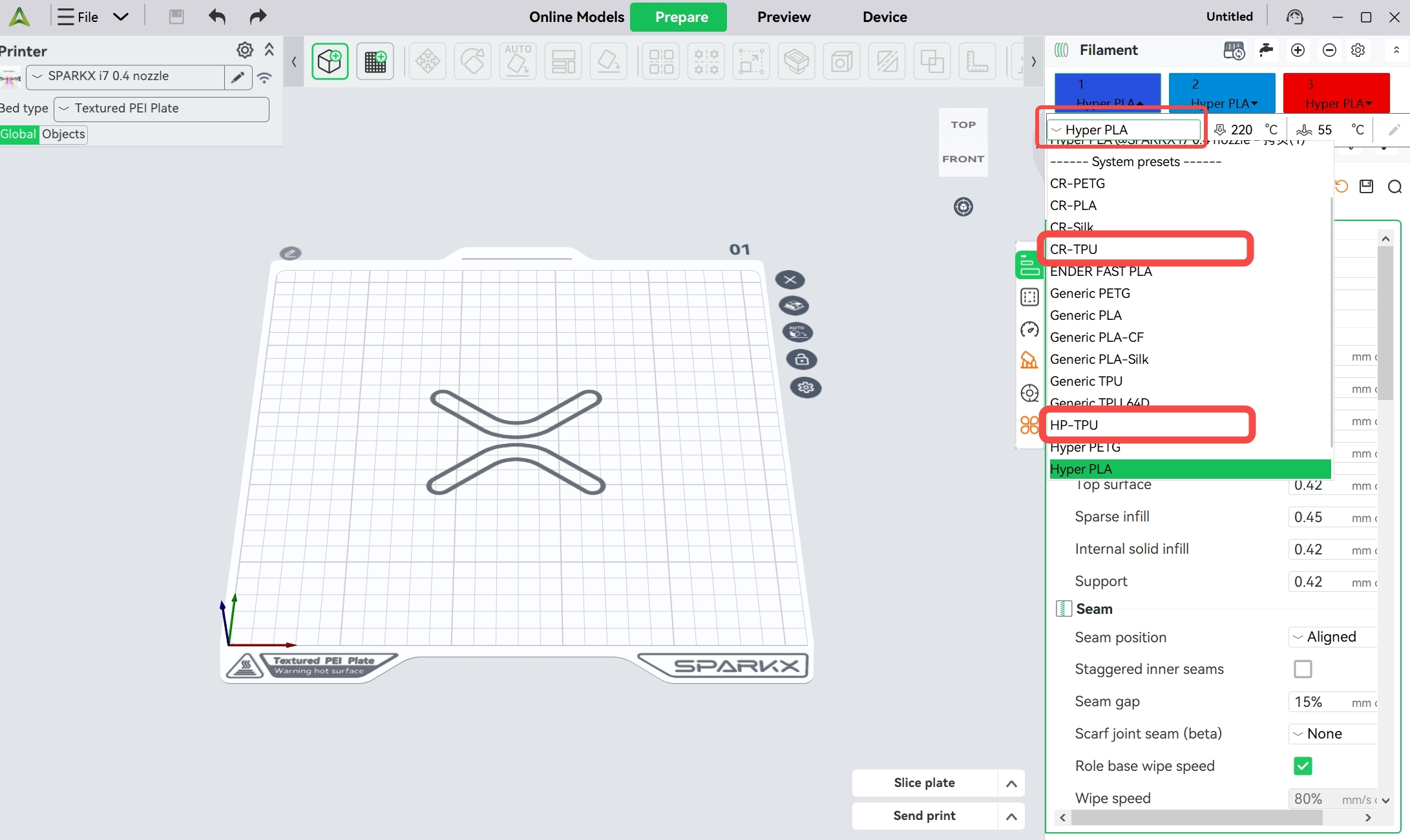
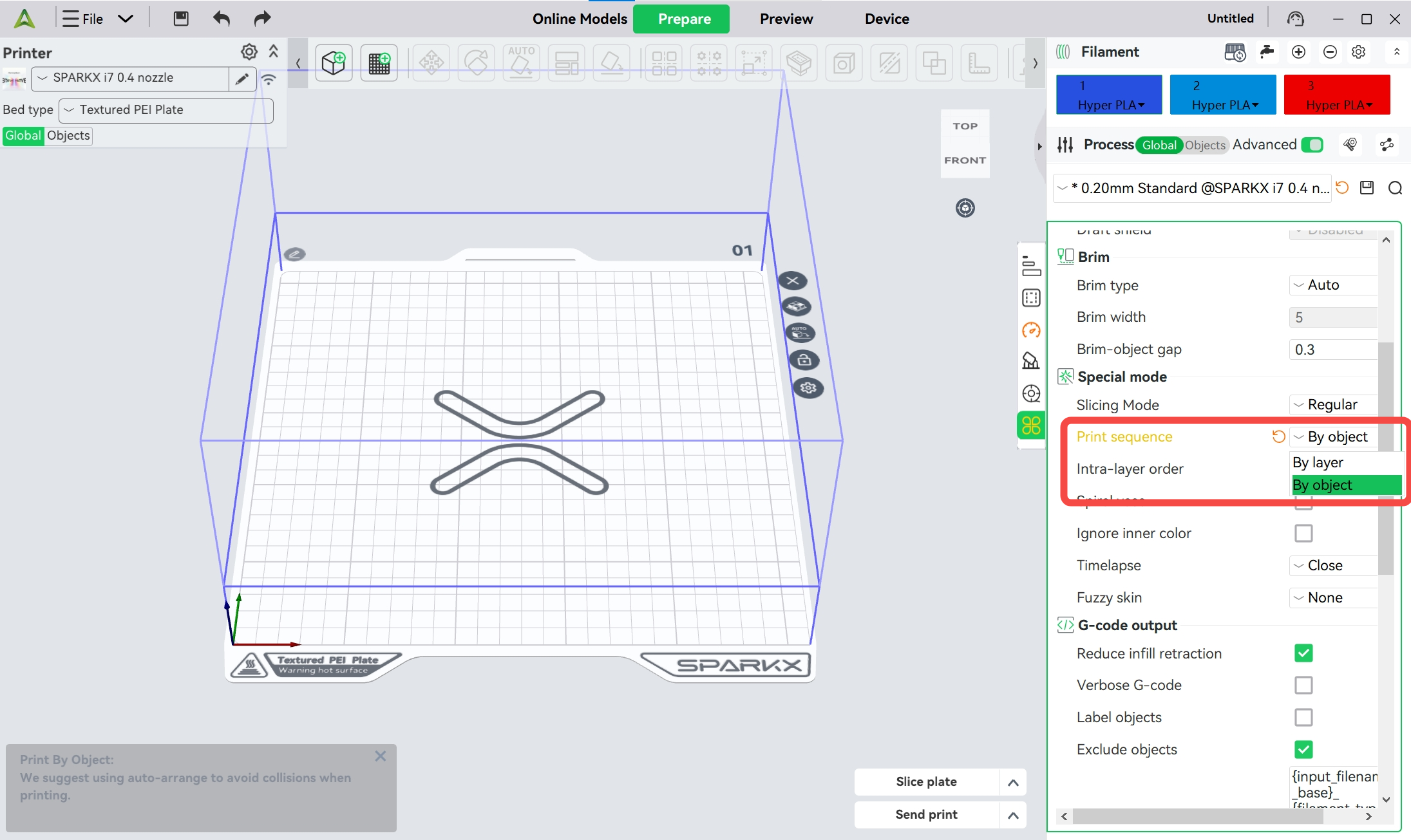
Most flexible filaments are prone to stringing. Therefore, when arranging models on the build plate, excessive travel moves should be avoided. It is recommended not to place too many models on a single plate or use layer-by-layer printing. Instead, place only one model on the plate, or place a small number of models and use print by object mode.
¶ After Printing
¶ Remove the Model from the Print Plate
In general, flexible filaments such as TPU have strong adhesion to the Print Plate, and models with a large bottom surface can be difficult to remove. Do not use excessive force, as this may damage the model or the print plate. Instead, gently lift one corner of the model to create a small gap, spray alcohol into the gap, and then gradually separate the model from the print plate.
¶ Remove Stringing from the Model
Drying TPU filament before printing can reduce stringing but cannot completely eliminate it, especially for models with frequent travel moves. To remove stringing from the printed model, you can use a hair dryer with hot air, or briefly pass a lighter flame over the stringing areas. Be careful to avoid damaging the model.