¶ Why Nozzle PID Calibration Is Required
The factory default parameters may not cover all usage scenarios. Therefore, after setting up your printer, it is recommended to perform PID calibration.
PID calibration is a critical step to ensure accurate and stable nozzle temperature control on a 3D printer. By systematically tuning the internal temperature control parameters, the printer can reach the target temperature quickly, accurately, and smoothly, and maintain it consistently during printing.
Incorrect PID parameters may lead to color bleeding or other print quality issues.
¶ Nozzle PID Calibration Procedure
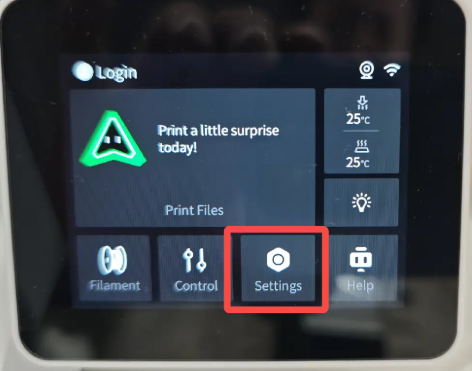
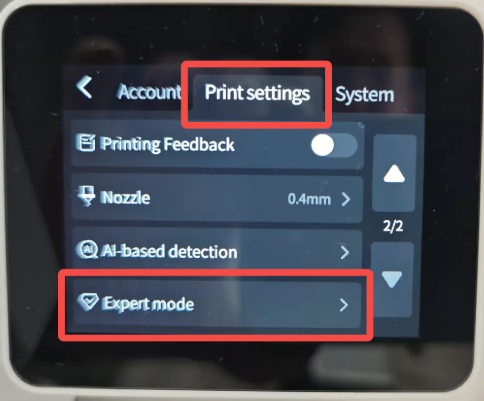
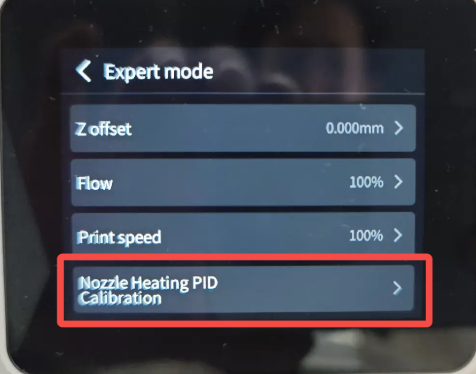
The PID calibration option is located at Settings → Print Settings (Page 2) → Expert Mode.Select Nozzle PID Calibration to start the calibration process.
 |
 |
Set the temperature to the recommended printing temperature for the filament.
 |
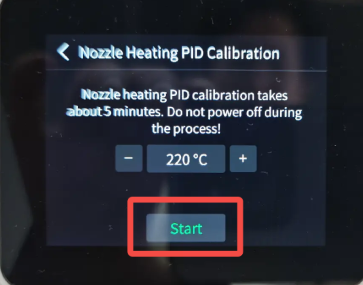 |
Tap Start, and the printer will automatically perform the nozzle PID calibration.During the calibration process, the nozzle temperature will increase and decrease multiple times. The entire process takes approximately 5 minutes to complete.
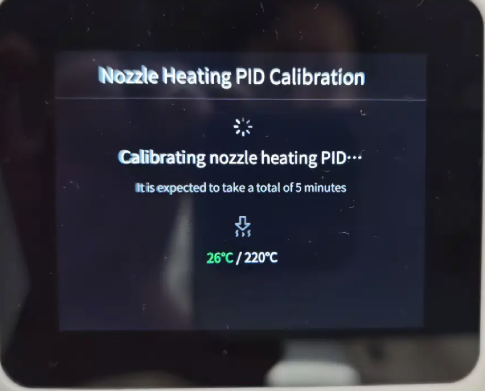
Once the calibration is complete, the printer is ready for normal use.