FFF 3D printing requires melting the filament and extruding it through the hotend heat break to complete the print. Therefore, keeping the heat break and nozzle channels clean and unobstructed is essential for achieving good print quality.
Cold Pull is an efficient method for cleaning the hotend and nozzle, helping to remove blockages and maintain smooth filament extrusion.
¶ SPARKX i7 Cold Pull Procedure
¶ Perform a Filament Unload to ensure there is no filament inside the extruder, then remove the Extruder Front Cover.
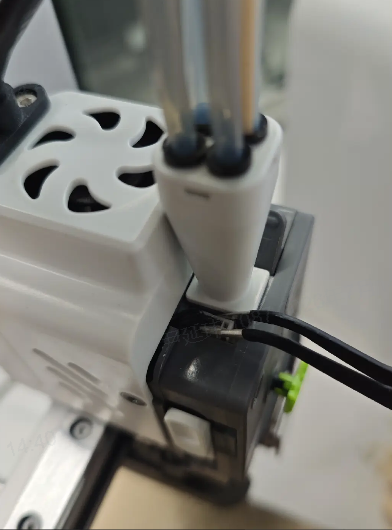
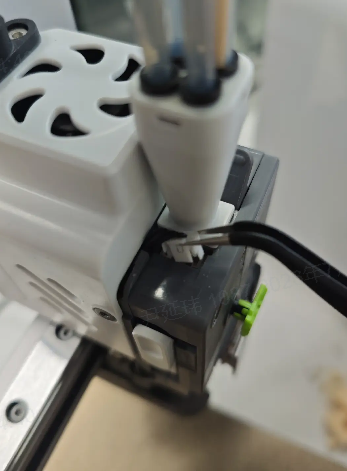
Using a pair of Tweezers, disconnect the connector at the top. This connector is used for the Filament Runout Sensor.
 |
 |
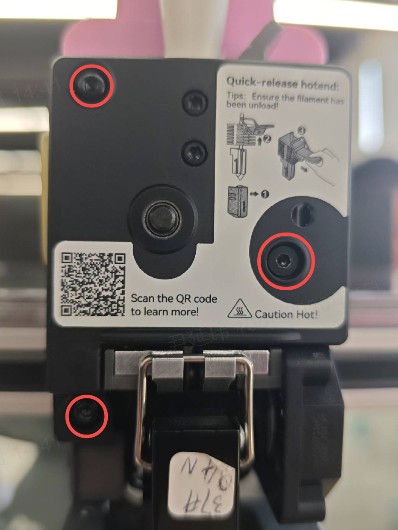
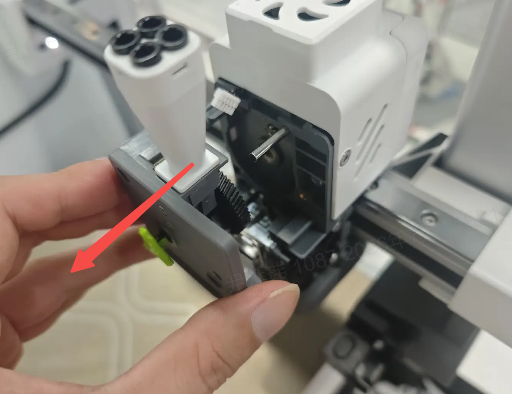
Using the H2.0 Hex Wrench, remove the three screws shown in the illustration to detach the Extruder Front Cover. This will expose the black Extruder Drive Gear, which can also be removed.
Remove the Toolhead Back Cover: Squeeze both sides of the i7 Toolhead and lift off the i7 Toolhead Back Cover.
 |
 |
¶ Go to the control page and heat the i7 Hotend to the printing temperature of the filament.
Caution: Do not touch the i7 Hotend or nozzle after heating to avoid burns! The exact temperature should be set according to the filament you are using.
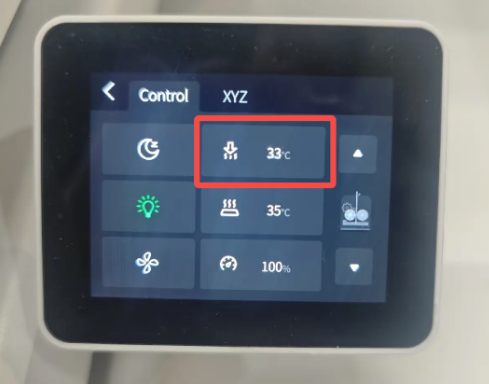 |
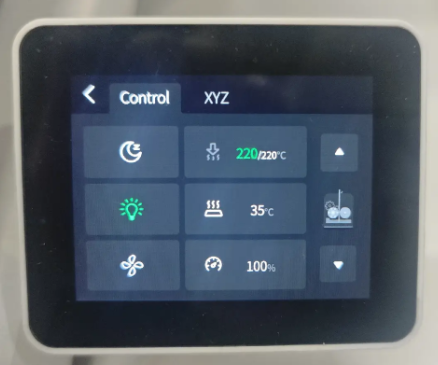 |
¶ Prepare a piece of filament about 30 cm in length.
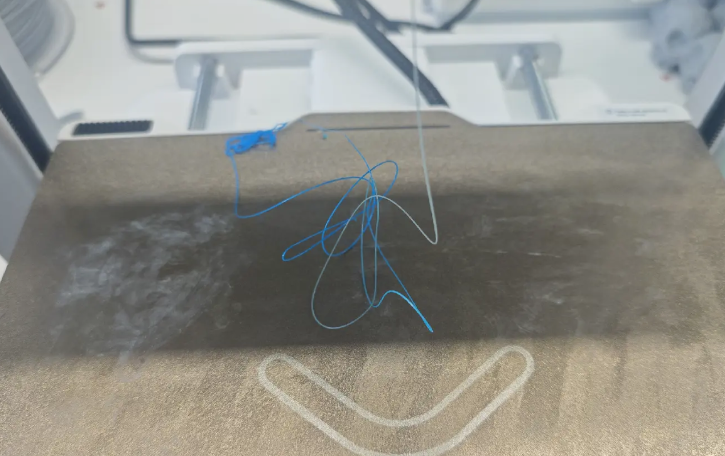
¶ Feed the filament into the Hotend through the heatbreak, and observe the nozzle to ensure that all residual filament inside the heatbreak has been completely extruded.
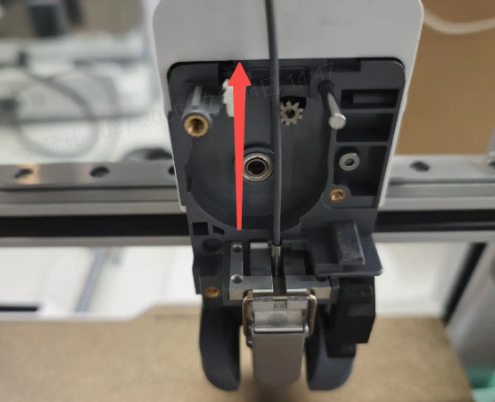 |
 |
¶ On the control page, lower the nozzle temperature to 80 °C and wait for the nozzle to cool down.
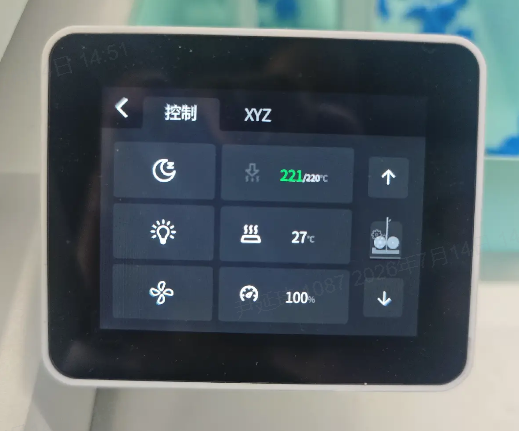
¶ Once the nozzle has cooled, slowly pull out the filament.
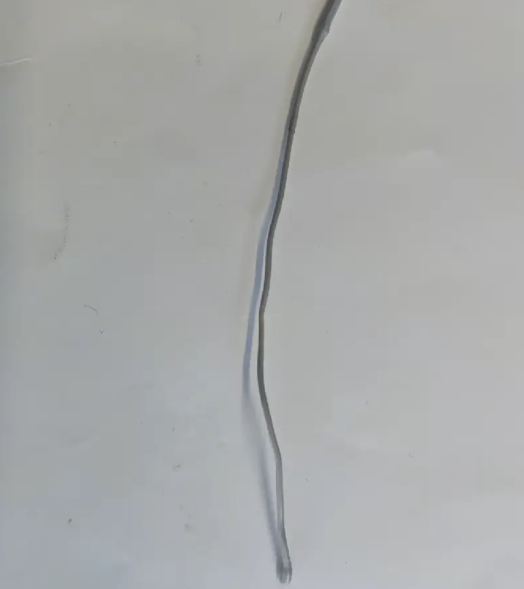
¶ Inspect the pulled-out filament. If there are no discolored particles or burnt filament on its surface, the nozzle is clean.
Depending on the results, multiple cold pulls may be required to thoroughly clean the i7 Hotend.
¶ SPARKX i7 Cold Pull Procedure
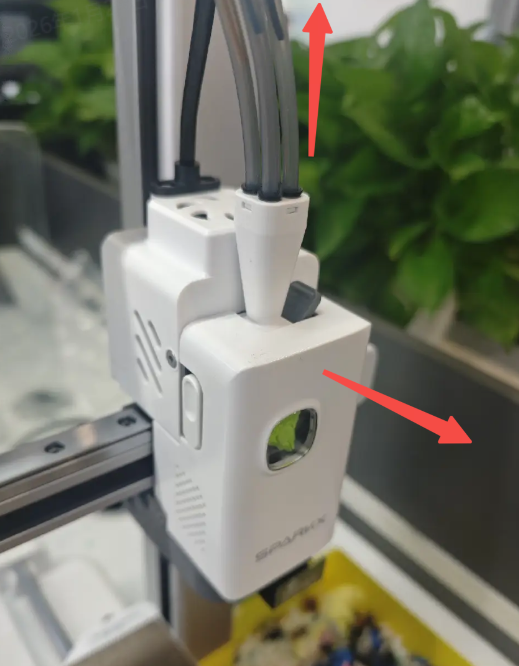
Perform the filament unloading operation to ensure there is no filament in the i7 Extruder, then remove the i7 PTFE Tube and i7 Toolhead Back Cover.
 |
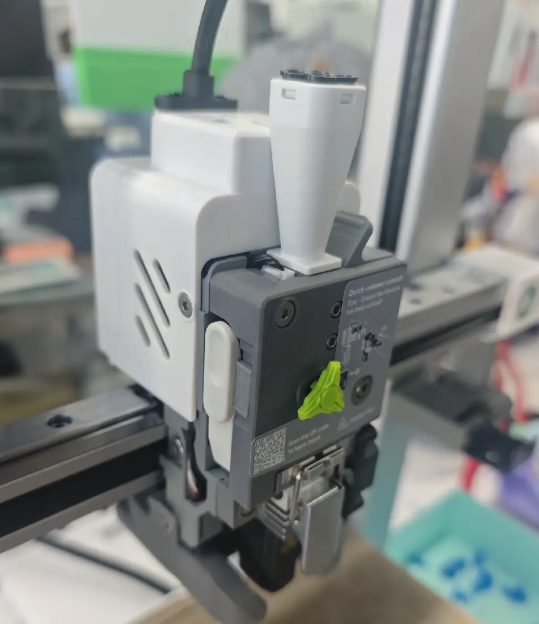 |
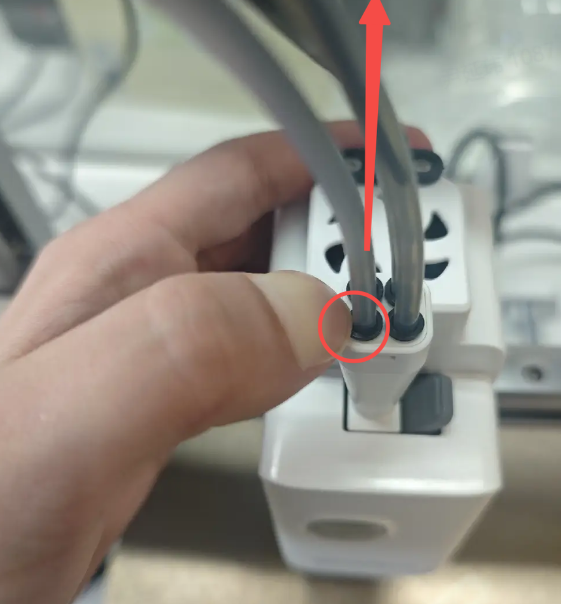
Remove the PTFE Tube: Press the black Pneumatic Fitting while pulling the PTFE Tube upward.
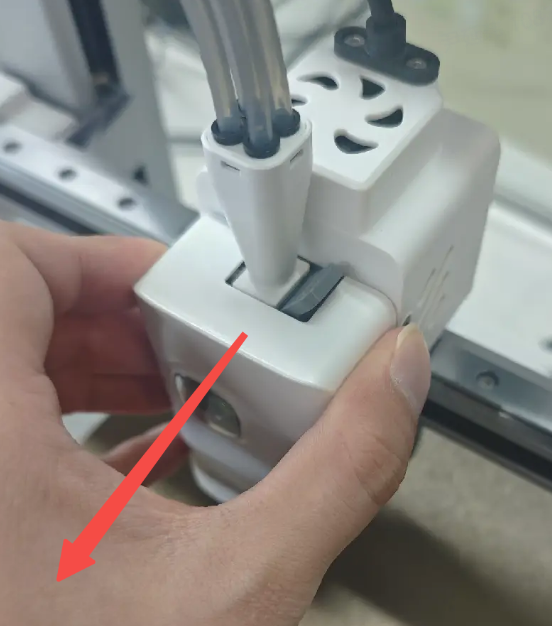
Remove the Toolhead Back Cover: Squeeze both sides of the i7 Toolhead and lift off the i7 Toolhead Back Cover.
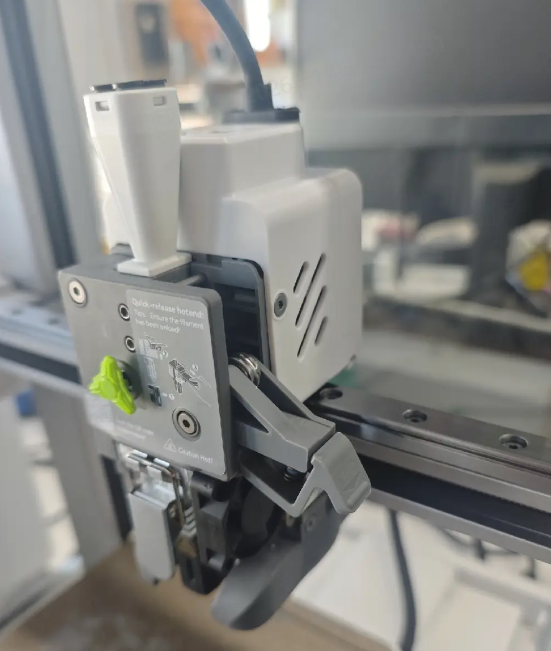
Flip open the i7 Extruder Lever to release the i7 Extruder Gear.
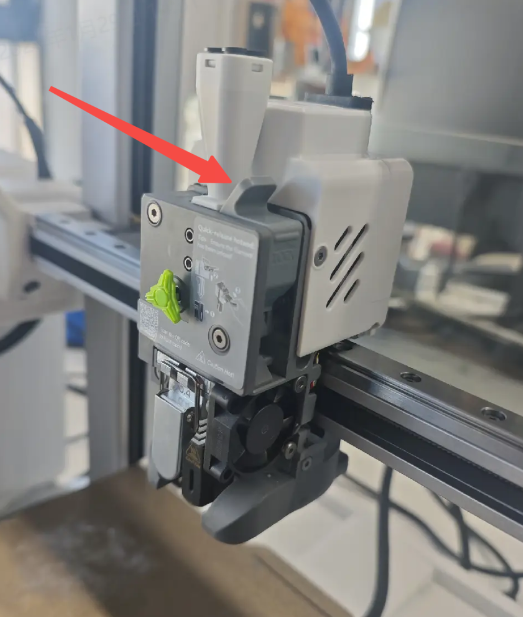 |
 |
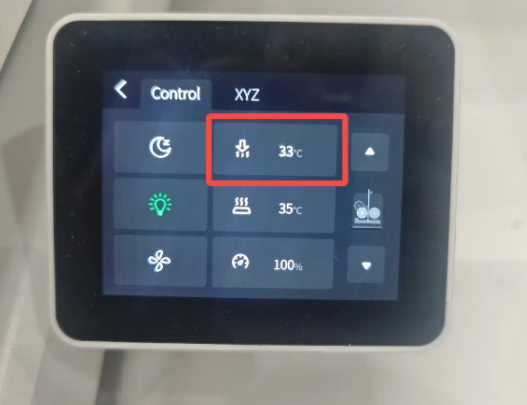
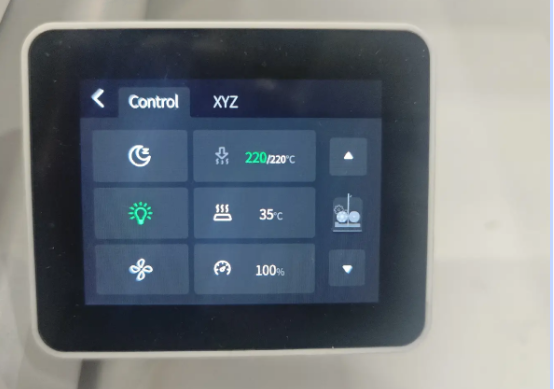
Go to the control page and heat the i7 Hotend to the printing temperature of the filament.
Caution: Do not touch the i7 Hotend or nozzle after heating to avoid burns! The exact temperature should be set according to the filament you are using.
 |
 |
Prepare a piece of filament about 30 cm in length.
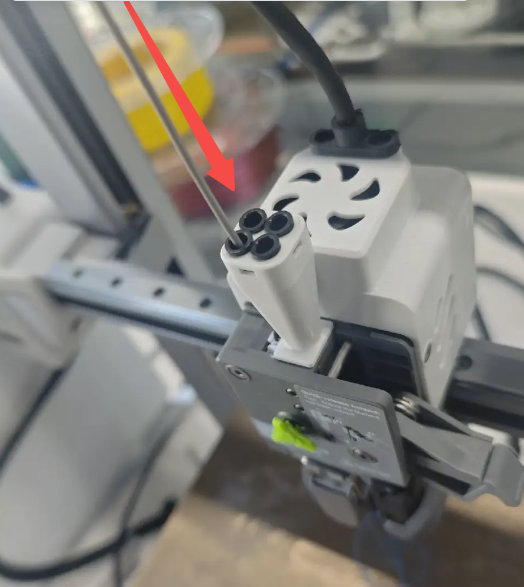
Feed the filament from the Toolhead Manifold into the i7 Extruder. Check through the side window to ensure the filament enters the Hotend.
 |
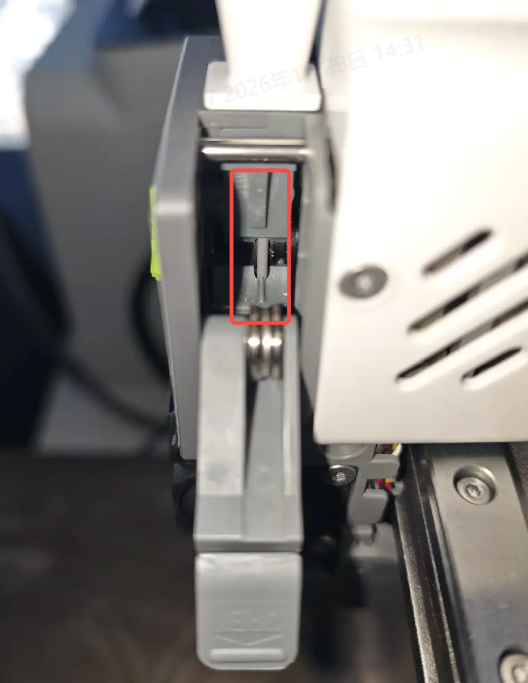 |
Continue feeding the filament and observe the nozzle to ensure all residual filament in the Hotend has been completely extruded.
On the control page, lower the nozzle temperature to 80 °C and wait for the nozzle to cool down.
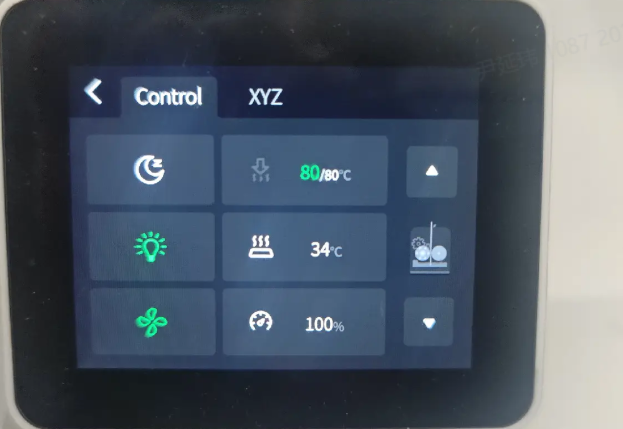
Once the nozzle has cooled, slowly pull out the filament.
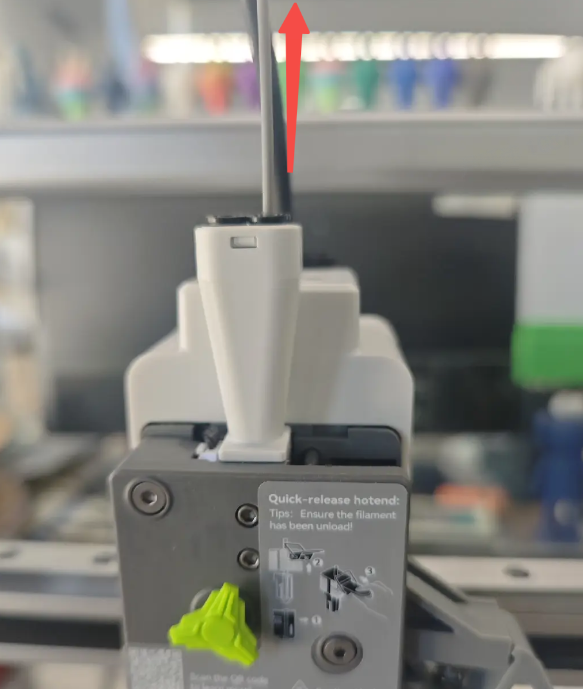
Inspect the pulled-out filament. If there are no discolored particles or burnt filament on its surface, the nozzle is clean.
Depending on the results, multiple cold pulls may be required to thoroughly clean the i7 Hotend.