¶ TR2963: Unloading Abnormal – Extruder Filament Detection Triggered, Filament May Be Broken Inside the Extruder
¶ Applicable Model: SPARKX i7
¶ Why Does This Happen
During the unloading process, the CFS lite odometer reading is normal, but the Extruder Filament Sensor continues to detect filament. The system determines that the filament has not been successfully withdrawn from the extruder.
Common causes include:
The filament is broken and remains stuck inside the extruder, falsely triggering the filament detection
Abnormal Filament Sensor behavior
¶ How to Fix
First, check whether the filament is broken. If the issue is caused by broken filament inside the extruder, simply remove the remaining filament.
Then, inspect the Filament Sensor module and check whether the moving lever can return to its original position properly.
¶ Required Tools
H2.0 Hex wrench
Tweezers
¶ General Troubleshooting Steps
¶ Check for Broken Filament Inside the Extruder
Remove all Filament, and check whether the Extruder Filament Sensor indicator is ON
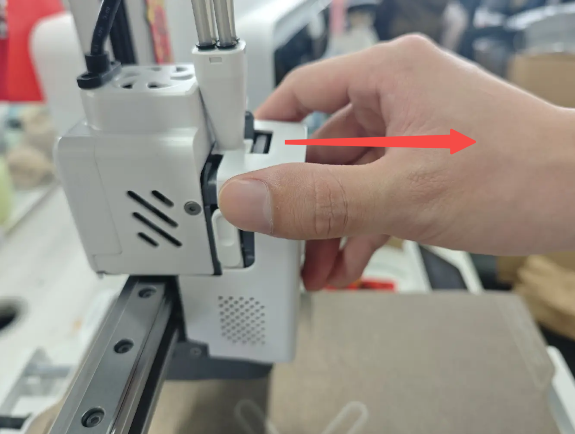
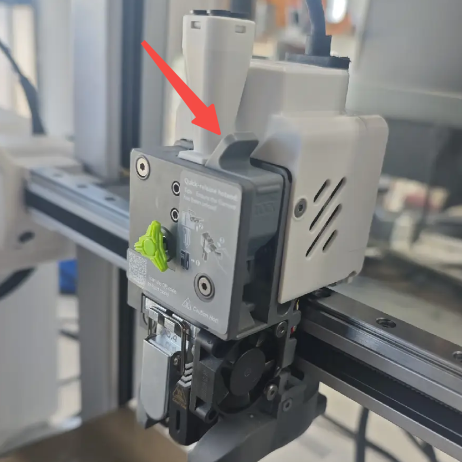
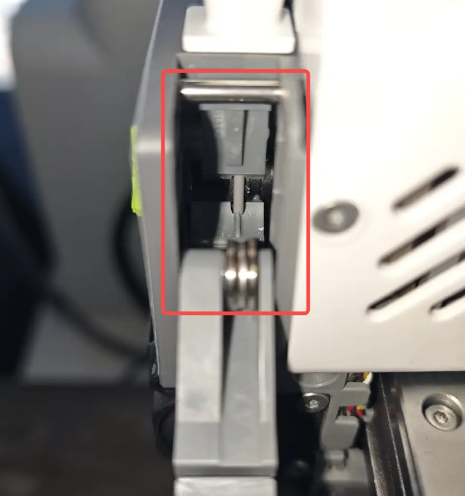
If the indicator is ON, remove the Extruder Front Cover, open the Extruder Lever, and check whether there is filament inside
 |
 |
 |
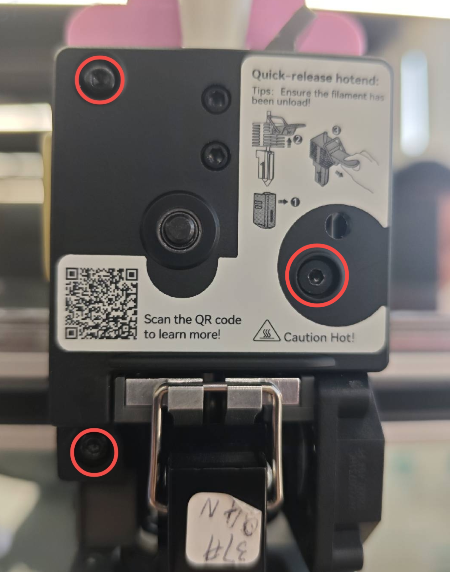
Use an H2.0 Hex wrench to remove the three screws of the Extruder Front Housing Assembly
 |
 |
 |
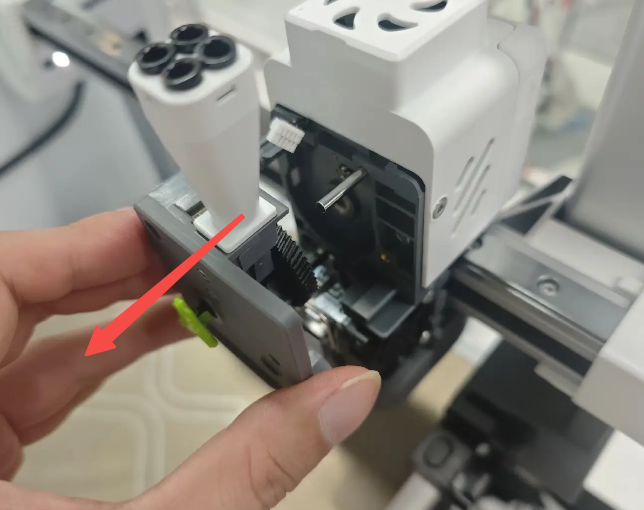 |
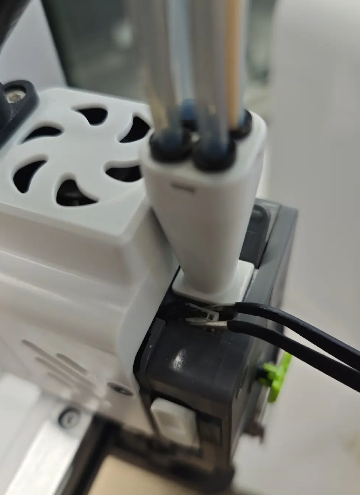
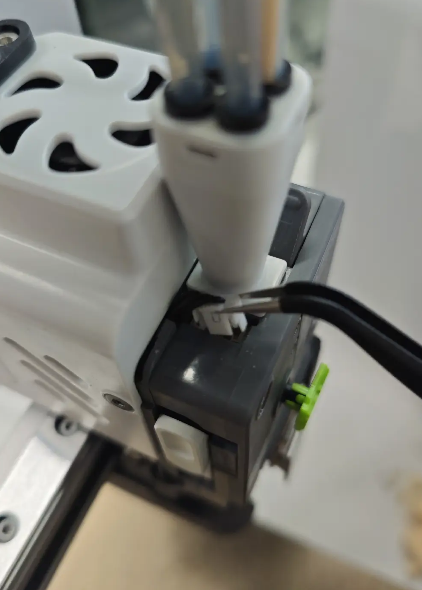
Disconnect the Filament Sensor connector and remove the Extruder Front Housing Assembly
 |
|
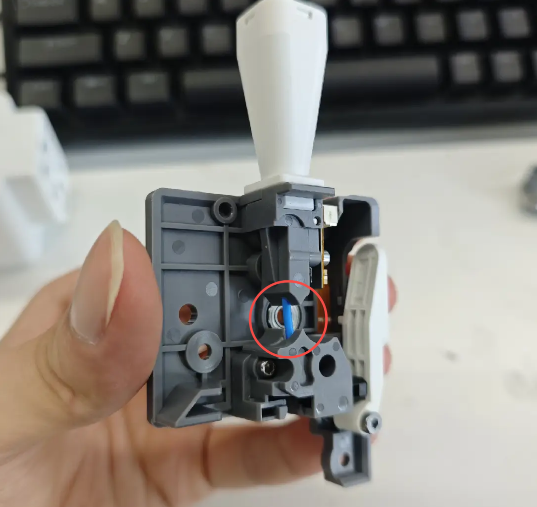
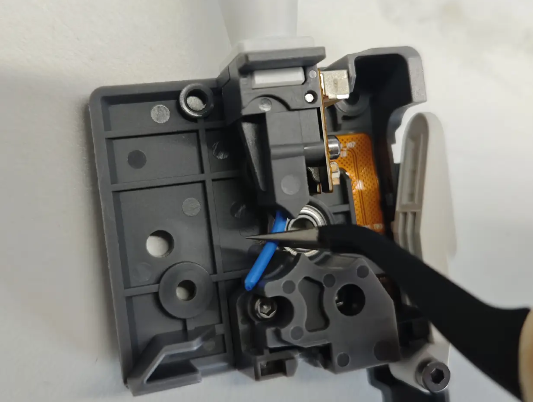
Inspect the lower filament path inside the extruder and remove any broken filament if found
¶ Check the Filament Detection Module
If no broken Filament is found, but the Extruder Filament Sensor indicator remains ON:
Cut a short piece of filament and remove the Extruder Front Housing Assembly
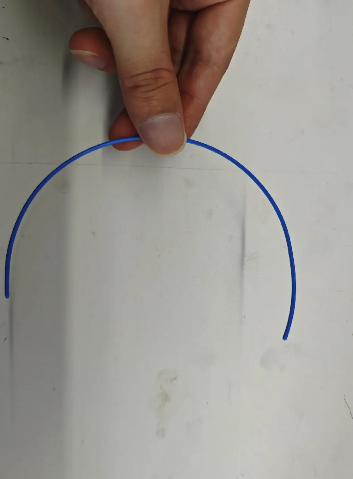 |
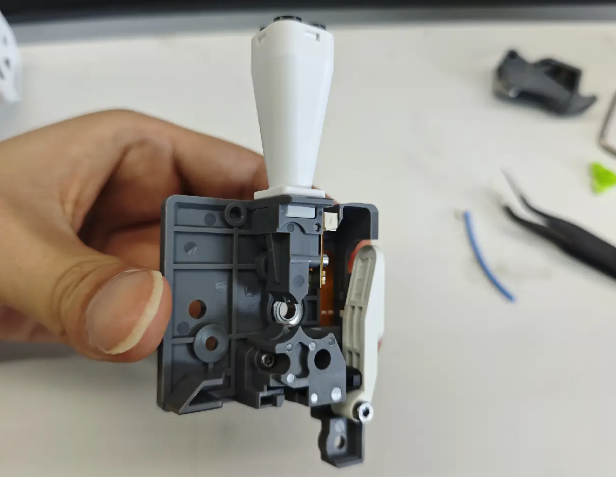 |
Insert the filament piece into the housing from the Toolhead Manifold, then move it up and down repeatedly to check whether the Filament Sensor Board can return smoothly
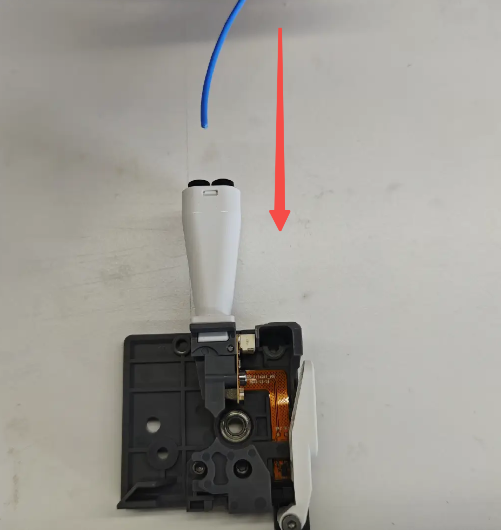
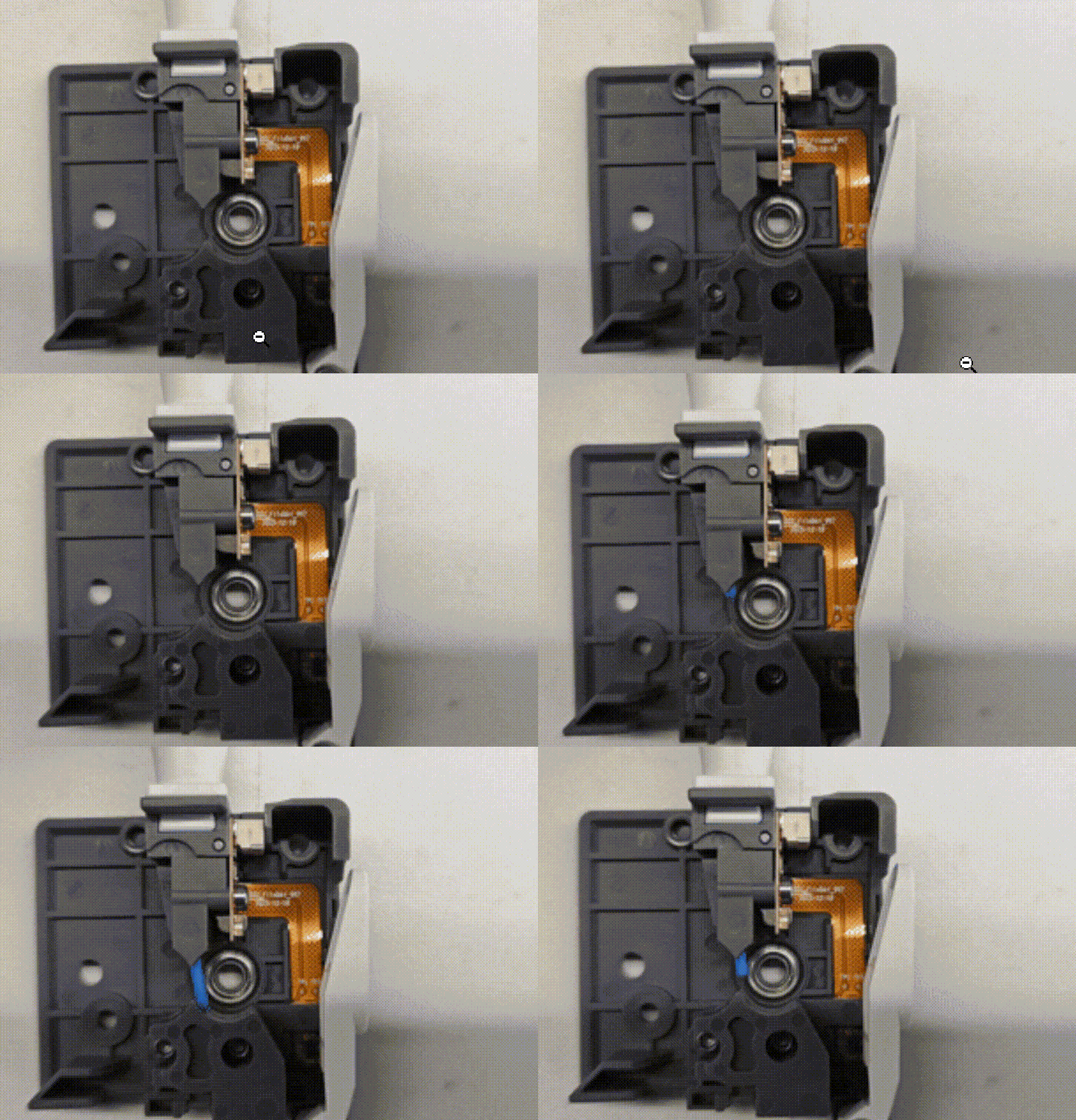
If the Filament Sensor Board cannot return properly, or shows high resistance / frequent sticking, the upper and lower filament guide parts need to be replaced
¶ Replace the Filament Sensor Module
If no broken filament is found inside the extruder, and the Filament Sensor Board moves normally
But the filament detection indicator remains ON even when no filament is inserted the Filament Sensor Module may be faulty and needs to be replaced.