¶ New Features
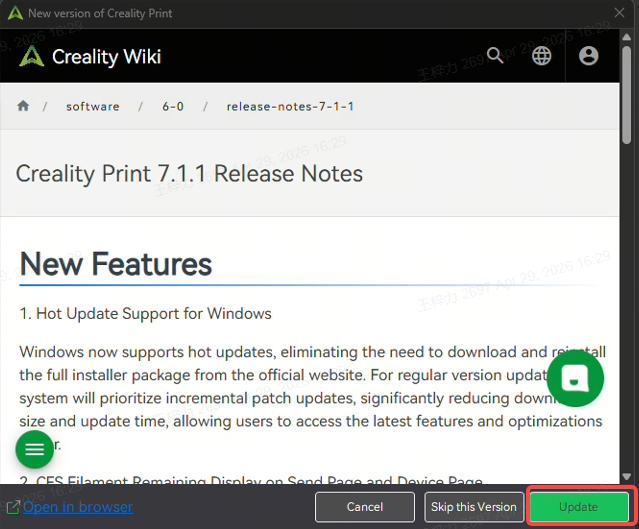
1. Hot Update Support for Windows version
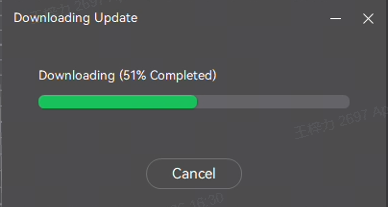
Windows version now supports In-App Update system, When a new version is detected, Creality Print can automatically download and install updates directly within the application, eliminating the need to visit the official website and manually reinstall the full package. During the update process, your existing slicing profiles, printer settings, material presets, and personal data will remain unaffected. Simply restart the software after installation to apply the update.
For regular version releases, the system prioritizes incremental updates by downloading only modified modules and core components. This significantly reduces download size and shortens update time, allowing you to access the latest features, performance improvements, and optimizations faster.
For major version upgrades or architecture-level changes, Creality Print will automatically guide users through the full installer workflow to ensure a stable and reliable upgrade experience.
 |
 |
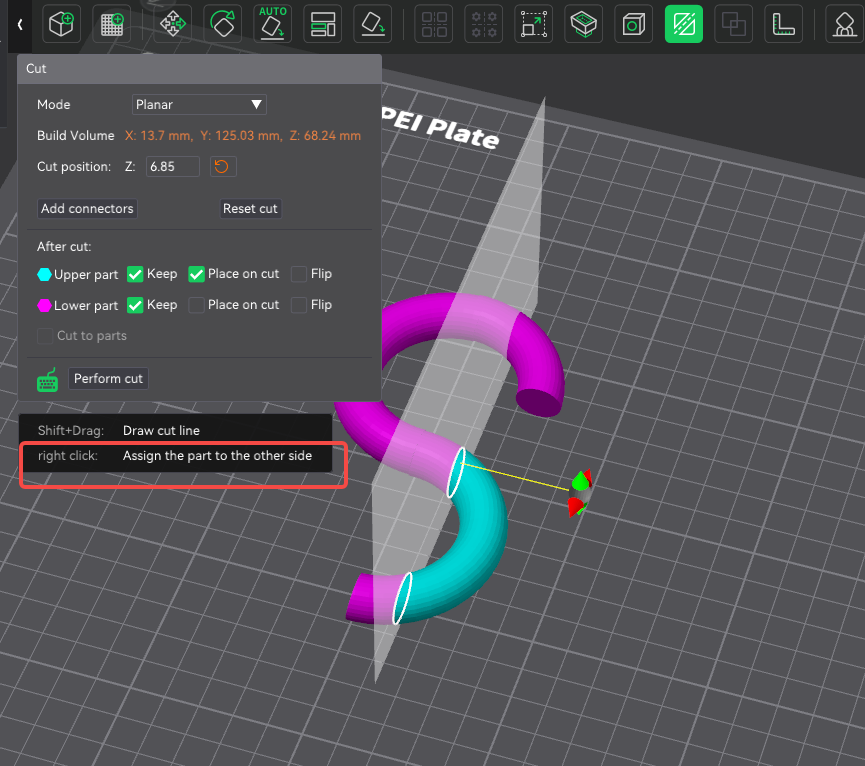
2. When cutting a model, users can now right-click to directly assign the part to the other side, improving efficiency and capability when processing complex models.
3. The device list now remembers the last selected layout mode. Users only need to choose Card View or List View once, and the preference will be retained.
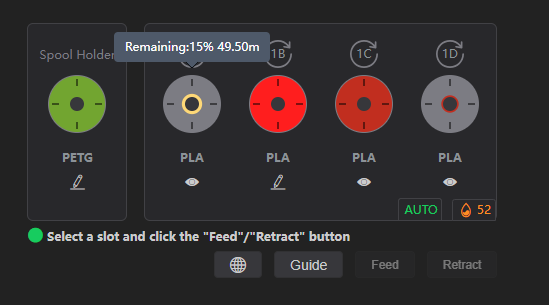
4. CFS Filament Remaining Display on Send Page and Device Page
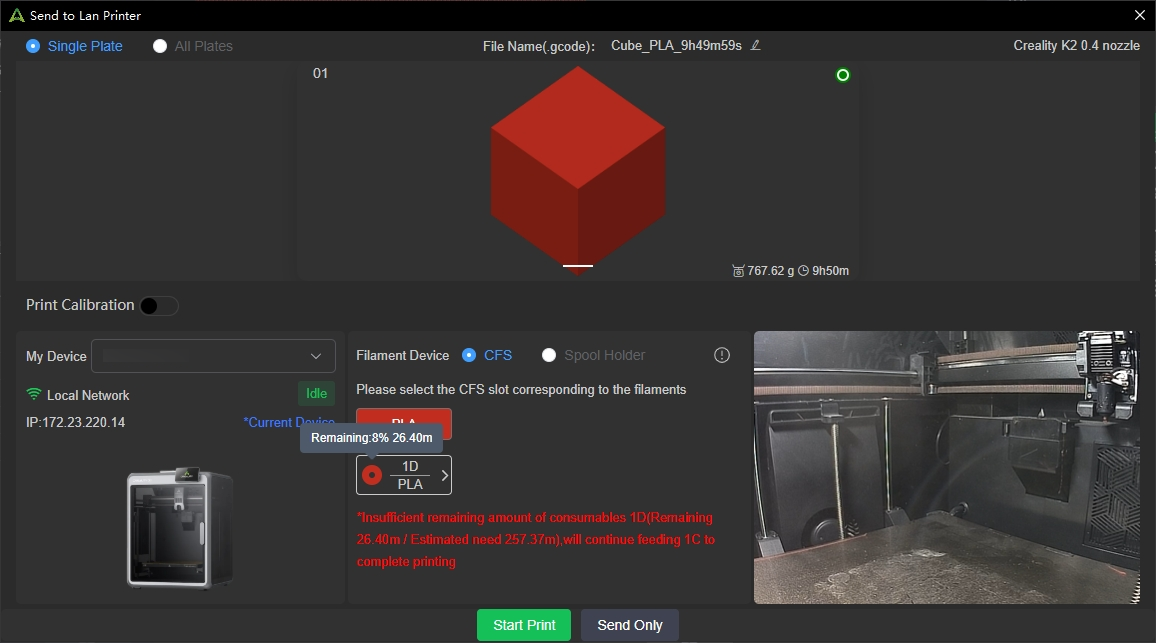
RFID filaments loaded in CFS now support remaining filament display on both the Send page and Device page. Users can directly view the remaining percentage and estimated remaining length, making it easier to determine whether enough filament is available before printing. (Requires K2 firmware V1.1.5.3 or later)
 |
 |
When the system detects that the currently selected filament is insufficient to complete the print job, it will automatically check whether the CFS contains another RFID filament of the same material type and color.
If a compatible filament is available, the system will automatically continue feeding from that spool to ensure uninterrupted printing.
If no compatible filament is available, the system will display a low-filament warning and provide a store purchase link for quick replenishment.
¶ Fixes
- Fixed an issue where QR code login was unavailable on some macOS versions.
- Fixed missing purge volume display when using PLA as the support interface material for PETG prints.
- Fixed the Inner/Outer/Inner wall order parameter not taking effect.
- Fixed software freezing when launching the slicer from the web portal.
- Fixed long slicing time at 70%–80% progress for some models.
- Fixed missing camera zoom button on some macOS device detail pages.
- Fixed Chinese translation issues on certain pages.