¶ Feature Overview
OBJ is a widely used 3D model format that can store geometry, color, material, and other model data. Creality Print supports importing color-enabled OBJ models and uses a color mapping feature to associate model colors with the currently loaded filaments, enabling multi-color printing.
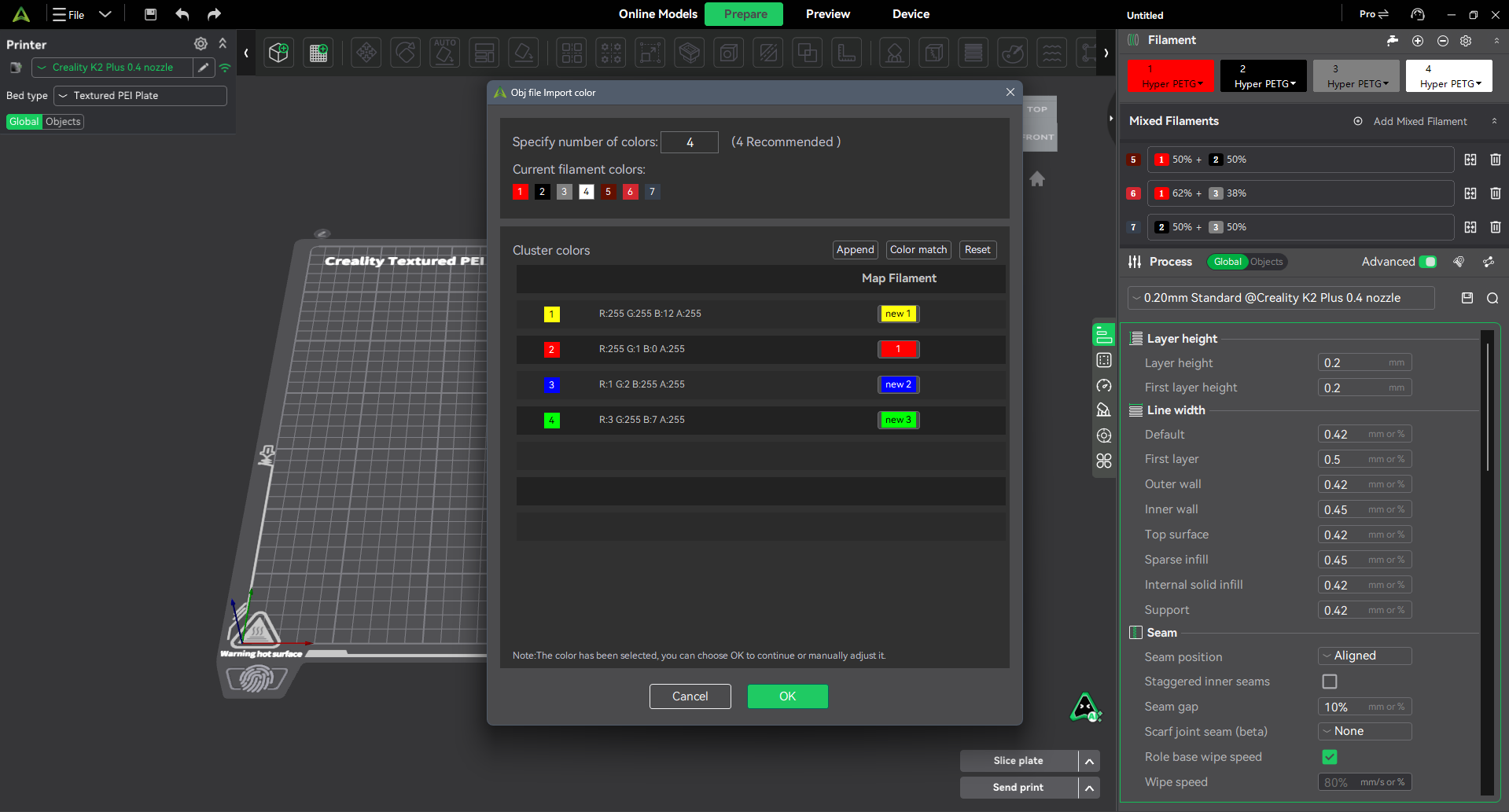
When an OBJ model containing color information is imported, Creality Print automatically detects the model colors and opens the OBJ Color Mapping window, allowing users to configure the correspondence between model colors and filament colors.
¶ Interface Description
¶ Add
Adds all colors detected in the imported model as new filament colors to the filament list.
¶ Color Matching
Automatically matches the imported model colors with the most similar colors currently available in the filament list.
¶ Reset
Clears all existing color mapping relationships, allowing users to reselect colors from the current filament list.
¶ Recommended Count
By default, this is set to the number of colors detected in the imported model.
¶ Specified Color Count
Controls the number of colors that will be used for printing after import.
The recommended value is generated automatically based on the model's color clustering results. The default value and maximum allowable value are both equal to the number of colors contained in the model.
(Color clustering: Automatically groups all colors into a smaller set of representative colors to simplify visualization and printing.)
¶ Current Filament Colors
Displays all filament colors currently available in the filament list along with their corresponding IDs.
¶ Mapped Filament
Click to expand the drop-down list and view:
- All colors currently available in the filament list
- All newly added colors generated from the imported model

¶ Filaments number Description
Existing Filaments
The displayed ID corresponds to the filament ID in the current filament list.
New Filament Colors
new1, new2, etc. indicate filament colors that were newly created from colors detected in the imported model.