¶ Locked Zag Infill Pattern User Guide _ Creality Print Wiki
¶ How to Enable Locked Zag Infill
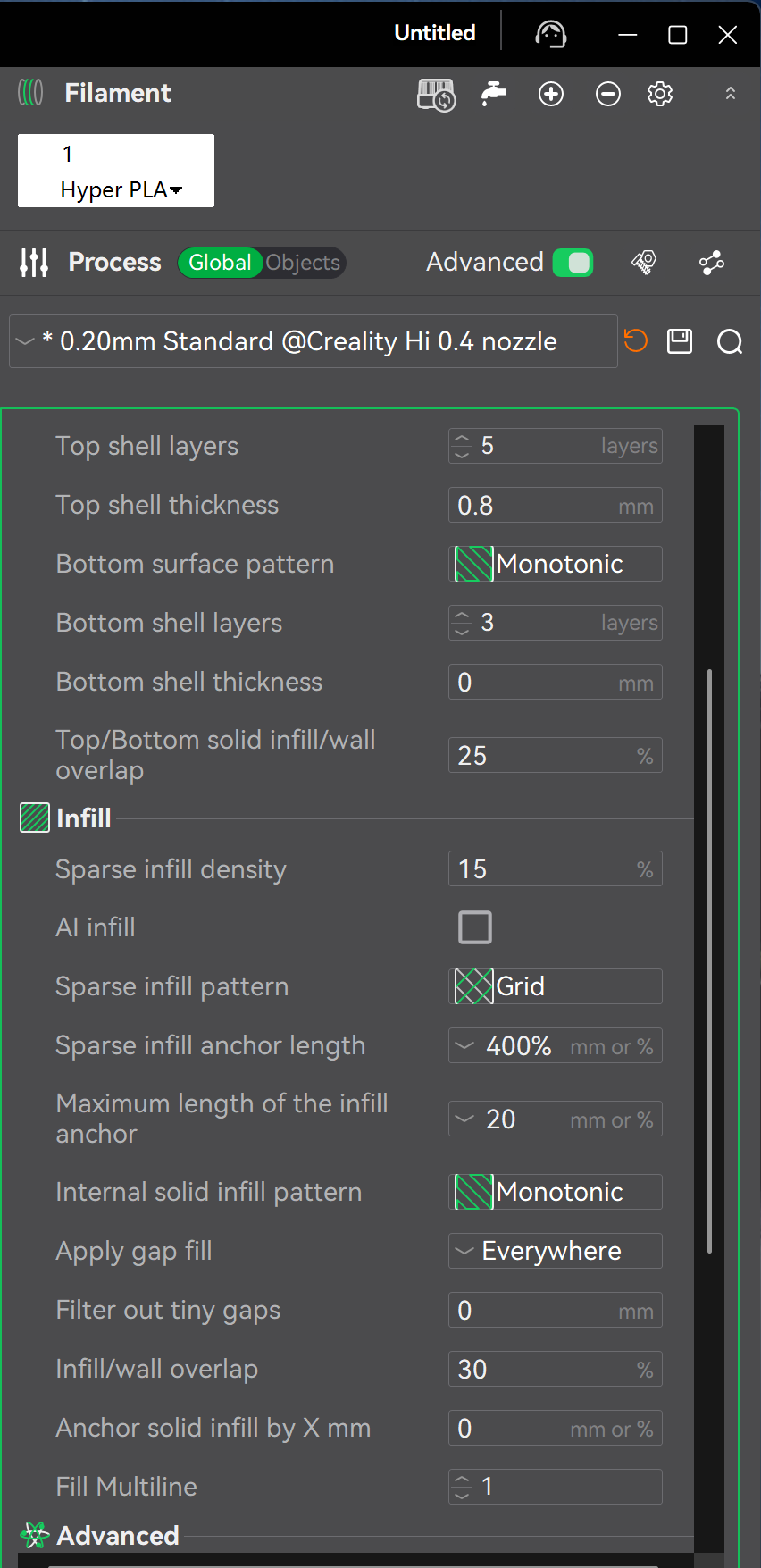
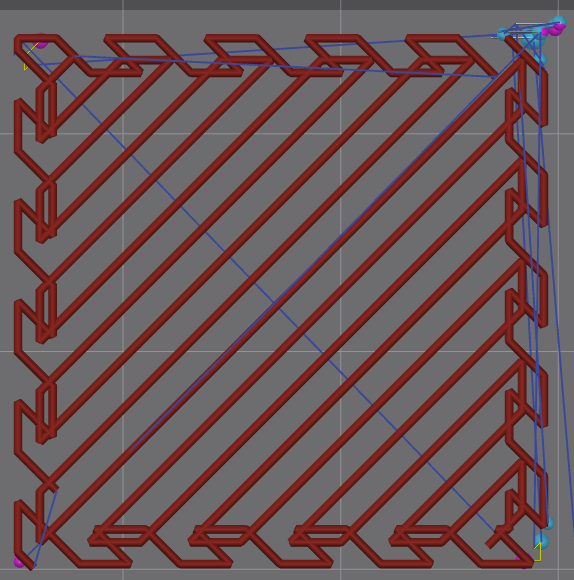
Creality Print introduced the Locked Zag infill pattern in version 7.0.0. You can select the "Locked Zag" infill pattern from the dropdown menu under Process → Strength → Sparse Infill Pattern in the software interface. The infill structure is shown below.
¶ Infill Structure Overview
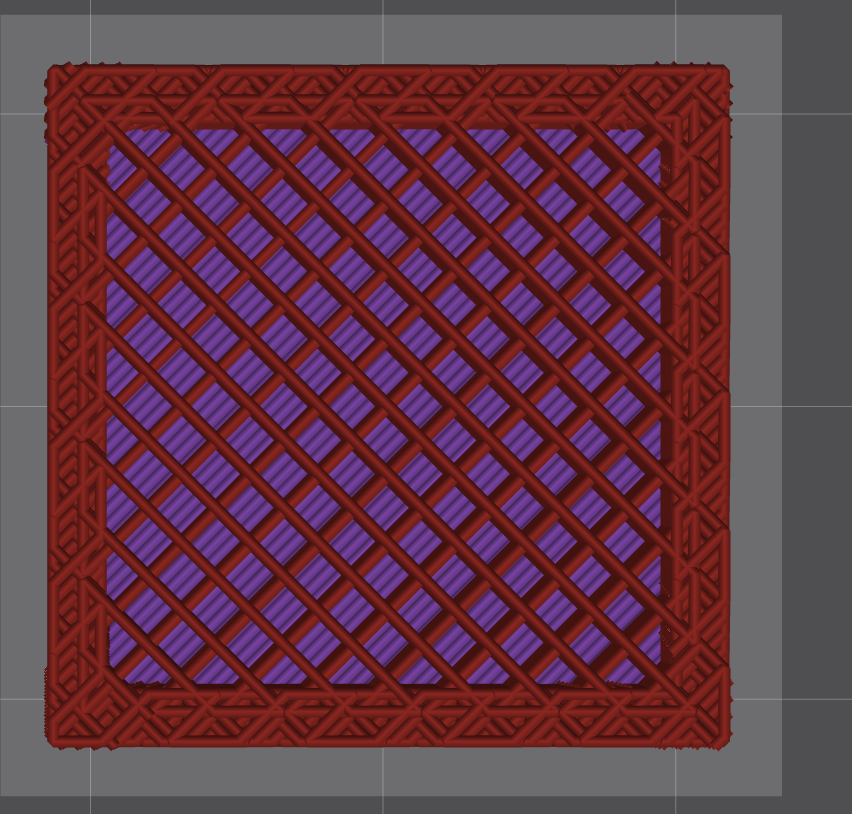
Locked Zag is an infill pattern that balances appearance and structural strength. It consists of two parts:
Skin:
- Position: Located in the outer peripheral infill area near the model's inner walls;
- Texture: Uses the Cross Zag toolpath pattern;
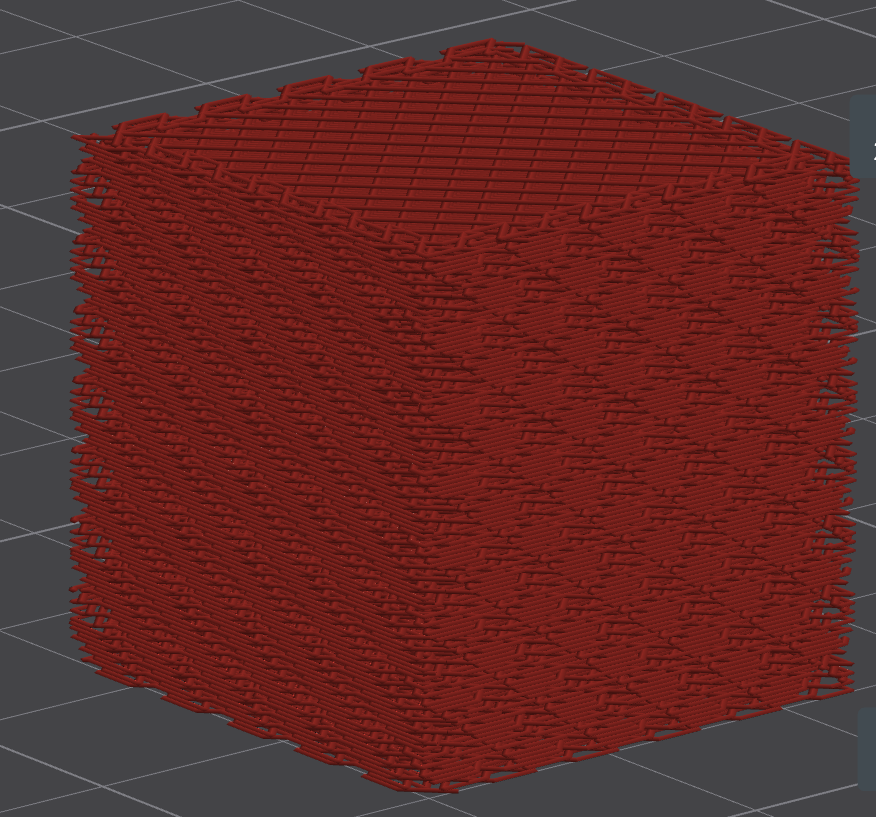
- Effect: Can achieve side surface texture effects close to standard Cross Zag;
- Viewing Tip: Turn off the "Wall" display in Line Type to visually observe the infill side effect, as shown below.
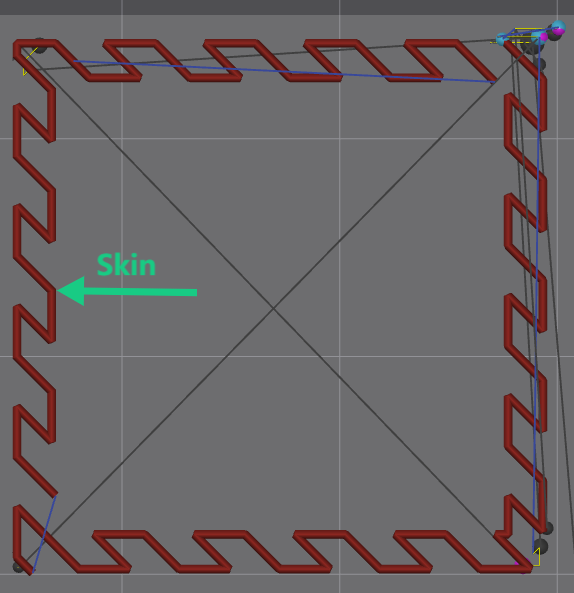
The surface effect is consistent with Cross Zag infill:
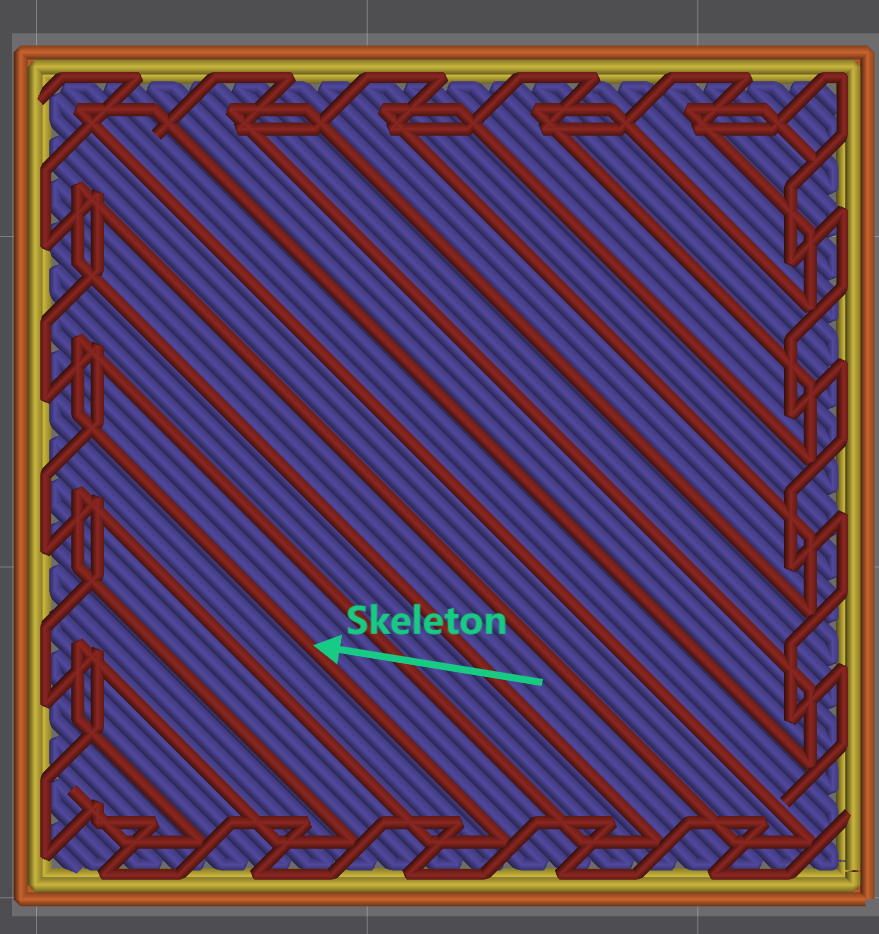
Skeleton:
- Position: The inner core area of the infill;
- Texture: Uses the Zigzag toolpath pattern;
- Characteristic: There is a certain overlap area with the skin layer to enhance structural strength. The complete infill pattern cross-section is shown below.
Advantages Comparison:
- At the same infill density, the Zigzag skeleton can generally provide higher structural strength than Cross Zag;
- Retains Cross Zag surface texture;
- Adjustable overlap area between skin and skeleton to optimize bonding strength.
¶ Parameter Description
Sparse Infill Density: Controls the overall density of the internal sparse infill, as shown below.

Note: Skin and skeleton fill densities are sub-parameters based on sparse fill density —
- When you adjust the sparse infill density, the skin and skeleton fill densities will automatically synchronize and update;
- But you can still individually adjust the skin and skeleton densities to override the default values within their effective ranges;
Skin Infill Density: Only adjusts the fill density in the skin region of the internal sparse infill. It further affects the density on the side surface of the internal sparse infill, as shown below.


Skeleton Infill Density:
Only adjusts the fill density in the skeleton region of the internal sparse infill, affecting the toolpath density of the internal infill. The effect is shown below.

Infill Interlock Depth: Adjusts the overlap width between the skin and skeleton. The deeper the interlock depth, the stronger the structure.

Skin Depth: Controls the thickness of the skin. The larger the value, the deeper the surface coverage, and the closer the side surface of the infill is to Cross Zag infill.

Skin Line Width: Adjusts the width of the skin toolpath in the infill texture.

Skeleton Line Width: Adjusts the width of the skeleton toolpath in the infill texture.

¶ Solving Infill Partitioning Issues
What is infill partitioning?
When different regions of a model use different fill densities or line widths, the infill paths are divided into multiple discontinuous regions, leading to:
- Gaps between fills → Reduced bonding strength
- Tearing or print failure during printing
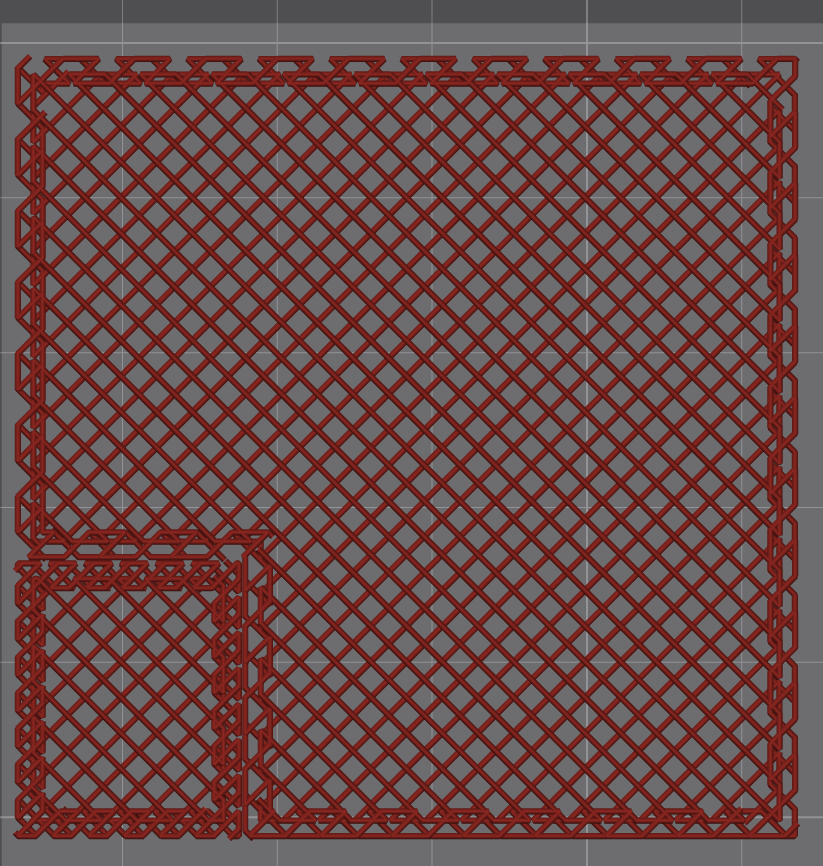
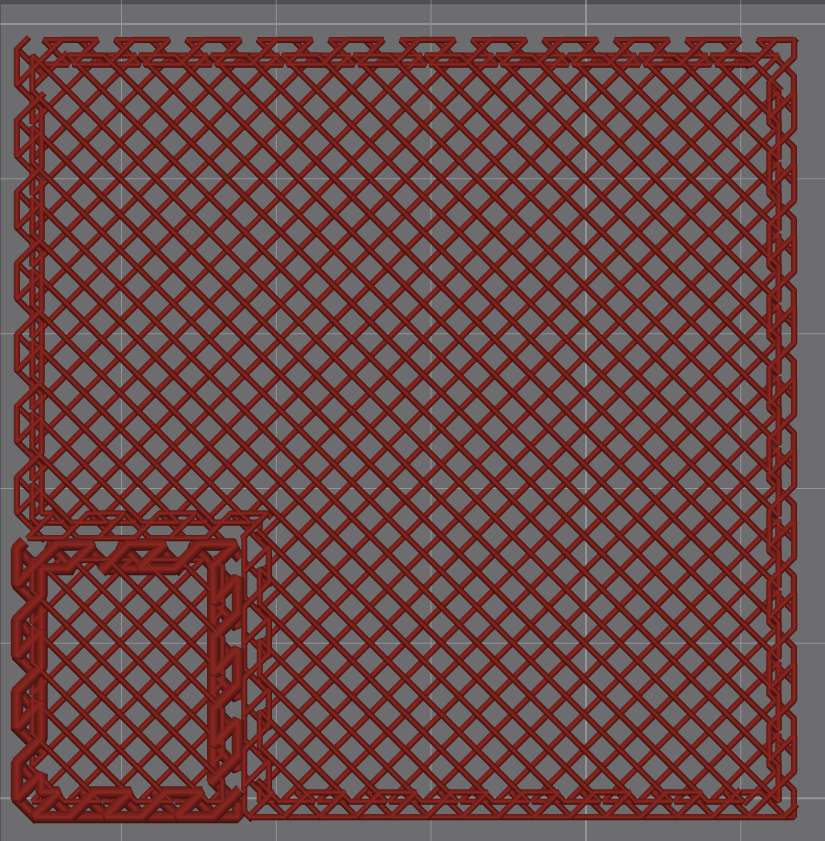
The figure below shows an example of using a modifier to change local fill parameters of a cube. We can see obvious partitioning between the modified parameter region and other regions.

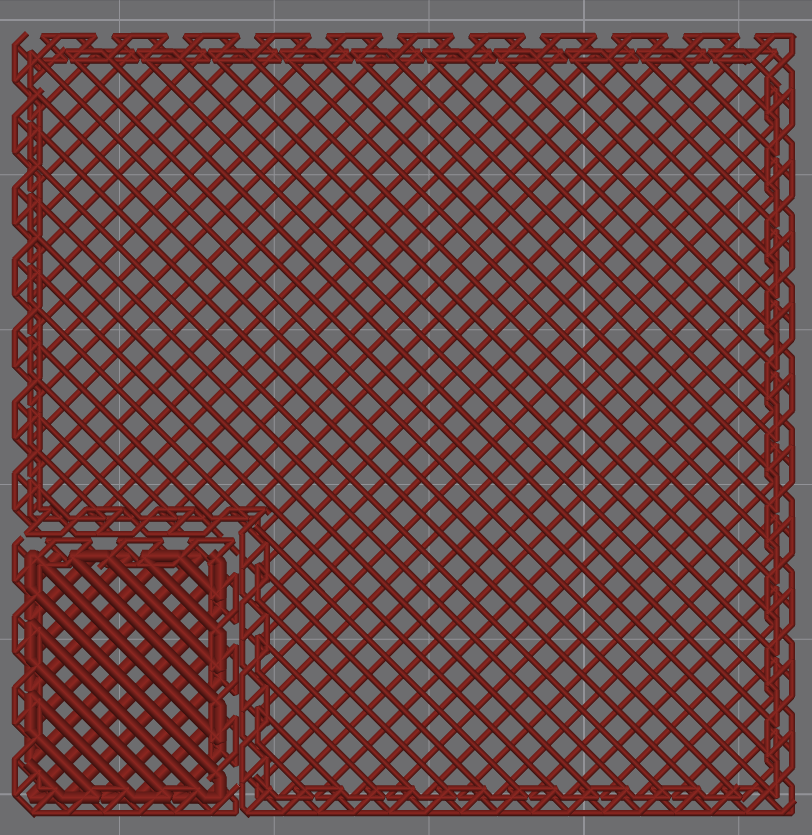
The 4 adjustment parameters of the Locked Zag infill pattern ensure that infills with different densities/line widths can still connect seamlessly, avoiding partitioning. Below is the effect after adding a modifier to the cube and changing local parameters.
Modifying skin and skeleton density:
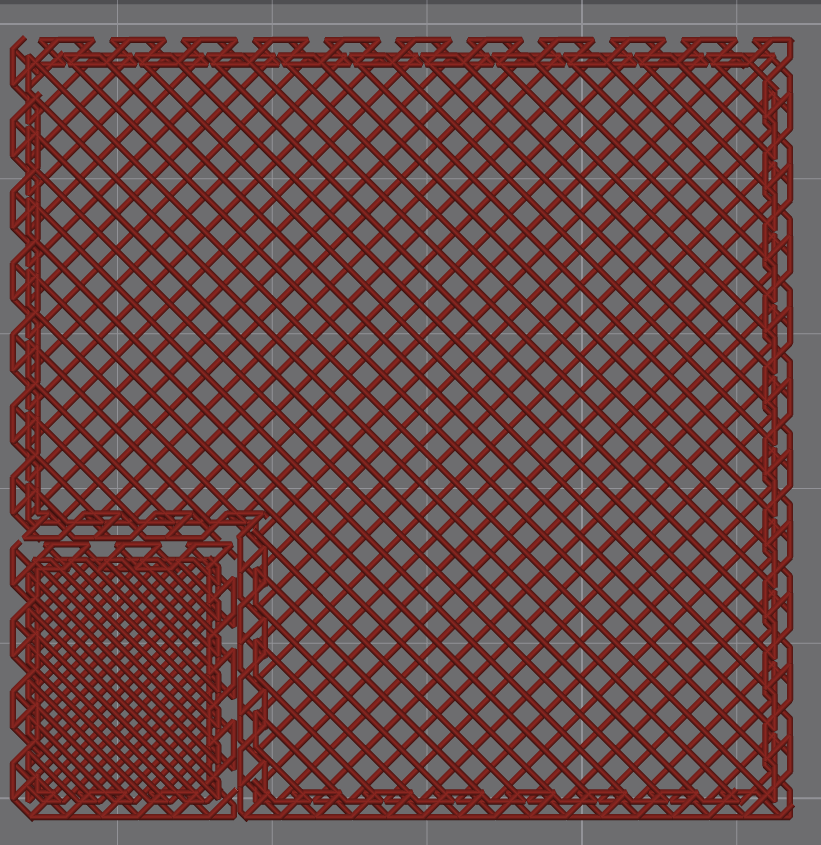
Modifying skin and skeleton line width:
¶ Recommended Use Cases
We recommend using this infill pattern in the following scenarios:
- When you need the surface texture of Cross Zag but require higher structural strength
- When you want to balance the aesthetics and durability of printed parts
Especially when printing high-stress components (such as robot armor, shoes, etc.), you can select the Locked Zag infill pattern for printing.