¶ Falcon T1 Wi-Fi Connection Issues
¶ Problem Description
Falcon T1 Wi-Fi connection failed
¶ Fault Analysis
network frequency band
machines, routers distance
Distribution Network Operation
¶ Troubleshooting
1. Confirm the frequency band: Falcon T1 supports 2.4GHz and 5GHz Wi-Fi, please ensure that the device and the PC are on the same local area network.
2. Signal and Distance: Keep the device close to the router (within 10 meters, no load-bearing walls or metal obstructions) to ensure the Wi-Fi signal is at least 2 bars
3. Re-networking: Settings → Network → Ignore current WIFI → Re-scan and connect
4. Enable a hotspot on your mobile phone at 2.4GHz, then connect the device to this mobile hotspot:
✅ Connected: The issue lies with home router settings
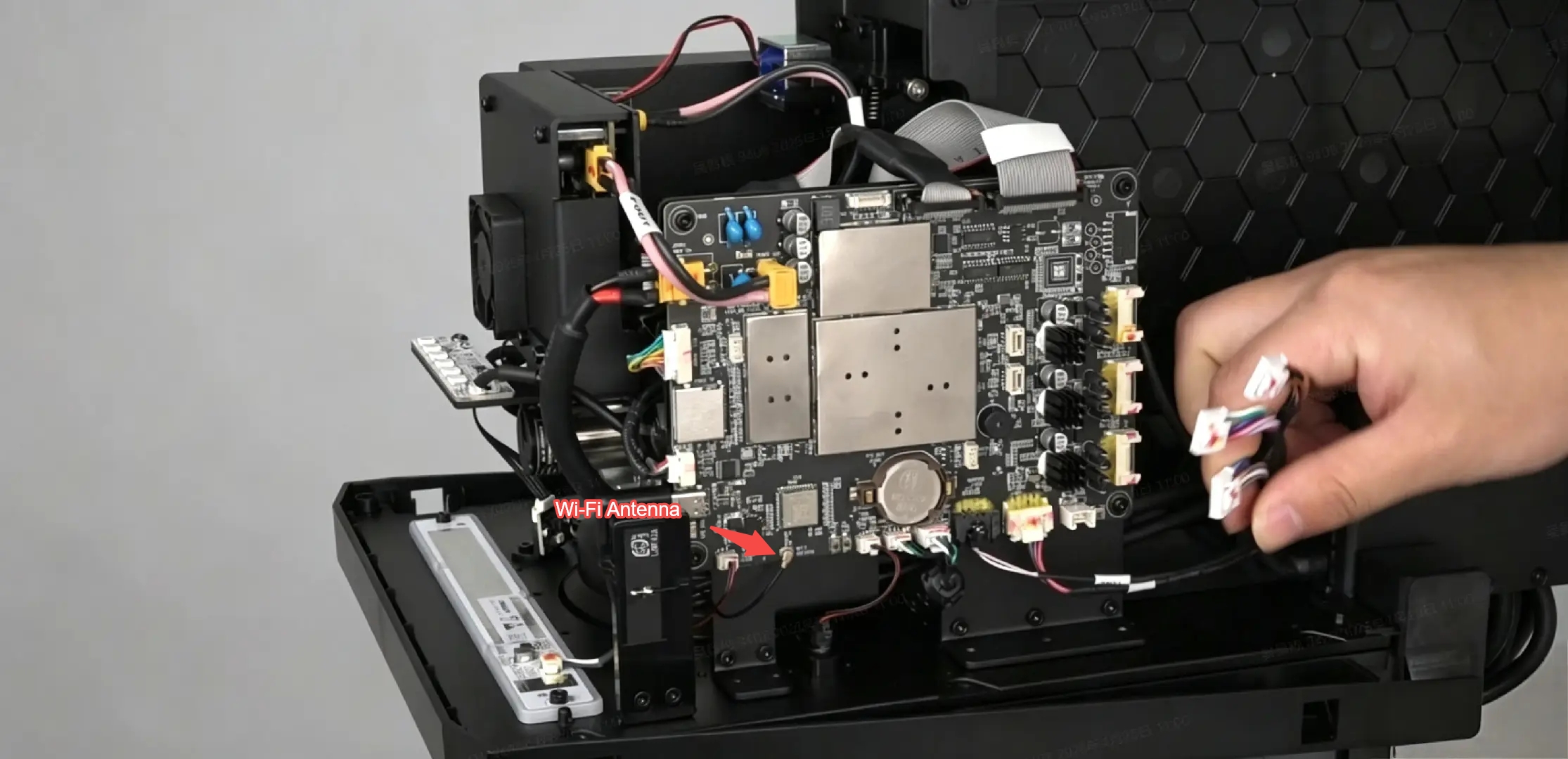
❌ Connection failed: Possible causes include faulty WIFI antenna on the device,
Check if the WIFI antenna on the motherboard is loose or damaged.(Disassembly is required; perform this troubleshooting step only after completing all the above checks.)