¶ Falcon T1 Color Engraving Tutorial
¶ 1. Principle of Color Engraving Tutorial
Laser generates an oxide film on the metal surface (titanium or stainless steel) by heating the metal, and the laser energy controls the thickness of the oxide layer, with reflection forming interference colors. This color is usually caused by the interference phenomenon of light on the metal surface and the light absorption characteristics. Different processing parameters correspond to different film thicknesses, and different film thicknesses display different colors, which change with variations in power, speed, frequency, and pulse width. The color engraving of titanium/stainless steel is basically an optical structural color rather than the color of the material itself.
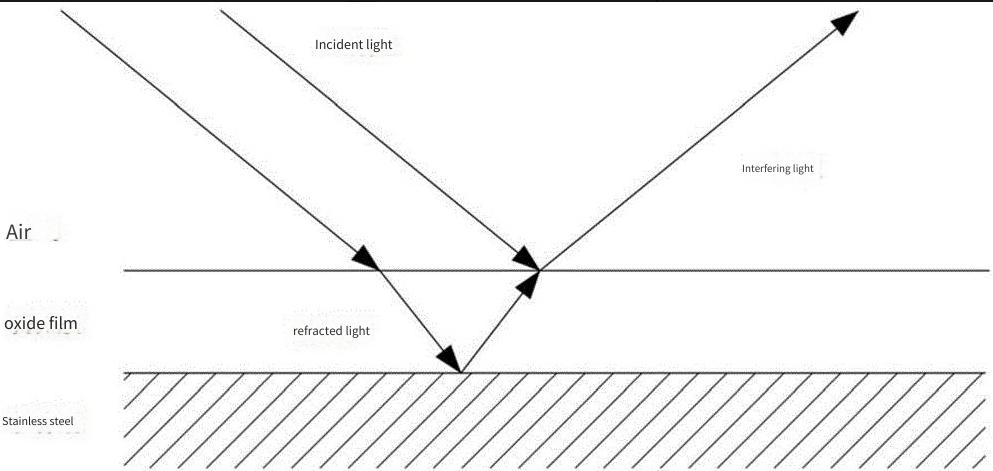
Color-filled engraving: Read the color of the layer, match the closest color from the material color table, and output the engraving power corresponding to that color.
Image Color Engraving: Read the image and convert it to a canary release, then map the canary release to the engraving power based on the power range selected from the material color table.
Color deviation explanation: The colors of color engraving are very sensitive to power deviations and focal length deviations of different materials and different lasers. It is normal for there to be slight deviations between the colors displayed on the canvas and the actual engraved colors. If you need to achieve precise color matching, you need to test on your own and add custom material parameters for color engraving.
¶ 2. Description of Color Engraving Materials
1. Titanium plate has the most vivid color engraving effect, with built-in color engraving parameters having relatively strong versatility, making it the best material for color engraving
2. Brushed stainless steel also supports color engraving, but the color of 20W Fiber color engraving is lighter, and the color performance of the color engraving parameters built into the software is unstable. If precise color engraving is required, you need to test and add custom material parameters for color engraving yourself.
¶ 2. FDS Operation Tutorial
¶ A. Beginner-level Color Engraving: One-click Mind Mapping, What You See Is What You Get
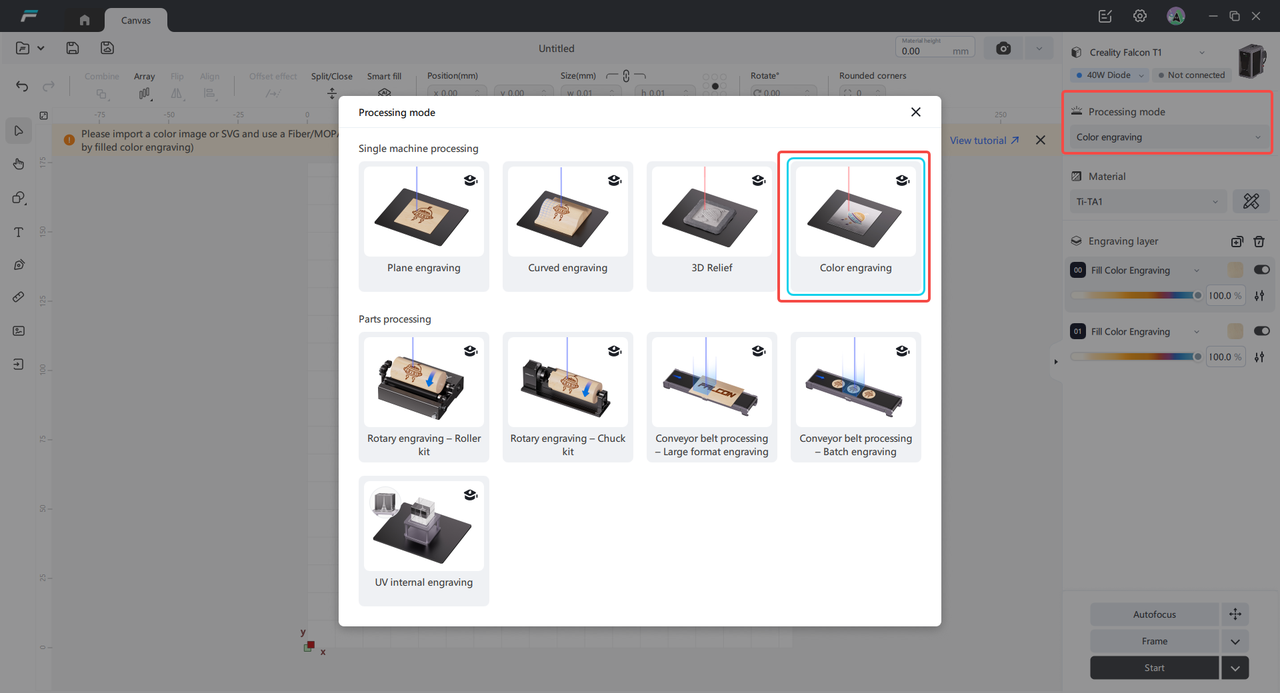
¶ 1. Select color engraving for the processing mode
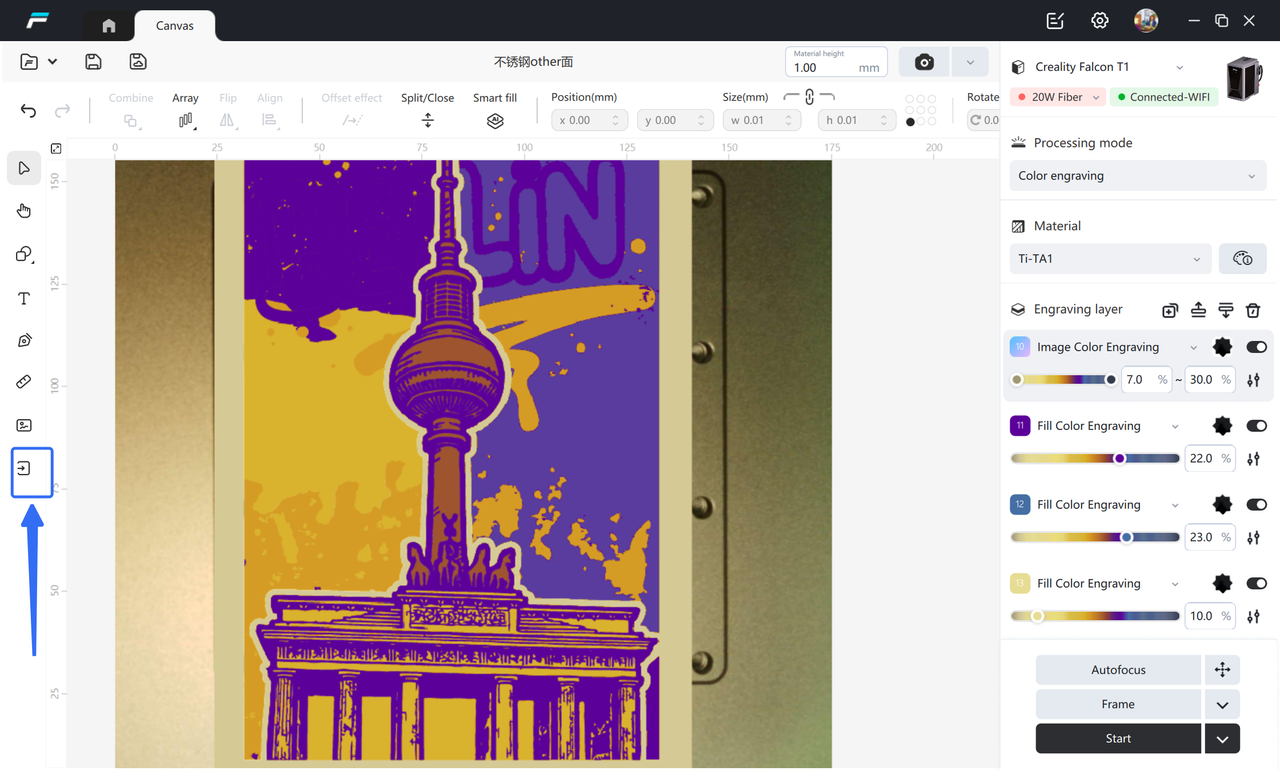
¶ 2. Import Image
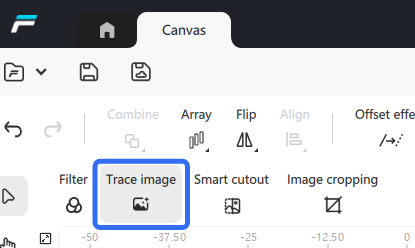
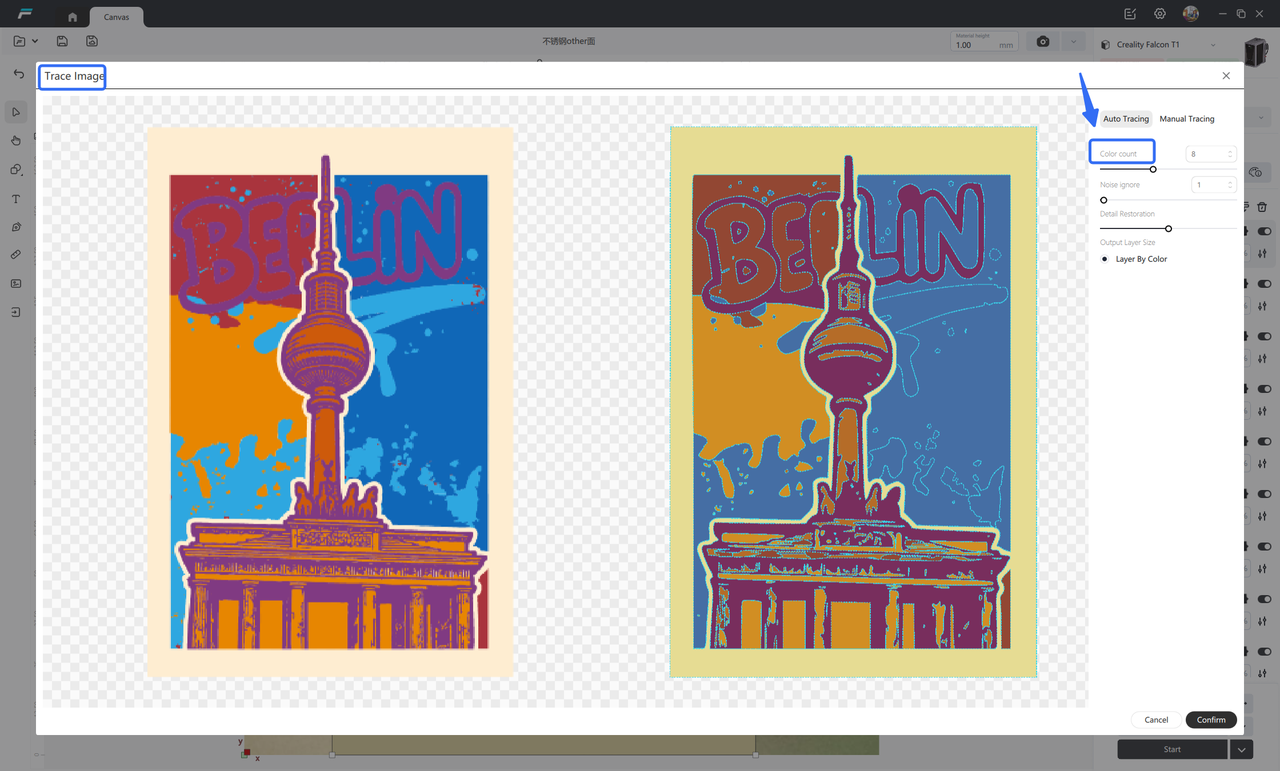
¶ 3. Auto-Tracing: Auto-Tracing
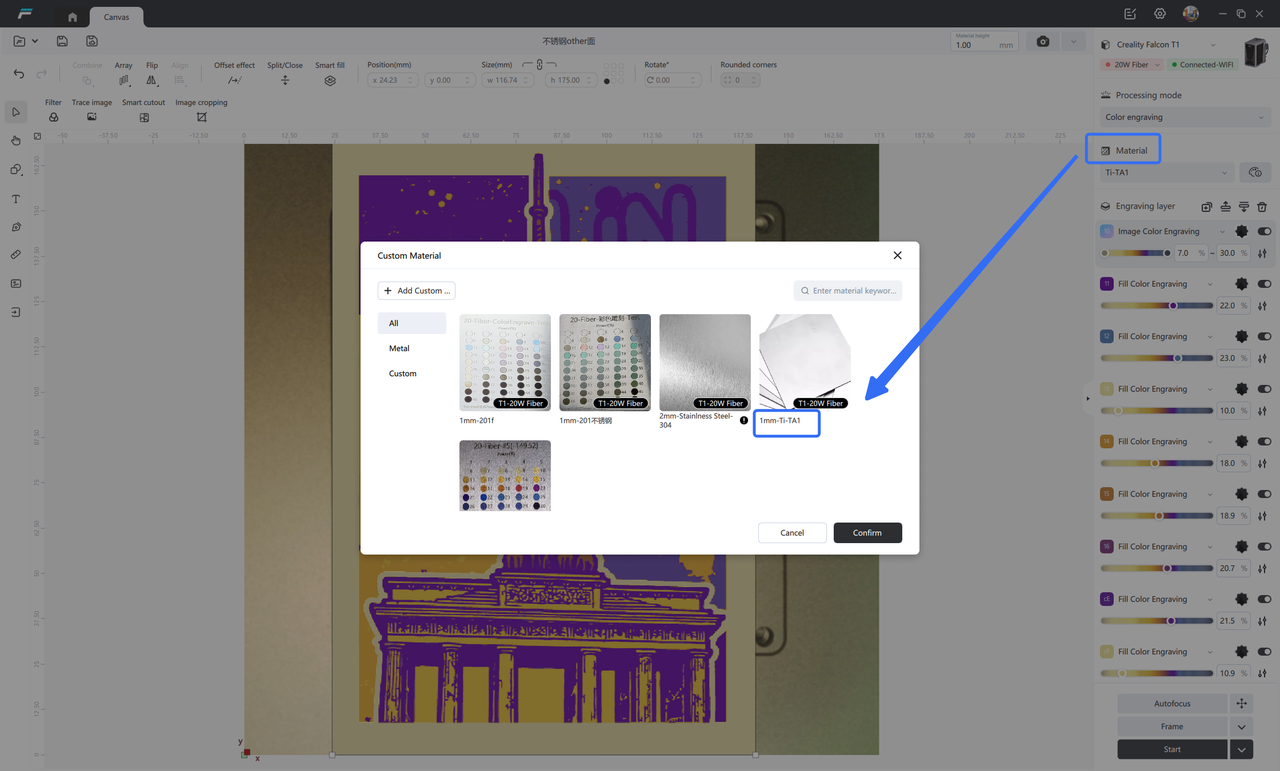
¶ 4. After placing the titanium plate, select the material:
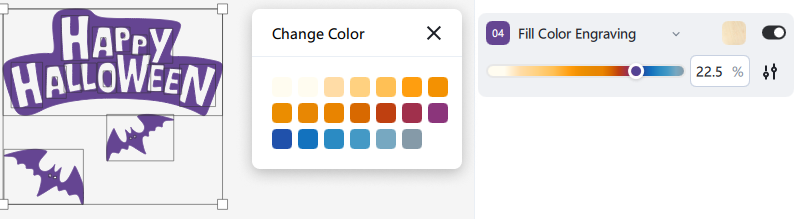
¶ 5. Confirm the color of color engraving: simply drag or manually select a color to automatically fit the color engraving parameters, eliminating the need to manually fill in the parameters
¶ 6. Auto focus, follow the border, preview the engraving area
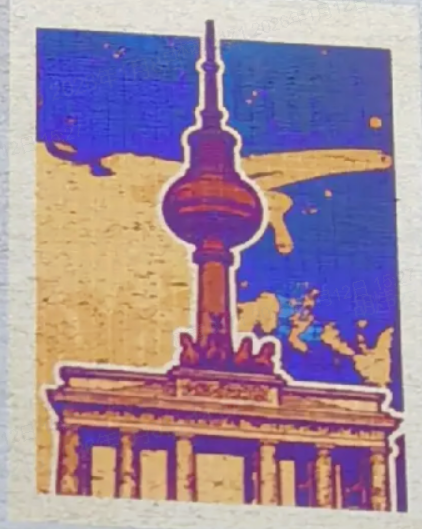
¶ 7. Engraving completed: What you see is what you get
¶ B. High-level player color engraving: Test and add custom materials for color engraving
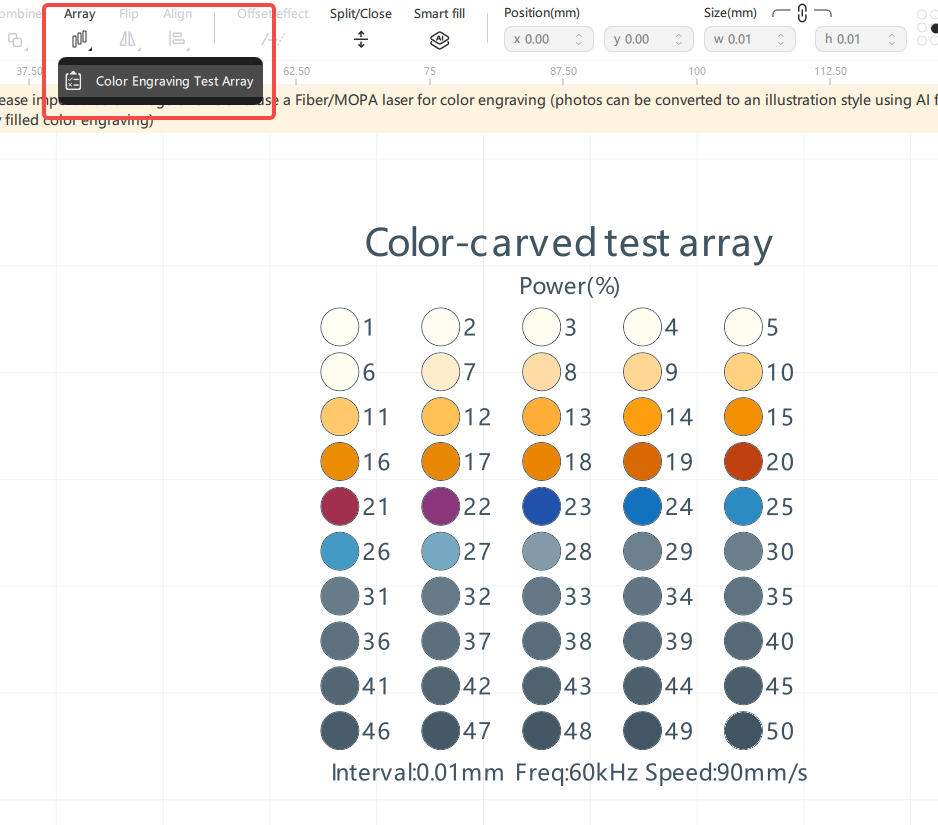
¶ 1. Add a colored engraving array
Add a color engraving test array. Generally, using the default parameters is sufficient. If the color engraving effect with the default parameters is not satisfactory, you can also fine-tune the parameters as needed.
¶ 2. Carve the color engraving array and take photos
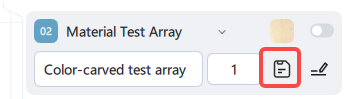
¶ 3. Click the save button at the array layer to save the custom material parameters
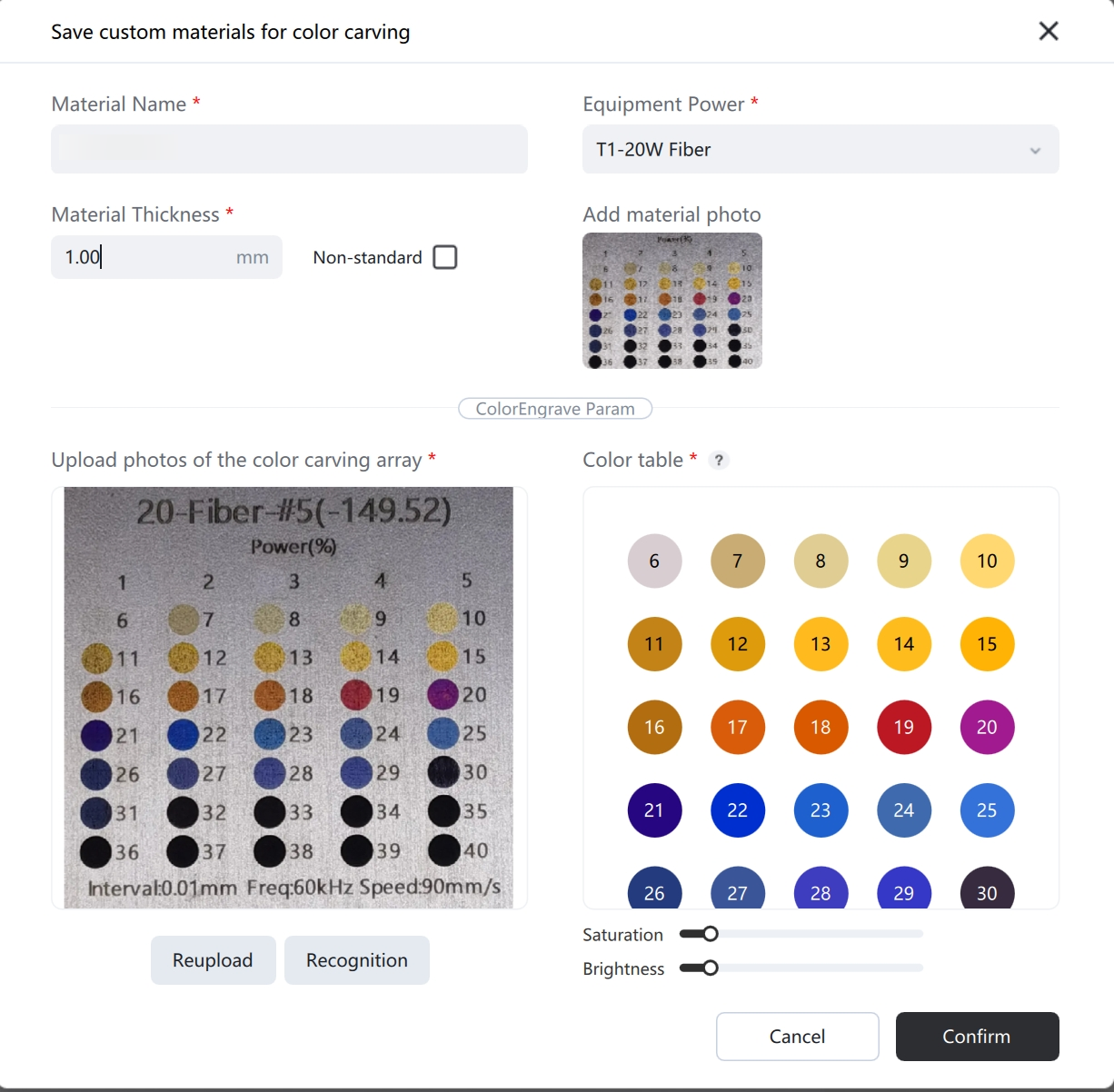
¶ 4. Upload the array photo and confirm the color corresponding to each power value
Fill in the material name, thickness, and light source information, and upload the material photo.
After uploading the array photo, the software can automatically recognize it. If the color recognition is inaccurate, you can uniformly adjust the contrast and brightness, or select individual or batch items for modification. The power of over-dark or too-light areas can be grayed out and hidden. After the modification is completed, click the confirmation button.
¶ 5. Select the added custom material for engraving
¶ 3. Tips for Color Engraving
1. Before color engraving, engrave for 10 minutes with a power of over 25% to warm up the machine, resulting in more accurate colors;
2. Placing the engraving area in the center results in better engraving effects;
3. Wipe with alcohol before and after coloring for better color engraving results;
4. If the color engraving does not display colors, try fine-tuning the Z-axis up and down after focusing.
5.Focus Instructions:Color engraving results are highly sensitive to focal distance. Enter the processing height and press Enter to perform manual focusing, aligning the focal point precisely on the material surface to eliminate measurement errors from auto-focus.
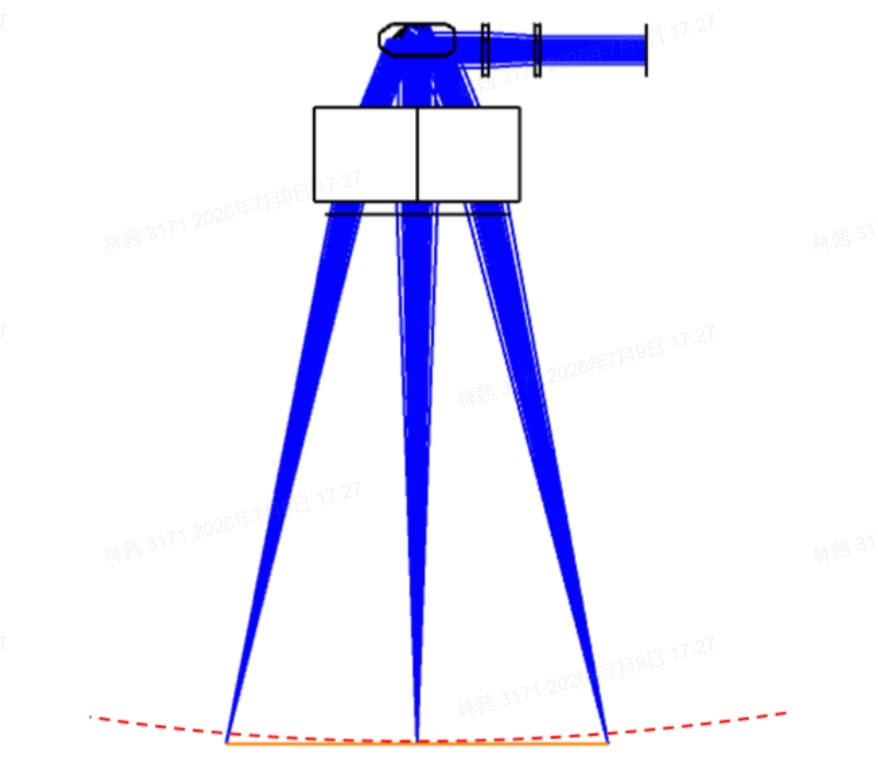
6. Precautions:Field lenses feature field curvature on their focal planes. Engraving is recommended within a 100 mm radius of the working field center. For edge areas, adjust the Z-axis downward by 0.5 mm incrementally to calibrate engraving colors; the total focal point offset downward shall not exceed 2 mm.
¶ 4. Maintenance of Color Engraving Works
1. After the color engraving is completed, please use varnish to wipe the surface to accelerate the formation of a dense oxide film, making the colors more vivid, deep, and long-lasting;
2. Titanium plate color engraving is corrosion-resistant but should avoid sharp scratches. Generally, no additional anti-rust agent is needed after color engraving, as the oxide film itself has a certain protective ability;
3. If you need to preserve colored engraved works for a long time, you can laminate the works to prevent discoloration caused by long-term oxidation in the air