¶ Falcon T1 3D Relief/Deep Carving Tutorial
¶ A.Prepare the depth map
- What is a depth map?
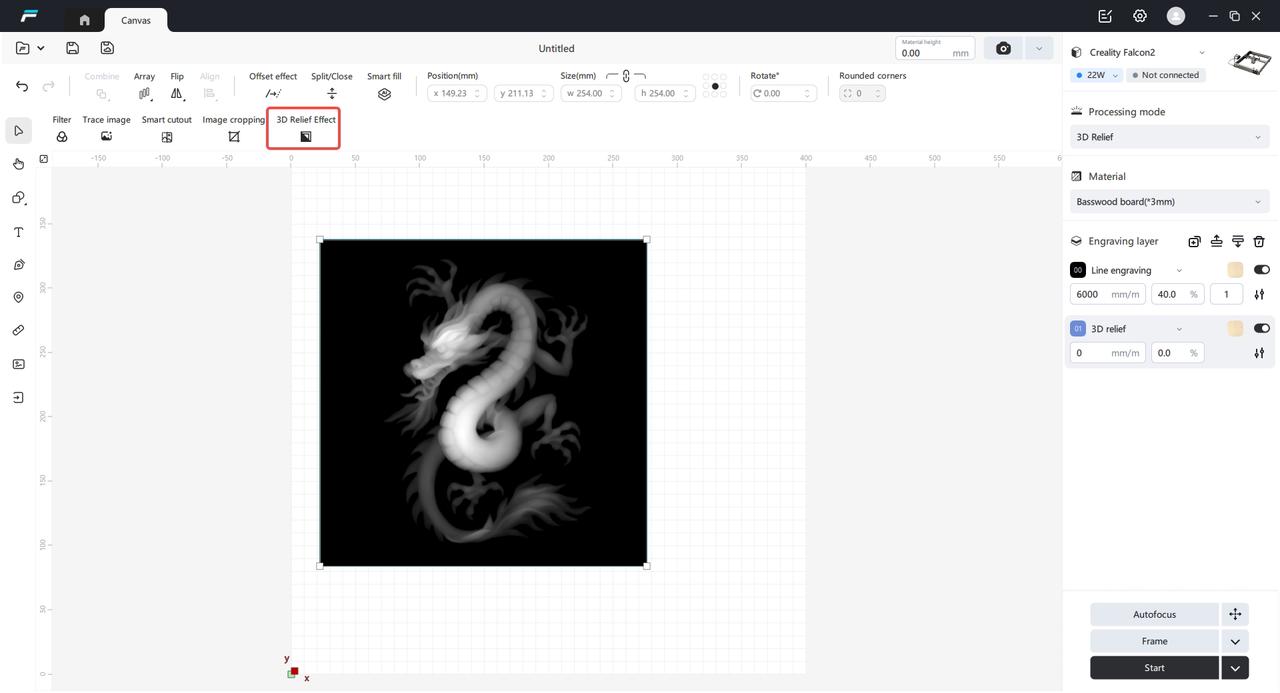
Relief processing requires a depth map as the processing object. The following image is a depth map, where each pixel value in the image represents the distance between a point in the scene and a certain viewpoint. White pixels represent the part of the scene closest to the viewpoint (white is the raised part), and black pixels represent the farthest part of the scene (black is the recessed part)

- Create a depth map
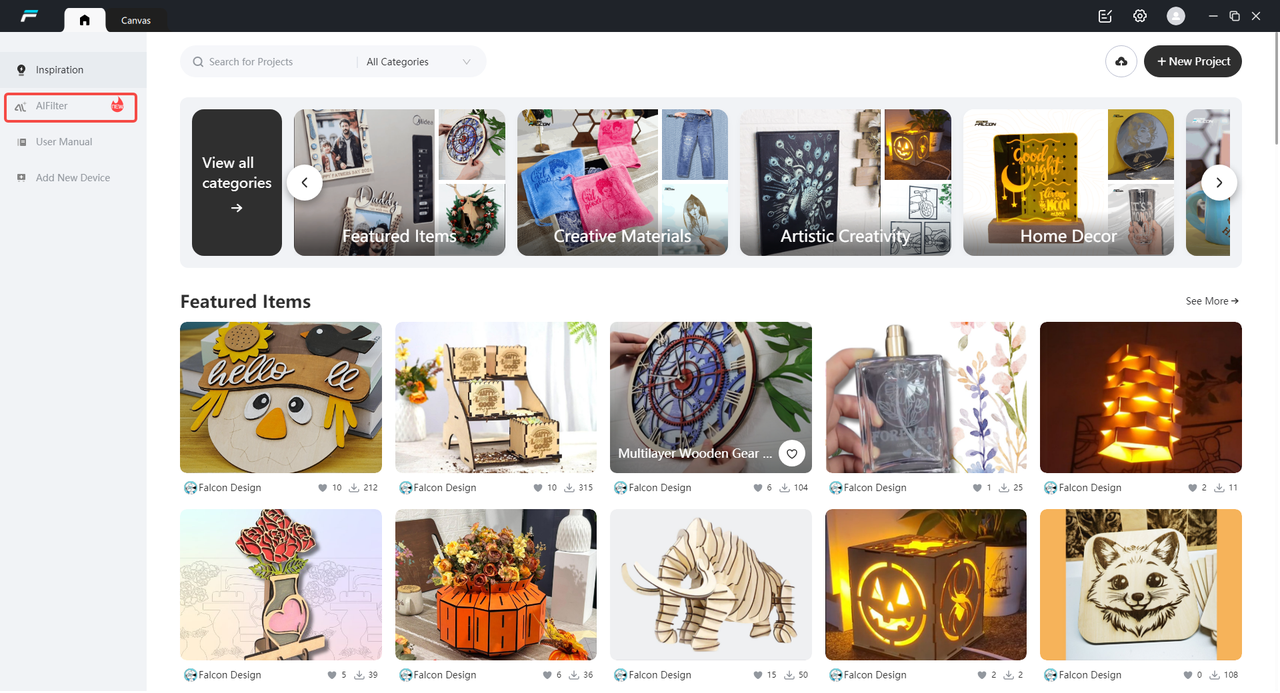
1) AI Filter to Generate Depth Map: Enter the home page, click on the AI Filter, upload an image that visually requires a 3D effect, select the embossed depth map filter, and click Generate

2) Import a 3D file to generate a depth map: Select the 3D relief processing mode, click the import button, and use the file explorer to select a 3D format file


¶ B. How to Emboss
- The principle of relief
The principle of laser engraving relief is mainly based on the interaction between laser and materials and precise control technology, which is specifically as follows:
a) High-energy focusing: Laser is a beam with high energy density. Through an optical focusing system, it can be focused onto a very small area on the material surface, resulting in an extremely high energy density in this area and causing an instantaneous temperature increase.
b) Material Vaporization and Ablation: After the material absorbs laser energy, the local temperature rapidly rises above the boiling point, causing the material to vaporize or decompose, and it is removed in the form of steam, tiny particles, etc., forming an ablation pit.
c) Precise control of ablation amount: By controlling parameters such as the pulse energy, pulse width, repetition frequency, and action time of the laser, precisely control the ablation amount of each tiny area on the material surface.
d) Selection of relief light sources: It is recommended to use Fiber for metal or stone slab relief, Diode will cause charring on wooden boards during relief, and UV can perform relief on wooden boards without charring.
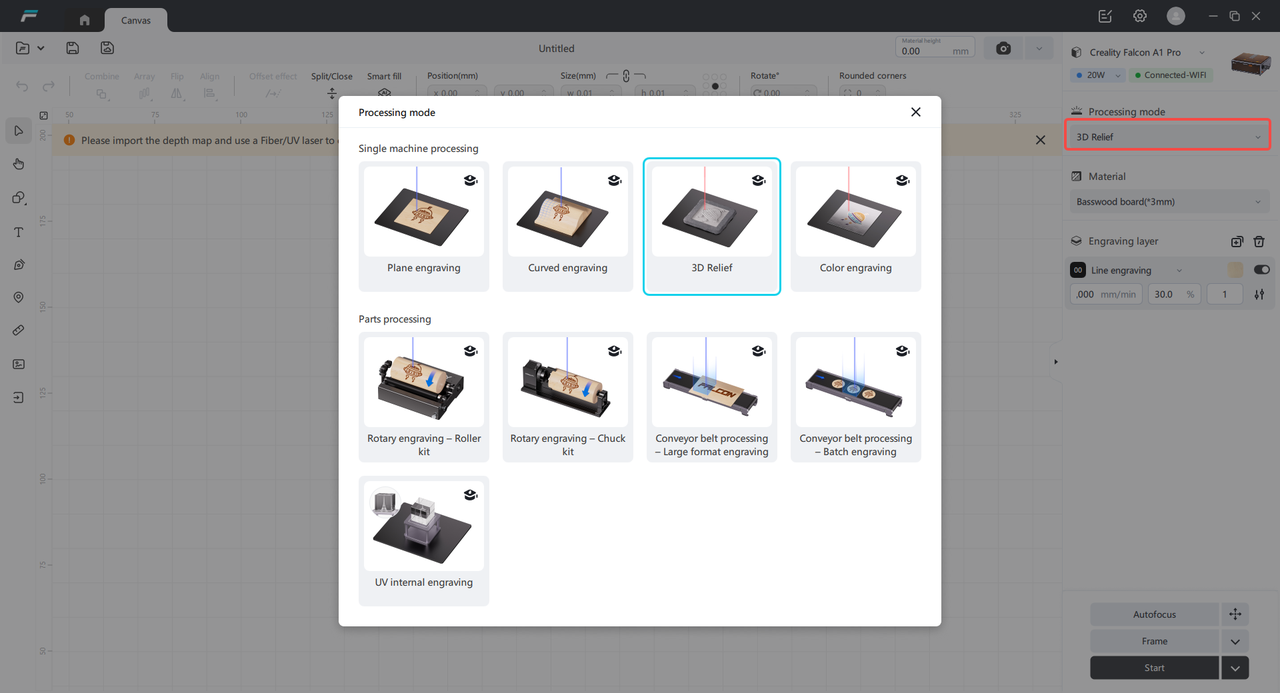
- Select the relief processing mode and import the depth map
- Select relief materials
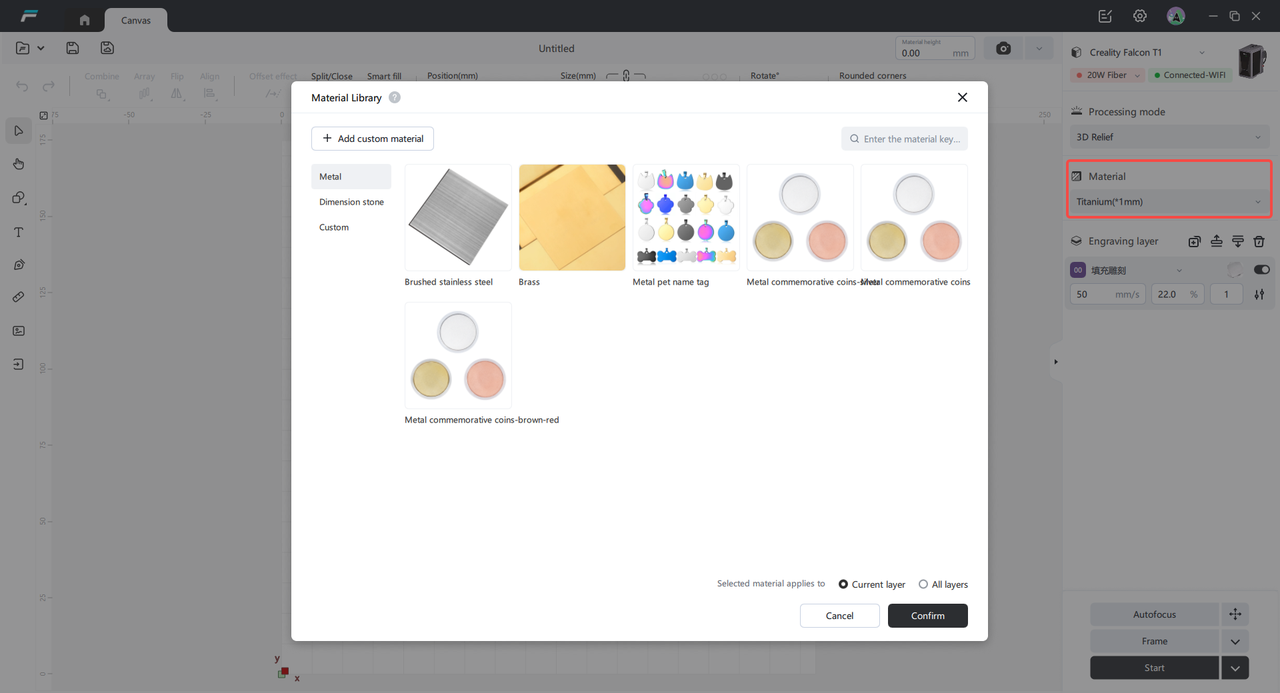
The material library preloads materials that support relief for the current light source. After selecting a material, the relief parameters will be automatically filled.
- Relief Parameter Description
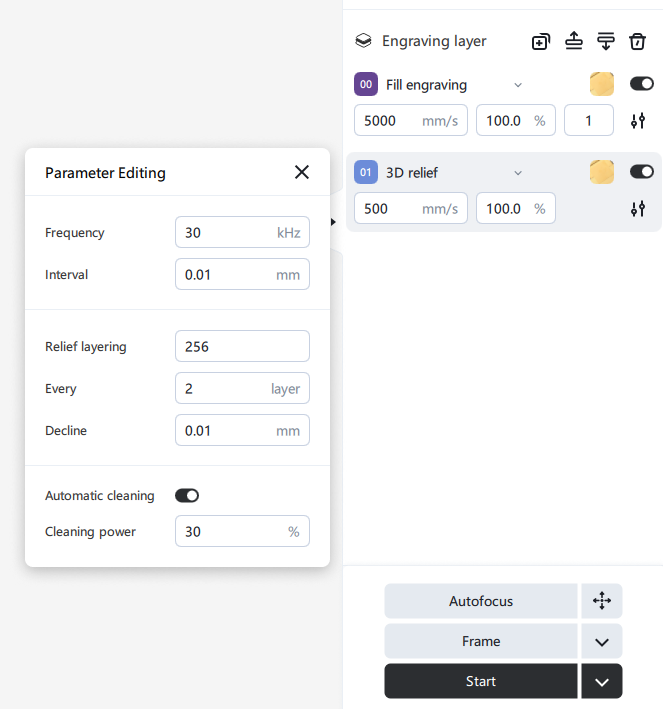
Parameters can be changed according to actual needs.
Power: The greater the power, the deeper the carving depth.
Speed: During processing, the moving speed of the laser spot along the processing path. The smaller the speed, the longer the laser spot stays on the material, and the deeper the engraving depth.
Frequency: Frequency refers to the number of times a fiber infrared laser emits laser light per second. The higher the frequency, the faster the laser emission speed, but the lower the peak power.
Spacing: The number of engraved lines per centimeter. The smaller the spacing, the higher the clarity of the image, but the processing time required will also increase.
Number of layers: The more layers, the deeper the carving depth, with a value range of [1-512].
Descend N mm every N layers: The automatic descent of the Z-axis helps with laser focusing, ensuring that the laser acts on the focal point with the strongest energy.
Automatic Cleaning: After input, it will automatically clean the full width once every 5 layers to prevent metal oxidation and blackening. It is recommended to fill in for metal material reliefs.
- Preview the embossed effect
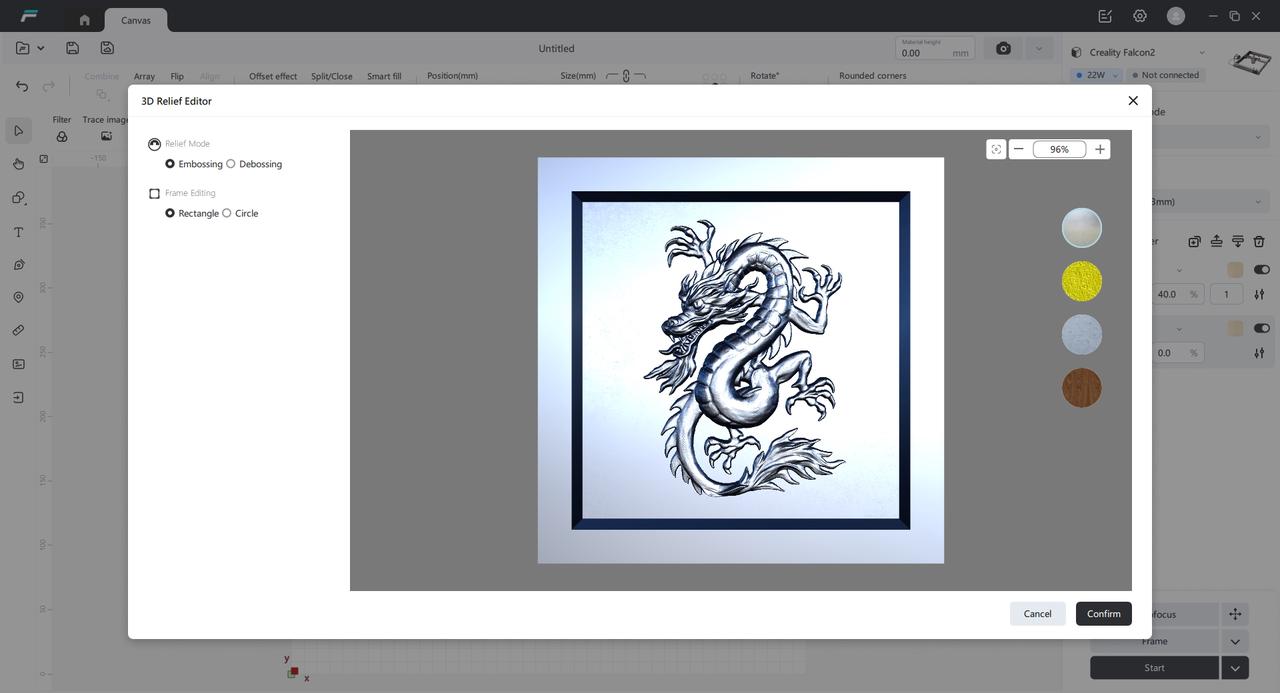
Select the depth map, click the "3D Relief Effect" button in the image editor to open the relief effect editor. Inside the pop-up window, you can preview the relief effect, set embossed or engraved relief, and modify the outer frame shape.
- Start relief processing
Click Auto Focus, Trace Border, Remove Processing, preview the engraving area, and then start processing
¶ C.How to carve deeply
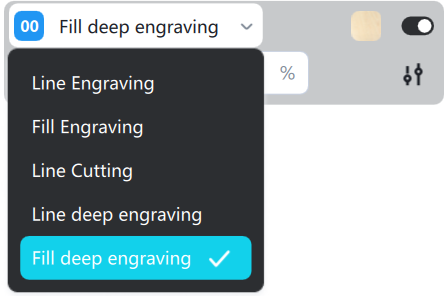
- Enter text or import an image; you can select the Sculpt mode in the Layers panel.
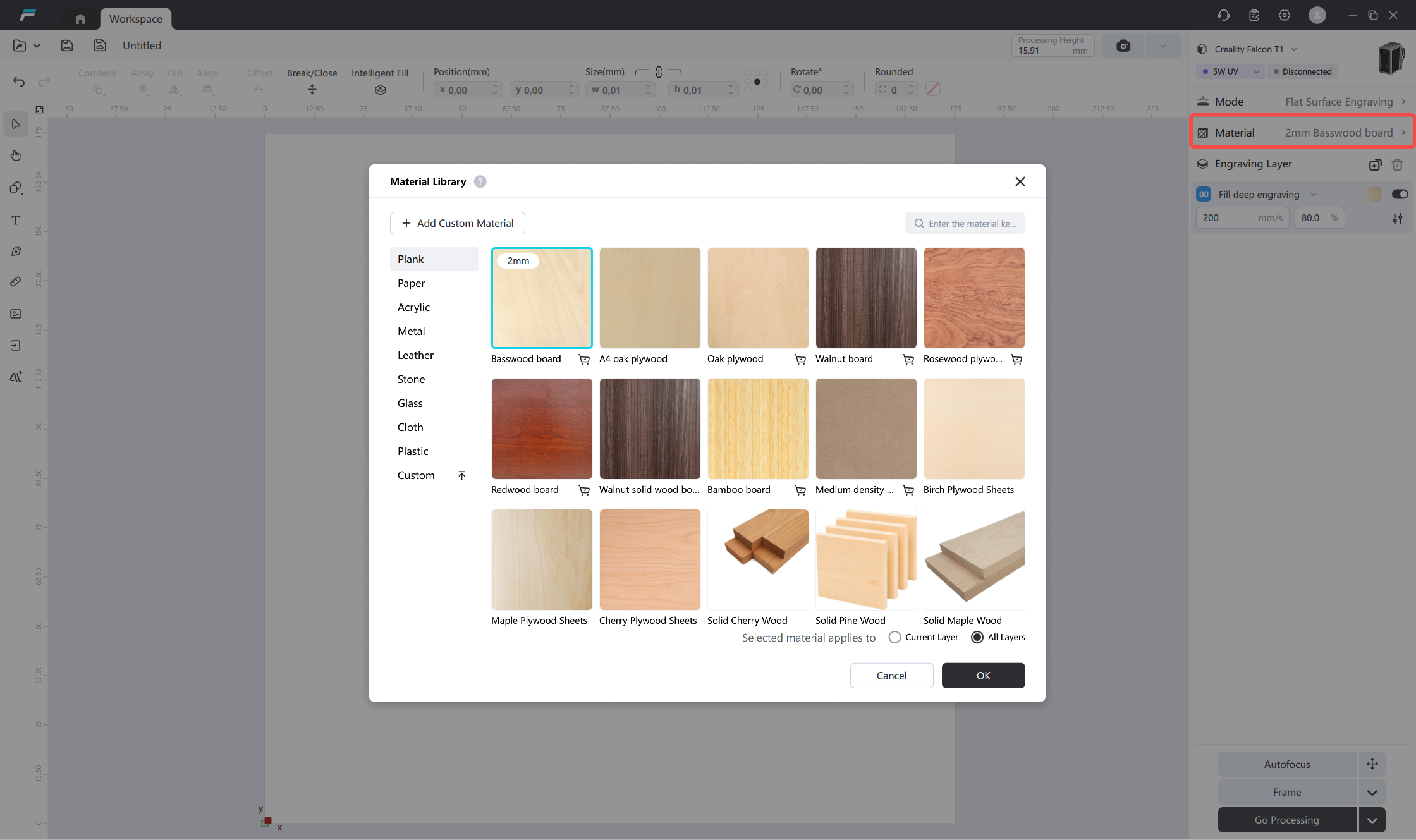
- Select Material: The material library contains preset materials supported by the current light source. After selecting a material, the engraving parameters will be automatically filled in.
- Parameter Description
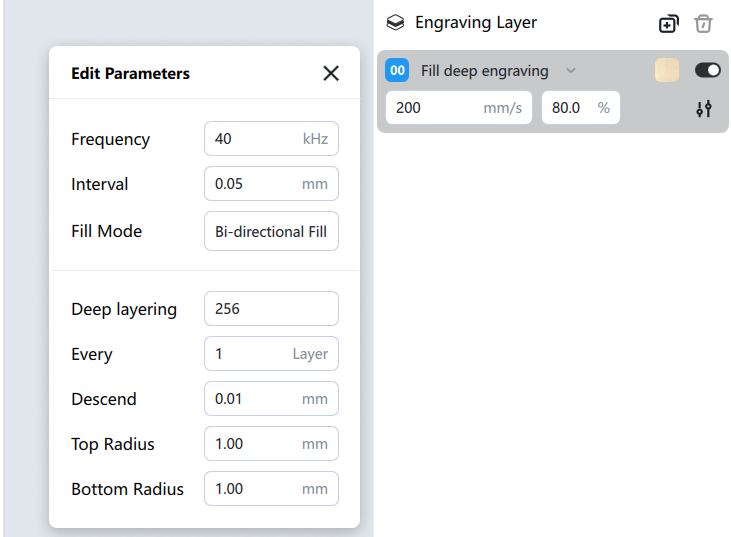
Parameters can be changed according to actual needs.
For deep engraving, there are top and bottom radius parameter settings; other parameters are the same as for relief engraving.
Top radius: Engraves the outer chamfer of the vertical top, with the rounded corner extending outwards. A recommended value is 0.5mm to achieve an imitation embossing process.
Bottom radius: Engraves the inner chamfer of the vertical bottom, with the rounded corner extending inwards. When the value equals the engraving depth, it can achieve curved 3D engraving.
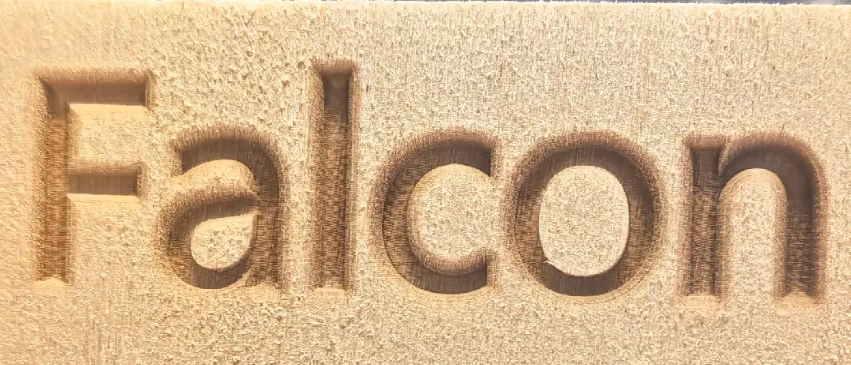
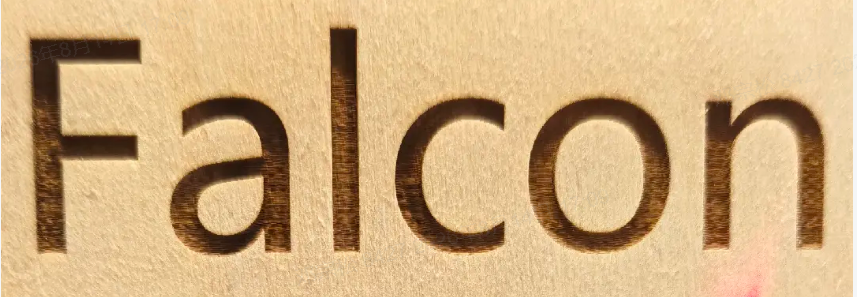
Example effect comparison:
Sculpting effect with a radius of 1
Sculpting effect with a radius of 0
- Begin Deep Carving Processing
Click on Auto Focus, Edge Layout, and Processing. Preview the carving area before starting processing.
¶ D.Carving Precautions
1. Relief and deep carving carry a risk of piercing through the material; for thinner materials, it is recommended to reduce the number of carving layers.
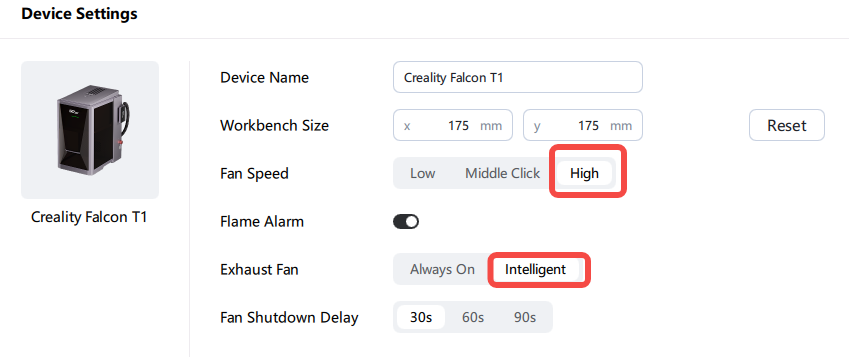
2. Relief and deep carving generate a lot of dust; an air purifier is required. Set the fan speed high. After carving, clean the fan, base plate, and mirrors promptly.
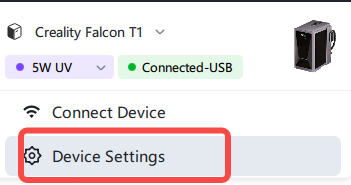
3. For tasks involving lightweight materials or long carving times, it is recommended to secure the material to prevent movement.
4. For tasks involving image G-code generation and lengthy carving times, it is recommended to reduce the image size before carving.