¶ Tutorial Instructions
In-house materials require advance material parameter Test Matrix to obtain optimal engraving parameters. This tutorial uses basswood panels as an example. Wood varies drastically in density, moisture content and resin content; even the same timber type may differ across batches. Therefore, re-testing is recommended every time a new material is replaced.
¶ I. Set the corresponding materials in the software
After opening the FDS software, first select the corresponding basswood board material in the material library.
¶ II. Check the reference cutting speed of linden wood boards
Before configuring the engraving parameters, first derive the reasonable range of engraving speed inversely based on the cutting parameters:
Create a new layer, switch the processing mode to "Line Cutting", and check the recommended cutting speed and power for the current basswood board in the parameter panel. This value serves as a key reference benchmark for calculating the subsequent engraving speed range.
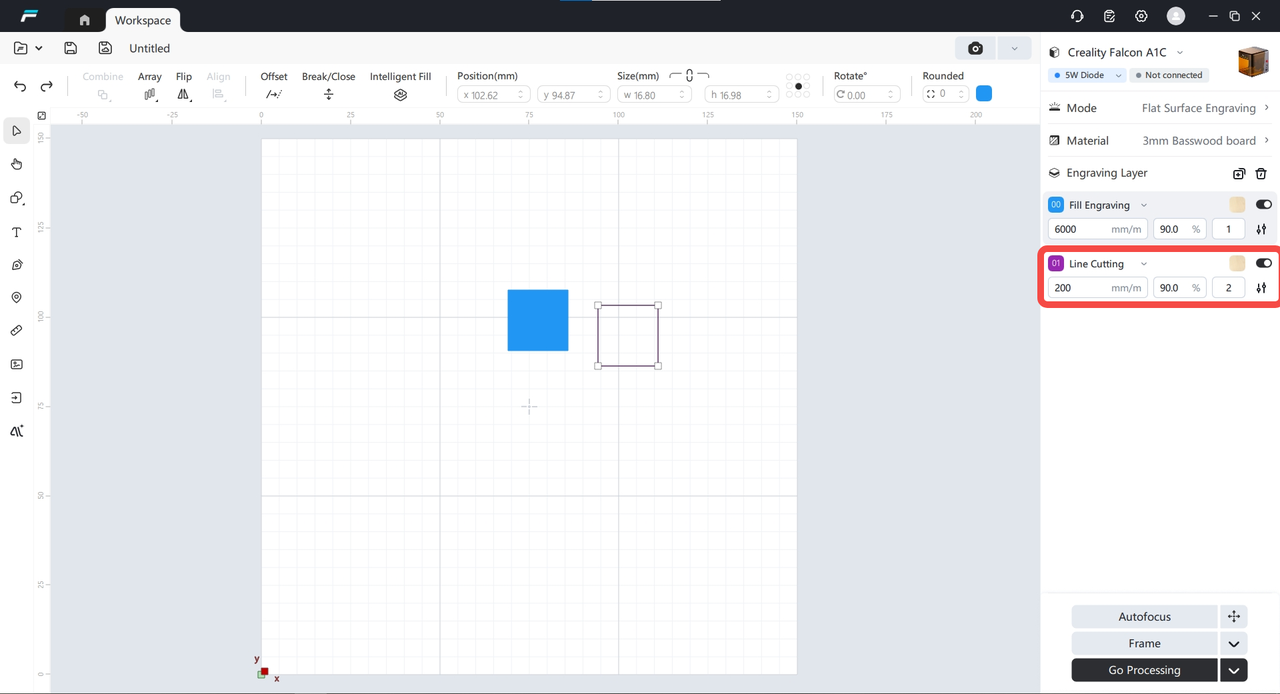
Why do this? Since engraving does not require penetrating the material, the engraving speed should be significantly higher than the cutting speed, but either too high or too low a speed will affect the final effect. Using the cutting speed as a reference makes your parameter settings more well-founded, rather than relying on guesswork.
¶ III. Select Array/Material Testing Tools
Draw a rectangle of any size on the canvas, keep the rectangle in the selected state, and locate the "Array/Material Test" function entry in the toolbar at the top of the interface:
.png)
¶ 4. Set Parameters for the Material Test Array
¶ Setting Logic of Speed Range
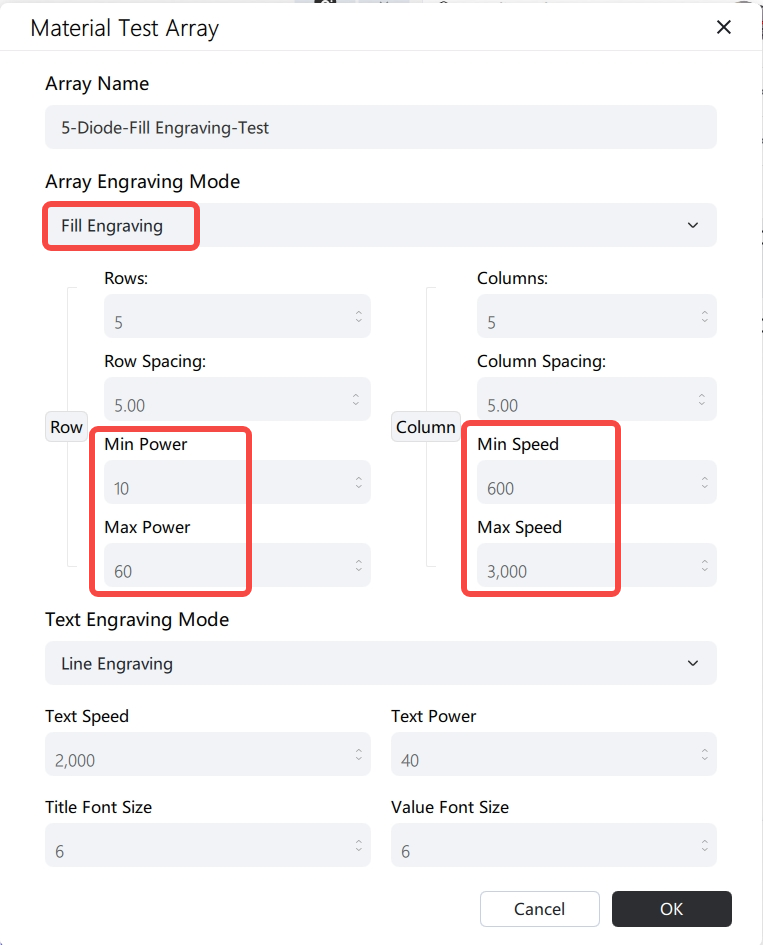
Lower speed limit: Reference cutting speed × 1.5~2 times. In the example, the reference cutting speed for linden wood boards is approximately 400~500 mm/min, so the lower limit of engraving speed is set to 800 mm/min.
Speed upper limit: Can be set to 3~5 times the lower limit, i. e., 2400~4000 mm/min, which is used to test the ultimate effect of high-speed shallow engraving.
¶ Setting Logic of Power Range
Lower power limit: It is recommended to start with 10%~20% and observe whether clear marks can be formed at low power.
Power cap: Setting the maximum power to 100% carries a risk of material perforation. To be conservative, you may set the cap within 80%~90% to avoid burning through the material during testing. If the cap is found to be insufficiently deep after testing, conduct supplementary tests separately for the high-power range.
General Reference: For basswood engraving, a power setting typically ranging from 30% to 70% tends to deliver favorable results.
¶ V. Material focusing, matrix generation, and frame traversal for position confirmation
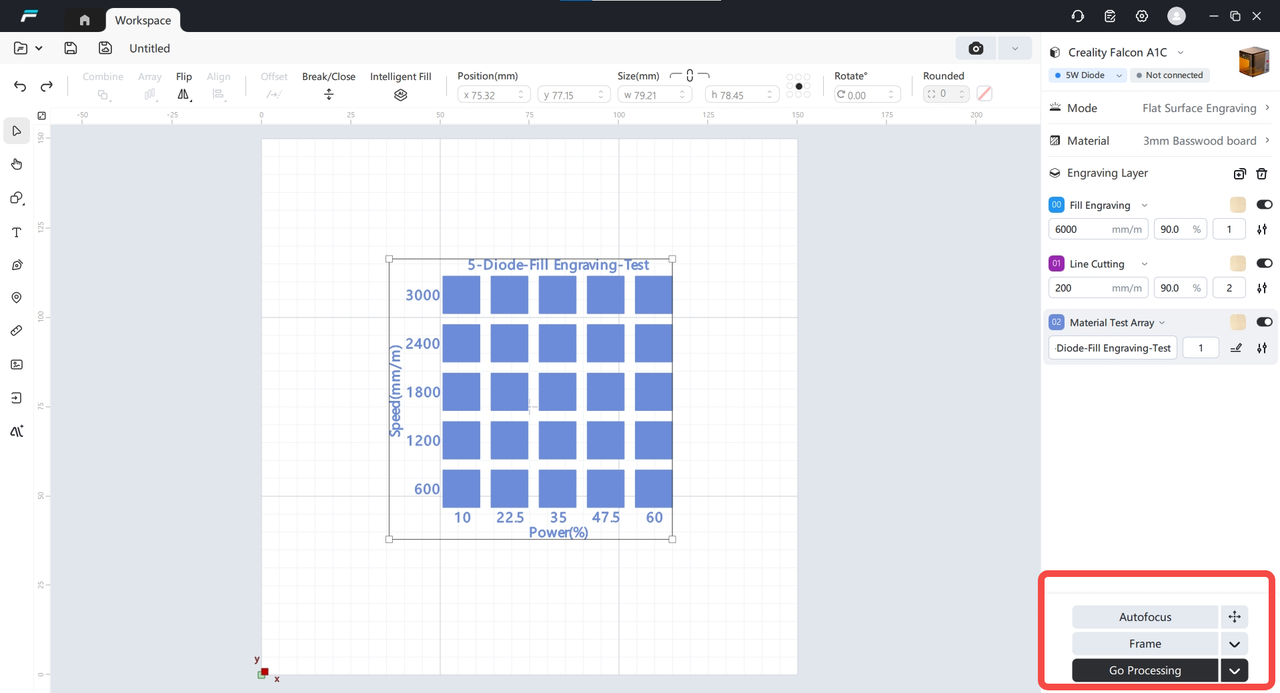
Place the wood board to be tested on the worktable of the engraving machine and focus precisely. Inaccurate focusing will render all test results meaningless for reference.
Move the entire material testing matrix to the material testing area, and adjust its size to ensure that all testing grids fall within the effective material area.
Click the "Frame Walking" function in the software, and the laser head will run idle along the outer contour of the test matrix for one round. Check whether the frame completely falls within the material range, and adjust the position of the material or the matrix if there is any deviation.
After confirming that everything is ready, click "Start" to execute the processing.
¶ VI. Observations and Analysis Results
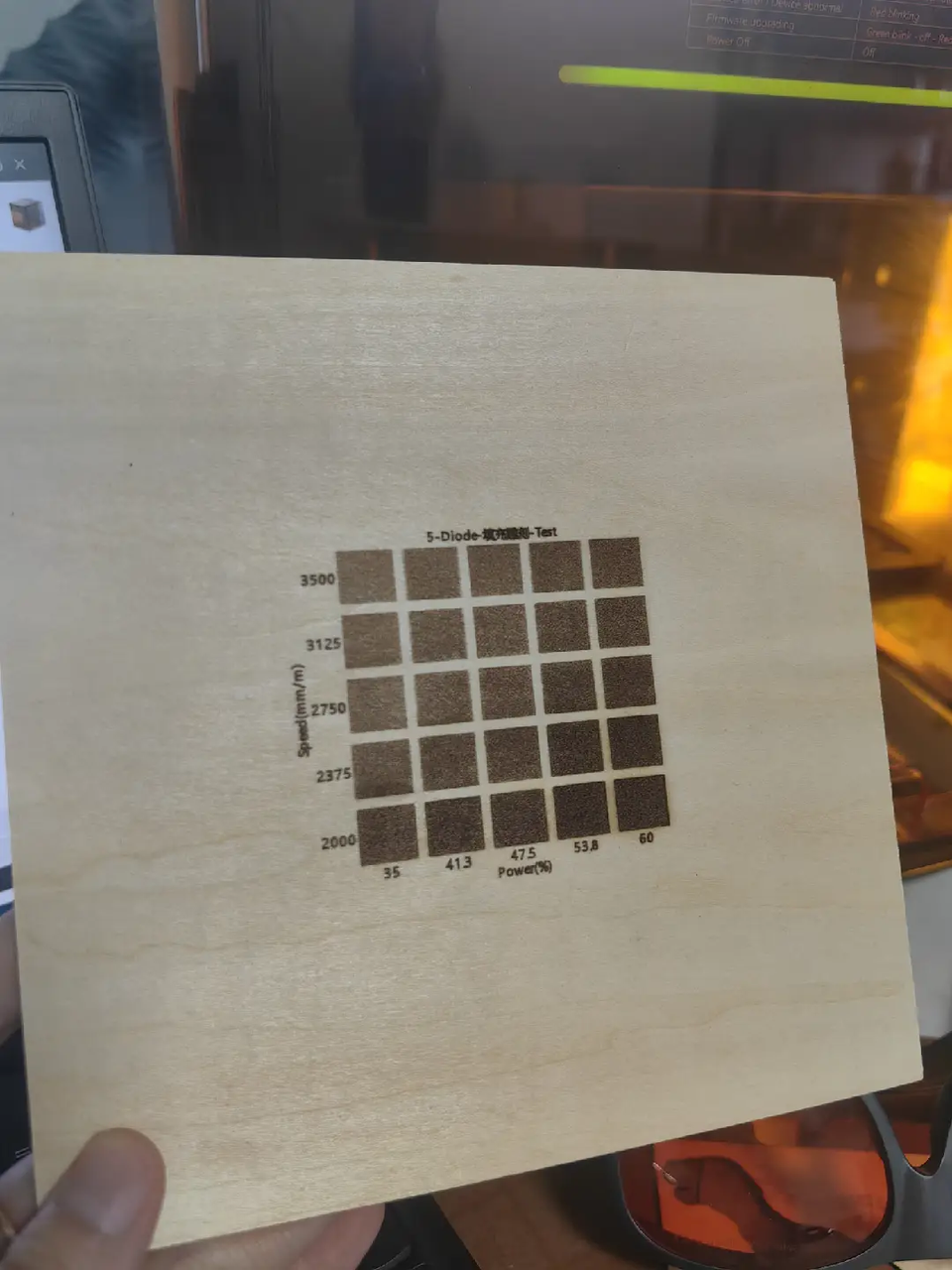
After the processing is completed, observe the effect of each cell in the matrix:
Too faint / barely visible → Power is too low or speed is too high
Moderate color, clean surface → ✅ Ideal parameters
Excessively dark color, severe scorching → Excessively high power or excessively low speed
Edge carbonization/burn-through → Excessive power; reduce power or increase speed
¶ VII. Fine-tuning
If no particularly ideal results are obtained among the 25 to 36 combinations in the preliminary test, you can narrow down the parameter range and conduct another round of testing. For example, if the first round finds that the optimal parameters are around 60% power and 2400 speed, the second round can set the power to 35%~60% and the speed to 2000~3500 for more refined testing.
¶ Quick Access to FAQs
| Question | Possible Causes | Solution |
| Shallow engraving | Low power / High speed | Increase the power or reduce the speed |
| Severe scorching/carbonization | High power / low speed | Reduce power or increase speed |
| Uneven engraving | Uneven wood or out-of-focus | Refocus to ensure the material is flat |
Key Takeaways: The faster the speed and the lower the power, the shallower the engraving; the slower the speed and the higher the power, the deeper the engraving.
The value of the material testing matrix lies in obtaining an intuitive comparison of multiple parameter combinations in one go, which avoids the waste of materials and time caused by repeated trial and error.
It is recommended to conduct a new test each time a new type of material is replaced.