¶ A1C fails to connect to FDS software
A1C supports wireless WiFi and USB wired connection
¶ Problem Description:
Falcon A1 C online connection failed / unable to connect to the engraver software (official: Falcon Design Space (abbreviated as FDS), third-party: LightBurn engraver software (abbreviated as LB), LaserGRBL (abbreviated as GRBL)
¶ Analysis of Causes:
1. Wiring Method
2. Physical ports (motherboard side, data cable side)
3. Serial Port Driver & System Recognition Failures (Primarily on Windows)
4. Software conflicts and permission interception issues
5. Firmware & Software Version Mismatch
¶ Troubleshooting and Solutions:
1. Wiring Method
a. Power on the device by connecting to a power source; normally, it will emit two beeps. After the standby indicator stays steadily on, connect the original standard data cable that comes with the device.
b. USB hubs and docking stations are not recommended.
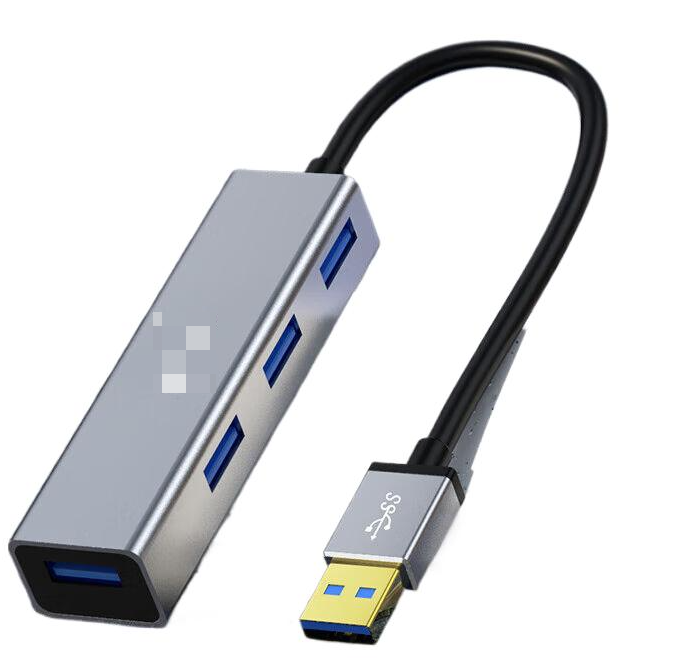
c. For desktop computers, plug into the native USB-A port on the rear of the case; for laptops, prioritize the USB ports on the side of the body and avoid the charging port.
d. Note: For computers with all-C ports, an active A-C adapter is mandatory. Plug the C-end of the adapter into the device, and the other end into the computer's C-port. Do NOT plug the A-C adapter into the device side.
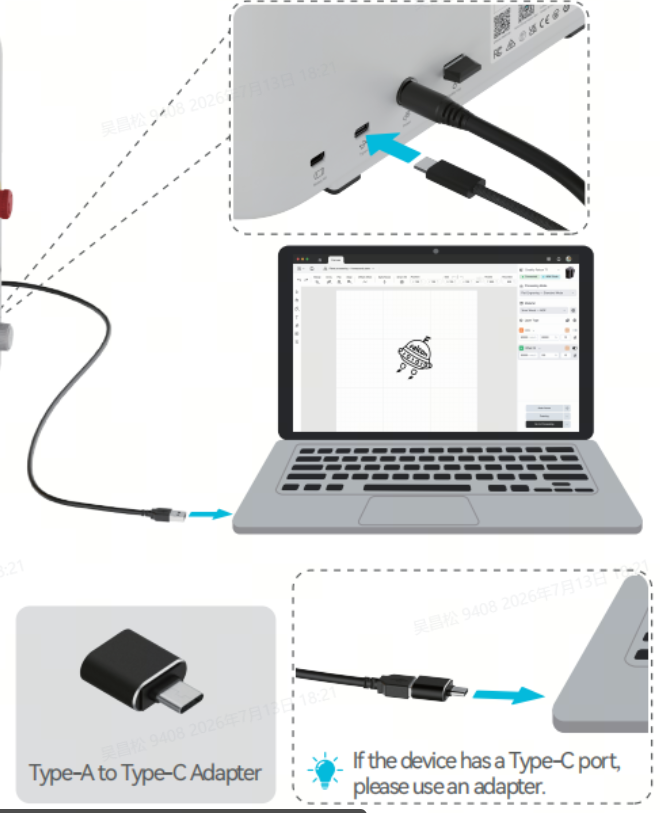
2. Software conflicts and permission interception issues
Task Manager to end all laser-related processes: Falcon Design Space, LightBurn, LaserGRBL, re-plug the USB, only open the only Falcon Design Space and then try to connect;
Note: Do not run multiple software programs simultaneously to avoid occupying device ports.
3. Serial port driver and system recognition issues (mainly on Windows): it is recommended to update unknown drivers or reinstall the driver program.
4. Physical ports (motherboard side, data cable side)
a. Check whether the device's Type-C port is damaged.
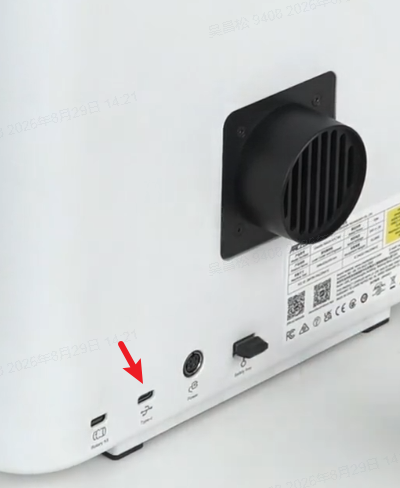
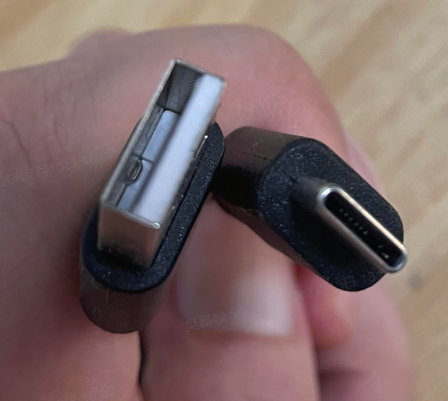
b. If using a third-party data cable, please ensure that the Type-C cable is 1.5~2 meters in length, with a transmission rate of over 10Gbps, and supports data transfer from the mobile phone to the PC.
5. Firmware & software version mismatch, please confirm that the firmware and software are the latest versions