¶ How to download and install Falcon Design Space APP
🔈: Supported engraver models for FDS Mobile App: A1 pro, A1C, T1 Series
¶ 1.Android System
Method 1:
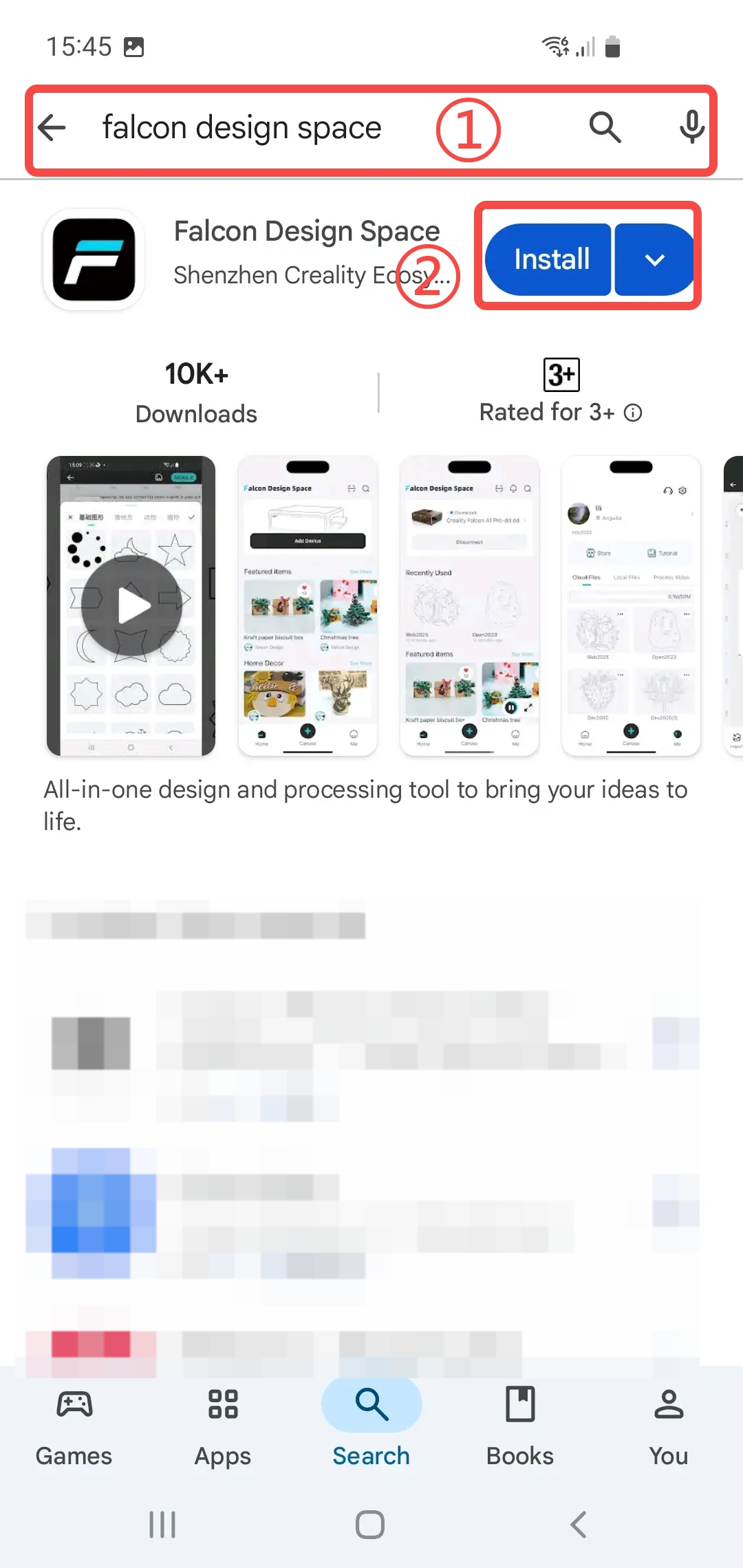
1.Go to the Google Play Store to search for and download.
2.Open the Google Play Store
3.Enter falcon design space
4.Click to install
Method 2:
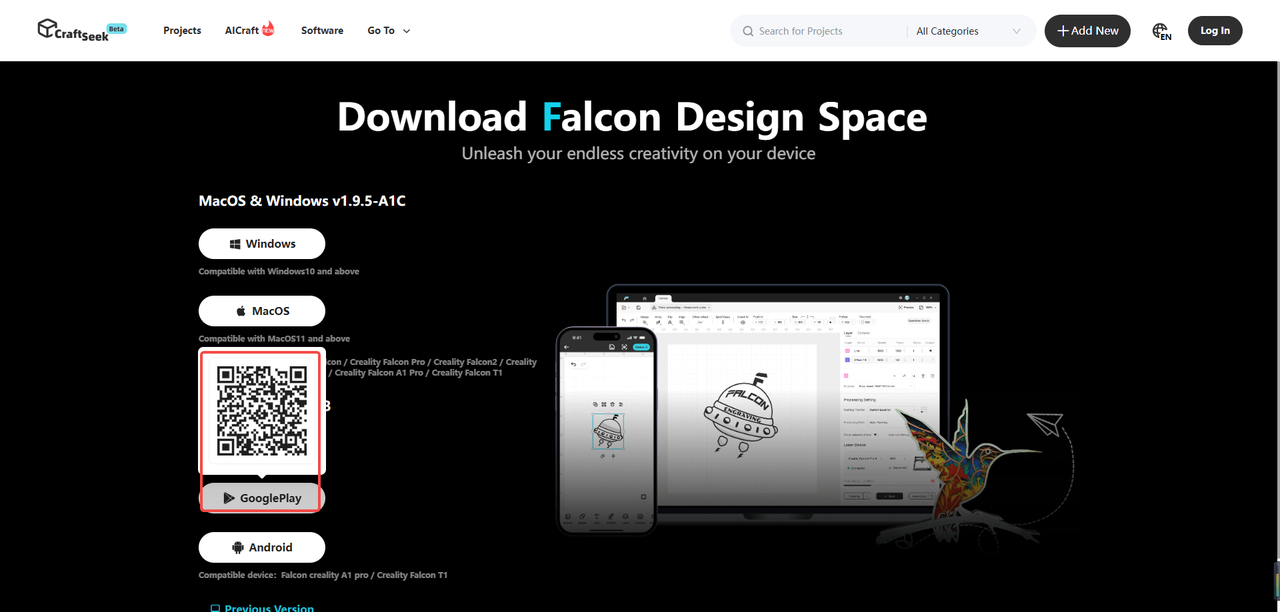
Go directly to the official website to download.
https://www.craftseek.com/#/download
After opening this URL on a computer, hover your mouse over the Android icon, and a QR code will pop up immediately. Scan this QR code with your mobile browser, and you will be redirected to the app details page on the Google Play Store; tap the download button to install the app.
Note: This method is only applicable to mobile phones that support the Google Play Store.
Method 3:
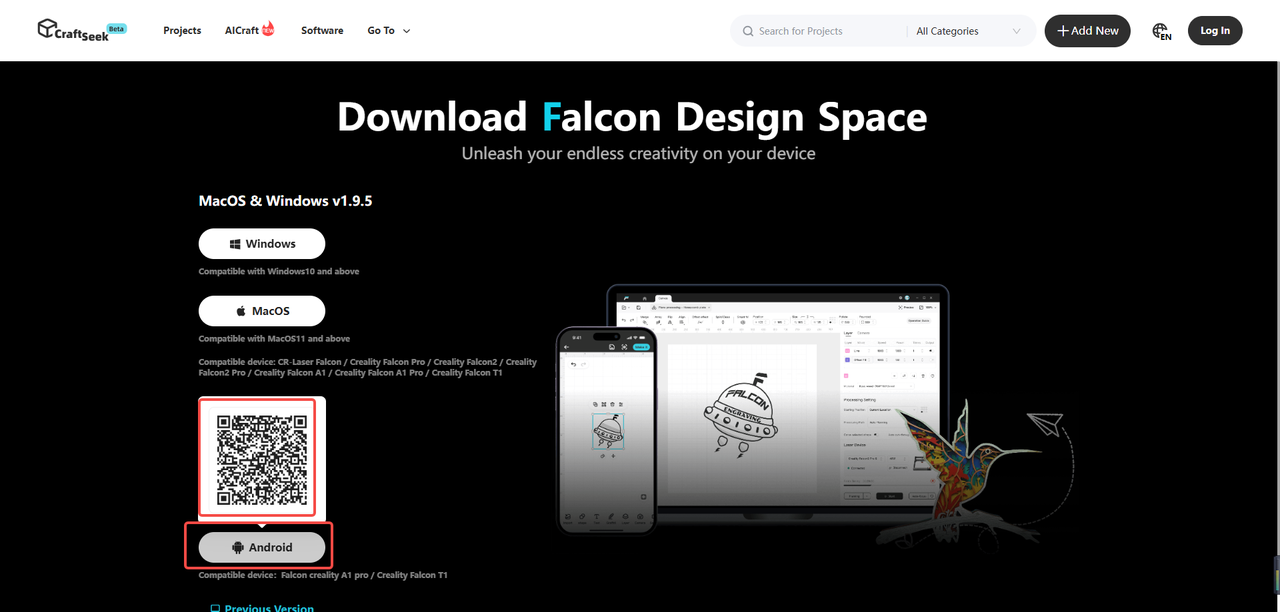
Go directly to the official website to download.
https://www.craftseek.com/#/download
① After opening the URL on a computer, hover your mouse over the Android icon, and a QR code will appear. Scan the code with your mobile browser, and the download prompt will pop up.
Or if you access the URL via a browser on your mobile device, tapping the Android icon will directly bring up the prompt to download the app.
② Click the download button to start downloading.
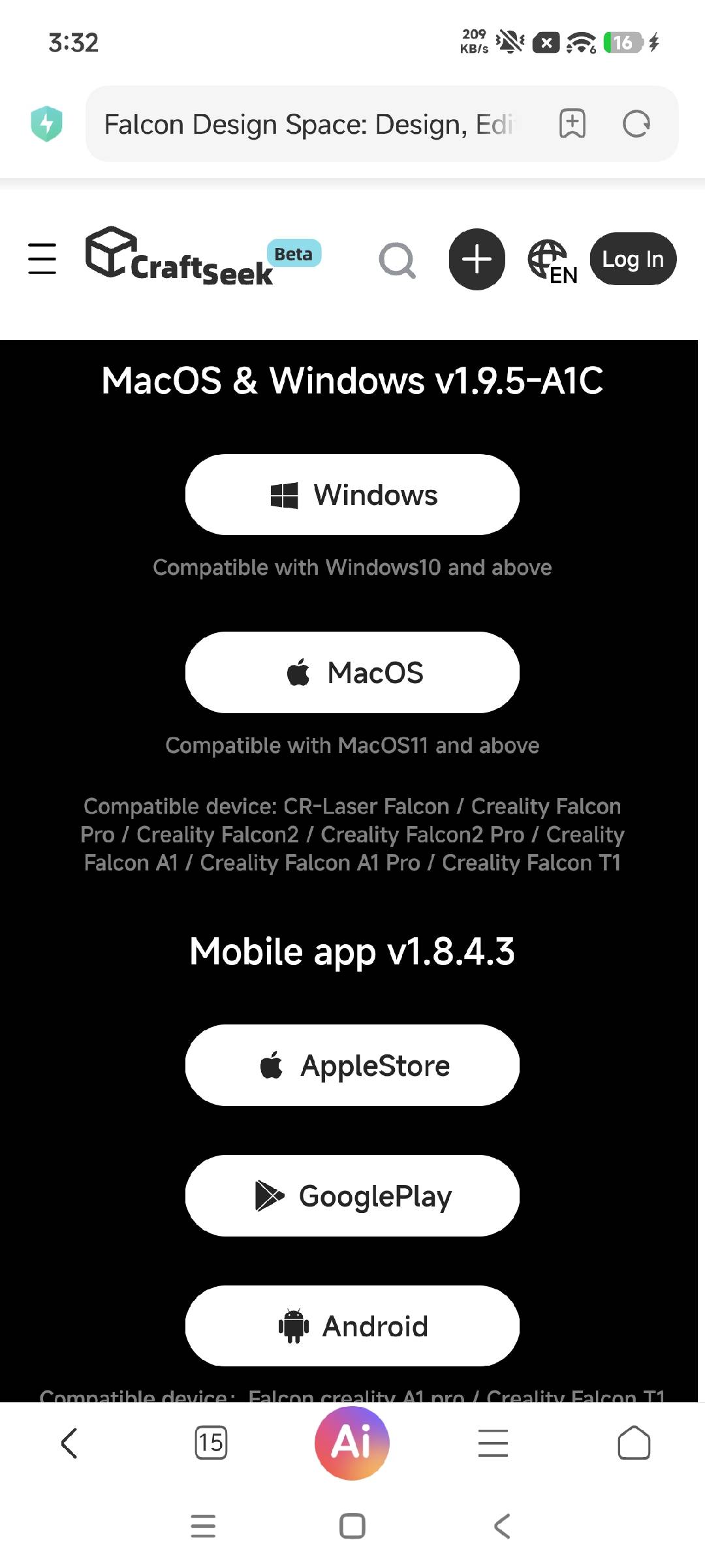
After the download is complete, simply open the installation package to install and use it.
¶ 2.iOS System
1.Download from the Apple App Store.
2.Open the Apple App Store.
3.Enter falcon design space.
4.Click to download.