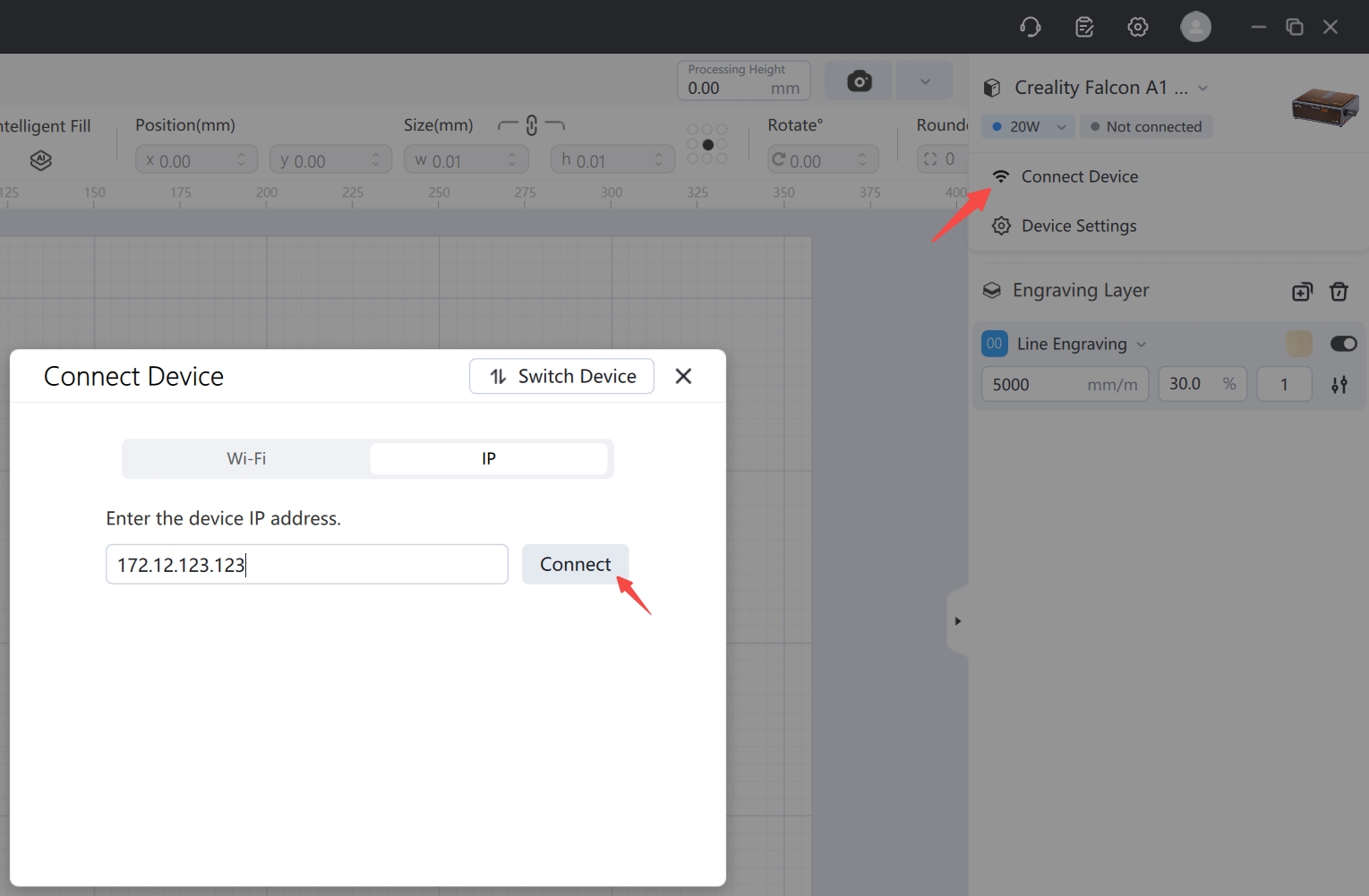
¶ A. Software Network Configuration Guide (Applicable to A1pro, T1, A1C)
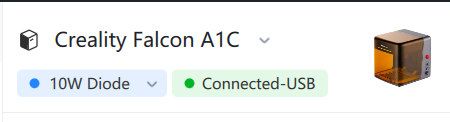
① Connect to the device via USB
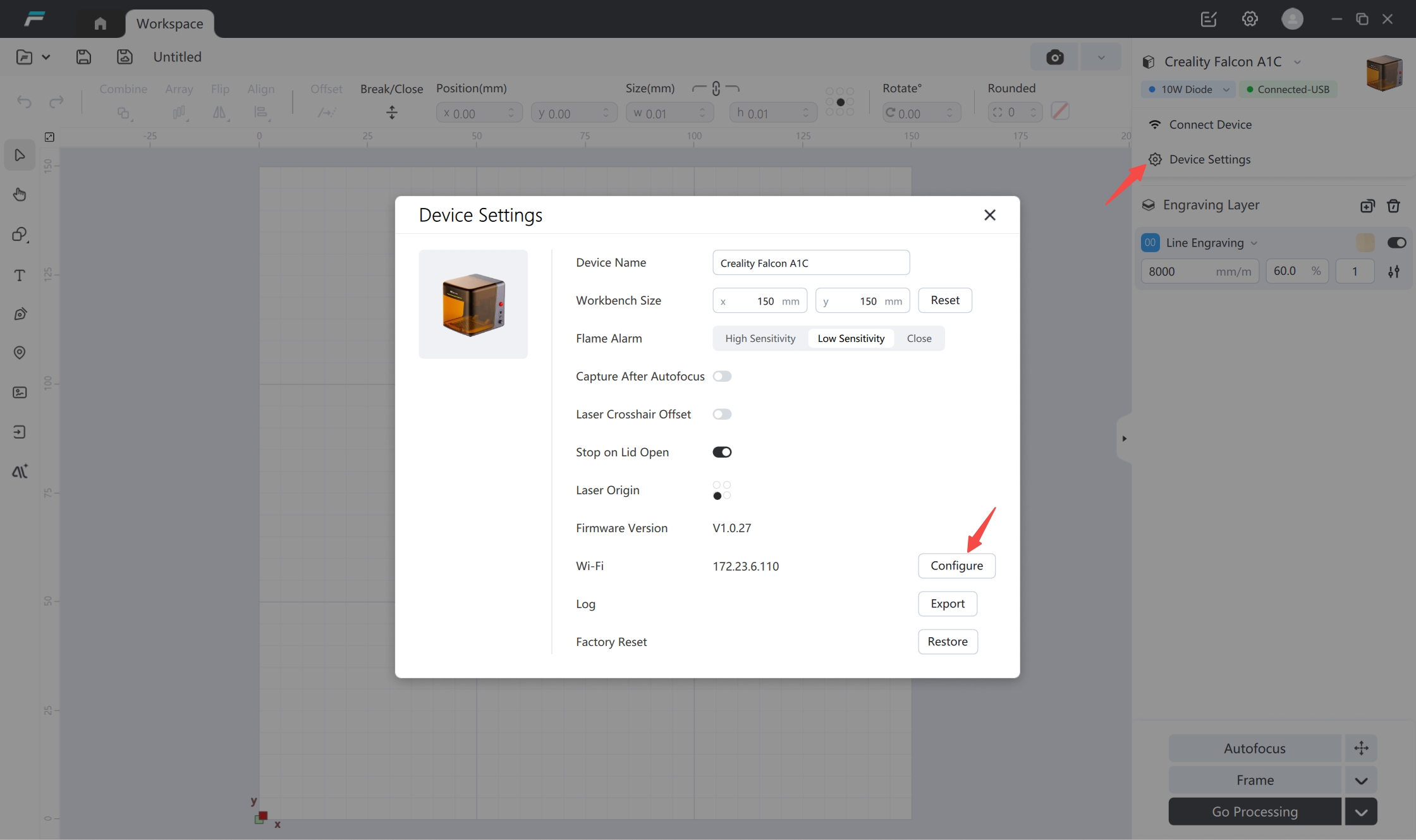
② Open "Device Settings" and select "Configuration"
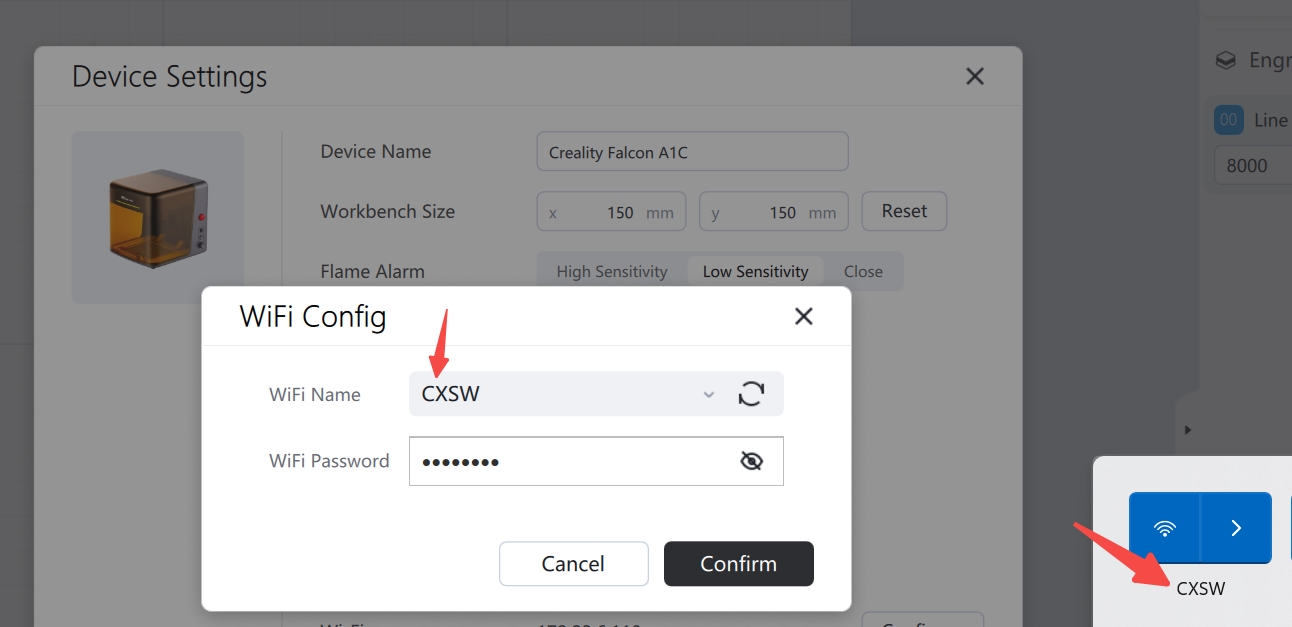
③ Select the same Wi-Fi network that your computer is currently connected to, enter the password, and click "OK". It is essential that the network be connected to the same network as your computer.
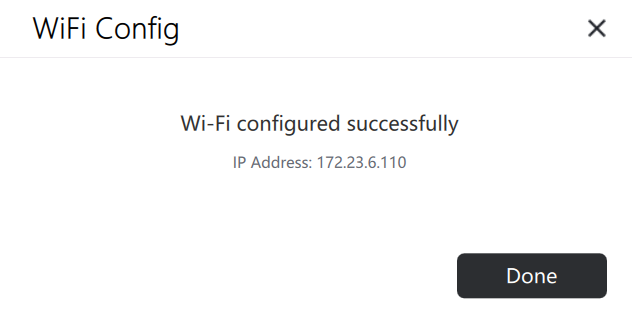
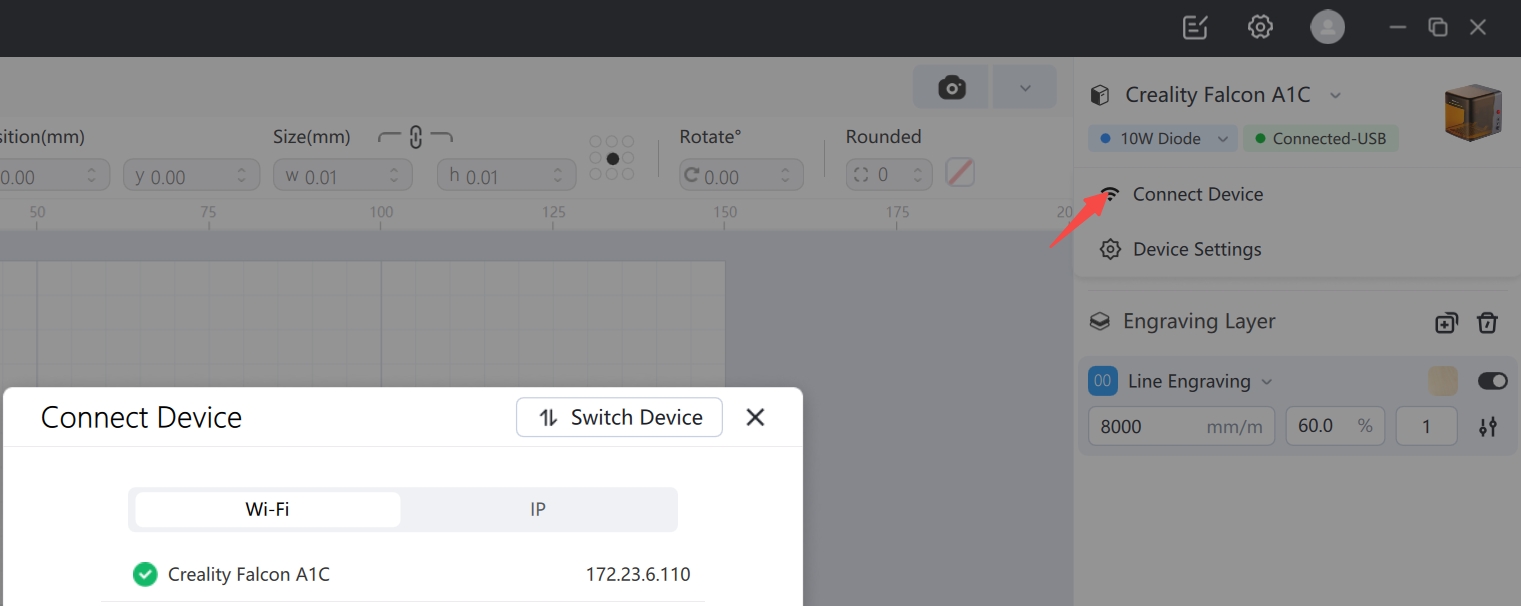
④ After successful network configuration, you can connect to the device via its IP address.
¶ B. Network Configuration Guide for Devices with Interactive Screens (Applicable to A1pro and T1)
① On the interactive screen, go to [Settings] - [Network], turn on the WLAN button, select the Wi-Fi network, and enter the password to configure the network.
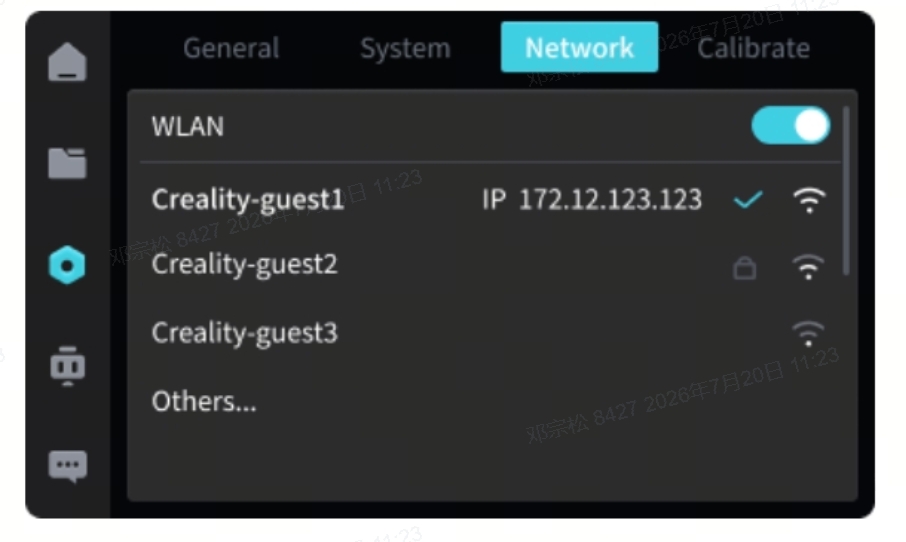
② After successful network configuration, you can connect to the device via its IP address (it must be connected to the same network as your computer).