¶ TE3211: Failed to return nozzle — multiple empty slots detected. Please verify slot status and try again.
¶ Applicable Model: K3
¶ Why does this message appear?
When the user performs operations related to nozzle recognition, nozzle replacement, or nozzle status recovery, the system detects multiple empty slots on the backsheet.
¶ How to resolve?
¶ Verify backsheet slot status
Check each nozzle slot on the backsheet one by one, and confirm which slots have nozzles installed and which are empty.
Under normal conditions, there should be only one empty slot (corresponding to the nozzle currently installed on the extruder).
¶ Manually adjust nozzle layout
If multiple slots are indeed empty, return the nozzles to their correct slots, ensuring that only one empty slot remains.
¶ Check slot presence sensors
For slots that have nozzles installed, confirm whether each nozzle is fully seated with no tilting or misalignment that may have prevented the sensor from triggering.
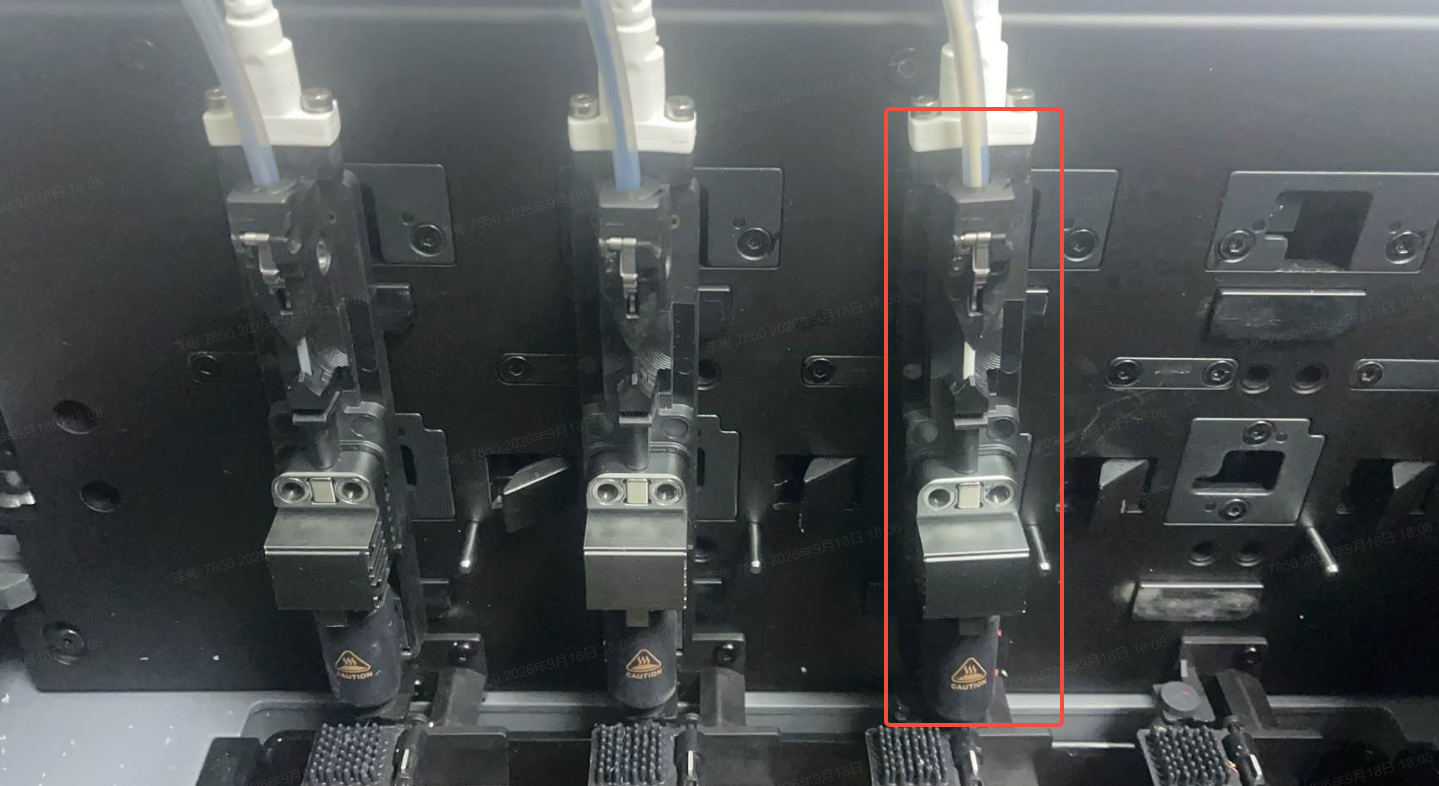
Clean the sensor surface and try again.
¶ General troubleshooting steps
Check whether a nozzle was manually replaced but the original nozzle was not properly returned to its slot.
Check whether a nozzle is placed at an angle, causing the presence sensor to fail to detect it and incorrectly identifying the slot as empty.