¶ FO3245: Possible clogged nozzle detected on the extruder. Please troubleshoot the issue and click "Retry."
¶ Applicable model: K3
¶ Why does this prompt appear?
The device has detected that filament has entered the extruder, but during the feeding process, the actual filament travel distance is significantly less than the extruder's feeding stroke, and the extrusion load shows an abnormality. This indicates that the filament may not be able to pass through the hot end normally.
¶ Common causes include:
¶ Filament issues
The filament is tangled on the filament spool, causing excessive feeding resistance;
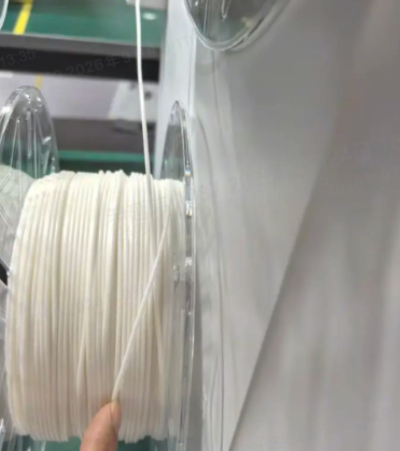
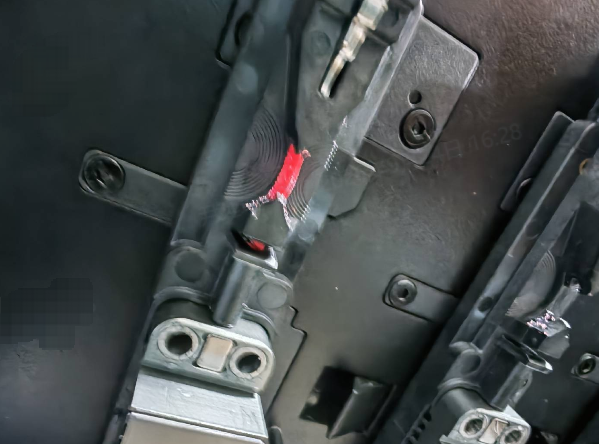
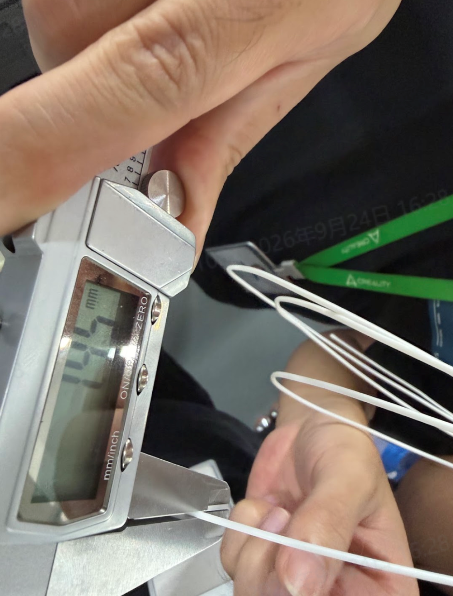
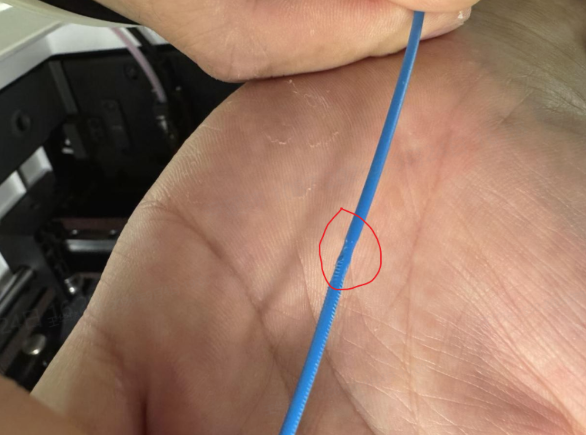
The filament surface is abnormal, deformed, or has an inconsistent diameter, preventing it from passing smoothly through the extrusion path;
 |
 |
The filament tip is abnormal and cannot enter the extrusion channel properly.
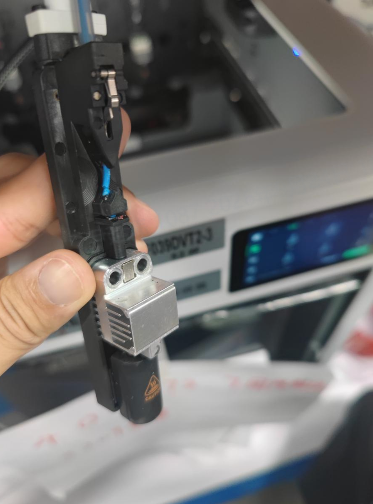
¶ Jammed filament in the extruder
The filament has bent or become stuck inside the extruder;
The extruder gear is unable to grip and push the filament properly;
The filament has been worn down by the extruder gear, preventing further feeding.
¶ Hot end/nozzle clog
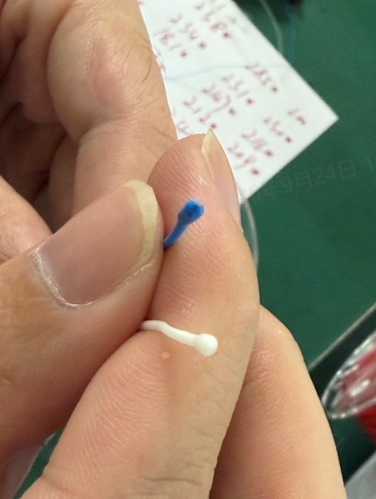
There is residual material, foreign matter, or carbon buildup inside the nozzle;
Filament inside the hot end has softened and formed a blockage;
¶ Abnormal nozzle temperature
The nozzle has not reached the normal extrusion temperature required for the filament, causing excessive extrusion resistance.
¶ How to resolve this issue?
Please troubleshoot in the following order:
Check whether the current filament has any tangling, deformation, abnormal diameter, or feeding obstruction, and ensure the filament can move normally.
Heat the nozzle to the normal printing temperature for the current filament and attempt to manually extrude the filament.
Check whether there is any filament stuck, bent, or being ground inside the extruder. If necessary, remove the abnormal filament and re-feed.
Check whether the nozzle is clogged:
Heat the nozzle to the appropriate extrusion temperature for the current filament, then attempt to manually extrude the filament.
Continuous, stable extrusion: The nozzle is generally free of significant blockage;
Unable to extrude, intermittent extrusion, or noticeably increased extrusion resistance: A nozzle clog may be present.
Try heating the nozzle and re-feeding to extrude the residual filament;
If normal extrusion cannot be restored after multiple cleaning attempts, it is recommended to replace the nozzle.
If F03245 continues to occur after multiple retries, stop attempting to force-feed the filament and contact after-sales technical support.
¶ General troubleshooting steps:
Check the filament
Confirm that the filament has no tangling, bending, obvious deformation, or abnormal diameter. Trim any abnormal filament tips before re-feeding.
¶ Check the extruder
Observe whether the filament can pass through the extruder normally. If the extruder gear continues to rotate but the filament does not advance, or if the filament surface shows obvious wear, check for jammed or ground filament.
¶ Check the hot end and nozzle
Heat the nozzle to the normal printing temperature for the corresponding filament and attempt to extrude.
Normal extrusion: Re-feed the filament and click "Retry";
Unable to extrude or noticeably abnormal output: Inspect and clear any blockage in the hot end and nozzle.
¶ Re-feed the filament
After resolving the issue, perform the filament feeding operation again. Confirm that the filament can be stably extruded from the nozzle before continuing with the current operation.
¶ Still unable to resolve
If F03245 continues to occur repeatedly after completing all of the above troubleshooting steps, please record the nozzle where the error occurred, the filament used, and the details of the fault, then contact after-sales technical support.