¶ Tools
Hexagonal Wrench
New Extruder Front Cover Kit
¶ Replacement Steps
Before replacement, please retract the filament and power off the machine. Do not replace components while the power is on.
¶ Disassembly
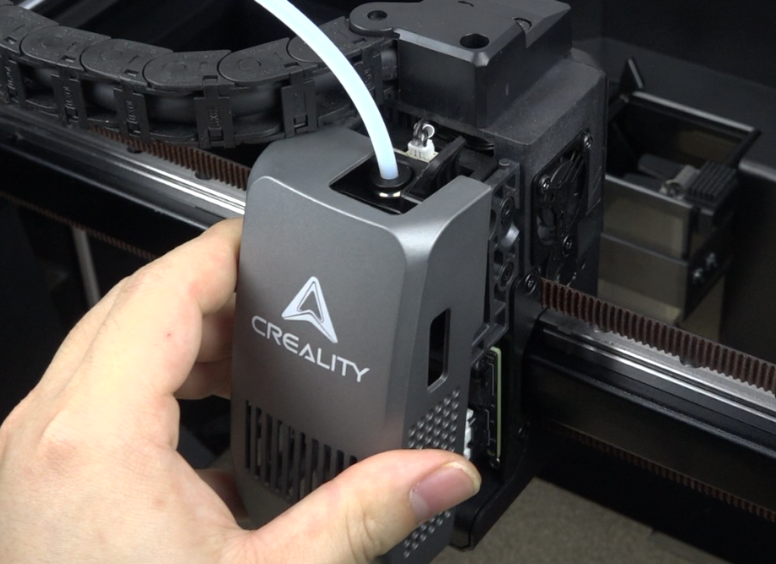
Remove the magnetic cover.
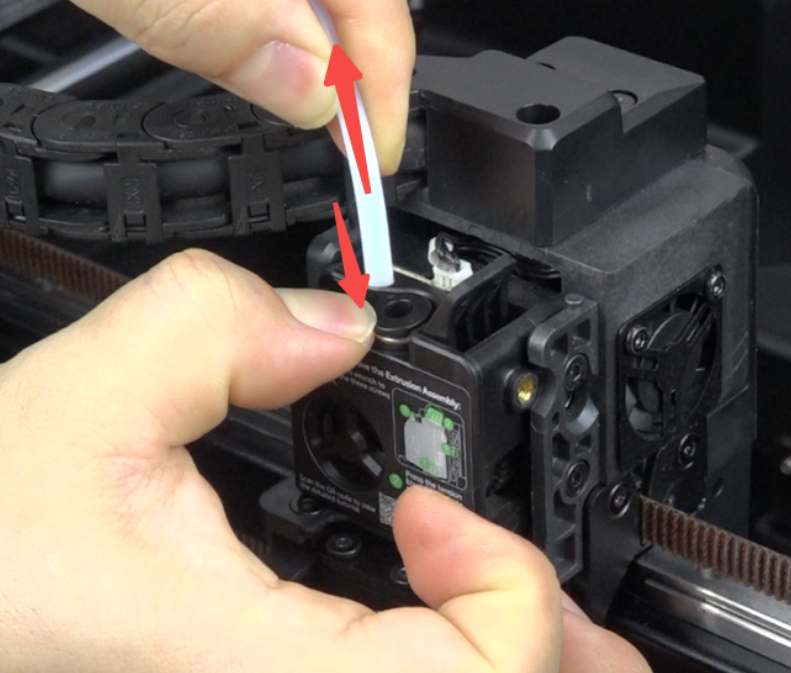
Press the tube connector and pull out the PTFE tube.
Use the hexagonal wrench to remove the 3 screws securing the extruder front cover.
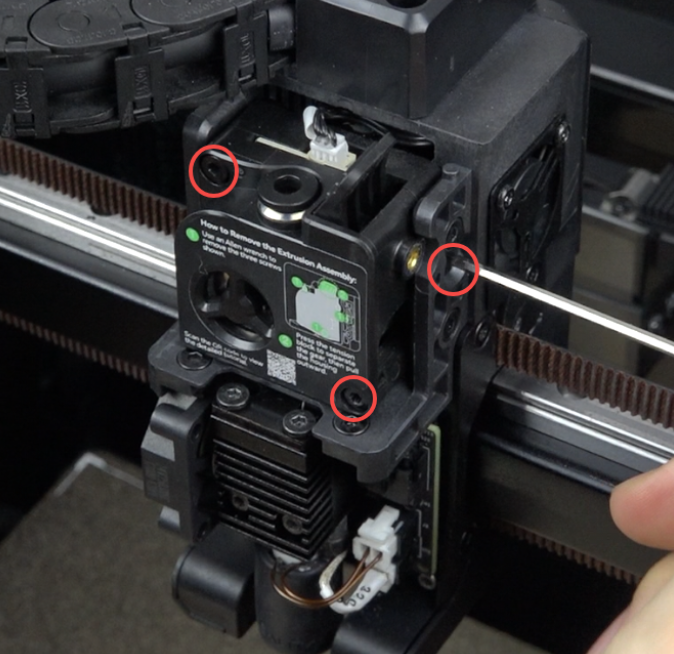
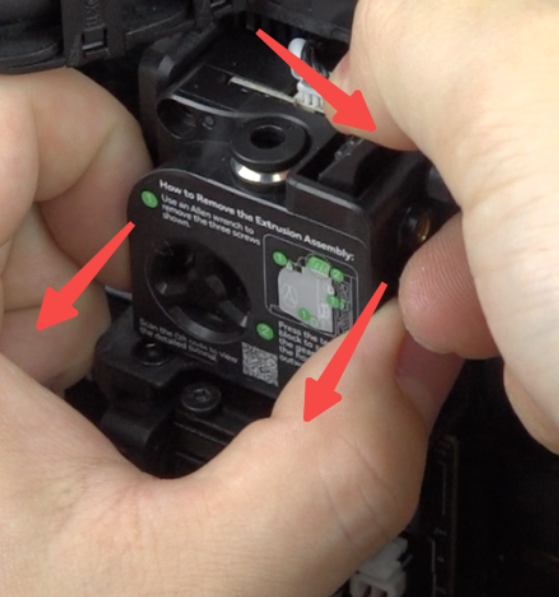
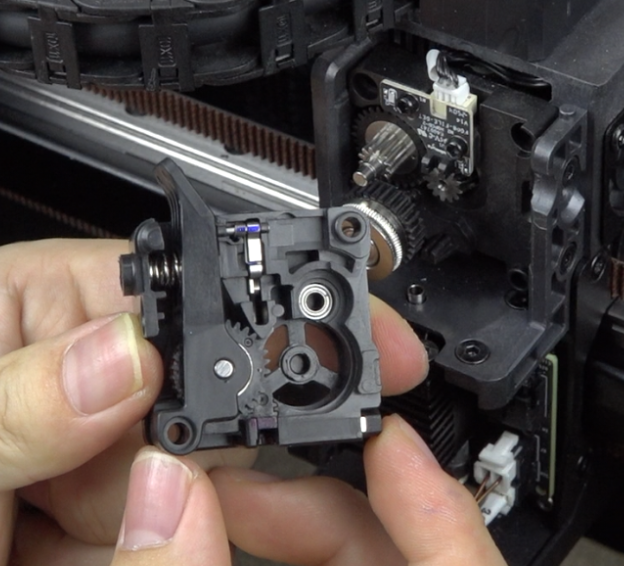
Squeeze the extruder clamp and pull the extruder front cover outward.
 |
 |
¶ Installation
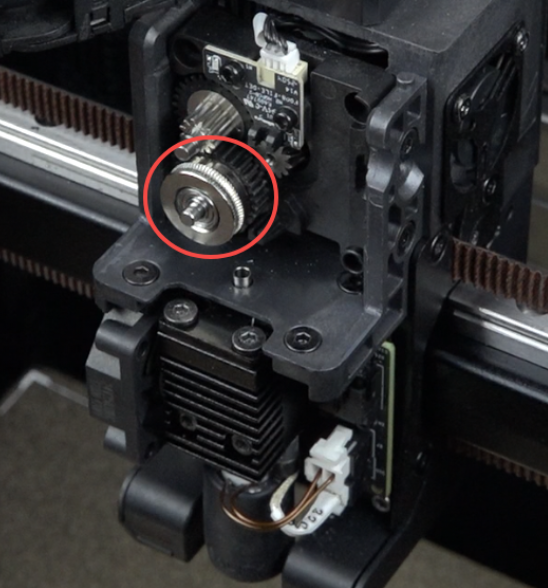
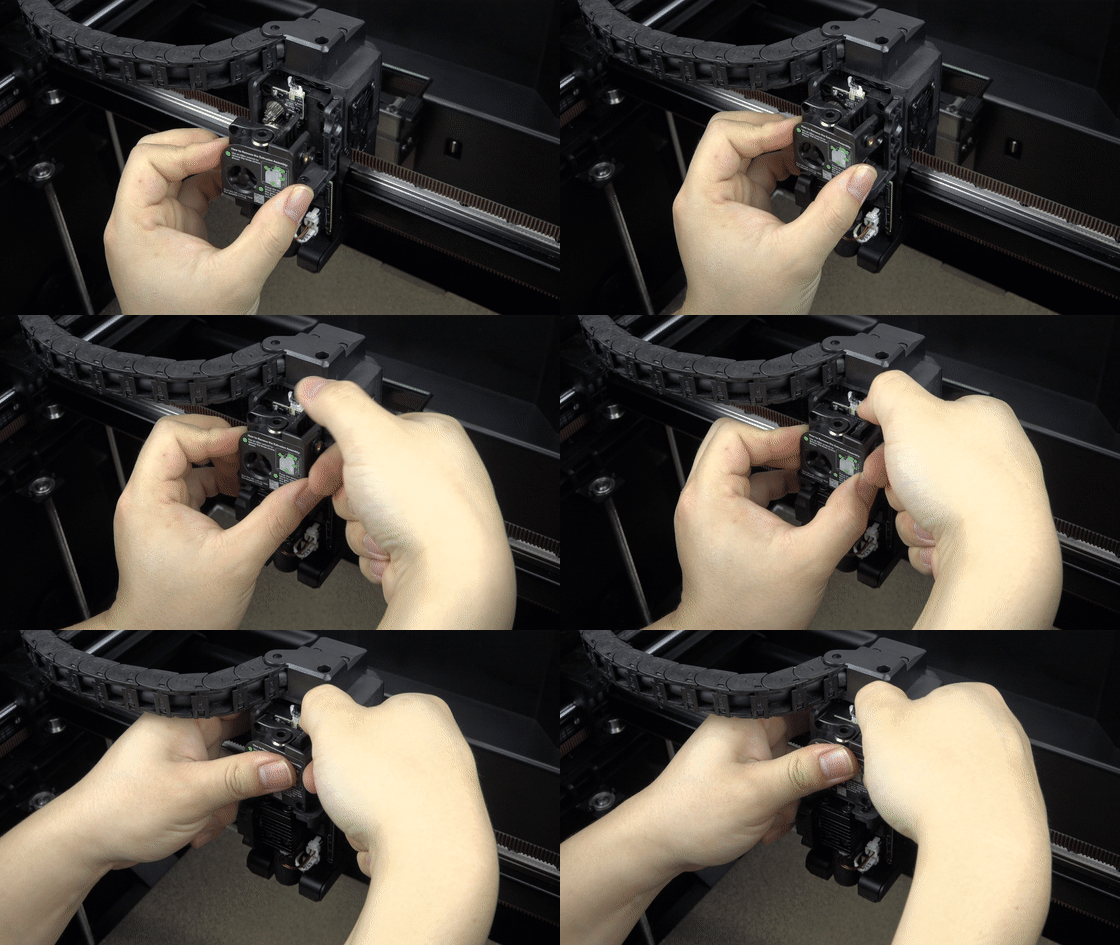
Place the extruder gear, squeeze the extruder clamp, and install the extruder front cover.
 |
 |
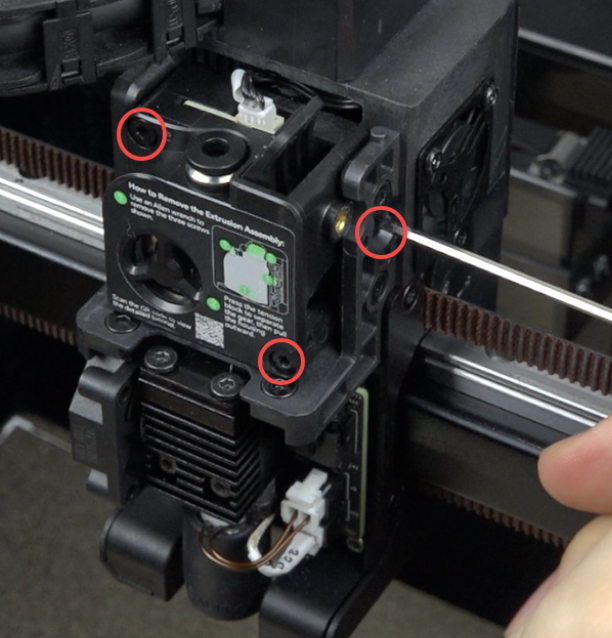
Use the hexagonal wrench to tighten the 3 screws securing the extruder front cover.
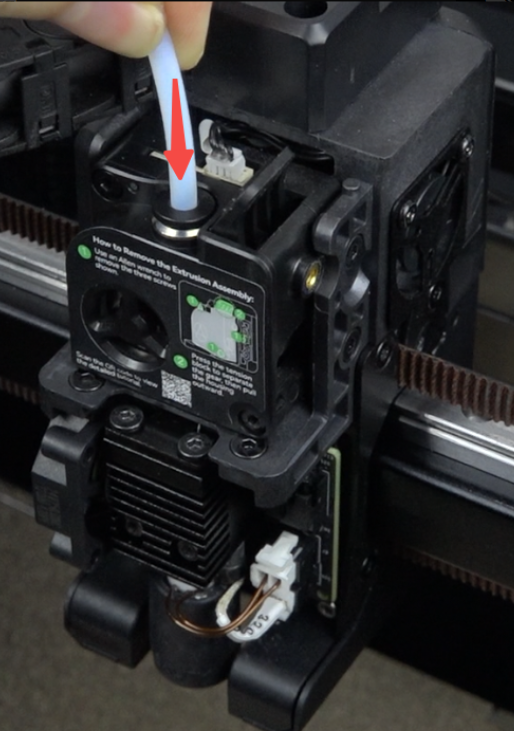
Insert the PTFE tube.
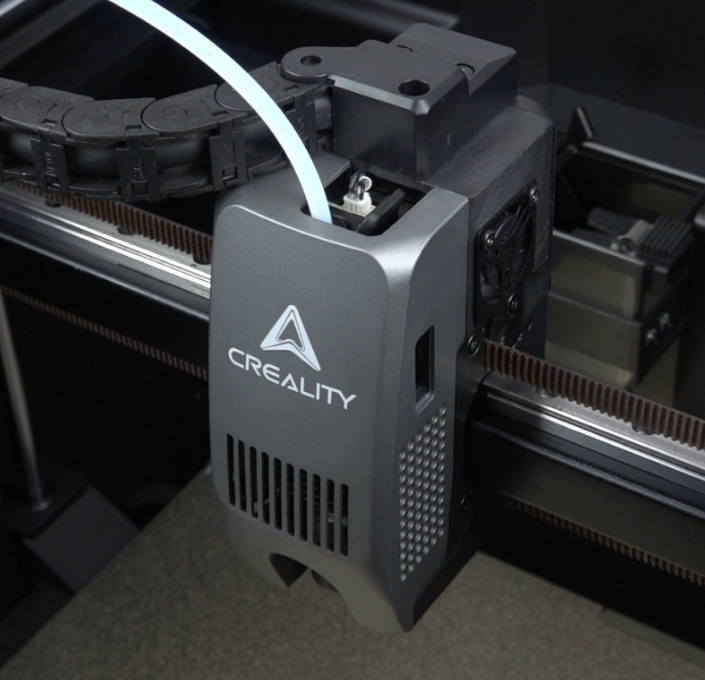
Install the magnetic cover.
¶ Device Self-Check
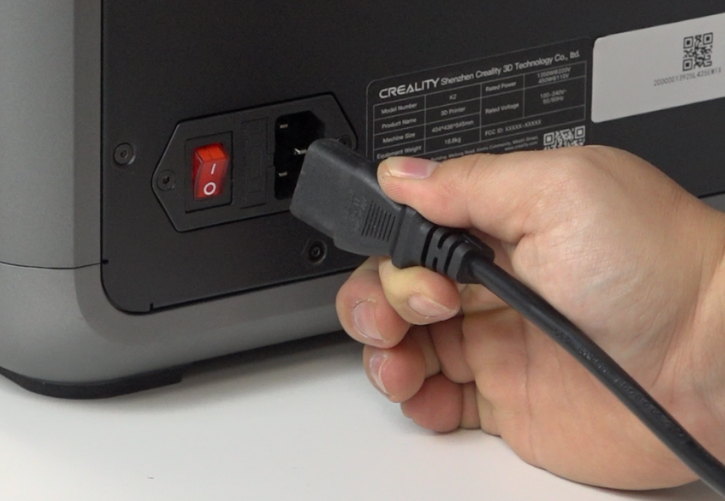
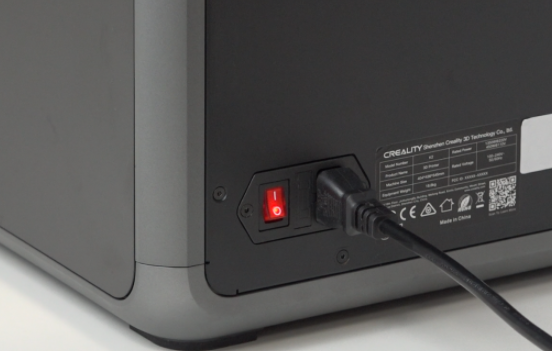
Connect the power cord and turn on the machine.
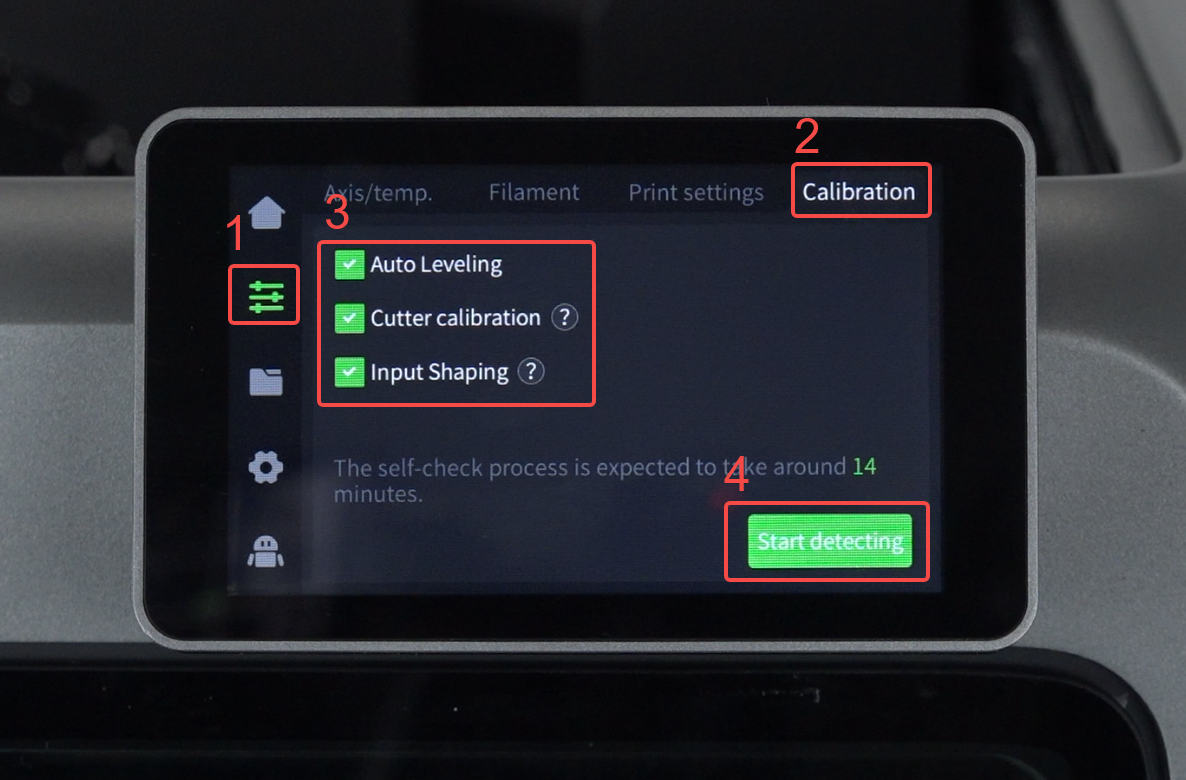
Click "Prepare" - "Calibration" - "Select All" - "Start detecting", and wait for the device calibration to complete.