¶ Tools
Socket wrench
Thermal grease
New nozzle
¶ Replacement Steps
¶ Disassembly
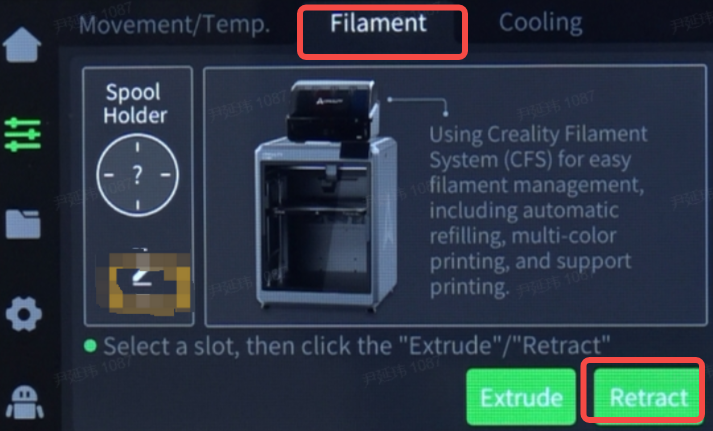
Click Prepare - Filament - Retract, and wait for the filament to be unloaded completely.
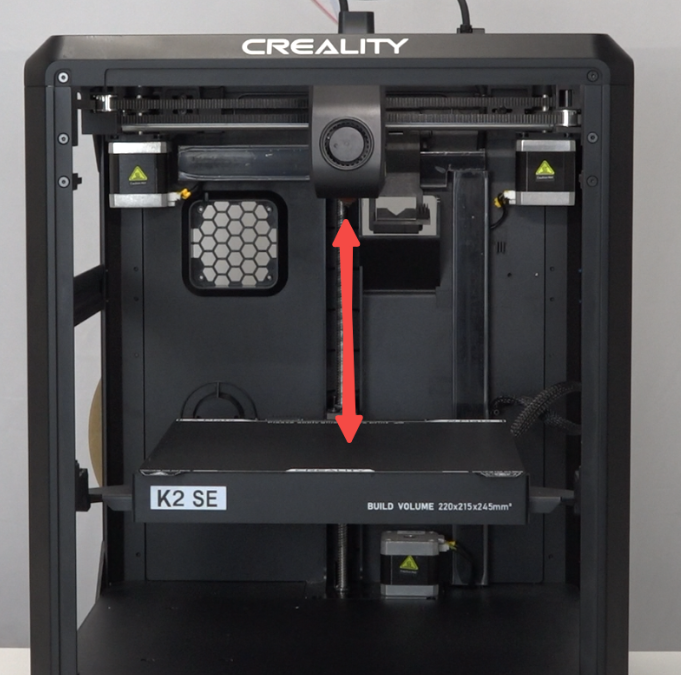
Click "Axis/Temp" - "Z Home", wait for the machine to return homing, click "30mm" - "Z Down" to lower the platform to the middle or lower part of the machine to leave operating space, click "X-" - "Y-" to move the nozzle to the middle for easier operation.

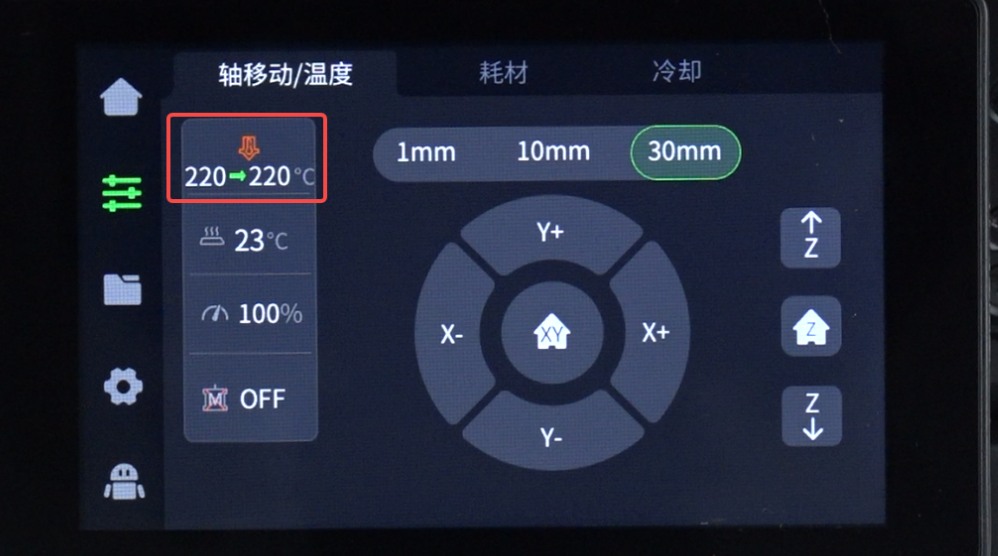
Set the hotend temperature according to the filament being used, for example, 220°C for PLA filament, 240°C for ABS filament.
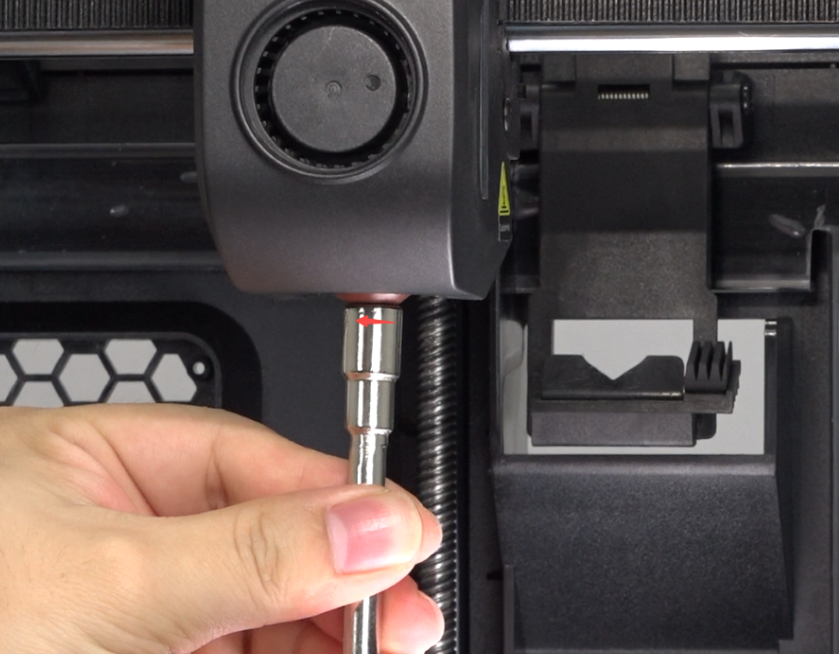
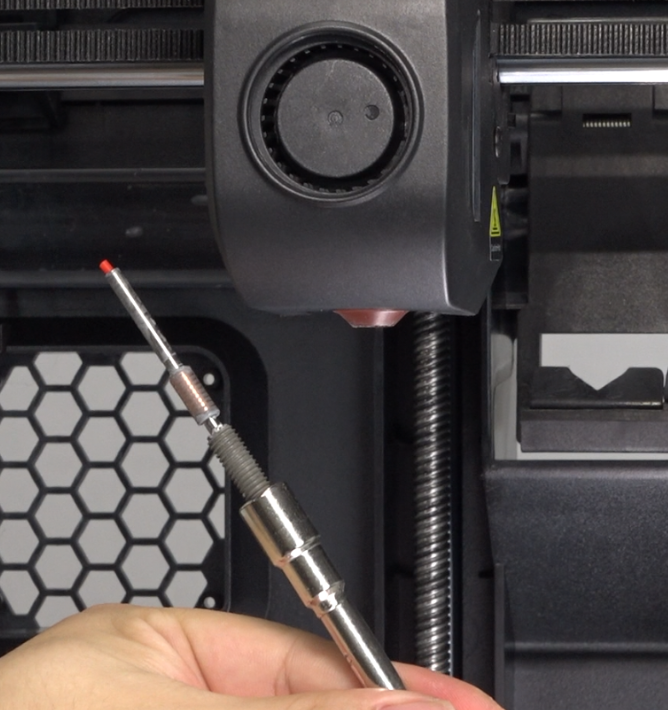
Use the socket wrench to rotate the old nozzle counterclockwise to remove it. Be careful of the high temperature of the nozzle to avoid burns.
¶ Installation
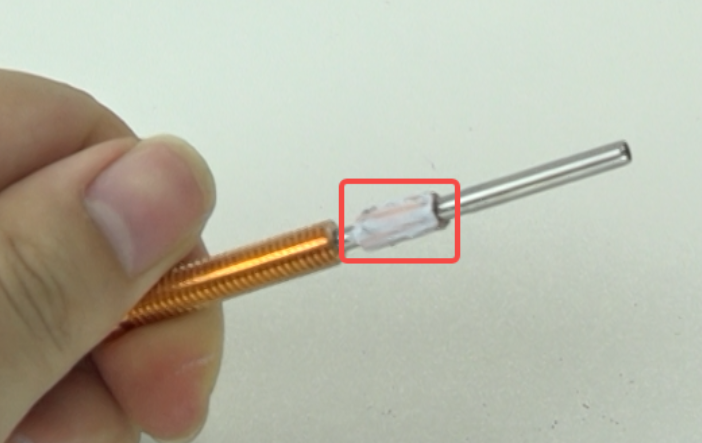
Apply thermal grease evenly on the heat break area of the new nozzle.
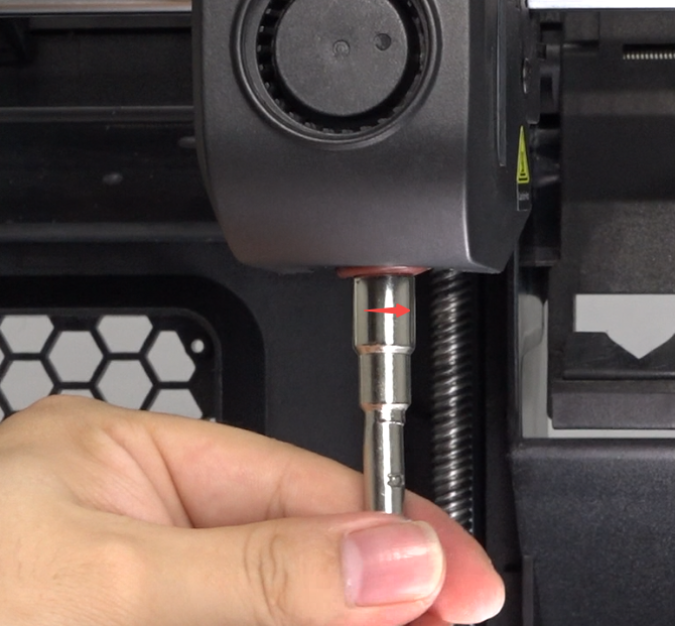
Use the socket wrench to rotate the new nozzle clockwise to install it. Be careful of the high temperature of the nozzle to avoid burns.
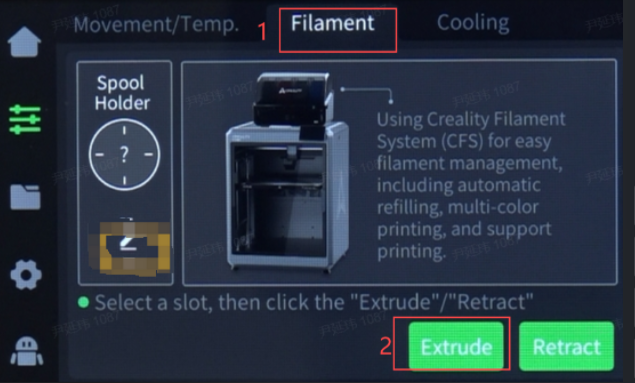
Click "Filament" - "Extrude" to observe if the filament extrudes smoothly from the nozzle.
¶ Device Self-check
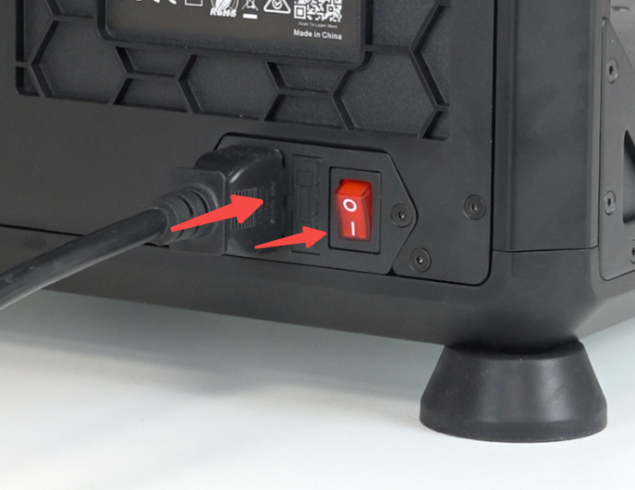
Plug in the power cord and turn on the power.
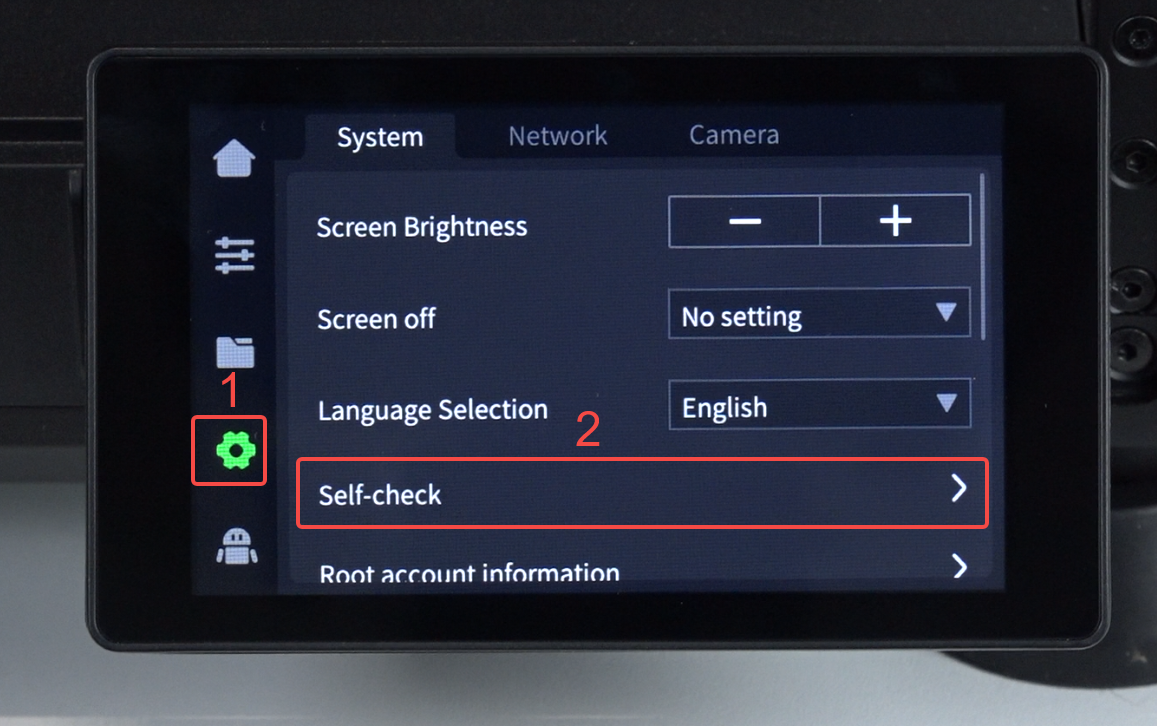
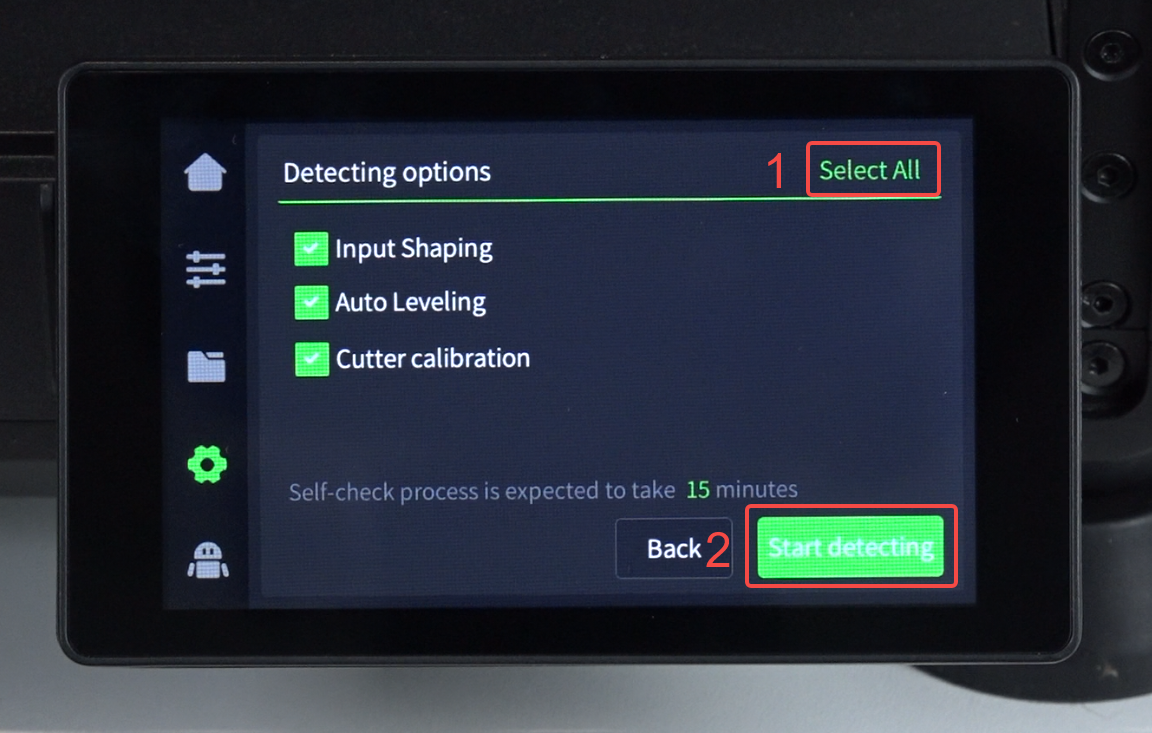
Click "Settings" - “System”- "Self-check" - "Select All" - "Start detecting", wait for self-check to complete.
 |
 |