¶ Tools
- Hexagonal wrench
- Cutting plier
- Tweezers
- New cutter
¶ Replacement Steps
¶ Disassembly
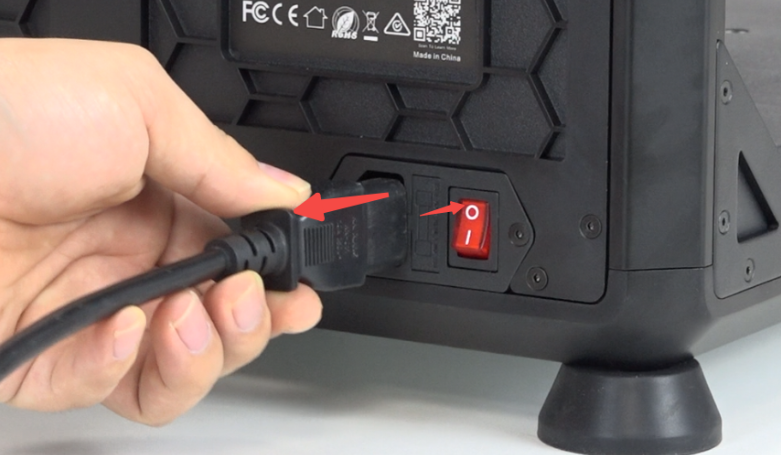
Power off and unplug the power cord
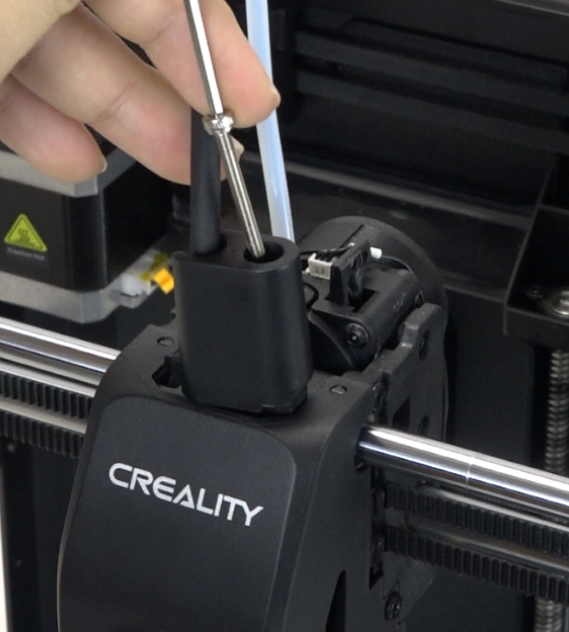
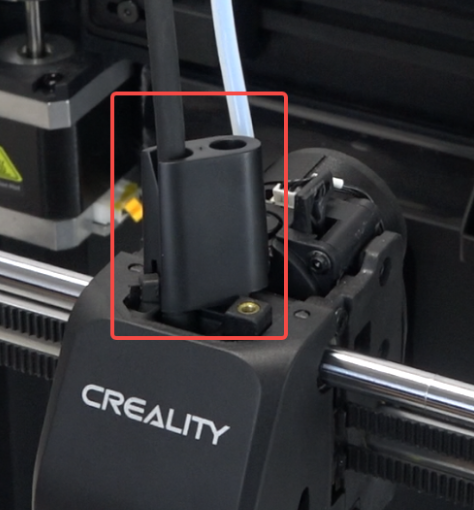
Use the hexagonal wrench to remove 1 screw fixing the front guide
 |
 |
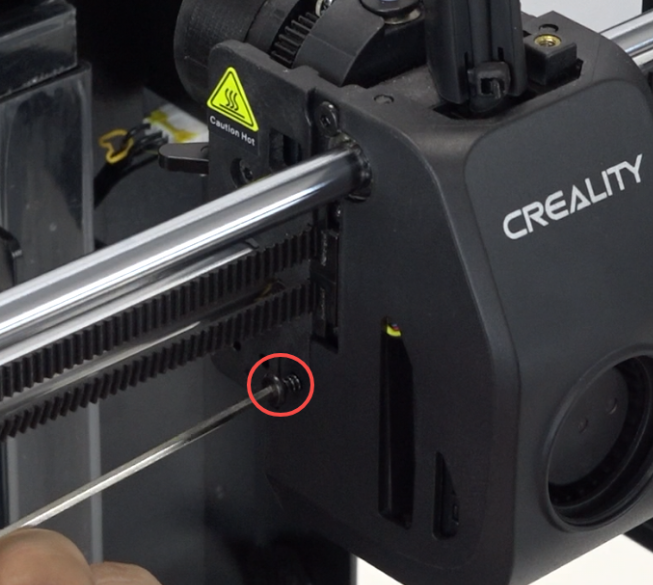
Use the hexagonal wrench to remove 2 screws on both sides of the nozzle cover.
 |
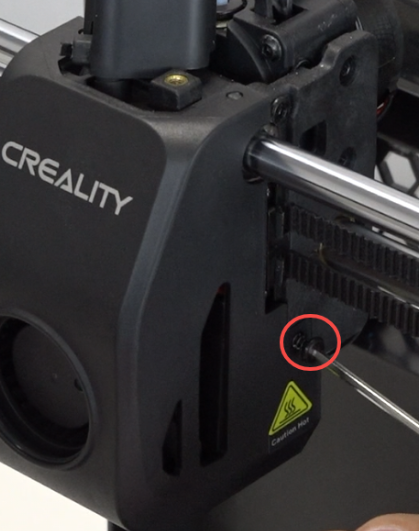 |
Disconnect the model fan cable and remove the nozzle cover.
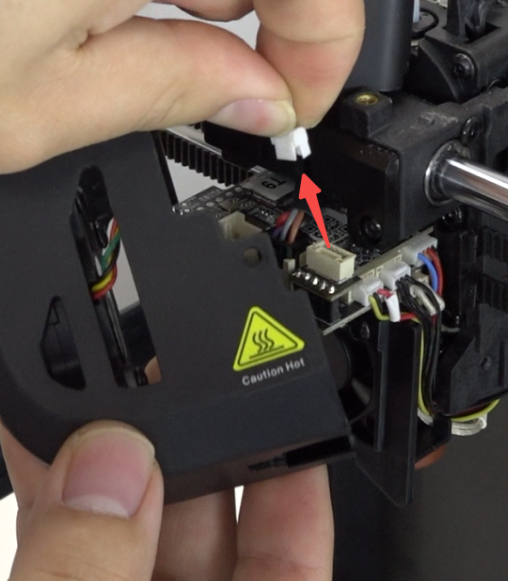
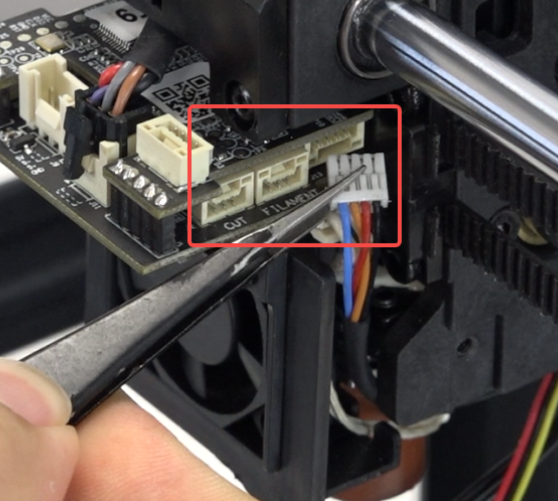
Disconnect the cables on the right side. Use tweezers to help disconnect the innermost motor cable as shown in the picture.
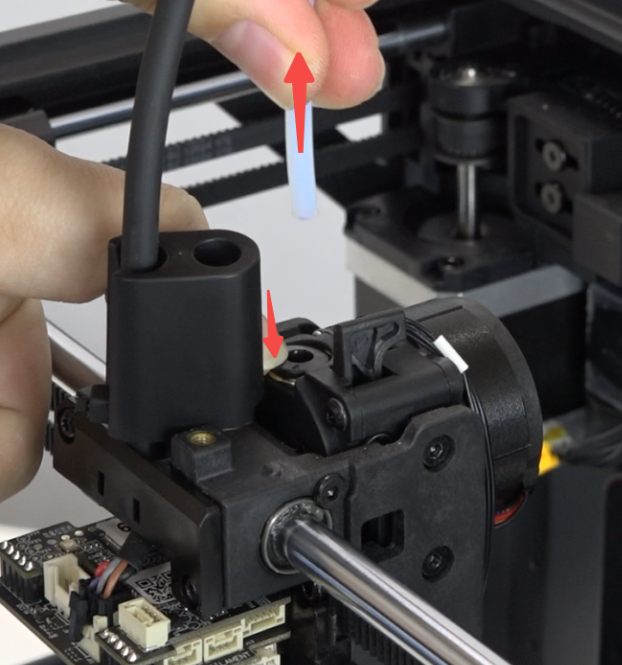
Press the tube connector and pull out the PTFE tube.
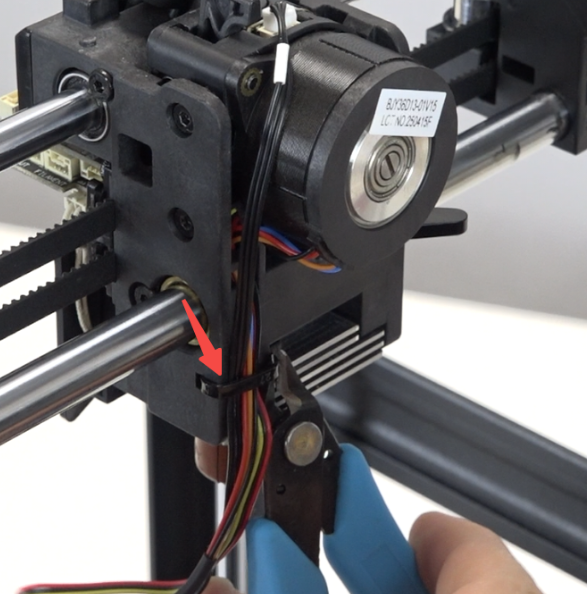
Use cutting plier to cut the zip tie. Note: Be careful not to cut other cables.
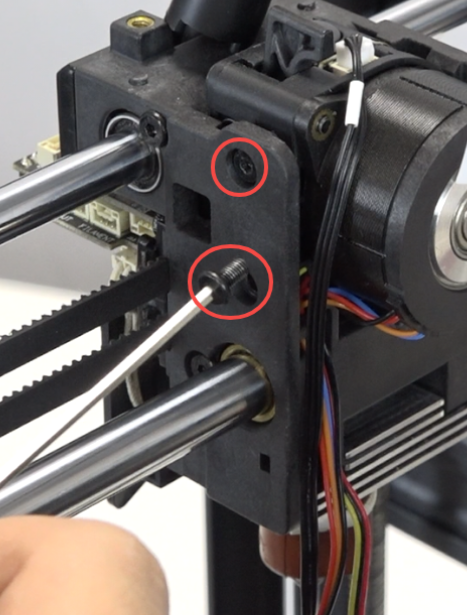
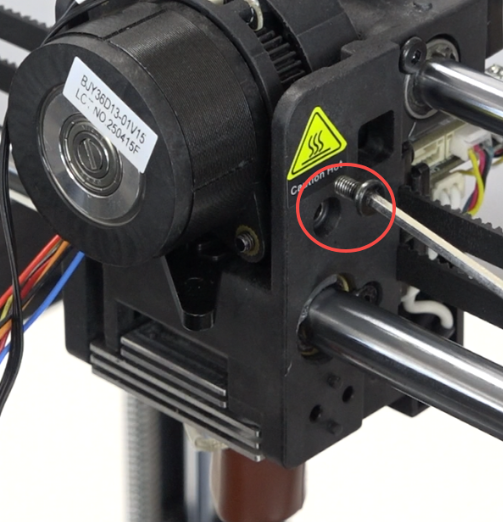
Use the hexagonal wrench to remove 3 screws that secure the extruder.
 |
 |
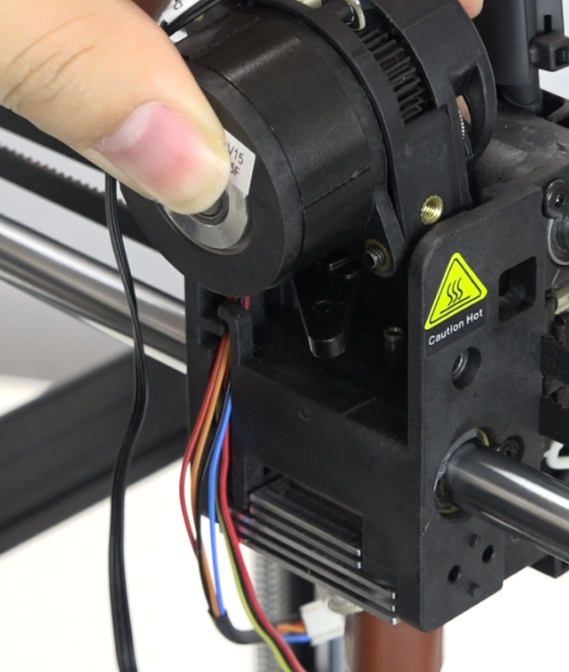
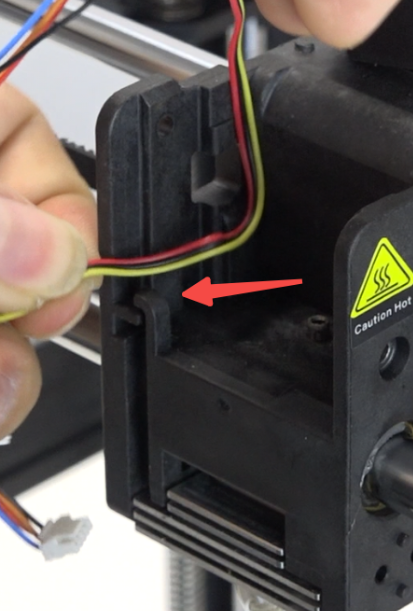
Remove the extrusion assembly, making sure to route the motor cable and cutter detection cable out of the cable holder.
 |
 |
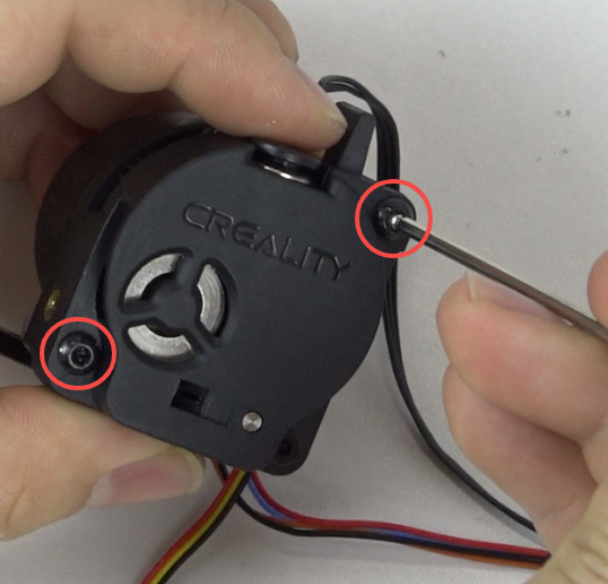
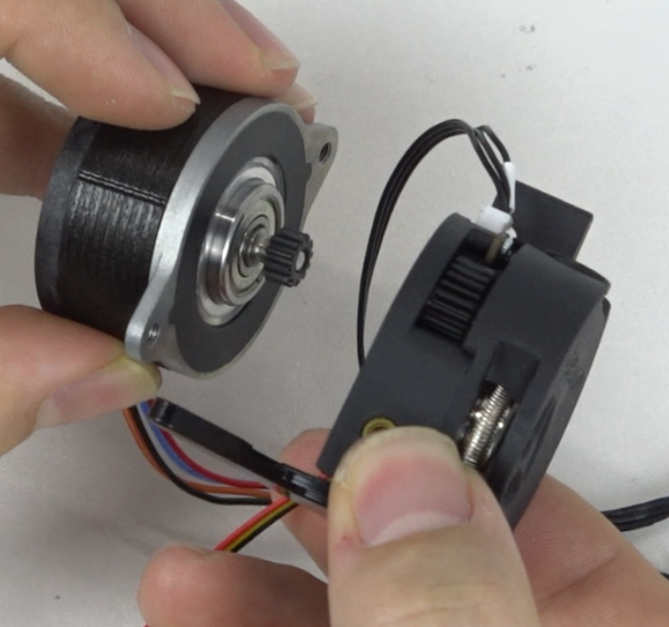
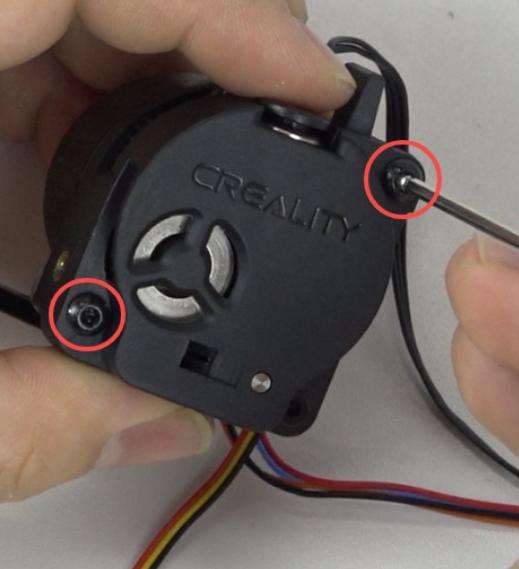
Disassemble the extruder: use the hexagonal wrench to remove 2 screws to separate the extruder from the motor.
 |
 |
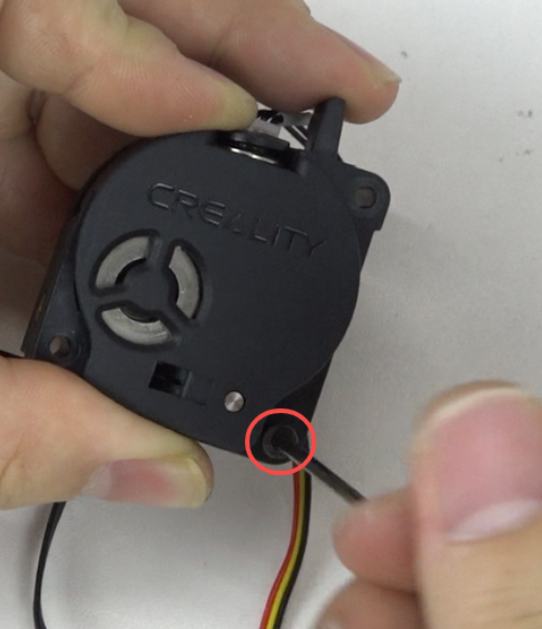
Disassemble the extruder front cover: use the hexagonal wrench to remove 1 screw to separate the extruder front cover.
 |
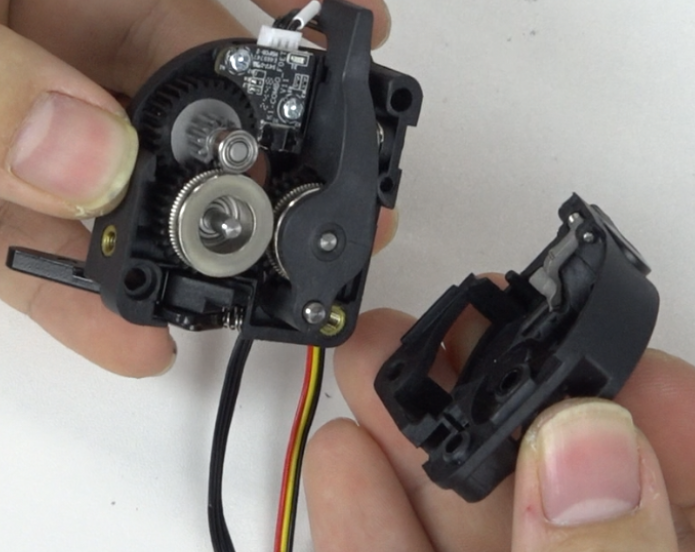 |
Remove the cutter: use the hexagonal wrench to remove 1 screw and take out the damaged cutter.
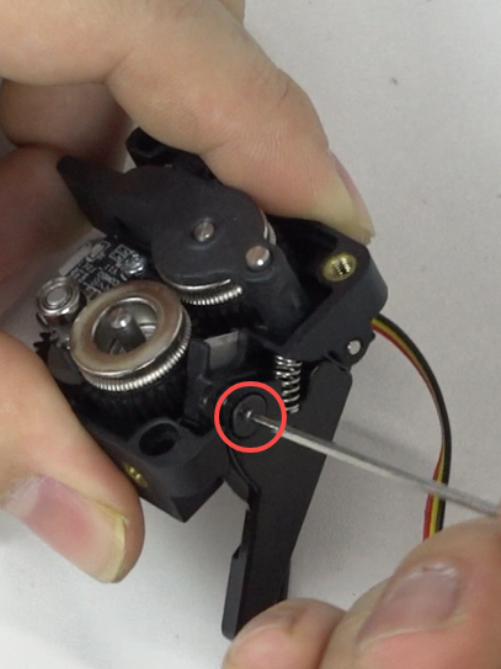 |
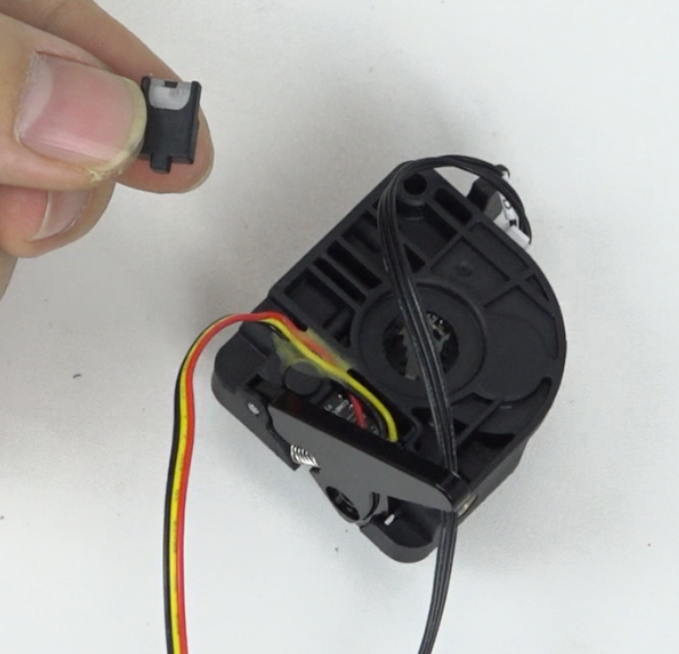 |
¶ Installation
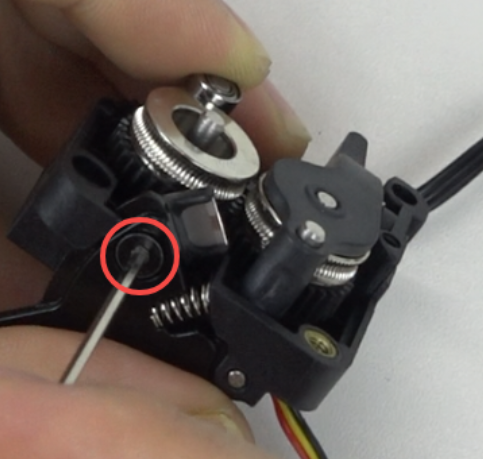
Install the cutter.
Note: Position the side with the threaded hole facing outward, use the hexagonal wrench to tighten the screw securing the cutter.
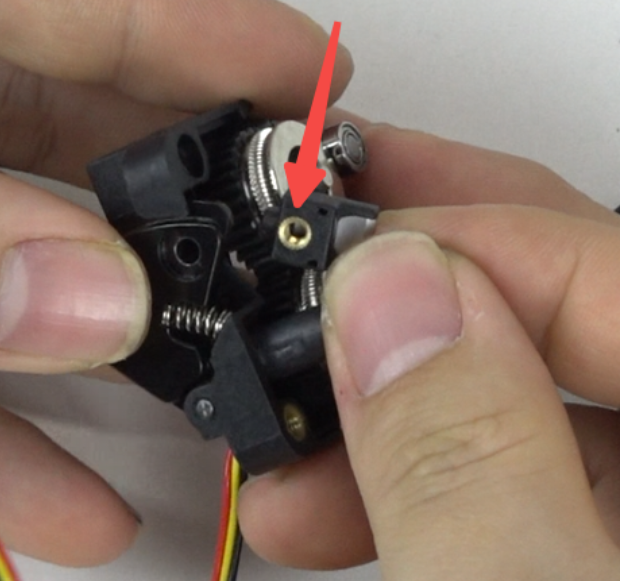 |
 |
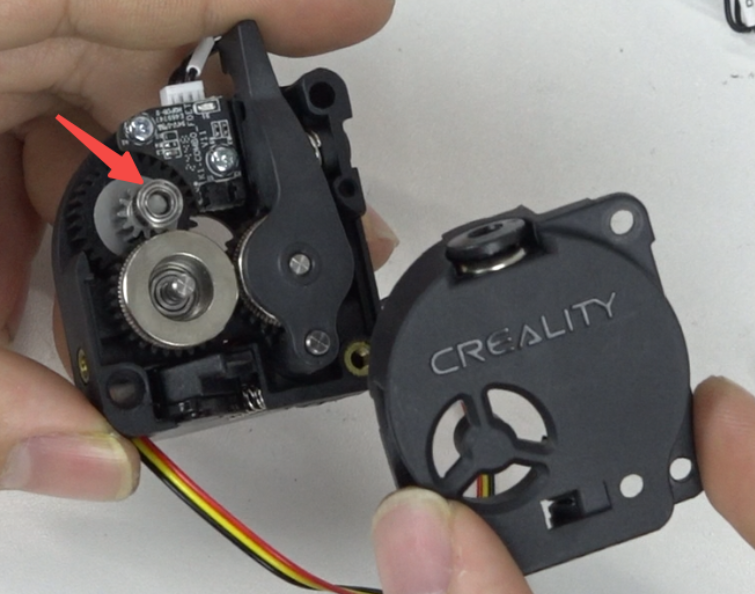
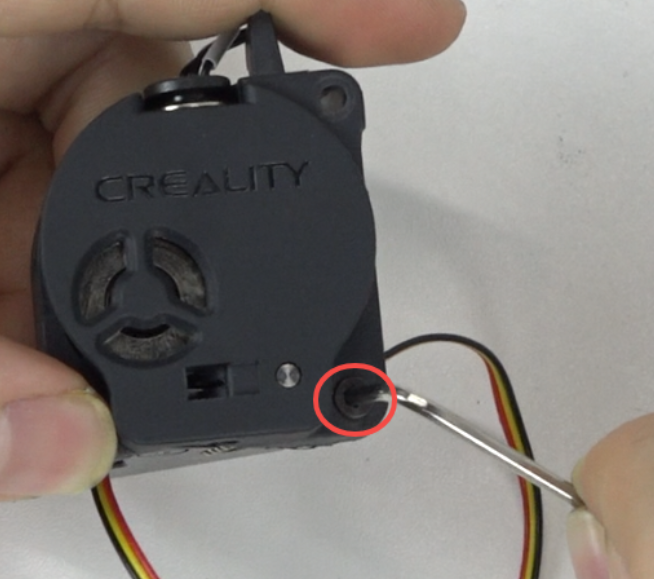
Install the extruder front cover.
Note: Check if the support in the upper left corner has fallen off, close the front cover, and use the hexagonal wrench to tighten 1 screw.
 |
 |
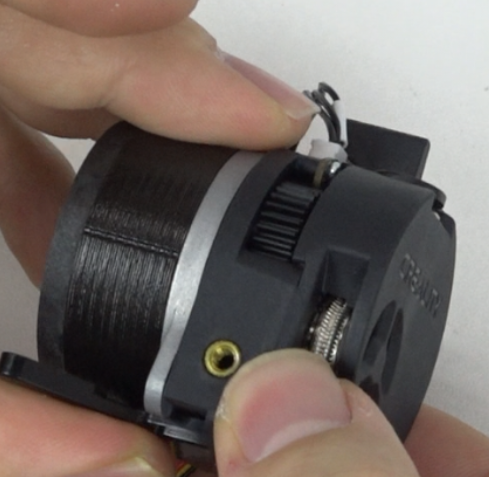
Install the motor. When installing the motor, align the screw holes with the holes on the extruder, and use the hexagonal wrench to tighten 2 screws.
 |
 |
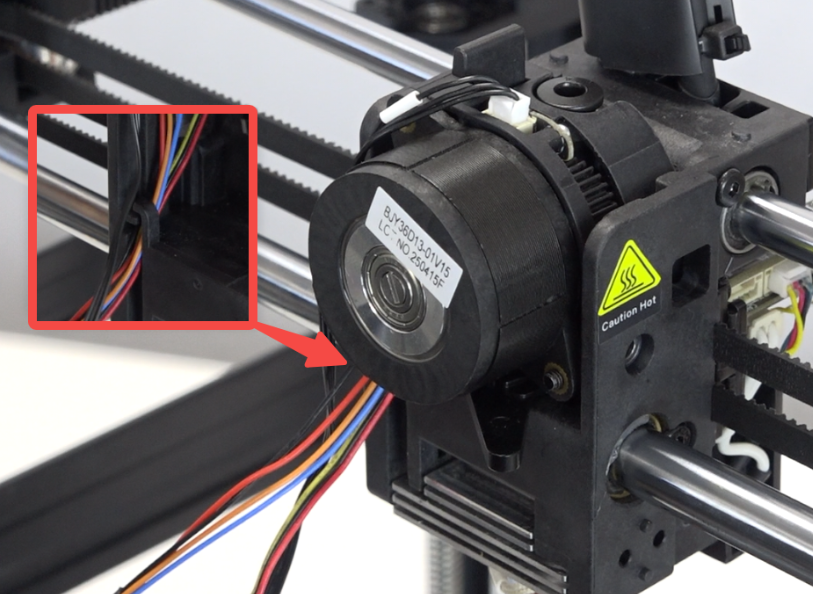
Install the extrusion assembly, routing the motor cable and cutter detection cable into the cable holder.
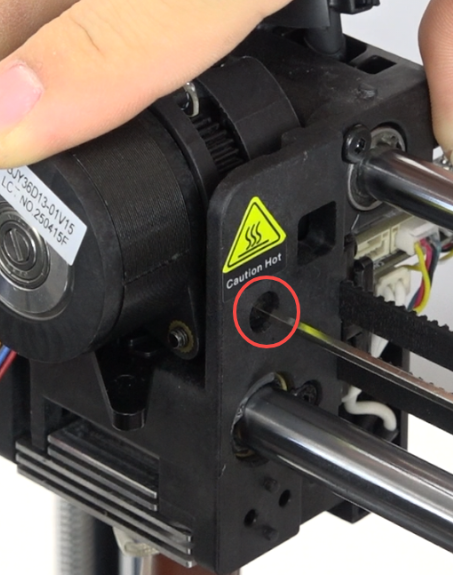
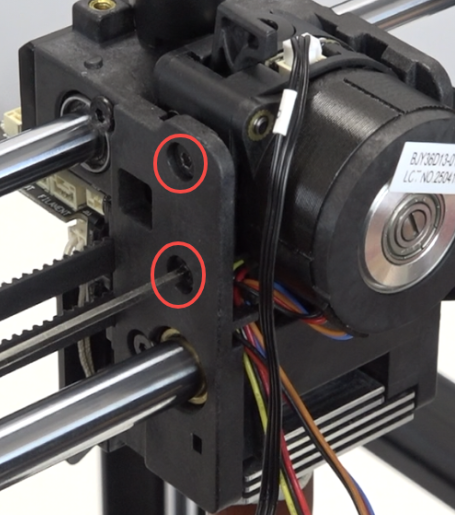
Use the hexagonal wrench to tighten 3 screws on both sides of the extruder.
 |
 |
Use a zip tie to secure the cables.
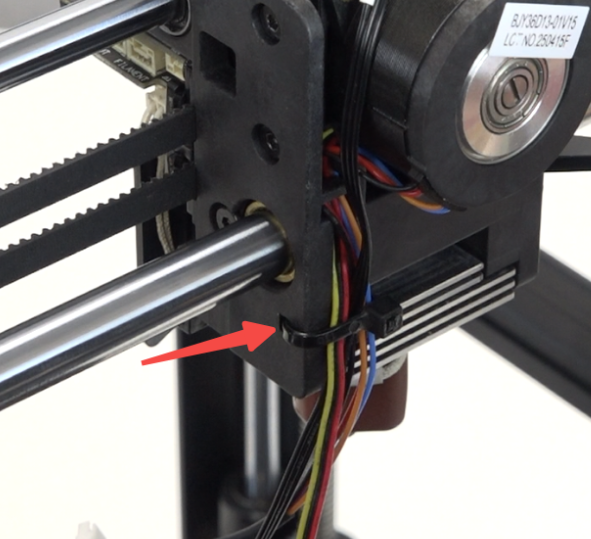
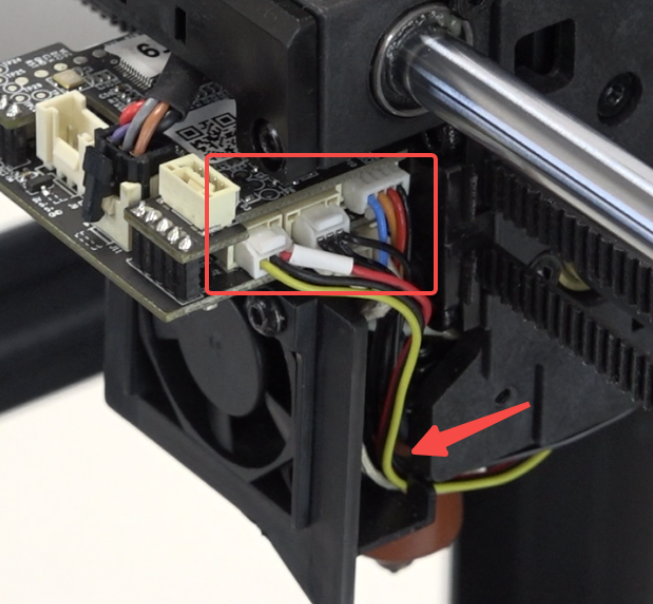
Route the cables through the fan bracket and connect them.
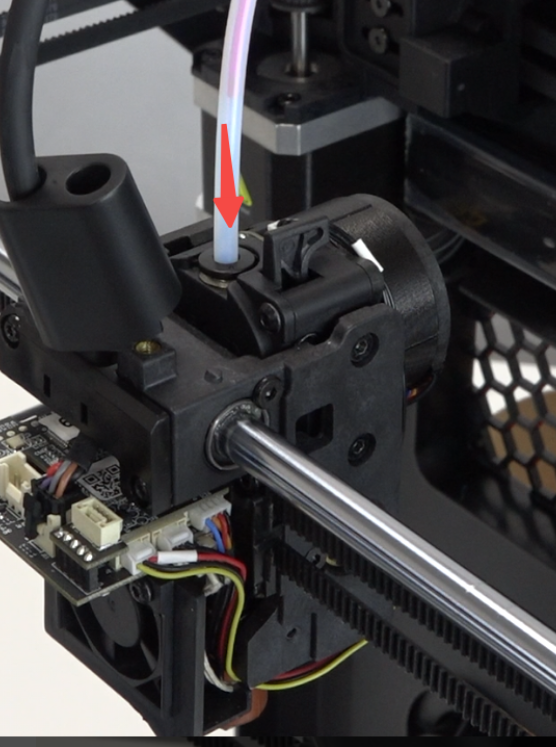
Insert the PTFE tube.
Connect the model fan cable.
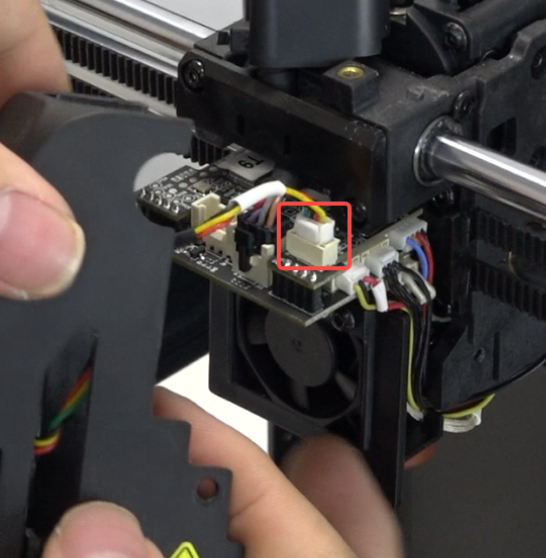
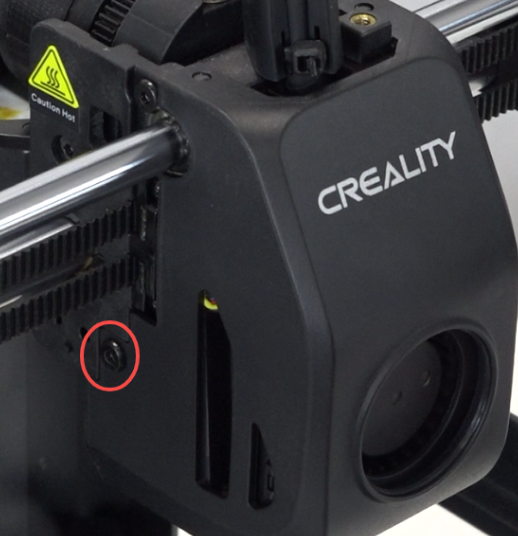
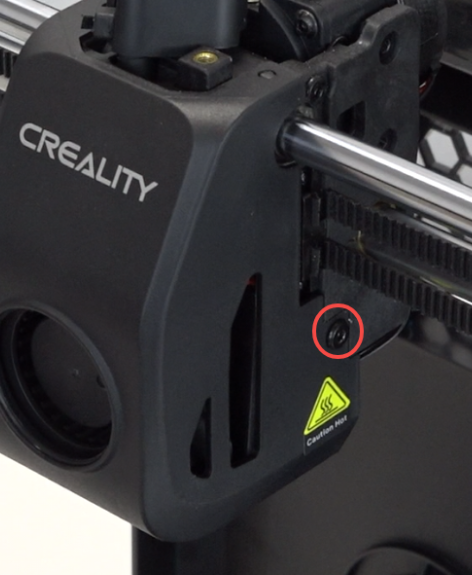
Install the nozzle cover, use the hexagonal wrench to tighten 2 screws on both sides.
 |
 |
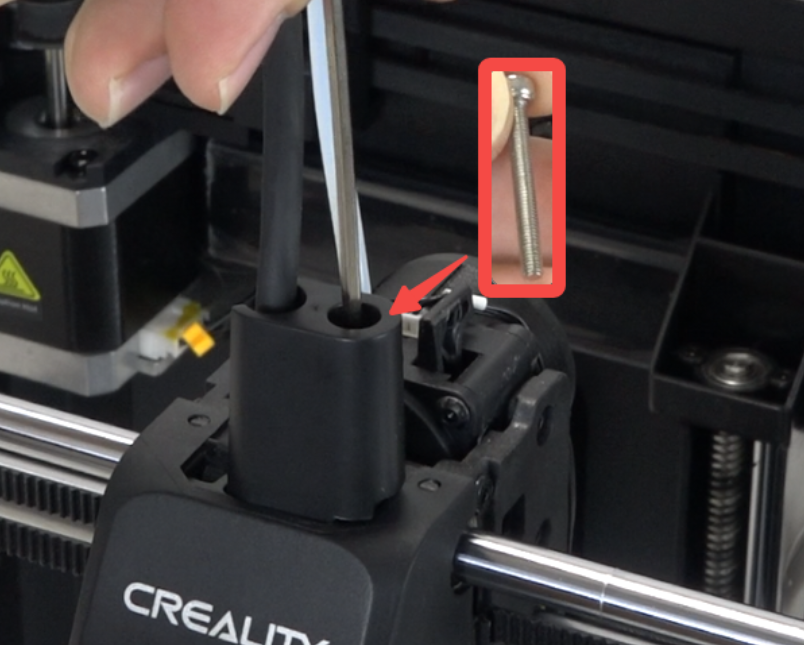
Position the front guide correctly, use the hexagonal wrench to tighten 1 screw securing the front guide.
¶ Device Self-check
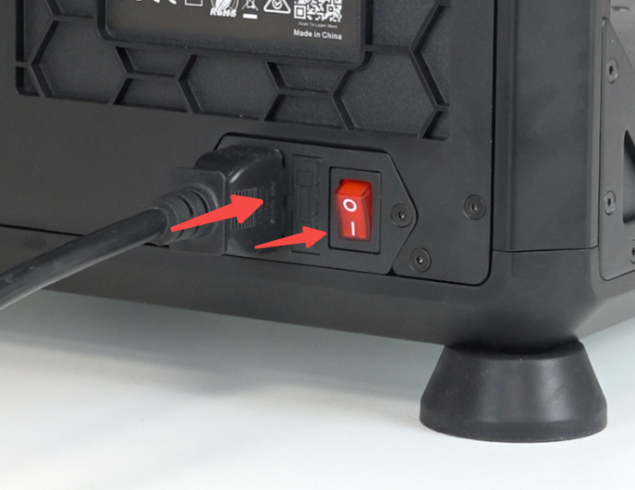
Plug in the power cord and turn on the power.
Click "Settings" - “System”- "Self-check" - "Select All" - "Start detecting", wait for self-check to complete.
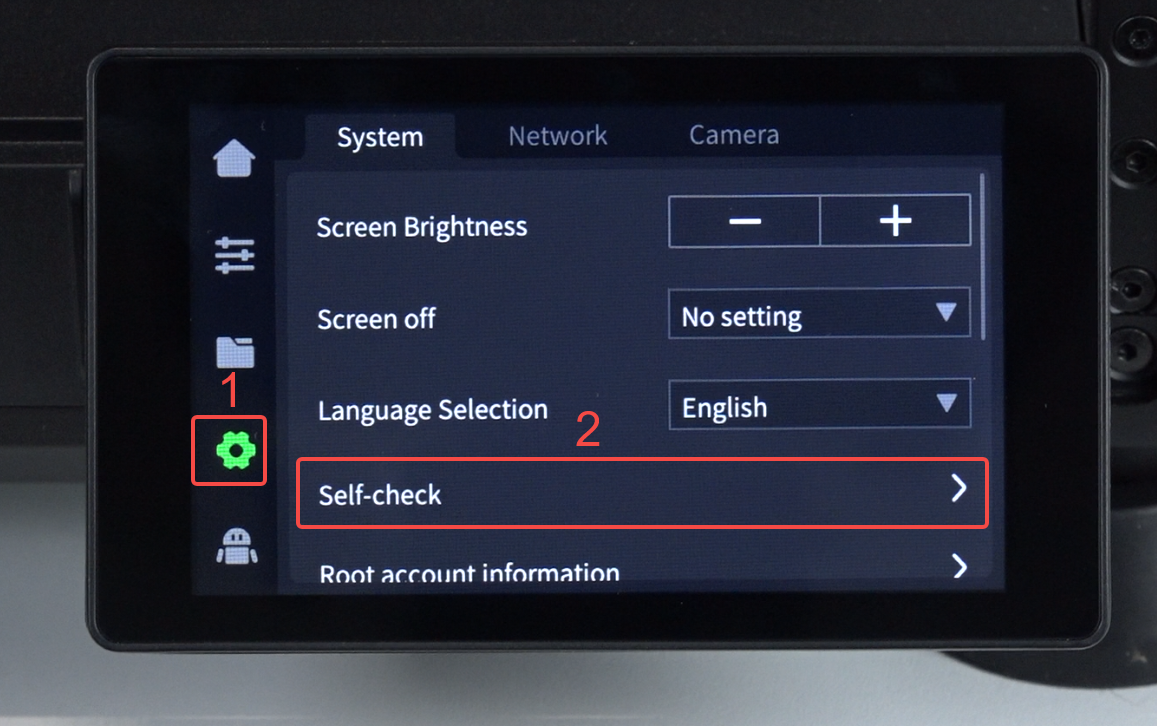 |
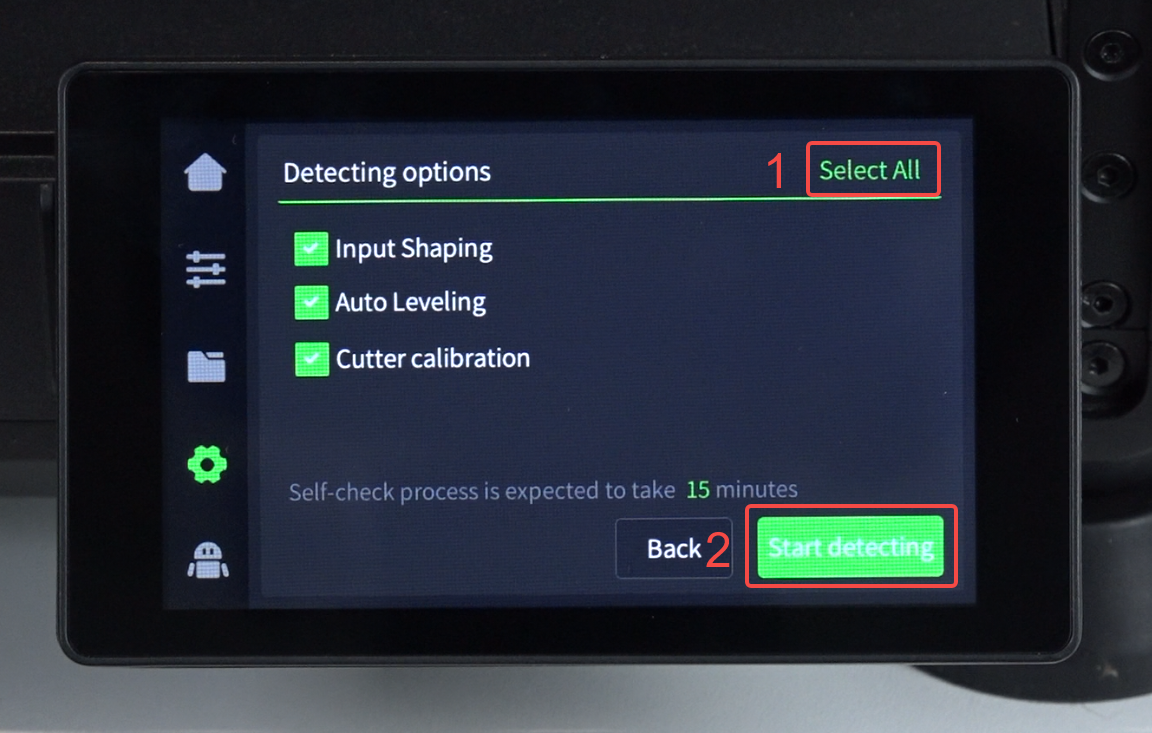 |