¶ BM0111:Hotend connection abnormal
¶ Cause Analysis
Communication error between the mainboard and the nozzle adapter board.
¶ Troubleshooting
1. First, check whether the blue light on the nozzle board is illuminated when the BM111 error code occurs. If the blue light is not on, check the power supply wire to the nozzle board to verify if it's receiving proper power. Normal power supply should be 24V.
2. With the printer powered off, disconnect all cables from the nozzle board, leaving only the nozzle cable connected. Then power on to see if the error code persists, which eliminates the possibility of a short circuit affecting nozzle board communication.
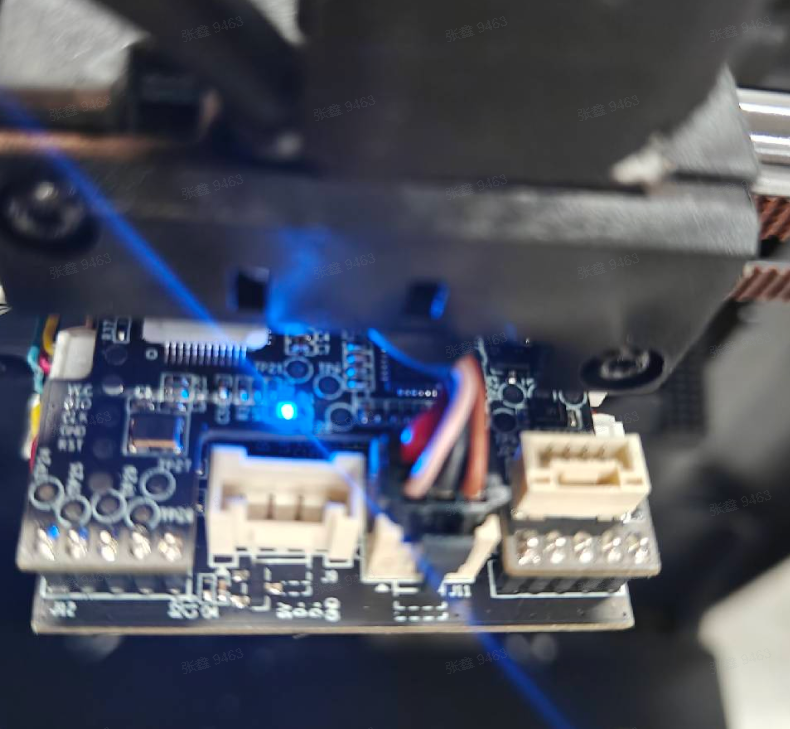
3. If the above troubleshooting doesn't resolve the issue, inspect the nozzle board and nozzle cable for any signs of cold solder joints or burn marks on the board, and check if the cable has any damage or poor contact issues. If no issues are found, please contact customer service to prioritize replacement of the nozzle board and nozzle cable.