Sometimes you may need to replace the nozzle yourself, for example in the following situations:
• The nozzle is severely clogged and difficult to clear;
• Long-term printing has caused nozzle wear, reducing print quality;
• You need to replace with a different diameter nozzle to suit printing requirements.
The replacement steps can be referenced below:
¶ Tools
- New nozzle
- Thermal silicone grease
¶ Replacement Steps
¶ Removal
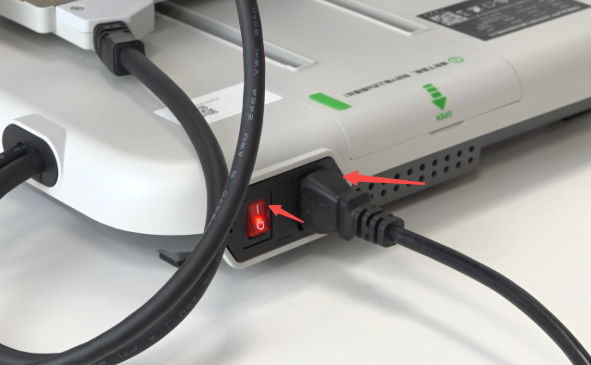
Plug in the power cord and turn on the machine.
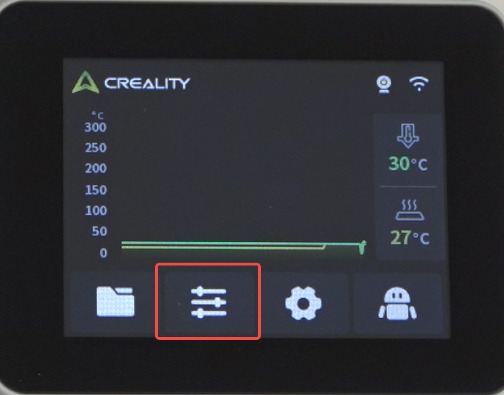
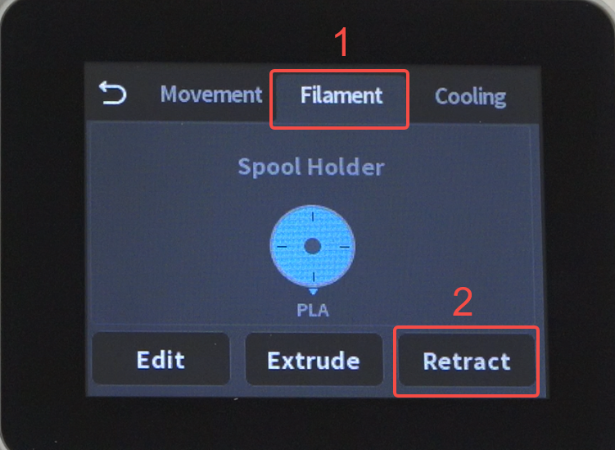
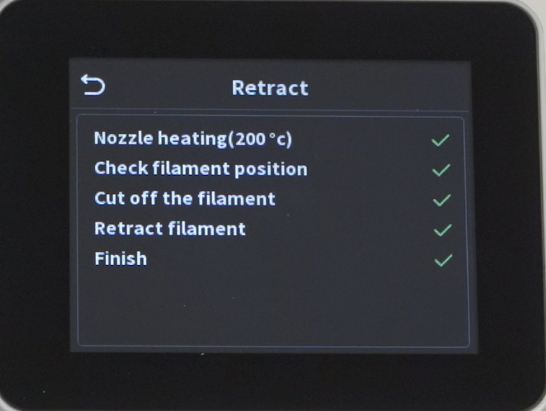
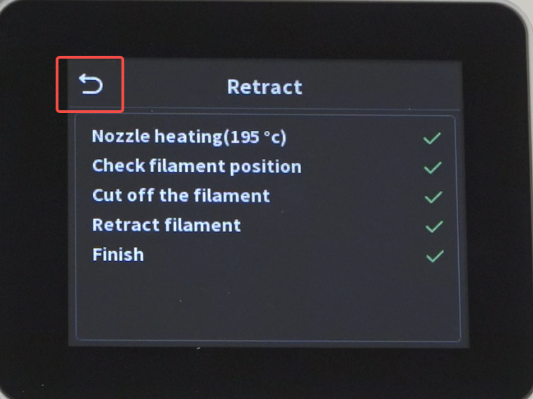
Click "Prepare" — "Filament" — "Retraction", wait for the unloading to complete.
 |
 |
 |
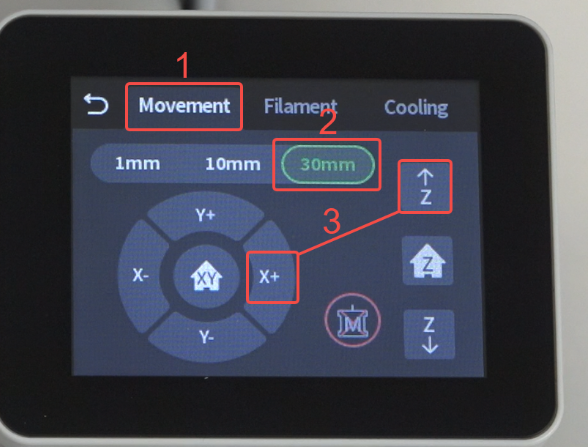
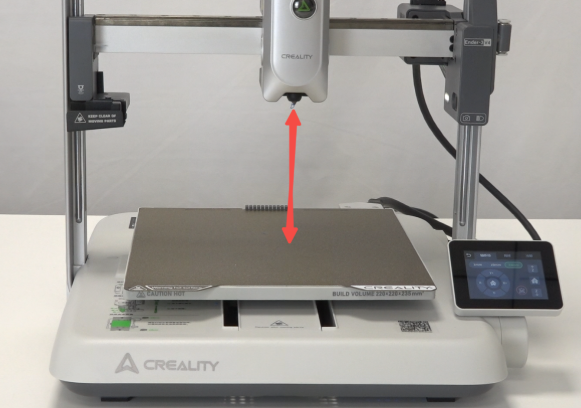
Click "Back" — "Axis Movement" — "30mm" — "XZ Axis", move the toolhead upward to create operating space.
 |
 |
 |
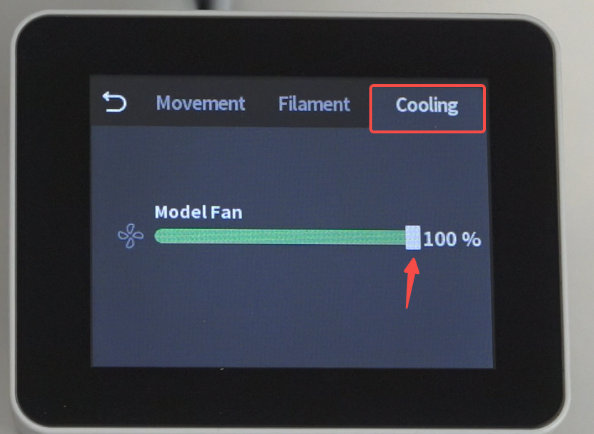
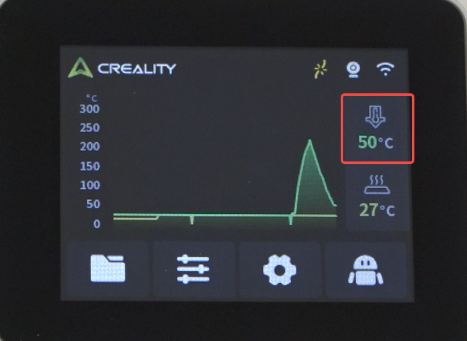
Cool the nozzle, click "Cooling", adjust the model fan speed to 100% to accelerate cooling. Wait until the nozzle temperature reaches room temperature.
 |
 |
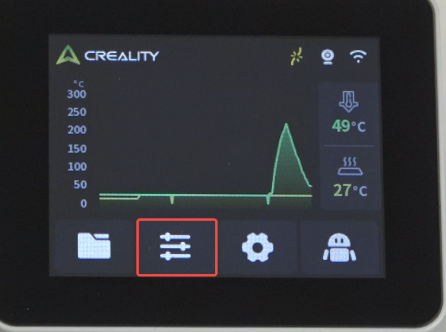
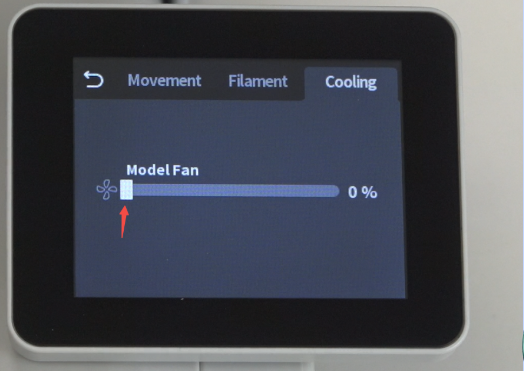
Click "Prepare" — adjust the model fan speed to 0.
 |
 |
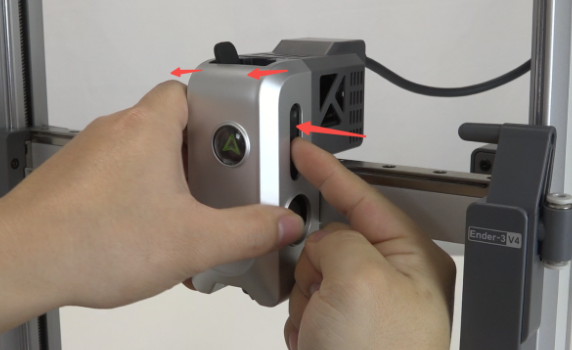
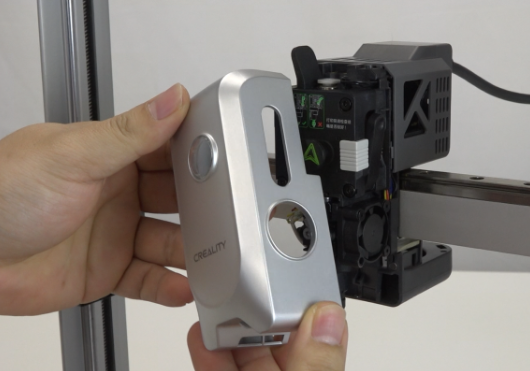
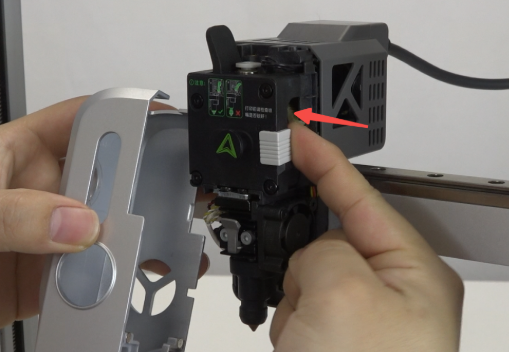
Remove the magnetic front cover. Note: When removing, press in the cutter push rod.
 |
 |
Remove the silicone insulation sleeve.
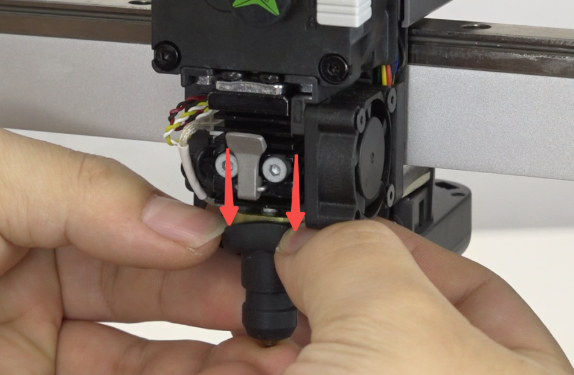
Push down the nozzle buckle. Note: Push the buckle inward to prevent it from sliding out and obstructing nozzle removal.
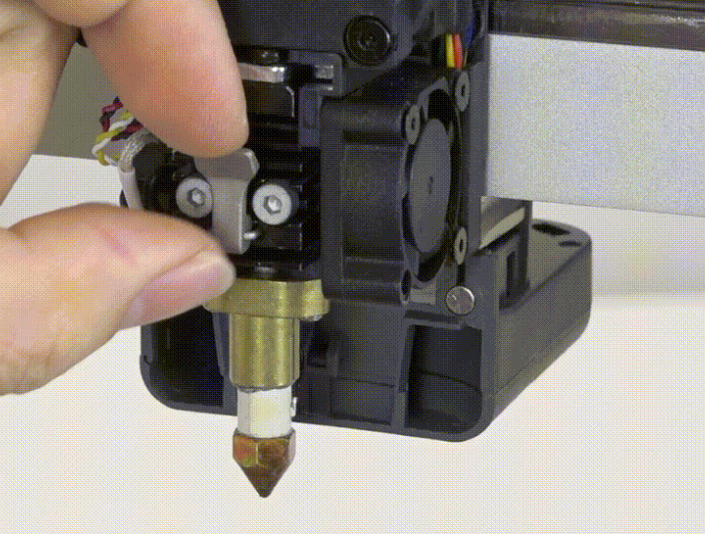
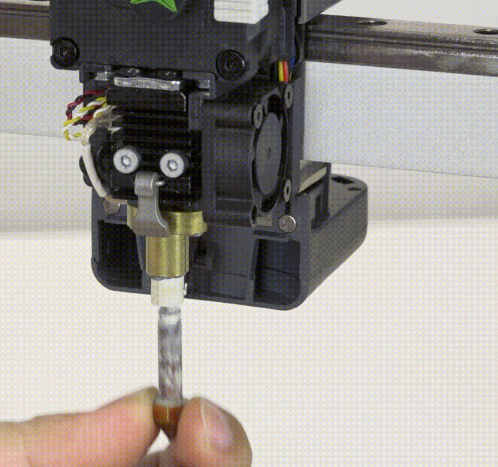
Pull the nozzle downward.
¶ Installation
Evenly apply white thermal silicone grease to the heat break area of the new nozzle. Note: Do not use gray thermal silicone grease, as it will cause installation to jam.
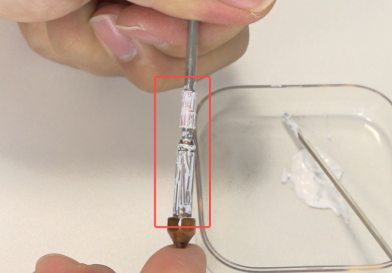
Insert the new nozzle into the hot end.
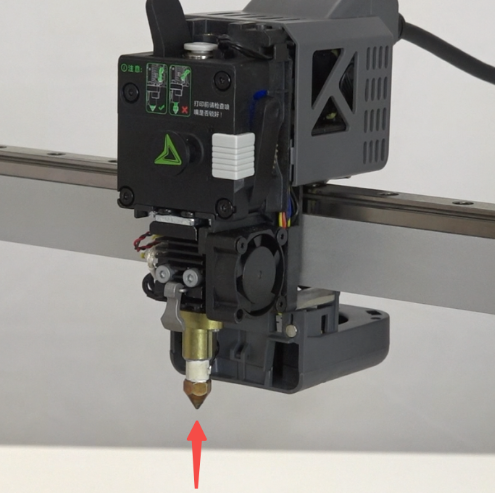
Push up the nozzle buckle to lock the nozzle in place.
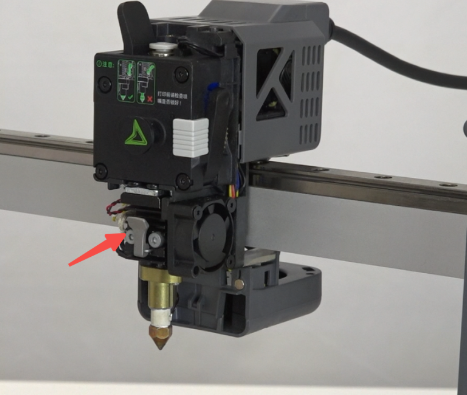
Put on the silicone insulation sleeve.
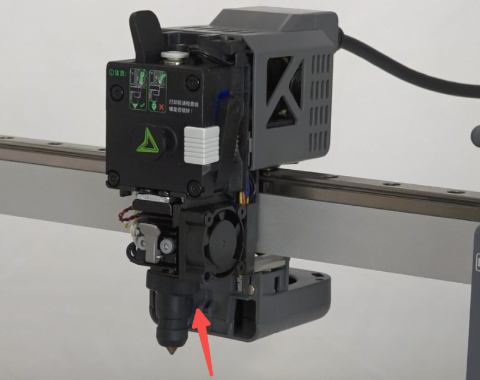
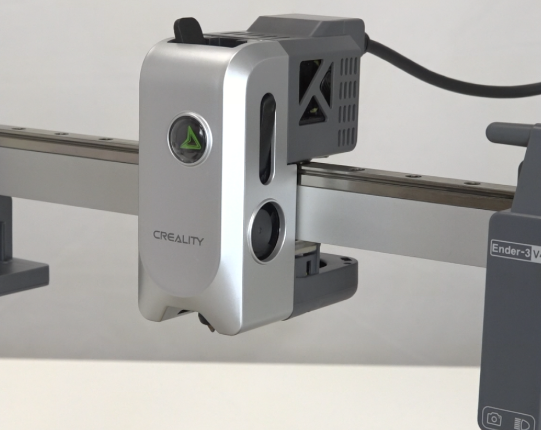
Install the magnetic front cover. Note: When installing, press in the cutter push rod.
 |
 |
¶ Testing
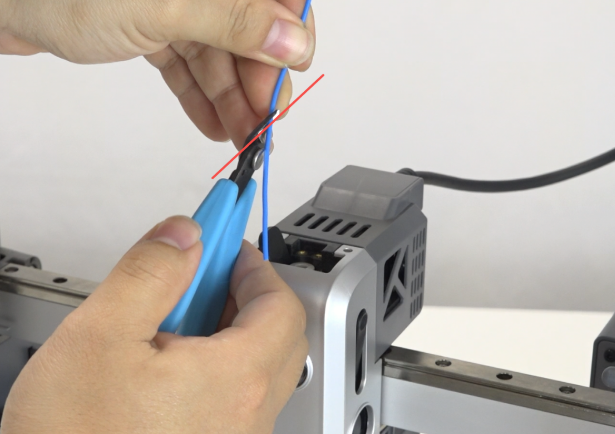
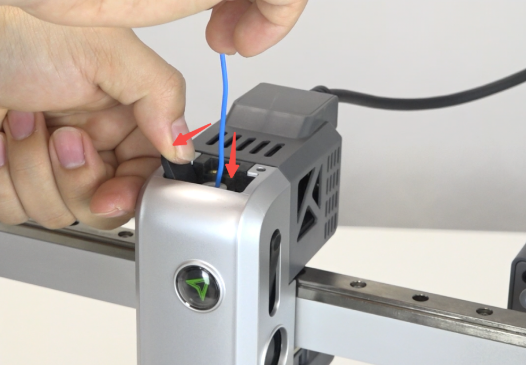
Load filament, cut the filament at a 45° angle, open the extruder clamp and insert the filament into the extruder.
 |
 |
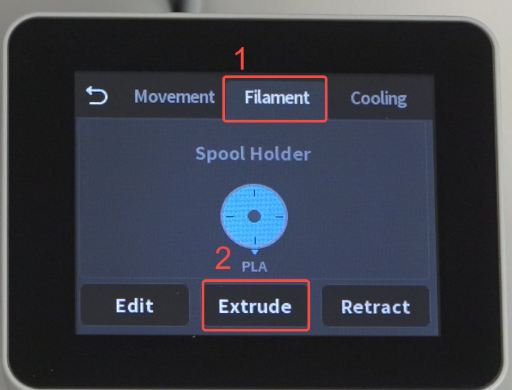
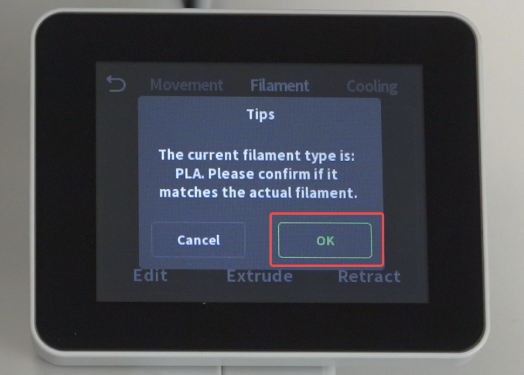
Click "Prepare" — "Filament" — "Extrude" — "Confirm". Note: Make sure the loaded filament matches the filament parameter settings.
 |
 |
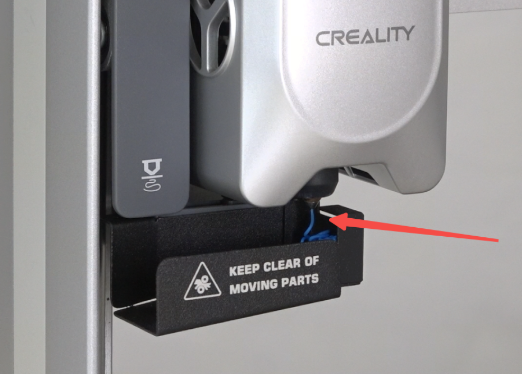
Check if filament flows smoothly from the nozzle.
¶ Device Self-check
Click "Prepare" — "Filament" — "Retract", wait for unloading to complete, click "Back" to return to the home screen.
 |
|
|
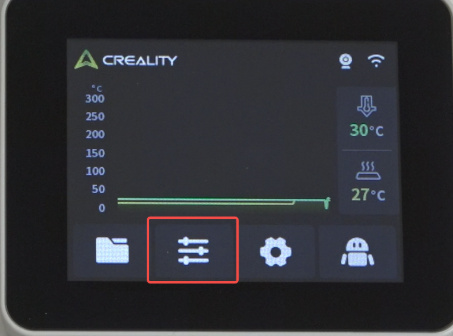
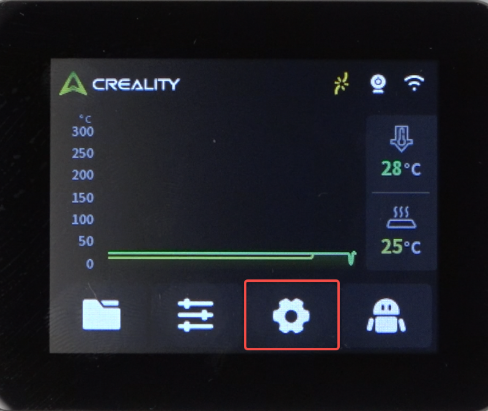
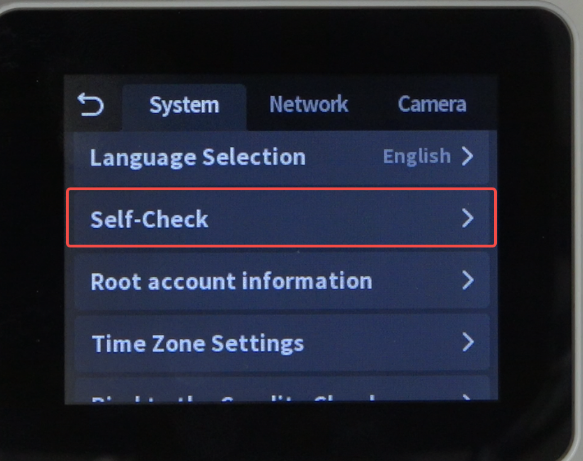
Click "Settings" — "Device Self-check".
 |
 |
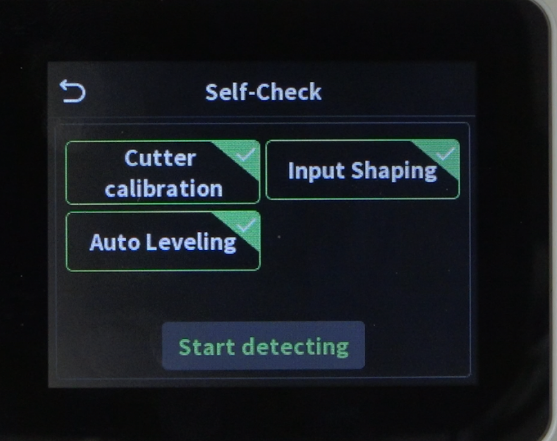
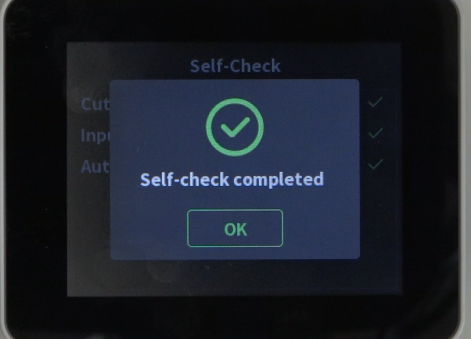
"Select All" — "Start Test", wait for the test to complete.
 |
 |