¶ Background
TPU (Thermoplastic Polyurethane) is a flexible filament with characteristics such as elasticity and stretchable deformation. It can be classified into TPU 95A, TPU 90A, and TPU 85A based on its hardness. This material has excellent performance and wide applications, with different hardness levels meeting diverse usage requirements. However, filaments with TPU 95A hardness and below have higher feeding requirements due to factors such as stretch deformation, and excessive feeding resistance must be avoided to prevent negative impacts on print quality.
¶ Filament Storage
TPU is prone to moisture absorption, and moisture exposure will affect print quality. To avoid this, it is recommended to:
- Store the filament spool in an environment with humidity below 20% RH;
- Use a storage box for storage;
- Place desiccant inside the storage box.
¶ Pre-Print Preparation
¶ Filament Drying
TPU has strong moisture absorption properties and easily absorbs moisture in natural environments. If moisture-containing TPU is used directly for 3D printing, the moisture will rapidly vaporize when heated during the printing process, forming defects such as bubbles and voids in the printed product, severely affecting print quality and potentially leading to print failure. Therefore, the filament needs to be dried before printing.
Before drying, confirm whether the filament spool is a paper spool or a plastic spool. To prevent plastic spools from deforming due to excessive heat, it is recommended to dry at the following temperatures:
| Paper Spool | Plastic Spool | |
| Filament Type | TPU 95A/90A/85A | TPU 95A/90A/85A |
| Drying Equipment | Convection oven / Creality Space series drying box | Convection oven / Creality Space series drying box |
| Drying Temperature/Duration | 70°C /10 hours | 65°C /12 hours |
¶ Extruder
- Check and maintain the extruder; if there are any foreign objects, disassemble and clean it. If the feeding gear is worn, it needs to be replaced, otherwise filament slipping may occur.
- Check whether the cutter blade is worn. Wear will affect TPU cutting, increasing the print failure rate. It is recommended to regularly check the wear condition of the cutter blade and replace it according to the tutorial.
¶ Filament Loading Steps
¶ Install the standalone spool holder
1. Install the rolling spool onto the spool holder;
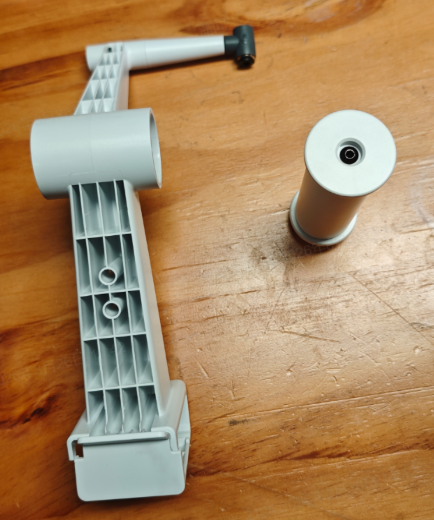 |
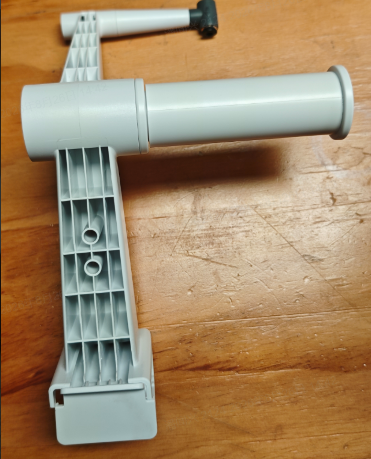 |
¶ Clip the spool holder onto the gantry;
2. Hang the TPU filament on the side of the rolling spool;
3. Open the extruder filament clamp, connect the filament directly to the printhead, and ensure the filament is fully inserted into the extruder interior. You can release the extruder filament clamp only after the material break detection light turns blue;
(Note: TPU filament is a flexible elastic filament; the automatic filament refill module and CFS system module must not be used for TPU filament feeding.)
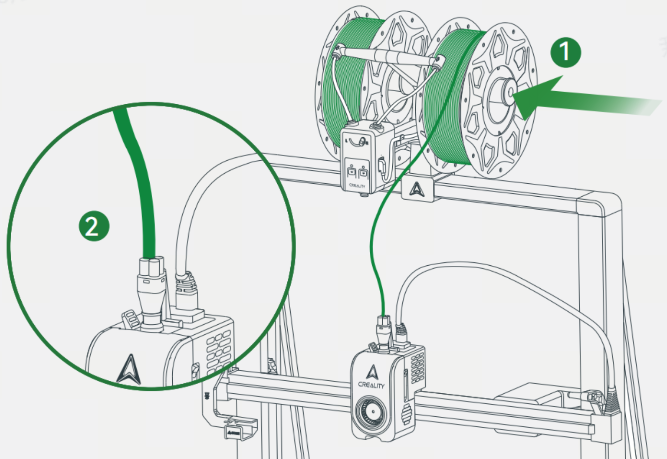
4. Set the filament type on the device to Creality / Generic TPU corresponding to the actual filament type being used;
5. Motor-feed the filament (it is recommended to repeat the feeding process 2 times to fully flush and clean the filament).
¶ Slicing Parameter Settings
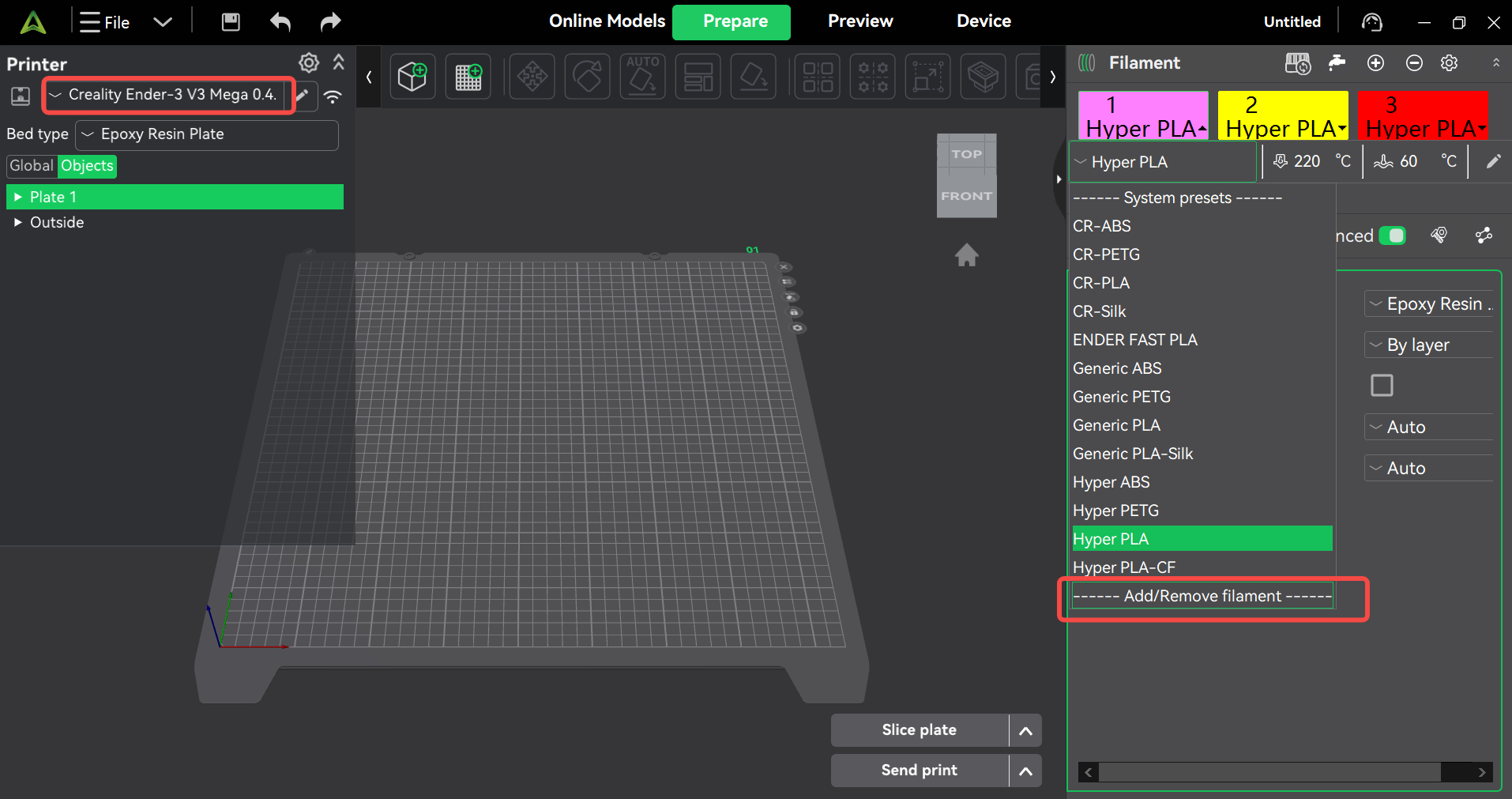
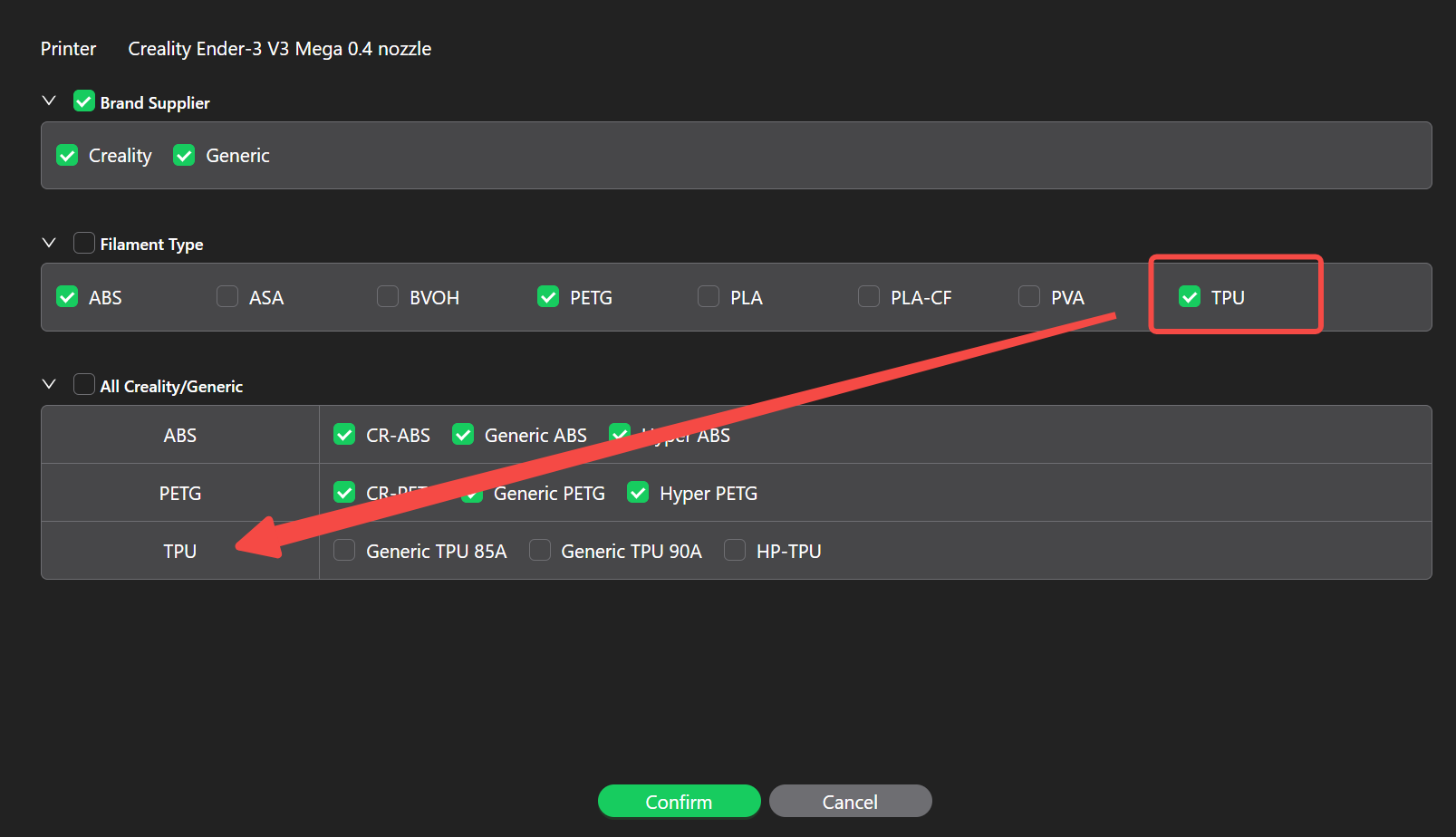
Open the filament selection, select Add Filament, and check the TPU-related filament options.
¶ Important Precautions That Must Be Repeatedly Checked Before Printing TPU
- Before printing, check whether the filament has absorbed moisture. If the filament is damp, it needs to be dried according to the filament type;
- Before slicing, configure the filament settings accordingly. Refer to Question 2 for filament settings and select the correct filament parameters;
- Pay attention to the model placement orientation and avoid printing with excessive overhanging supports;
- Before loading the filament, check whether the filament settings on the device are set to TPU filament, to avoid using other filament parameters for feeding, which may cause a clogged nozzle due to excessive extrusion speed;
- TPU filament must be hung on the ball bearing side to avoid print failure caused by excessive resistance when pulling the filament;
- Before printing TPU filament, the nozzle must be thoroughly flushed. Observe the extrusion status: the extrusion should be smooth, with no discoloration and no filament breaks, before confirming that the filament loading is qualified and printing can begin.