¶ Note:
This method will force delete all data (including logs and historical print files) when restoring factory settings, please use with caution
Use this brick recovery method when you cannot enter the home screen after power-on or when background application services keep restarting, making normal factory reset impossible!
¶ Operation steps:
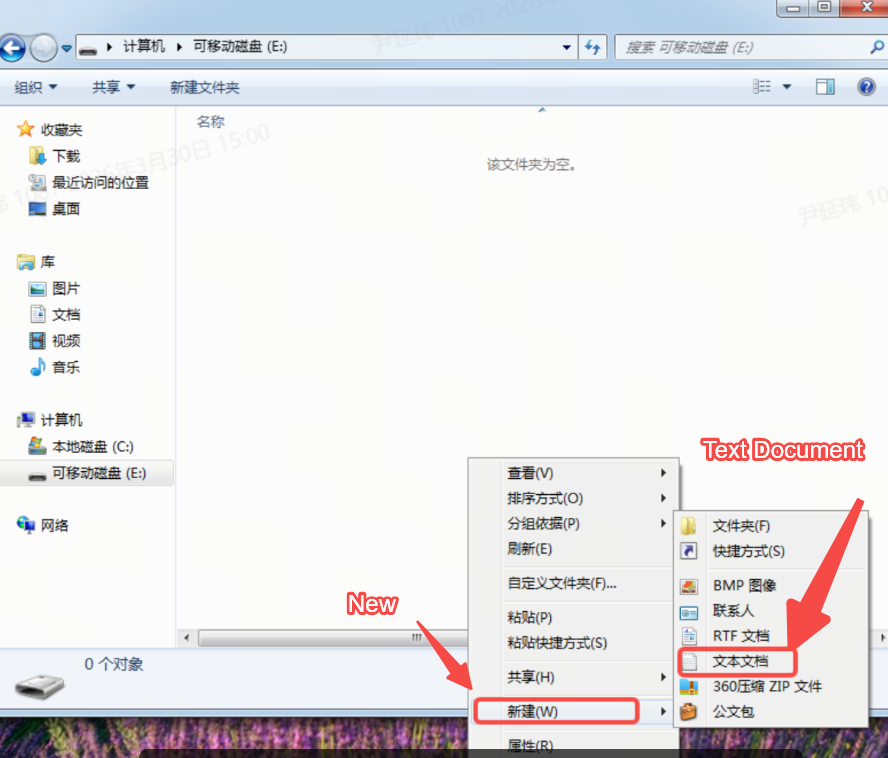
1. Open the USB drive root directory → right-click → New → Text Document
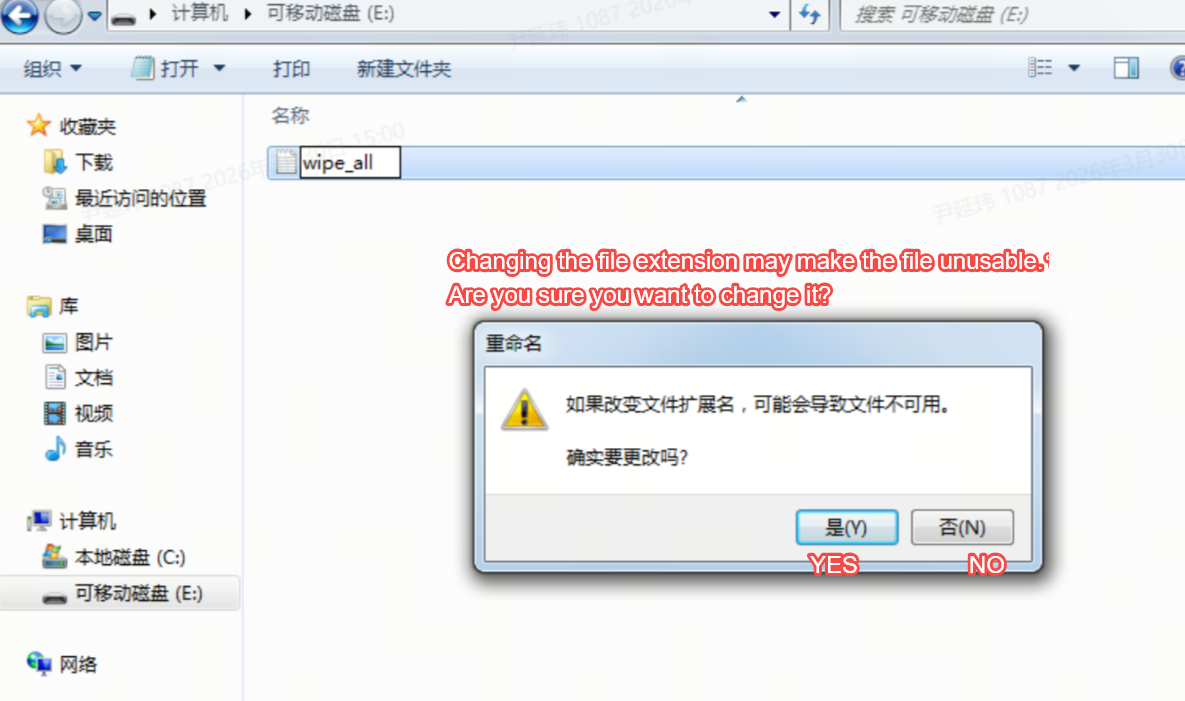
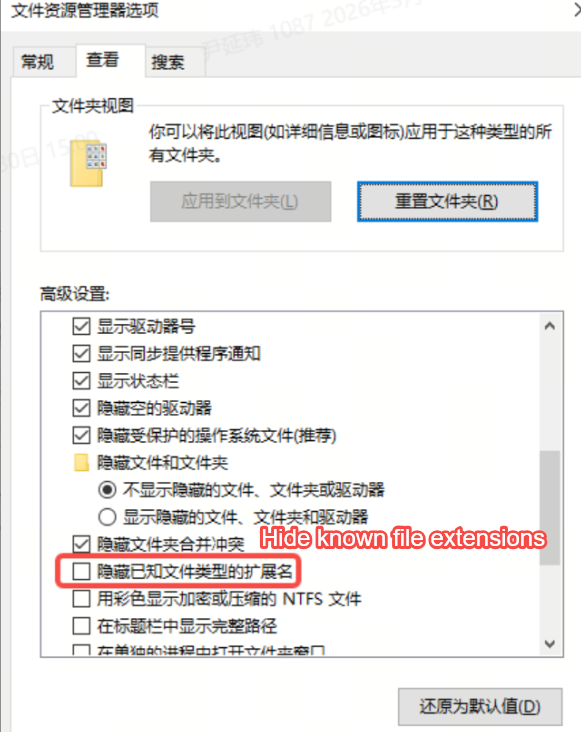
2. Rename the file to wipe_all, remove the extension (you need to disable the "Hide known file extensions" option).
Demonstration: Press Win+R, type control folders → View → uncheck "Hide extensions"

3. Insert the USB drive into the machine. After the machine recognizes and mounts it, the system program will check if this file exists on the USB drive. If it exists, it will first delete the wipe_all file and then proceed with the factory reset process. The machine will automatically restart in about 20 seconds. After restarting, it will enter the self-check interface.