¶ Description
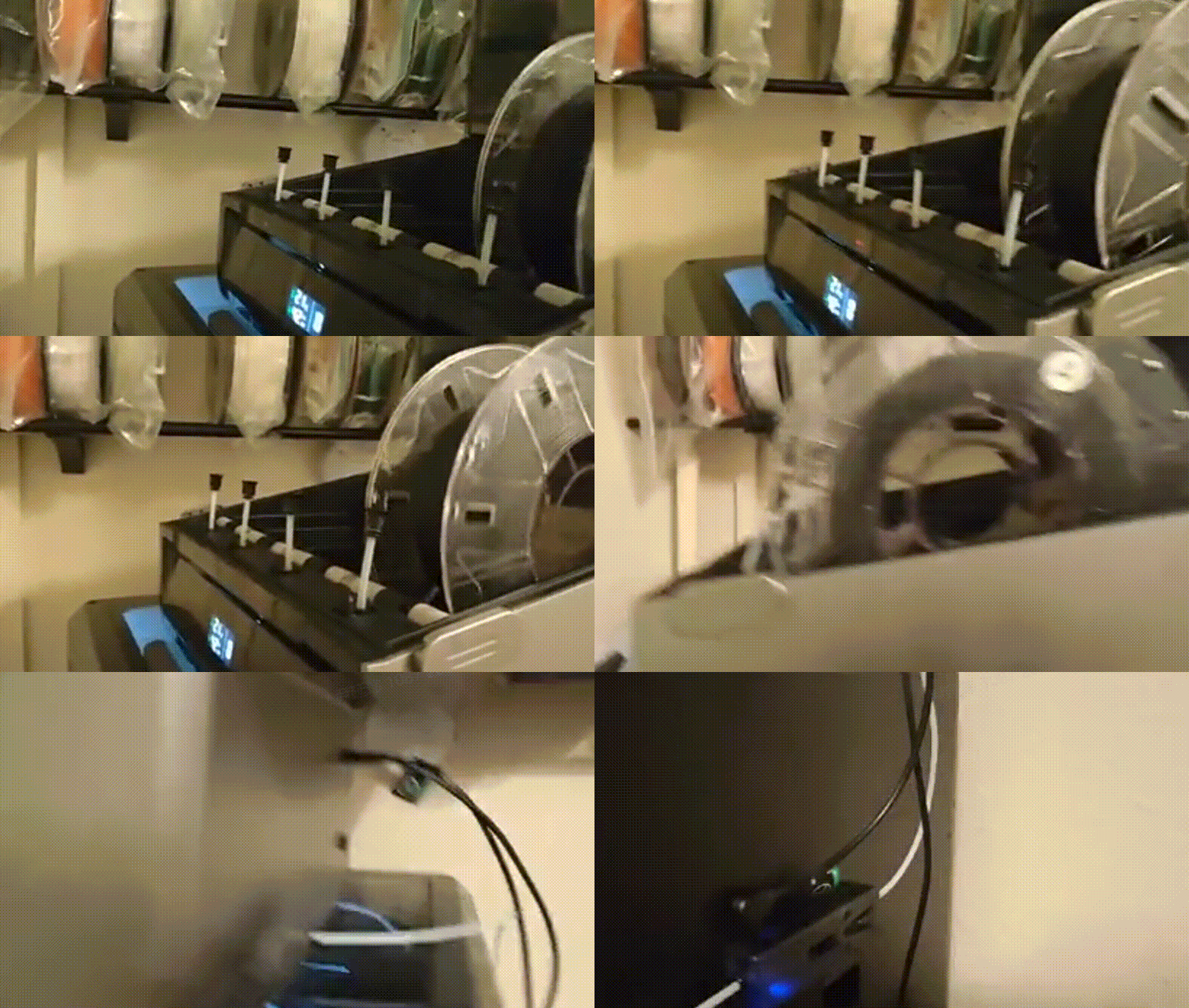
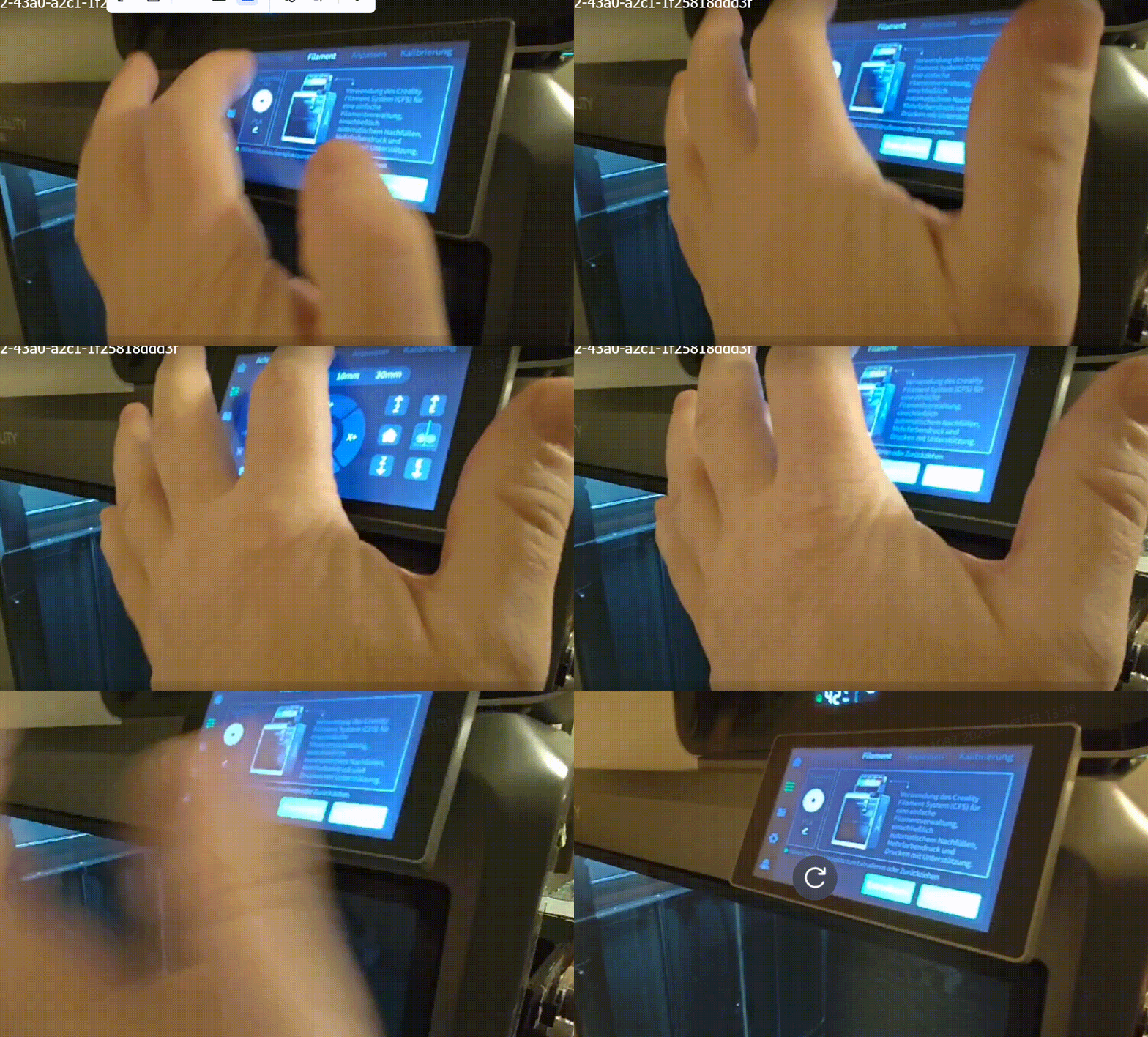
After connecting the CFS communication cable to the machine, upon powering on, the CFS screen lights up and the feeding lights flash red sequentially. It can automatically pre-feed filament, but K2 Plus cannot detect the CFS.
¶ Cause Analysis
- Poor connection or breakage of the 485 communication cable
- CFS 485 communication board failure
- K2 Plus communication board failure
- CFS mainboard failure
- K2 Plus lower computer board failure
¶ Troubleshooting
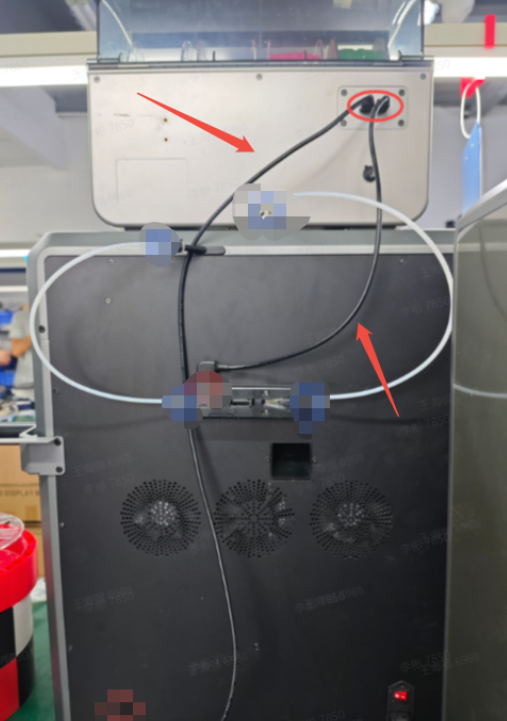
Unplug and reconnect the 485 communication cable from K2 Plus to CFS. If it still doesn't work, use a multimeter to test the cable's continuity and replace the 485 cable if a problem is confirmed.
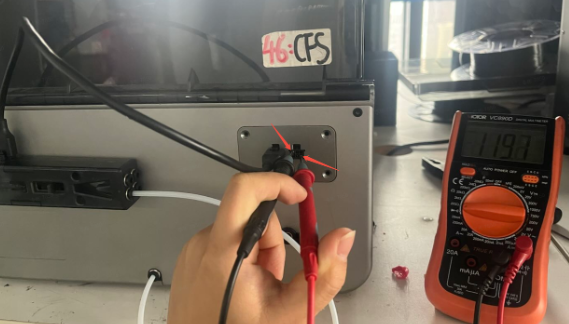
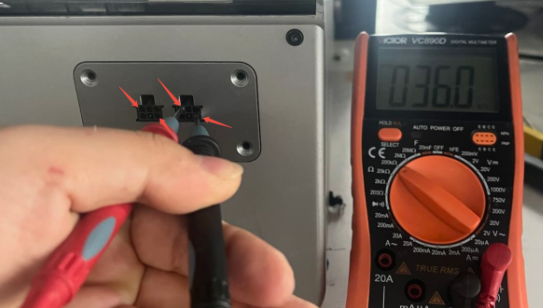
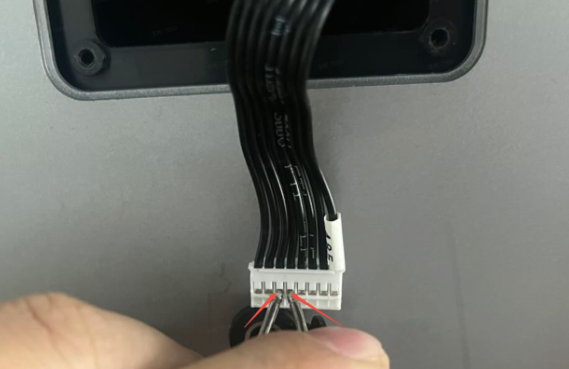
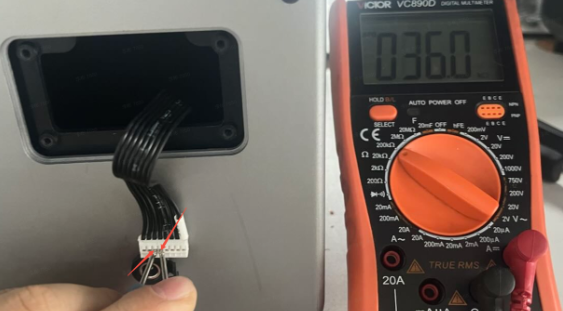
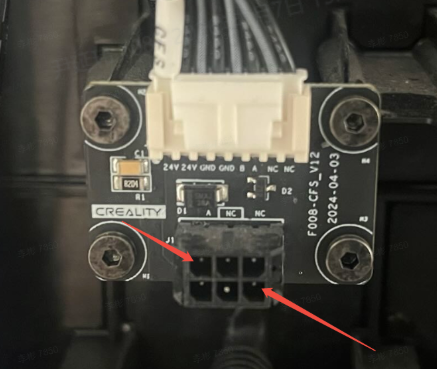
Power off the device. Use a multimeter to measure the resistance of the CFS 485 communication board. Normal resistance with the buffer connected should be around 120Ω. Without the buffer connected, normal resistance should be around 36kΩ. If the resistance is incorrect, check if the cable from the CFS mainboard to the CFS 485 communication board is properly plugged in. If there's no problem, directly measure the pins of the cable (as shown in the image) to see if it's around 36kΩ. If not, replace the CFS mainboard; if yes, replace the CFS 485 communication board.
 |
 |
 |
 |
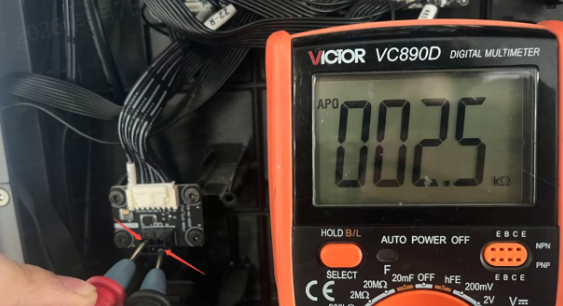
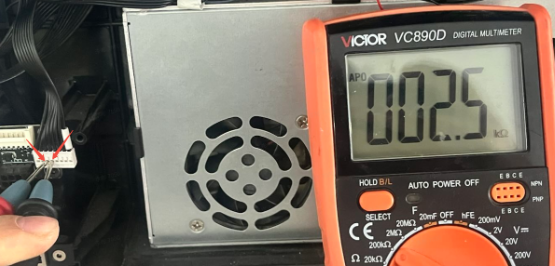
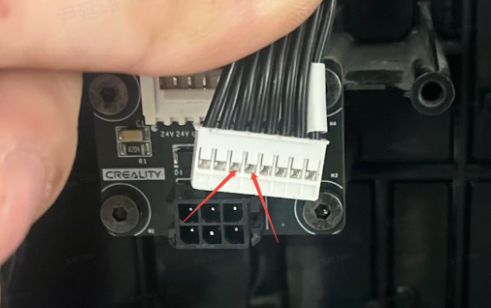
Power off the device. Use a multimeter to measure the resistance of the K2 Plus 485 communication board. Normal resistance should be around 2.5kΩ. If the resistance is incorrect, check if the cable from the K2 Plus lower computer mainboard to the K2 Plus 485 communication board is properly plugged in. If there's no problem, directly measure the pins of the cable (as shown in the image) to see if it's around 2.5kΩ. If there's no 2.5kΩ, please replace the K2 Plus lower computer mainboard; if there is 2.5kΩ, you need to replace the K2 Plus 485 communication board.
|
 |
|
|
 |
 |