¶ Definition
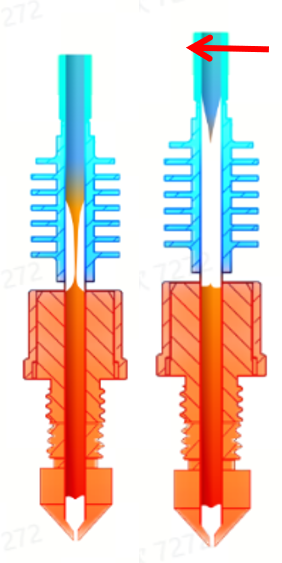
During filament changes, the system executes retraction according to parameter steps to control the filament tip. Finally, the external cutter cuts and retracts the filament to form a tip, which is the filament retraction process. Good and defective samples are shown below.
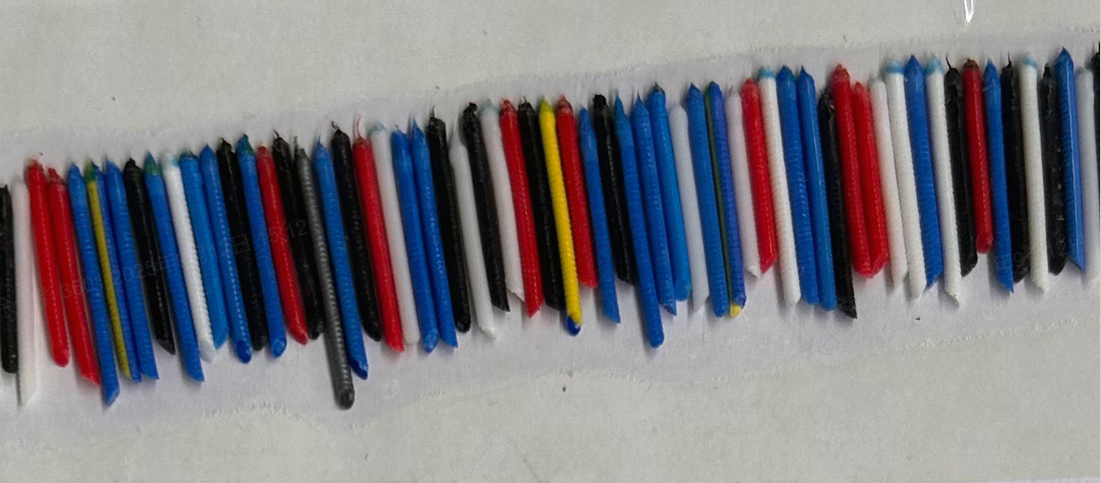
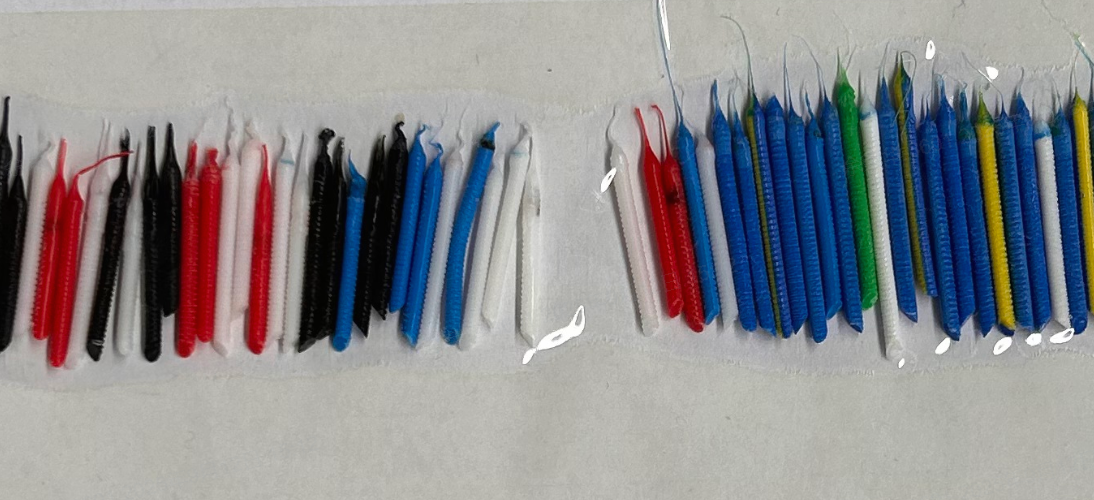
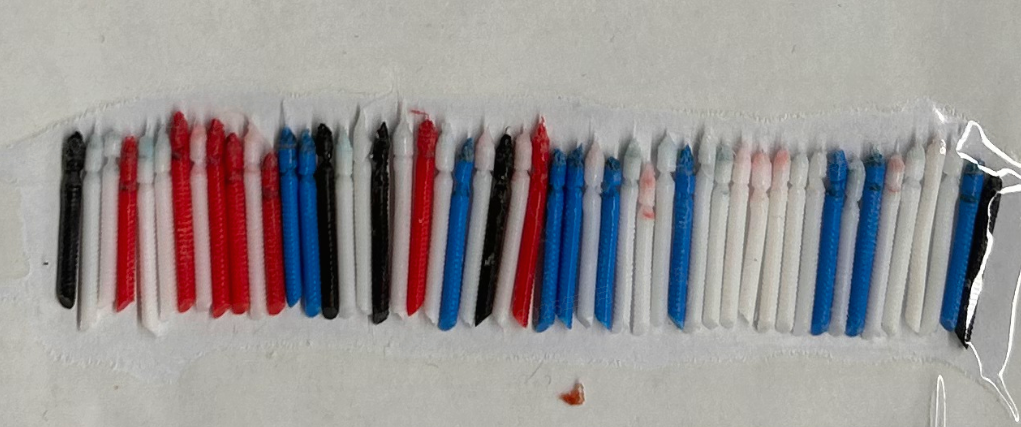
¶ Parameter Settings Instructions
When using third-party filaments, select custom filament type and name through the printer UI interface.
- Parameters: Click to enter filament retraction parameter settings page;
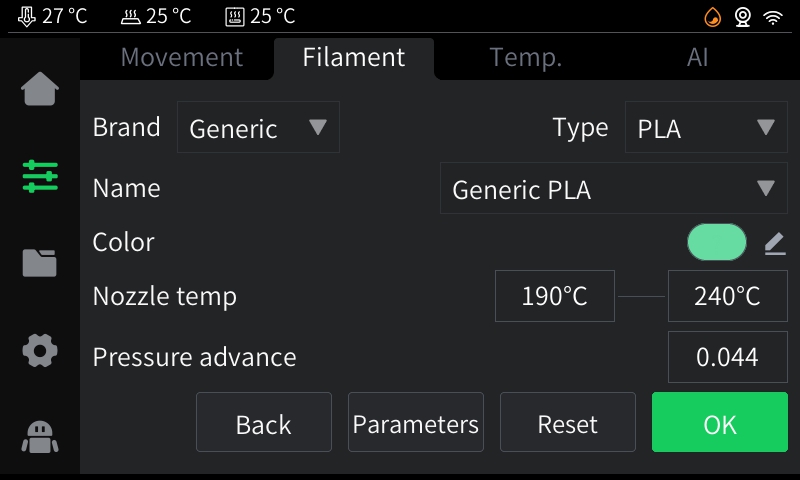
- OK: Use current filament settings (jump to the following image)
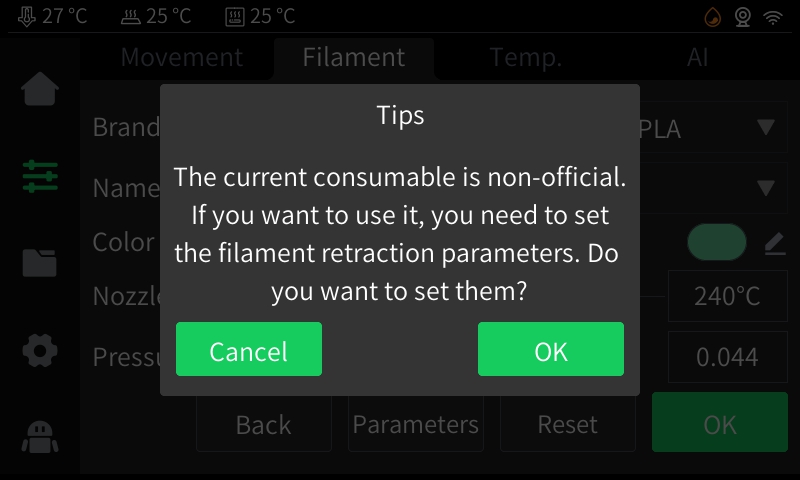
- Cancel: Disable custom parameter settings;
- OK: Set filament retraction parameters manually (click to enter the following image)
¶ Setting Details
Each step has 4 parameters available:
Extrusion/Retraction Distance: Positive numbers indicate forward extrusion, negative numbers indicate backward retraction, unit is mm.
Wait Time: Step waiting time for filament retraction. After executing the other three steps, waiting for 10s means entering the next step after 10 seconds, unit is seconds.
Relative Nozzle Temperature: Refers to the nozzle extrusion temperature, positive numbers represent temperature increase, negative numbers represent temperature decrease, unit is °C.
¶ Example Parameters
"Generic PLA": [ #Assuming printing temperature is 220°.
-15, 12000, 0, -20, #Cool to 200°, wait 0s, retract 15mm backward at 12000mm/min;
16, 12000, 0, -30, #Cool to 190°, wait 0s, extrude 16mm forward at 12000mm/min;
-15, 12000, 0, -40, #Cool to 180°, wait 0s, retract 15mm backward at 12000mm/min;
16, 12000, 0, 0, #Extrude 16mm forward at 12000mm/min;
-15, 12000, 0, 0, #Retract 15mm backward at 12000mm/min;
16, 12000, 0, 0, #Extrude 16mm forward at 12000mm/min;
-15, 12000, 0, 0, #Retract 15mm backward at 12000mm/min;
-15, 600, 0, 0, #Retract 15mm backward at 600mm/min;
-15, 600, 0, 0, #Retract 15mm backward at 600mm/min;
-15, 600, 0, 0, #Retract 15mm backward at 600mm/min;
-15, 600, 0, 0 #Retract 15mm backward at 600mm/min;
Note: The filament retraction parameter settings are based on batch-verified official filaments. Different types of filaments have different properties and setting steps.
Save: Save current filament setting parameters; parameters will be saved in the printer's configuration file, and the same parameters will be used next time for the same type of filament.
¶ Filament Retraction Troubleshooting Guide
¶ Excessive Stringing
If filament retraction results in long strings, causing the issues:
Step 1: First check the humidity display on the CFS-C device, recommended optimal printing humidity is below 40%.
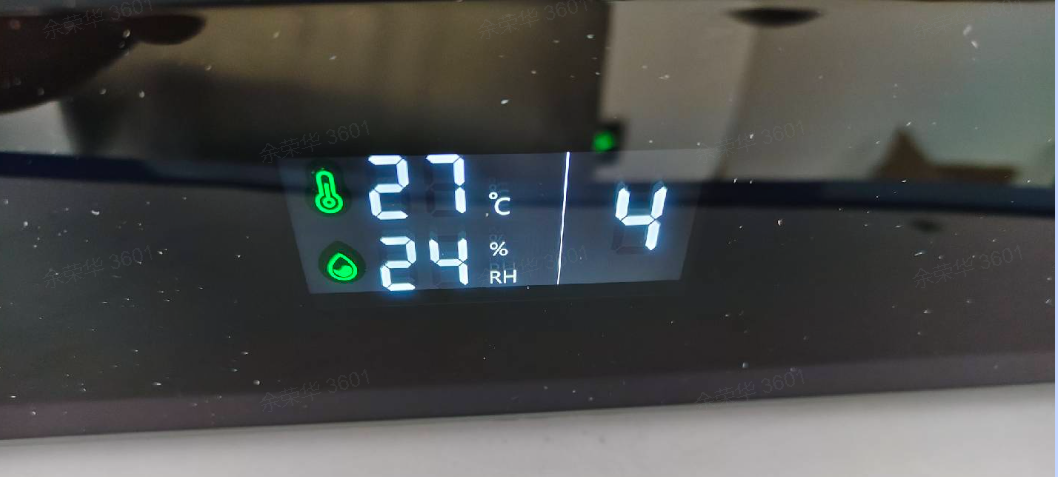
Step 2: If humidity is above 40%, it may affect filament retraction and cause long strings and jams. Replace the desiccant in CFS-C to reduce humidity below 40%;
Step 3: If unresolved, increase the extrusion/retraction speed in filament retraction parameters. If current speed is 12000mm/min, try increasing to 13000, 14000, 15000mm/min. Increase speed by 1000 each time and observe if retraction improves (Note: Maximum extruder speed is 15000mm/s)
Step 4: If unresolved, decrease the relative temperature in filament retraction parameters, using stepped cooling during retraction. If current relative temperature is -20°, try -25°, -30°, -35°, -40°, -45°. Decrease temperature by 5° each time and observe if retraction improves (Note: Minimum printhead temperature is 170°)
¶ Filament Jam
If filament breaks and clogs in the heat break, or deforms and gets caught in the extruder during retraction:
Step 1: Extend the wait time in filament retraction parameters. If current wait time is 0s, try 2, 4, 6, 8, 10, 12s. Increase by 2s each time and observe if retraction improves. (Note: Keep wait time under 60s to avoid long switching times)
Step 2: If unresolved, decrease the extrusion/retraction speed in filament retraction parameters. If current speed is 12000mm/min, try reducing to 11000, 10000, 9000, 8000mm/min. Decrease speed by 1000 each time and observe if retraction improves.
Step 3: If unresolved, increase the relative temperature in filament retraction parameters, using stepped heating during retraction. If current relative temperature is -20°, try -15°, -10°, -5°. Increase temperature by 5° each time and observe if retraction improves. (Note: Maximum printhead temperature is 300°)
¶ Friendly Reminder
If you still haven't resolved the issue after following the steps in this document, or if you encounter any difficulties during the process, you can click the right corner of the wiki page online support to contact our after-sales team for more help.