¶ Phenomenon Description
After connecting the CFS 2 communication cable to the machine and powering on, the CFS screen lights up and the filament status lights flash red in sequence. The automatic pre-loading function works, but the machine cannot detect the CFS.
¶ Cause Analysis
- Poor contact or broken Creality 485 cable
- Faulty 485 communication board on the CFS 2
- Faulty communication board on the machine
- Faulty mainboard on the CFS 2
- Faulty lower computer board on the machine
¶ Troubleshooting
Re-plug the Creality 485 cable connecting the machine to the CFS 2. If the issue persists, use a multimeter to test cable continuity. If a cable issue is confirmed, replace the Creality 485 cable.
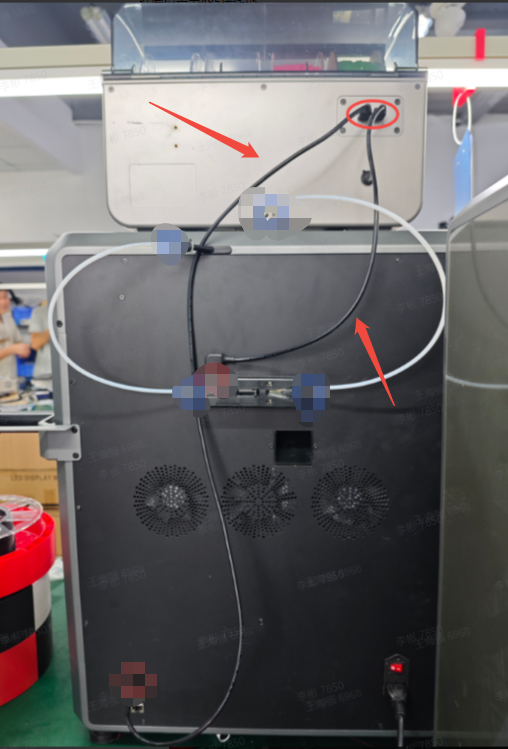
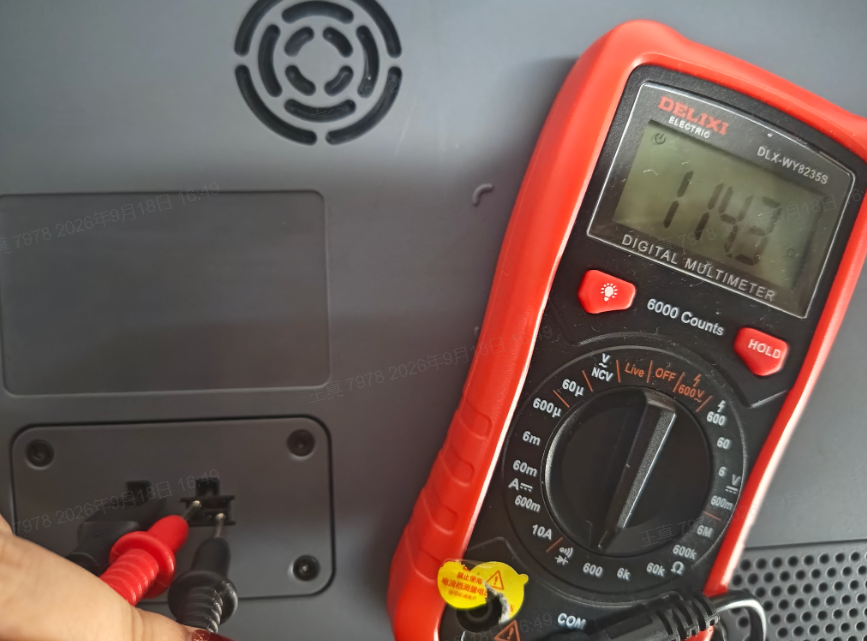
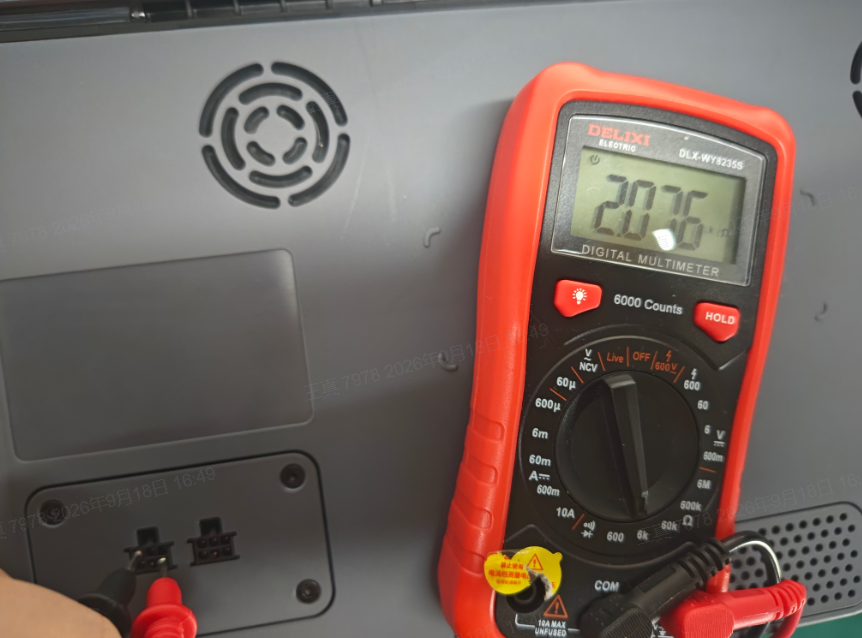
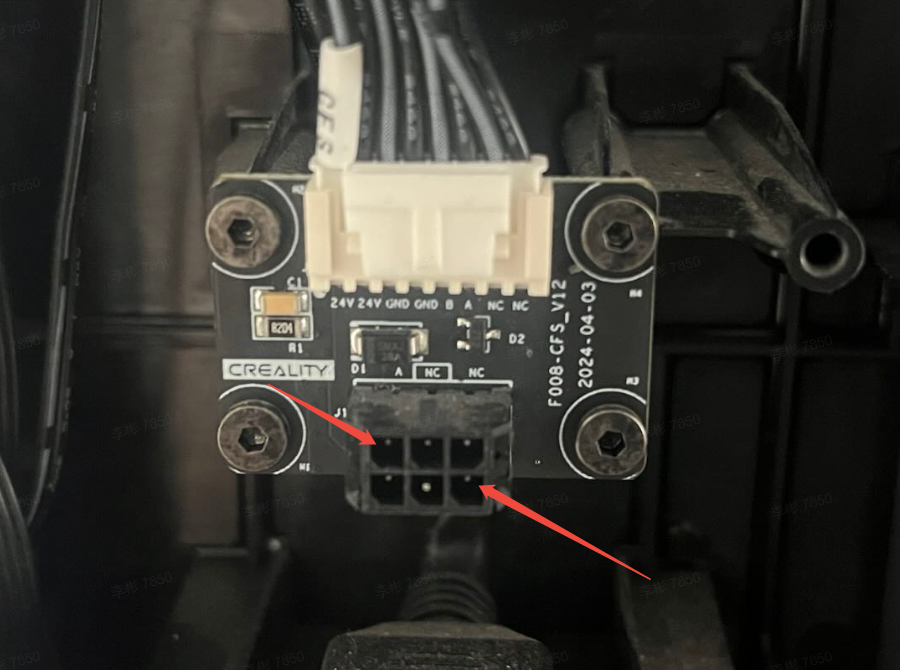
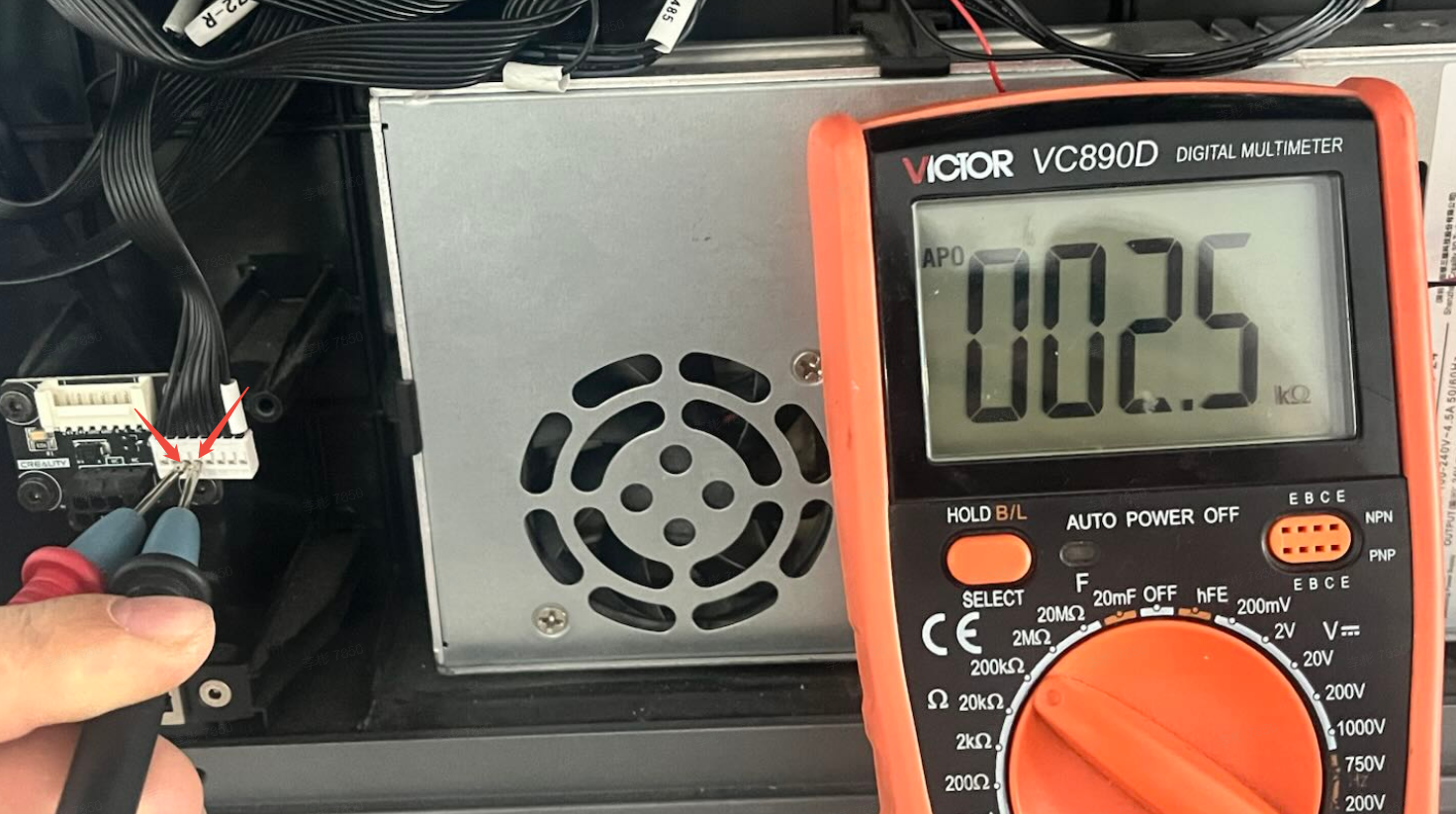
Power off the device. Use a multimeter to measure the resistance of the CFS 485 communication board. The normal resistance is approximately 120Ω when connected to the buffer, or approximately 2.5 kΩ without the buffer connected. If the resistance reading is incorrect, check whether the ribbon cable from the CFS mainboard to the CFS 485 communication board is properly and securely connected. If there is no issue, directly measure the pins on the ribbon cable connector (as shown in the figure) to check whether the resistance is approximately 2.5 kΩ. If not, replace the CFS mainboard; if the reading is correct, replace the CFS 485 communication board.
 |
 |
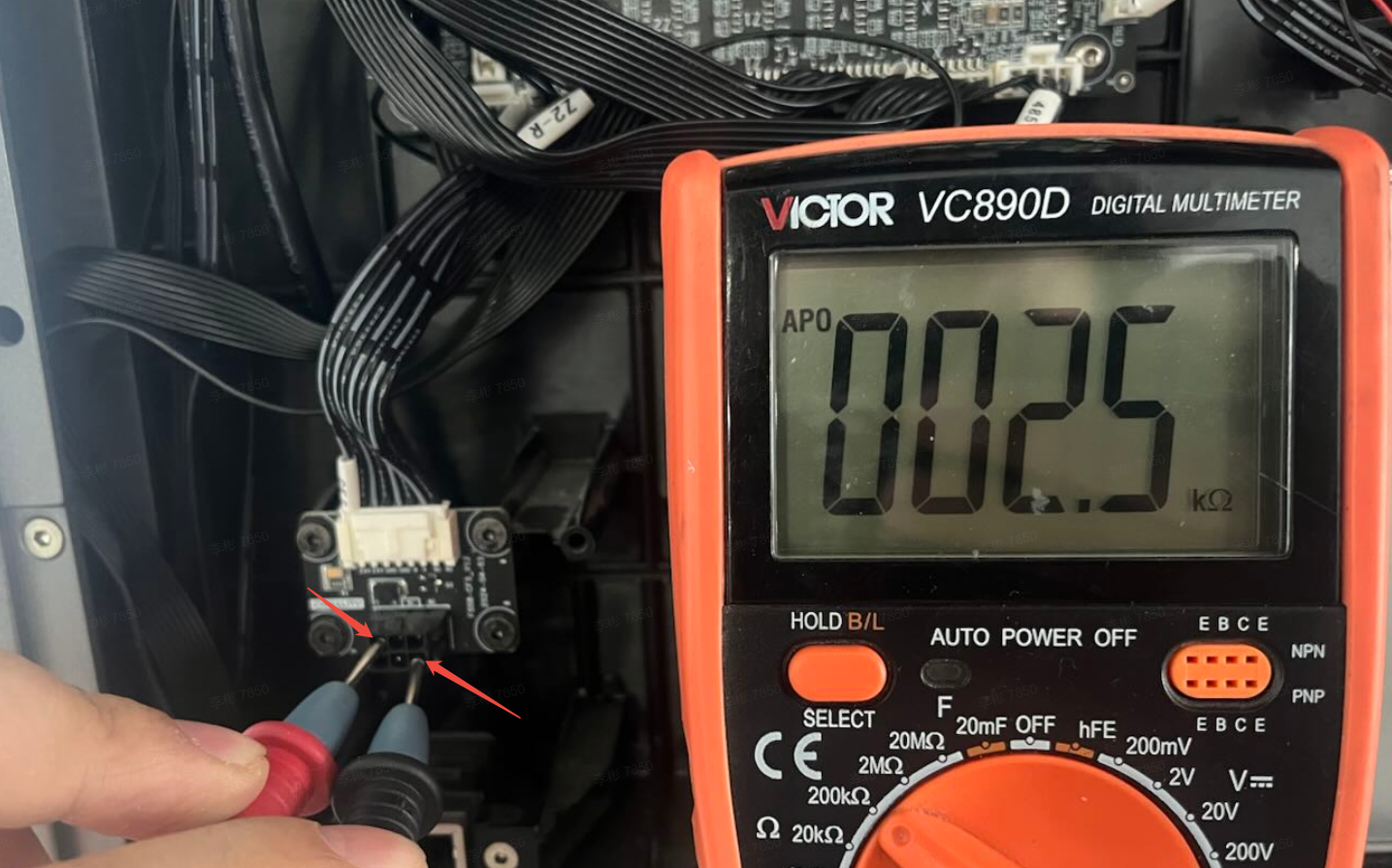
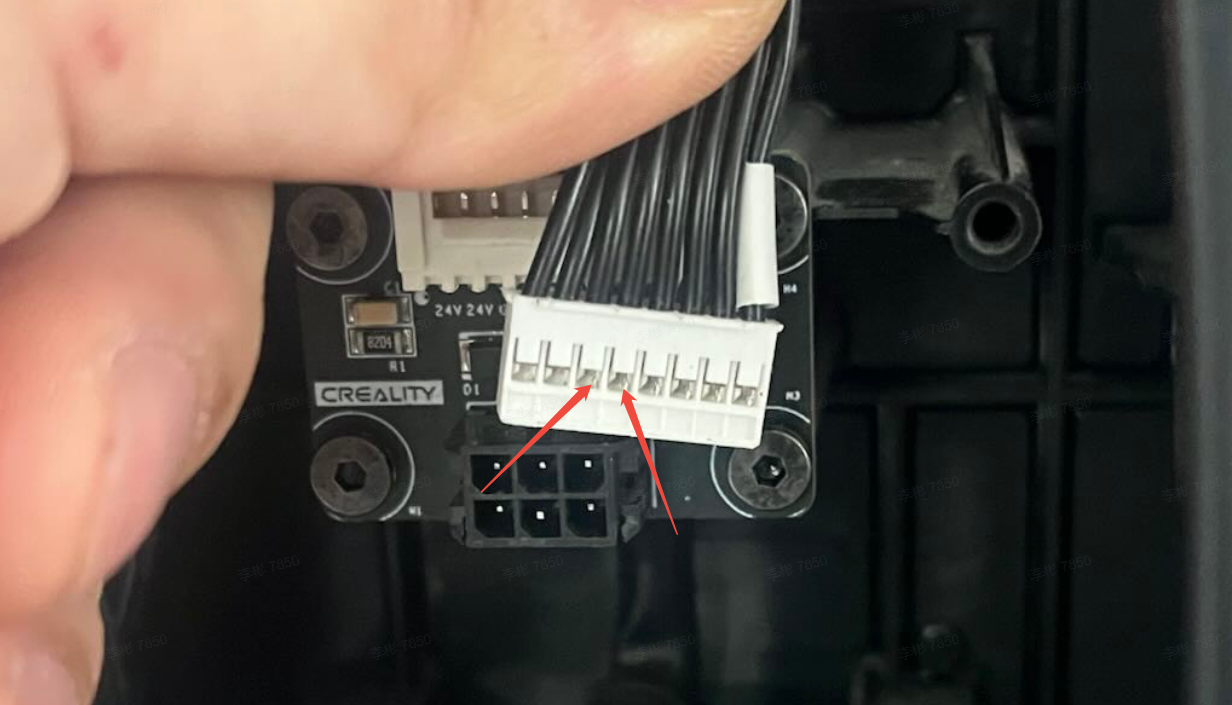
Power off the device. Use a multimeter to measure the resistance of the machine-side 485 communication board. The normal resistance is approximately 2.5 kΩ. If the resistance reading is incorrect, check whether the ribbon cable from the machine-side lower computer mainboard to the machine-side 485 communication board is properly and securely connected. If there is no issue, directly measure the pins on the ribbon cable connector (as shown in the figure) to check whether the resistance is approximately 2.5 kΩ. If not, replace the machine-side lower computer mainboard; if the reading is correct, replace the machine-side 485 communication board.
 |
 |
 |
 |