¶ Automatic Dehumidification Feature Introduction
¶ Automatic Dehumidification Description
Warm Tips:Print dehumidification and storage smart dehumidification are two independent usage scenarios, but they share the same entry point for activation.
¶ Smart Dehumidification
CFS 2 has a built-in storage smart dehumidification function. Once enabled, it automatically monitors and adjusts the humidity inside the unit, keeping filament dry at all times and extending its service life.
¶ Working Principle
When the humidity inside the enclosure exceeds 35%, the dehumidification function starts automatically and runs for at least 60 minutes. After 60 minutes, if the humidity drops below 30%, it stops automatically; if the humidity rises again, it will restart, repeating this cycle.
¶ Value to You
Daily Storage: When filament is stored in the CFS 2, a low-humidity environment is automatically maintained, allowing filament to be retrieved and used at any time.
Seasonal Protection: In high-humidity environments, filament is continuously protected from moisture.
Multi-Unit Restrictions
More than 1×CFS 2: The CFS 2 (L/R) unit is treated as the minimum unit. Using humidity levels as the standard, the unit with the highest humidity is activated first. Once the shutdown threshold is reached, dehumidification proceeds to the next unit.
Print Dehumidification
CFS 2 supports automatic dehumidification during printing, reducing filament quality issues such as stringing and bubbling caused by moisture absorption, and ensuring stable print quality.
¶ How It Works
Once enabled, when a print job is initiated, CFS 2 automatically starts dehumidification and continues throughout the entire printing process to prevent filament from reabsorbing moisture.
¶ Value to You
Long Print Jobs: Provides continuous filament protection during time-consuming tasks such as large-format and multi-color printing.
Printing in High-Humidity Environments: Ensures print quality in high-humidity and similar environments.
Multi-Unit Usage Restrictions
Only 2 units (L/R) can be activated simultaneously at a time.
Dehumidification Strategy During Printing
Number of channels in use ≤ 4:The unit (CFS 2-L or CFS 2-R) currently feeding filament for printing automatically enters dehumidification mode.
Number of channels in use > 4:The unit (CFS 2-L or CFS 2-R) currently feeding filament for printing automatically enters dehumidification mode. Among the units not currently feeding filament, the system prioritizes the unit with the highest real-time humidity among the filament slots to be used in the current print job for dehumidification.
¶ Activation and Restriction Conditions
The function can only be activated when all of the following conditions are met simultaneously:
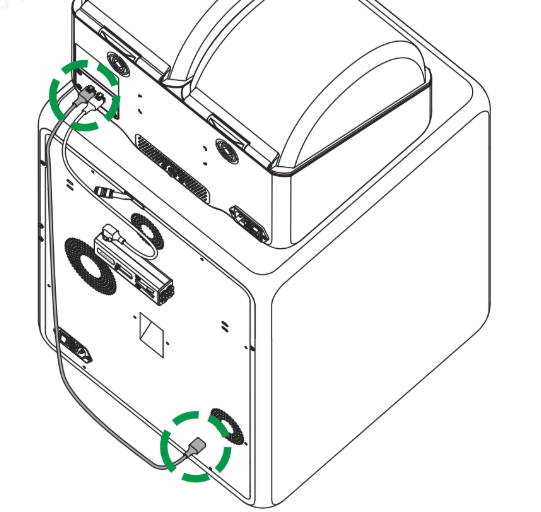
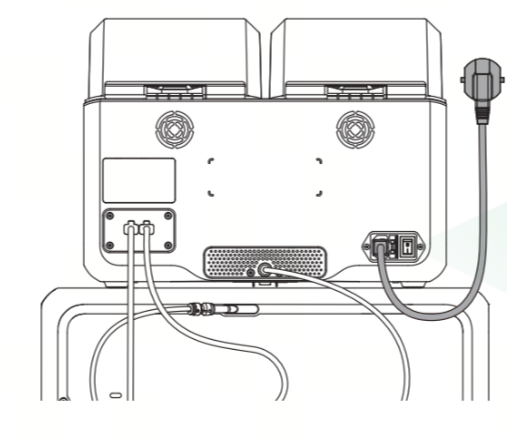
CFS 2 is properly connected and communicating with the printer.
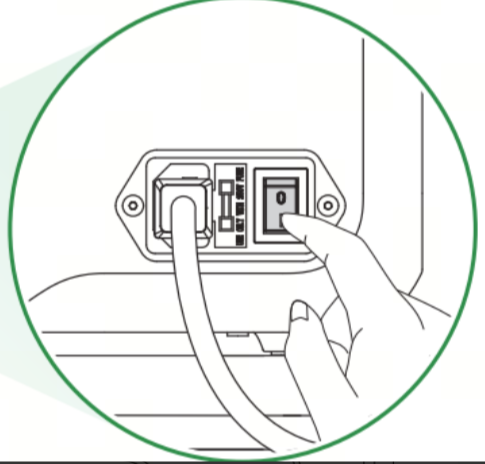
CFS 2 is connected to AC power and has been powered on.
|
|
|
¶ Enable Interface Settings
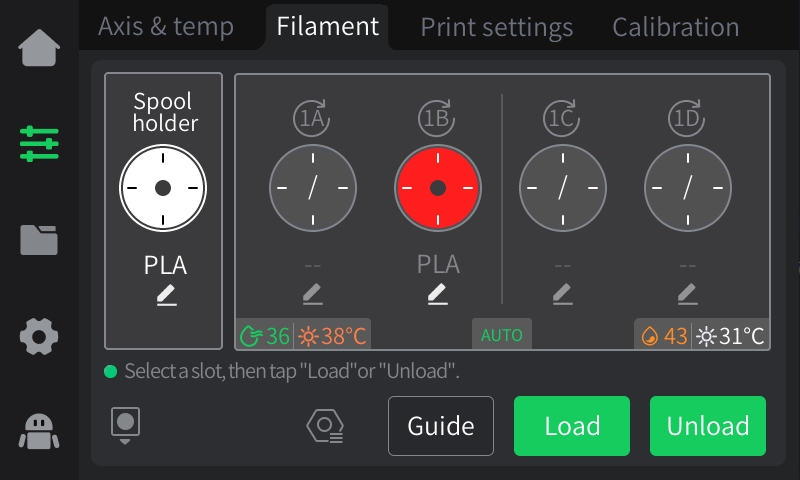
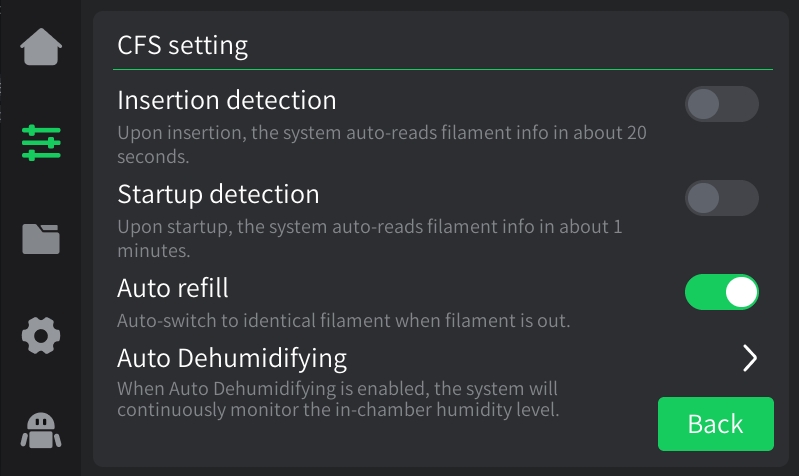
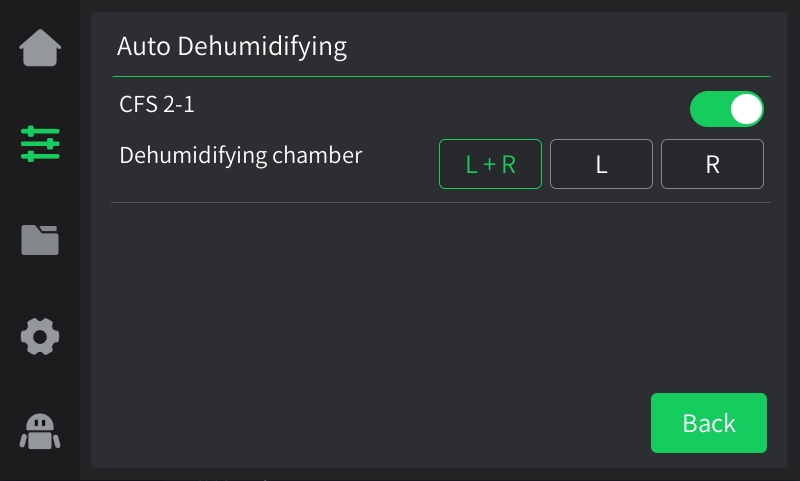
This feature can be activated via the printer UI, slicing software, or the Creality Cloud App. The following instructions use the printer UI as an example.
 |
 |
 |
¶ Filament Type Compatibility and Dehumidification Temperature
The system presets recommended dehumidification temperatures based on the heat resistance and moisture absorption characteristics of different filaments, balancing dehumidification efficiency, material safety, and filament feeding stability.
|
Temperature |
Filament Type |
Modify interaction |
Instructions |
| 38°C | TPU Series、TPE Series、PLA/ PLA-CF/PLA -GF 、PVA、BVOH |
Temperature modification is not supported |
Low temperatures prevent softening or deformation, ensuring stable filament feeding. |
| 45°C |
ABS/ ABS-CF/ABS-GF, ASA、PET、PETG/PETG-CF/PETG-GF ;HIPS、PET/PET-CF/PET-GF、PA/PA-CF/PA-GF、PC /PC-CF/PC-GF、PPA-CF /PPA-GF、PPS-CF/PPS-GF、FR-ABS and other flame retardant grades |
Temperature modification is not supported |
Ensures dehumidification efficiency while preventing embrittlement or warping. |
¶ Drying
¶ Introduction to the Drying Function
CFS 2 features a built-in intelligent drying system that supports precise temperature-controlled drying of mainstream FDM filaments, effectively removing moisture absorbed by materials due to storage conditions or humid environments, addressing print quality issues such as stringing, bubbling, and poor layer adhesion at the source.
¶ Core Capability
After selecting a material, the system automatically loads the corresponding temperature and time parameters, eliminating the need to manually look up recommended values.
Intelligent Temperature Control and Protection
After selecting a material, the system automatically loads the corresponding temperature and time parameters, eliminating the need to manually look up recommended values.
Each material has its own independent upper and lower temperature limits to ensure drying within a safe range. If the temperature is too low, the dehumidification effect will be insufficient; if too high, it may damage the material's properties.
Flexible drying duration
The default drying time is automatically set based on the moisture absorption characteristics of the material.
Users can freely adjust the drying time within the range of 1–24 hours according to the actual level of moisture absorption.
Safety input limit
When the user manually inputs a temperature or time value that exceeds the allowable range for the material, the system will automatically adjust the value to the valid limit, preventing material damage or equipment malfunction caused by incorrect operation.
¶ Typical Use Scenario
|
Scenario |
Recommended Operations |
| Daily Storage and Maintenance | Use default parameters and dry regularly to maintain the filament in optimal condition. |
| Newly opened filament | Dry once before first use to remove moisture absorbed during transportation/storage. |
| During the Plum Rain Season / After the Return of Warm Humid Air | Extend the drying time to 16–24 hours for deep dehumidification. |
| Print Quality Troubleshooting | When suspecting that the filament is moisture-affected, dry it specifically and then reprint for comparison. |
| Before using specialty materials | It is recommended to dry highly hygroscopic materials such as PA and PC before each use. |
¶ Enabling Conditions
The function can only be enabled when all of the following conditions are met simultaneously:
CFS 2 is properly connected and communicating with the printer.
CFS 2 is connected to AC power and powered on.
No filament is inserted into the CFS 2 feeder.
|
|
|
|
Multi-slot Restriction:
Due to device power limitations, the drying function only supports operating on a single CFS 2 at a time. It is not possible to dry multiple CFS 2 units simultaneously. If you need to dry filament in multiple slots, please operate each one individually in sequence.
¶ Enable Interface Settings
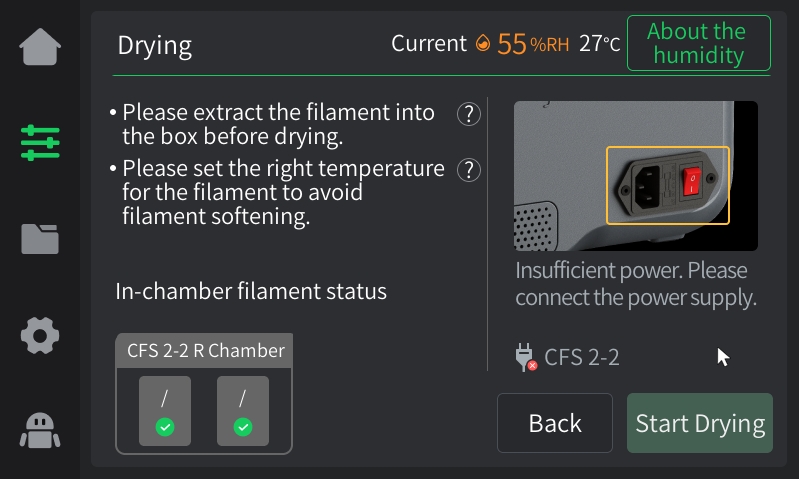
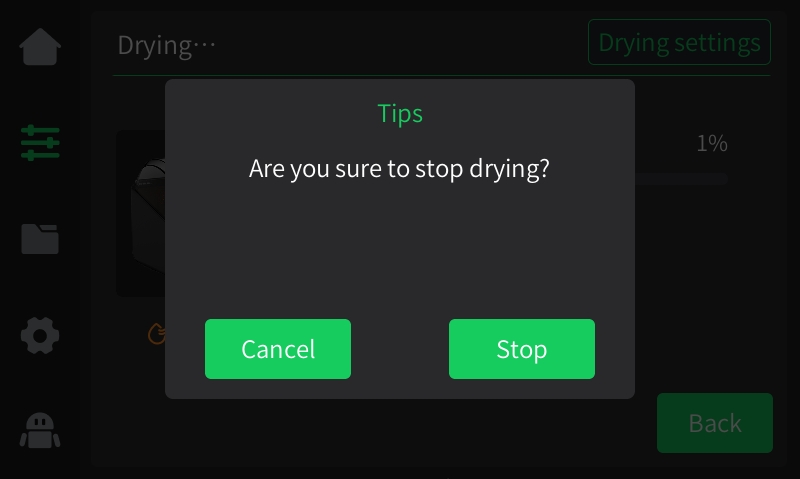
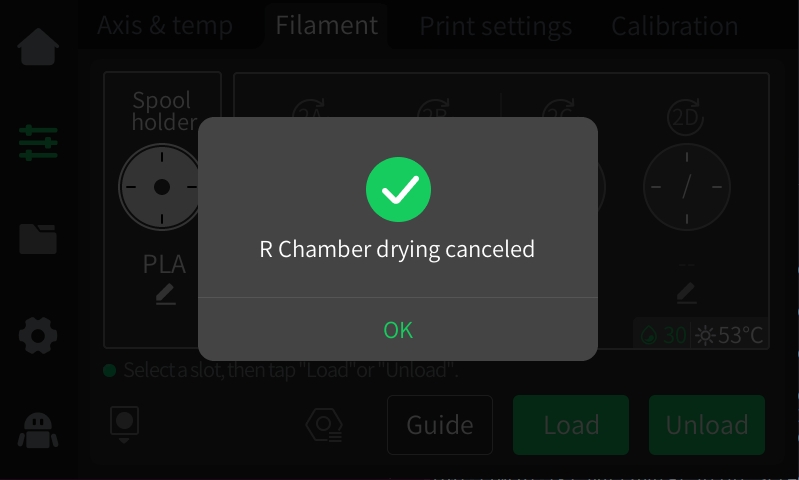
To enable, the filament must be removed from the CFS 2 and the power must be connected.
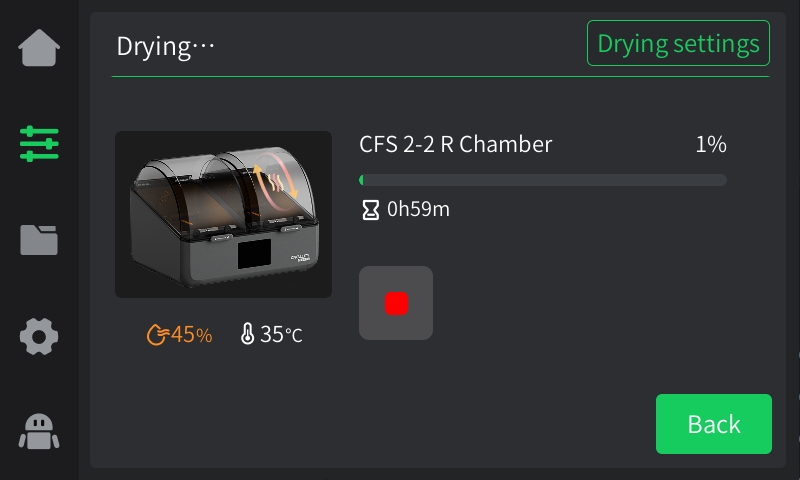 |
 |
 |
¶ Multi-Device Cascade Limitation
Due to device power constraints, the drying function only supports operating a single CFS 2 at a time. It is not possible to dry multiple CFS 2 units simultaneously. If you need to dry materials in multiple slots, please operate each unit individually in sequence.
¶ Adapted drying types and drying temperatures
Material Name Actual Drying Temperature °C Drying Temperature Range °C Actual Time h Maximum Drying Time h Minimum Drying Time h User Interaction.


