¶ Issue Description
The Wi-Fi Scan Bridge has been charging for a long time (a couple of hours, even overnight), but the battery indicator still shows no charge.
¶ Troubleshooting and Solutions
1. Please use the correct USB Type-C port to charge the Wi-Fi Scan Bridge.
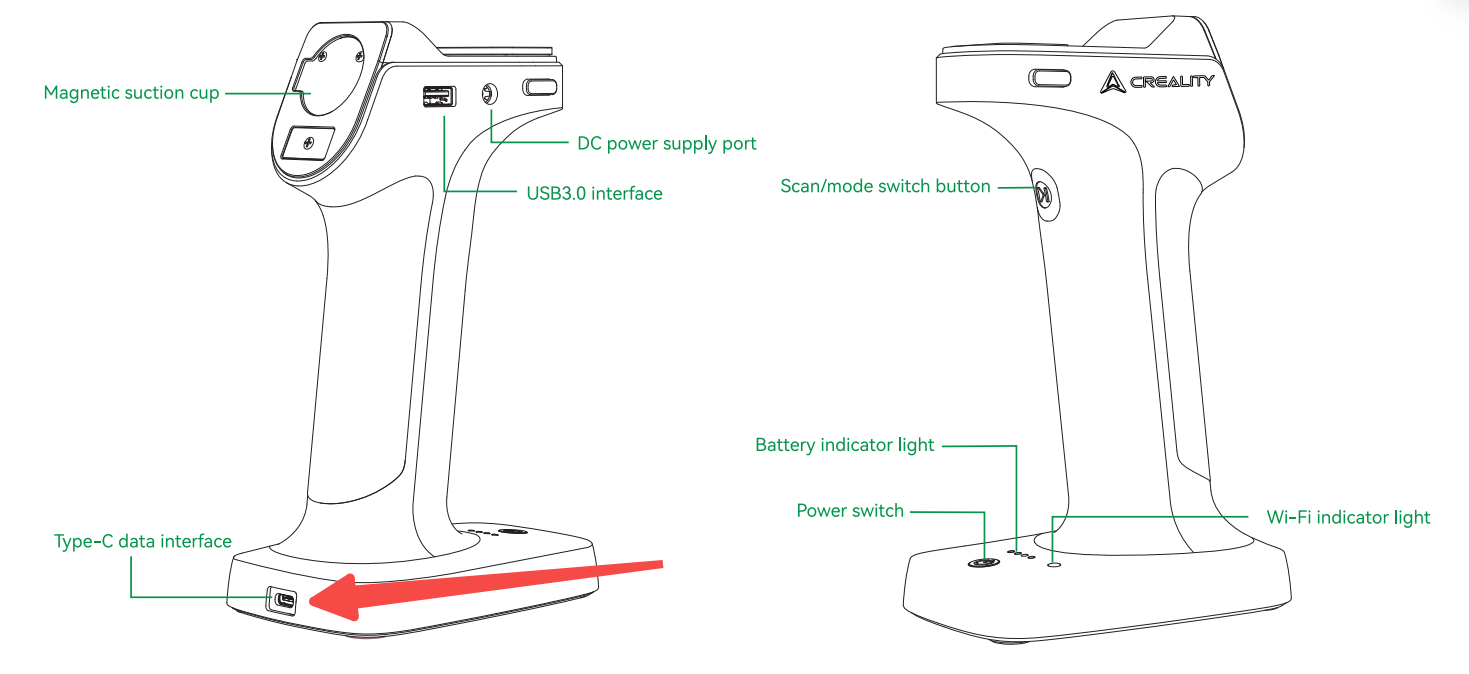
2. Inspect the USB Type-C port and USB cable for visible damage. Use a different USB cable to charge the Wi-Fi Scan Bridge.
3. Use another power adapter and try to connect the power adapter to another home power outlet. (✨✨ Note: Do not charge the Wi-Fi Scan Bridge via a computer’s USB‑A port – the voltage is too low. It is recommended to use a proper power adapter with 5V/3A, 12V/2.5A, or 20V/1.5A output rating, for example a mobile phone charger.)
4. If none of the above solutions work, please record a video of the charging process and send it to our customer service(cs@creality.com) so we can provide you with further support.