¶ Troubleshooting: "This data cannot be imported into older software versions" Error
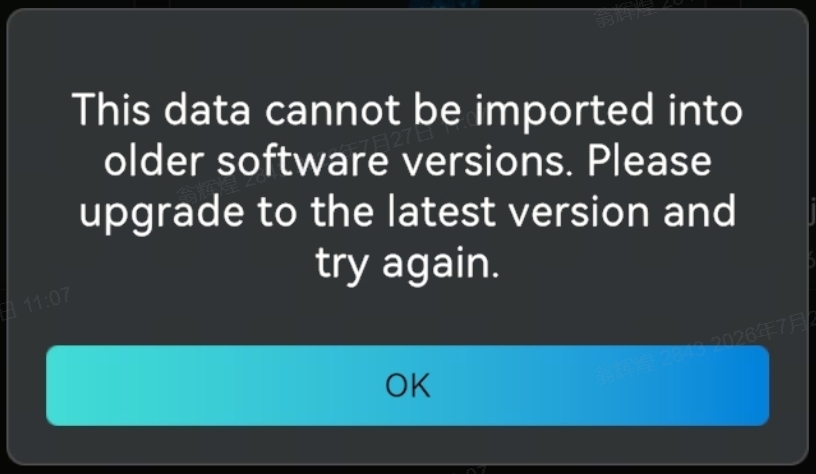
If you encounter the error message "This data cannot be imported into older software versions. Please upgrade to the latest version and try again" when importing scanned data from Creality Scan Mobile v3.1.0 to your PC or Mac, please refer to the guide below for the solution.
¶ 🔍 Root Cause
With the release of Creality Scan Mobile App v3.1.0 (iOS & Android), a newly optimized scanning algorithm was introduced to improve performance and data processing.
- Compatibility Requirement: Project data scanned using Mobile App v3.1.0 uses a new data structure and requires Creality Scan PC / Mac v4.3.0 or higher to decode and process. Older desktop versions cannot recognize this new format, resulting in the import failure.
- Backward Compatibility: Projects created on older versions of the mobile app remain fully compatible with PC / Mac v4.3.0.
¶ 🛠️ Solution: Upgrade PC / macOS Software to v4.3.0+
To resolve this issue, please update your desktop software to the latest version by following these steps:
-
Launch Creality Scan on your PC or Mac.
-
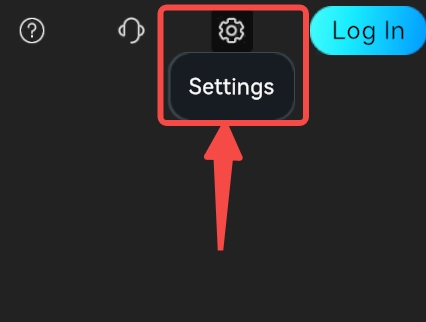
Click on Settings (⚙️ icon) in the navigation menu.
-
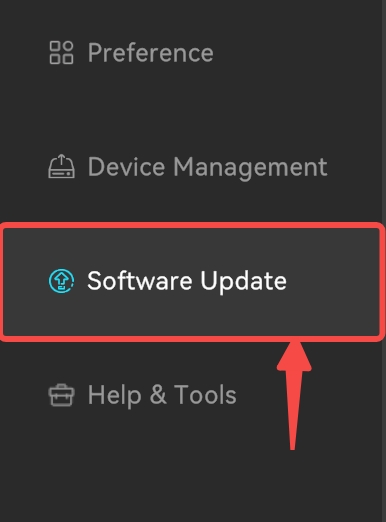
Select Software Update.
-
Click the Update button to download and install the latest version.
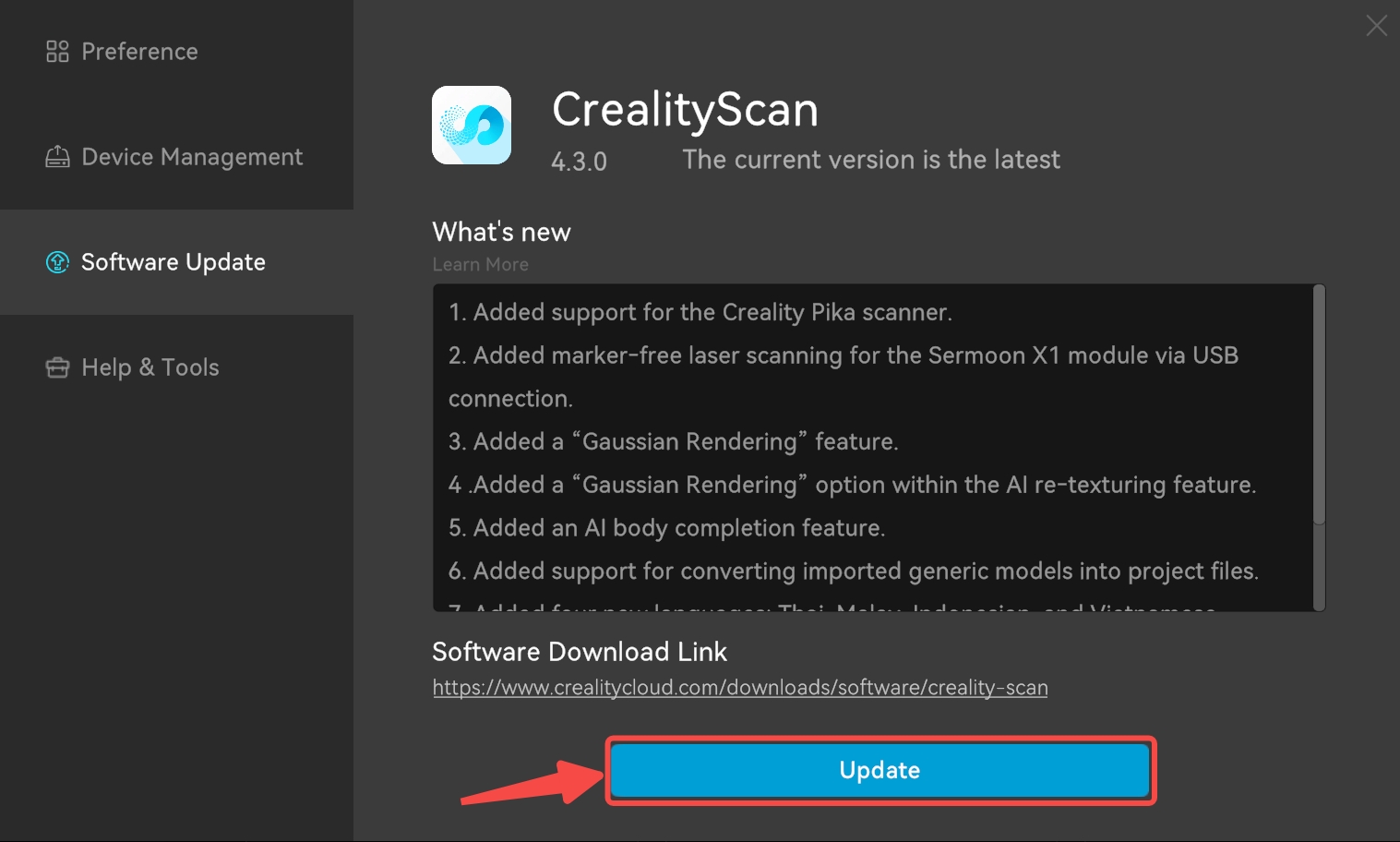
(Alternatively, download the latest installer directly from our Official Download Center) -
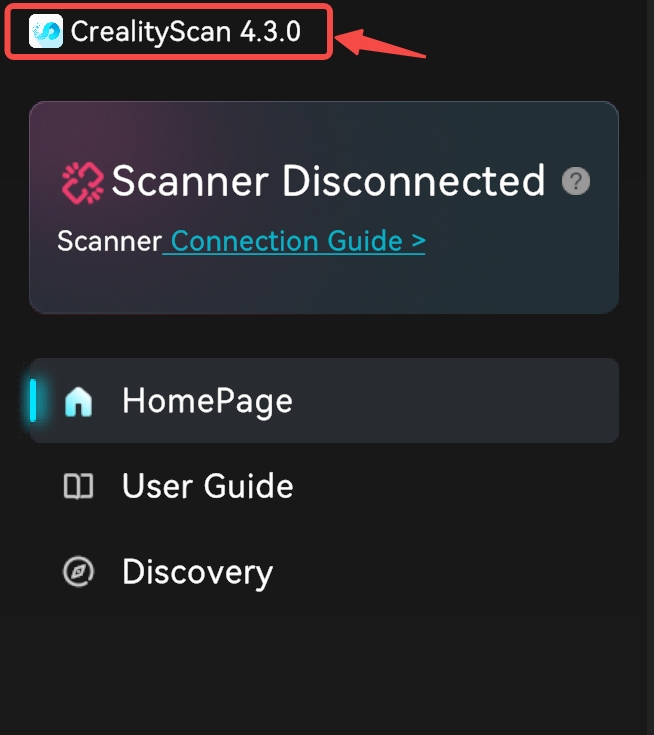
Once installed, verify that the software version displayed is v4.3.0 or higher.
-
Re-import your scanned project file into the software.
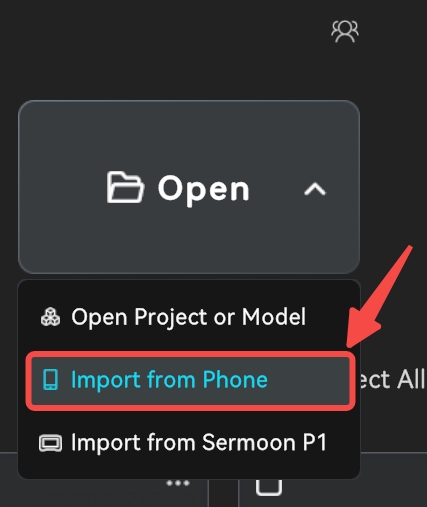
Quick guide:
[Creality Scan Desktop] ➔ Settings ➔ Software Update ➔ Update to v4.3.0+ ➔ Re-import Data
¶ 💡 Additional Information & Legacy Versions
¶ 1. New Algorithm Features
The new algorithm introduced in Mobile v3.1.0 and Desktop v4.3.0 offers improved scanning stability and point cloud reconstruction. To learn more about the updates and optimizations in this version, check out our official guide:
¶ 2. Prefer the Previous Algorithm or Need Legacy Versions?
If you prefer the workflow or algorithm characteristics of previous releases, you can download legacy versions of Creality Scan for PC/Mac from our official download center:
⚠️ Important Note for Legacy Users:
Data scanned with Mobile App v3.1.0 cannot be opened in PC/Mac versions below v4.3.0. If you choose to rollback to an older desktop version, you must also downgrade your mobile app to a matching legacy version.
Need further help? Feel free to reach out to our support team at cs@creality.com.