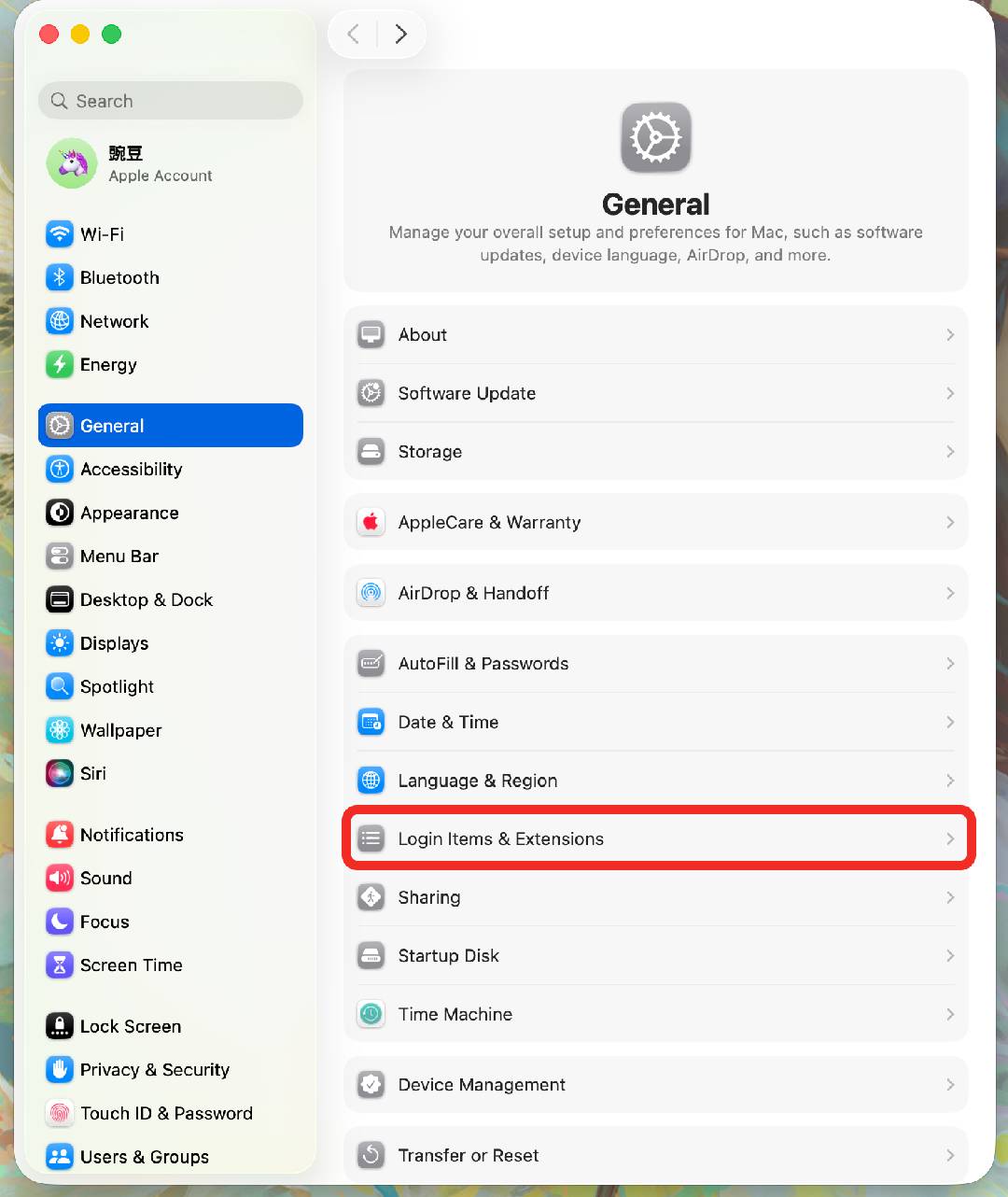
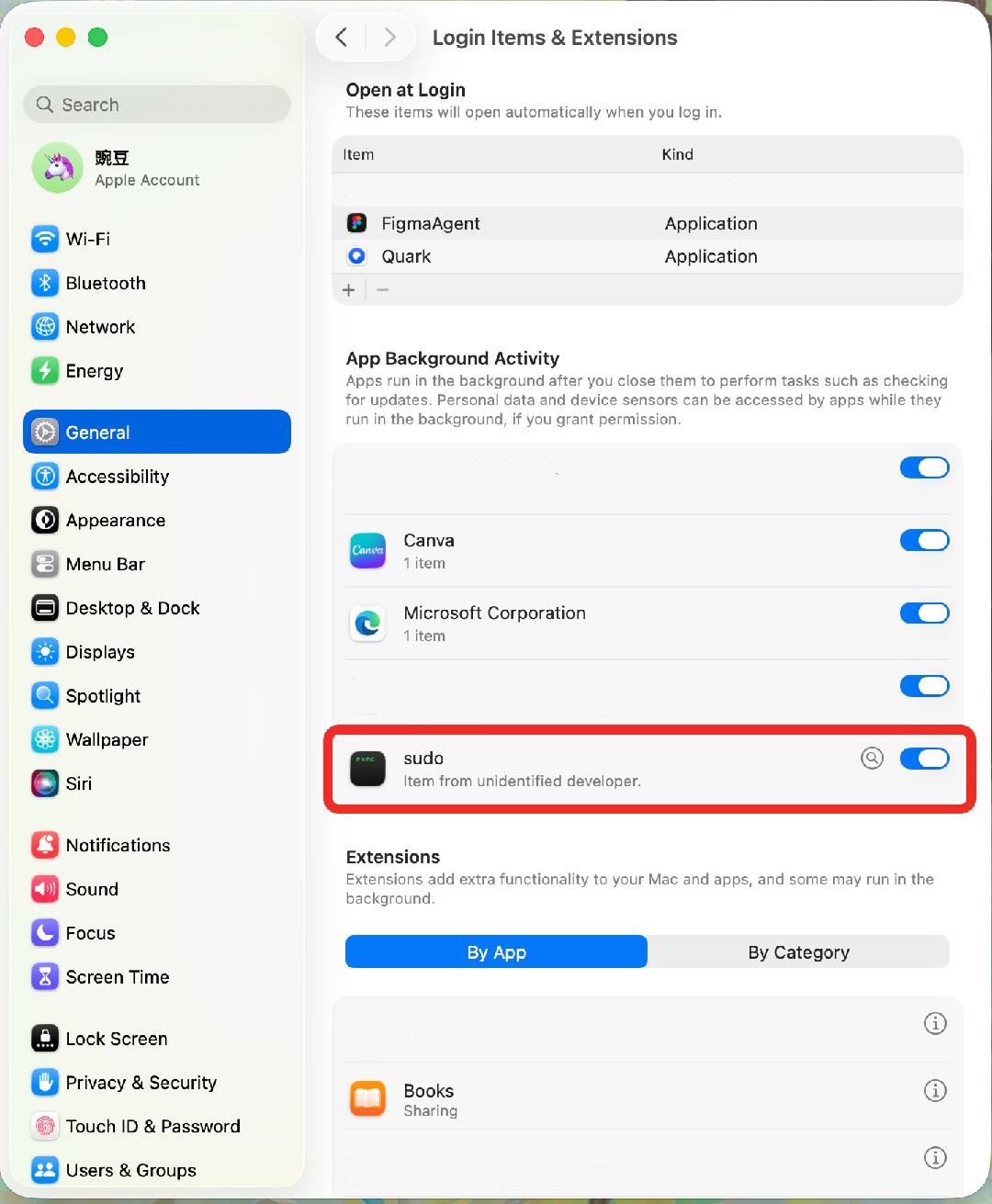
Reason: Authority related problem
Solution: Restart the RPC service
Steps:
- On a Mac, press ‘Command’ + ‘Space’. Start typing ‘Activity Monitor’ in the Spotlight search box (the first few letters should show up) and press Return. After a moment, you will see the ‘Activity Monitor’ window.
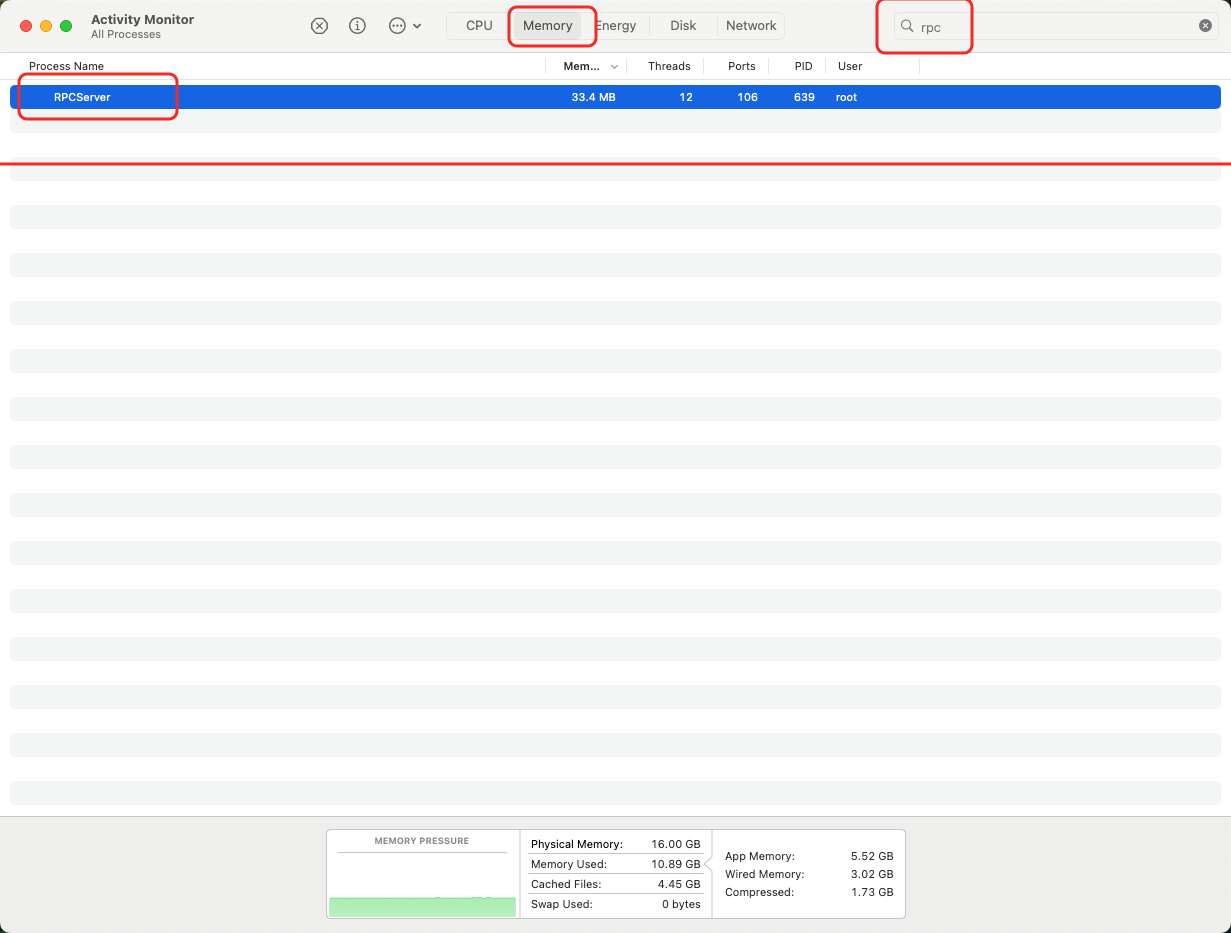
- In the ‘Activity Monitor‘ window, select ’Memory‘, type ’RPC Server‘ in the search box, and force quit it.
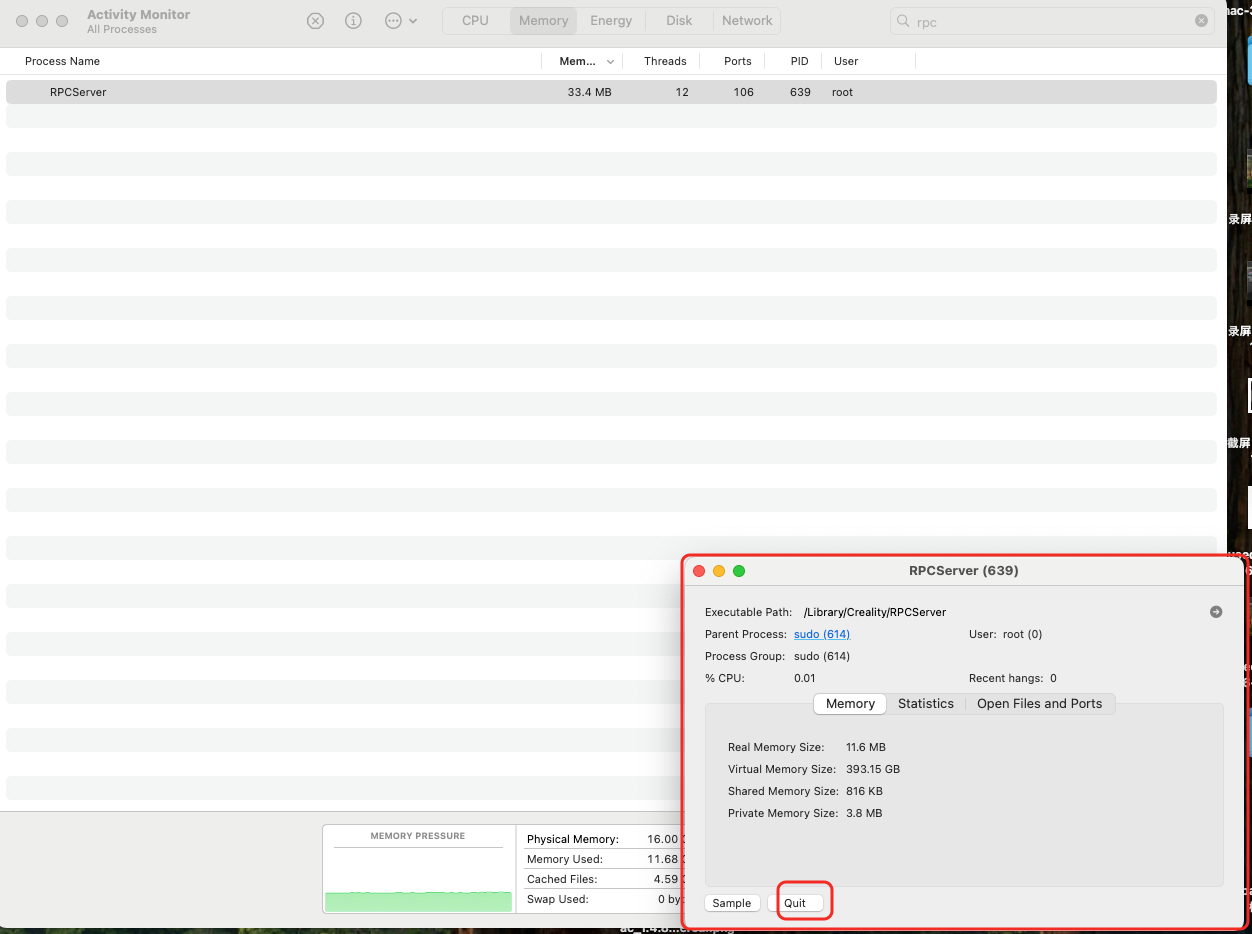
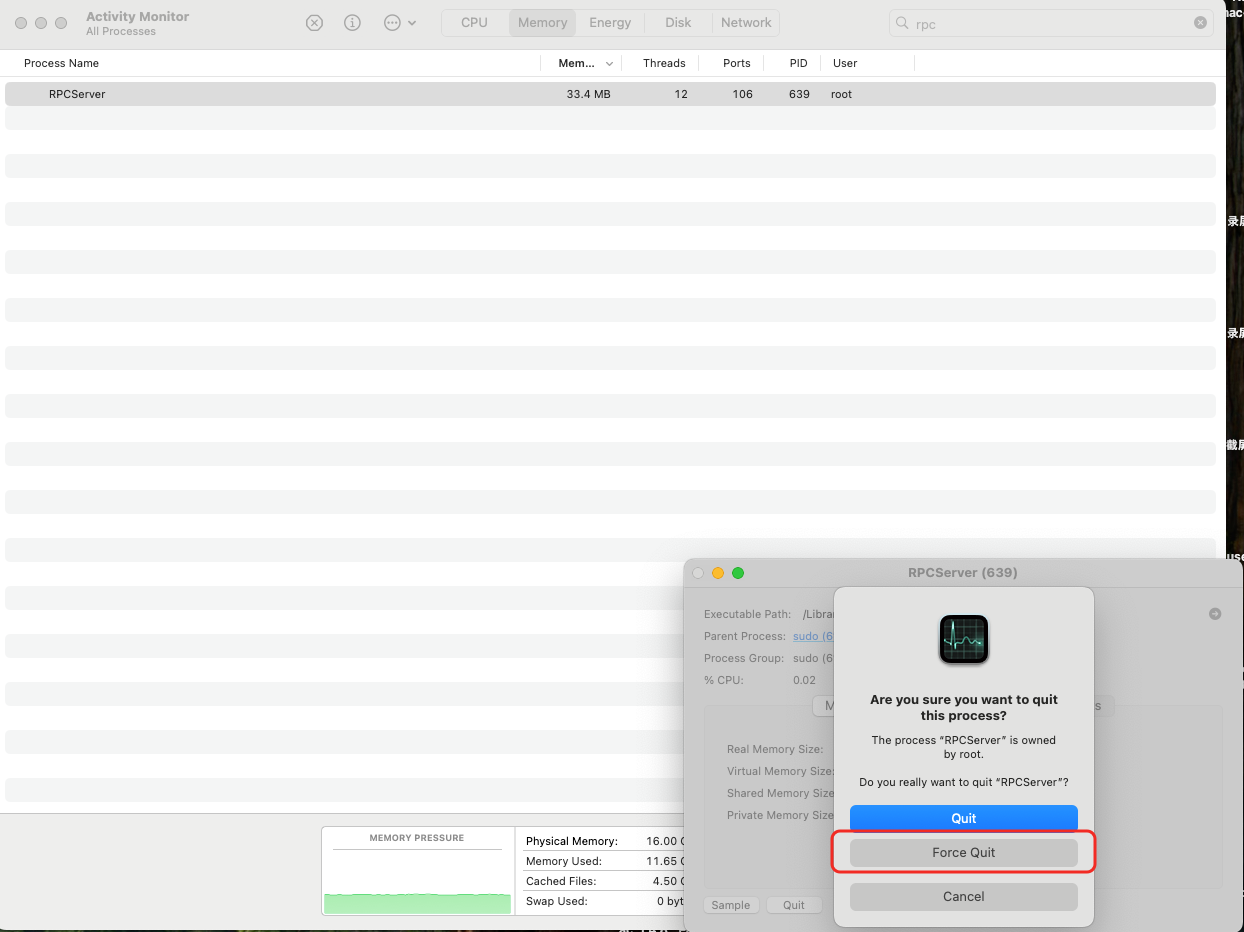
- Restart and Enable RPC Service
If the issue persists, try uninstalling and reinstalling CrealityScan, and check whether sudo permissions are enabled. Path: Click the Apple icon → System Settings → General → Login Items & Extensions, locate the sudo permission option, and make sure it is turned on. Then restart your computer. After the restart, start the RPC Server again.