Ultra-Detail is an option in point cloud fusion, available only in blue line laser scanning mode. When enabled, a smaller resolution can be set, resulting in a more detailed mesh model (requires more than 8GB of RAM). However, the smaller the resolution, the higher the demand on computer performance and the longer the processing time. Therefore, to provide a good user experience, the system automatically limits the minimum settable resolution based on the computer’s RAM and the size of the object.
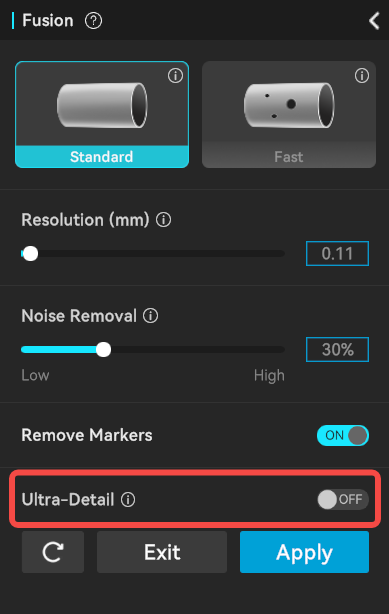
¶ Minimum Resolution Setting Rules
When Ultra‑Detail is enabled or disabled, the minimum resolution is determined by the following two rules. The actual settable minimum is the maximum of the two values.
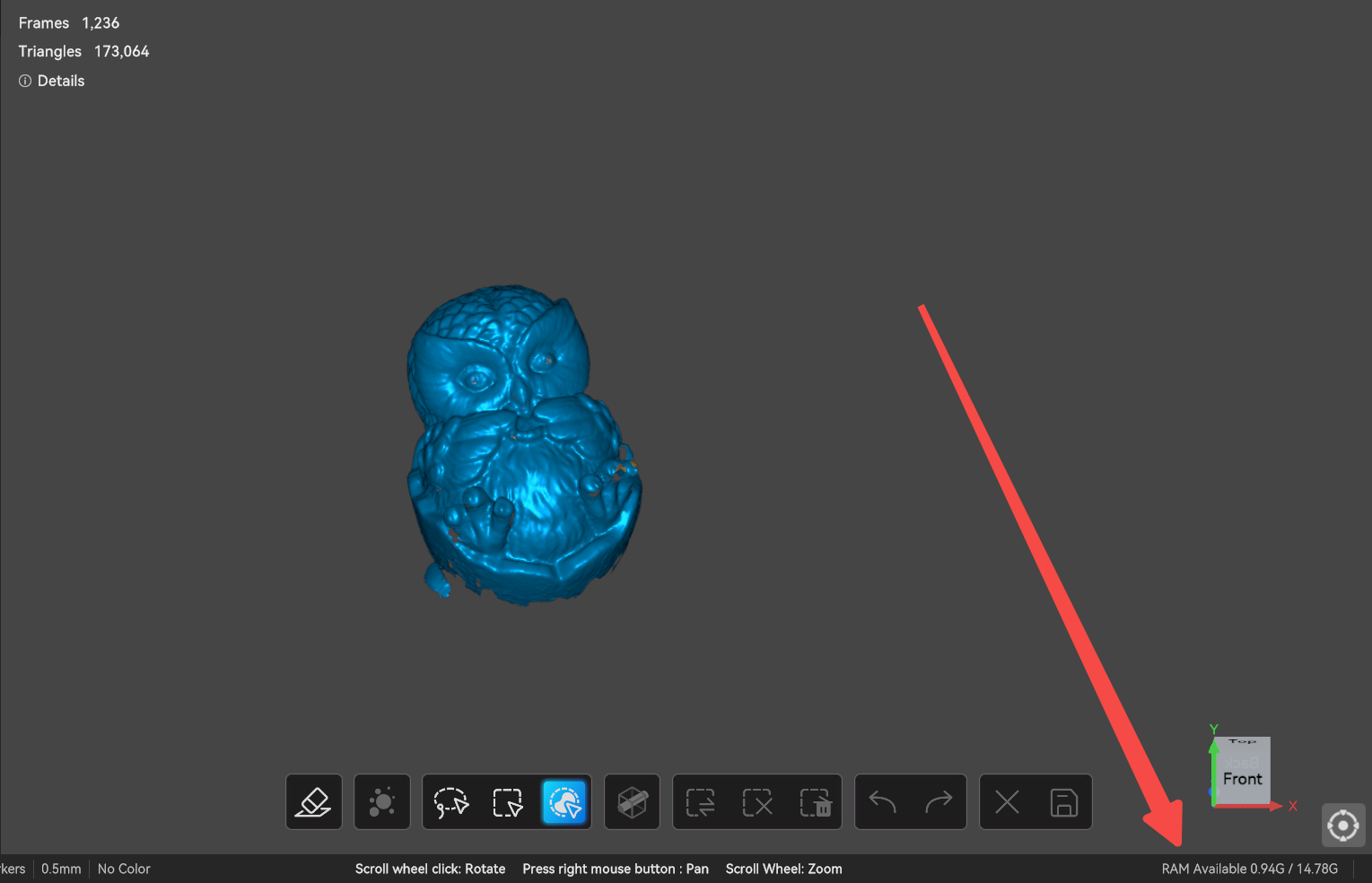
¶ (1) Total RAM Limit
Note: The RAM size refers to the available RAM shown in the lower‑right corner of the software, not the system’s total RAM.
|
Total RAM (GB) |
Minimum resolution (mm) when Ultra‑Detail is ON |
|
(0, 16) |
0.1 |
|
≥16 |
0.02 |
¶ (2) Bounding Box Limit
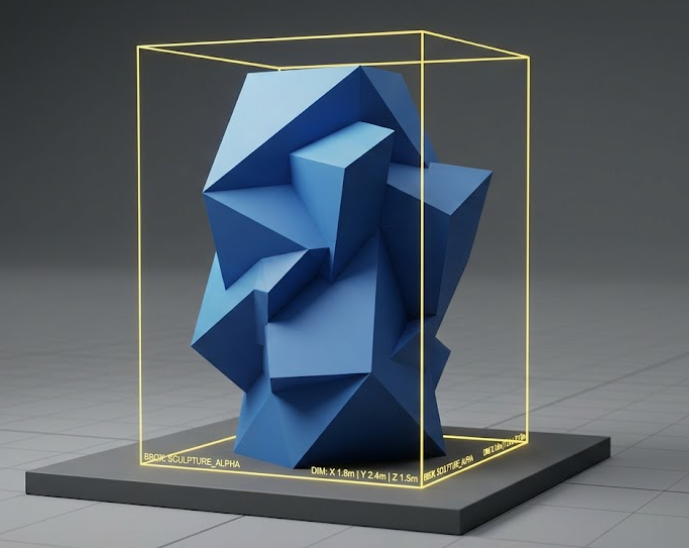
The bounding box is the smallest rectangular box that encloses the object’s length, width, and height. If any side exceeds the ranges in the table below, the corresponding minimum resolution applies.
Note: The bounding box is determined from the initially scanned model, not after editing or deletion.
|
Max bounding box side (mm) |
Minimum resolution (mm) – Ultra‑Detail OFF |
Minimum resolution (mm) – Ultra‑Detail ON |
|
(0, 100] |
0.1 |
Raptor / Raptor X: 0.02 Other models: 0.05 |
|
(100, 300] |
0.1 |
Raptor / Raptor X: [0.02, 0.1] Other models: [0.05, 0.1] |
|
(300, 500] |
0.1 |
0.1 |
|
(500, 800] |
[0.1, 0.25] |
[0.1, 0.2] |
|
>800 |
0.25 |
0.2 |
The intervals such as [0.02, 0.1], [0.05, 0.1], and [0.1, 0.2] do not mean that users can arbitrarily set the resolution to any value within these ranges. The actual minimum selectable resolution is dynamically calculated based on computer performance and bounding box size, and is constrained within the corresponding interval.
For example, with 32 GB of RAM, the RAM‑limited minimum resolution is 0.02 mm. For an object of size 180×180×20 mm, the bounding‑box calculation yields a minimum resolution of 0.06 mm (not 0.02). Therefore, with Ultra‑Detail enabled, the actual minimum resolution that can be set for this model is 0.06 mm.
¶ Example(use Raptor as an example):
|
Example |
RAM |
Scanned data size (mm) |
Max bounding box side (mm) |
Min resolution (mm) |
Calculation method |
|
1 |
16 GB |
80 × 60 × 40 |
80 |
0.1 |
RAM limit 0.1, bounding box limit 0.02 → max = 0.1 |
|
2 |
16 GB |
400 × 300 × 200 |
400 |
0.1 |
RAM limit 0.1, bounding box limit 0.1 → max = 0.1 |
|
3 |
32 GB |
80 × 60 × 40 |
80 |
0.02 |
RAM limit 0.02, bounding box limit 0.02 → max = 0.02 |
|
4 |
32 GB |
180 × 180 × 20 |
180 |
0.06 |
RAM limit 0.02, bounding box limit 0.06 → max = 0.06 |
|
5 |
32 GB |
150 × 250 × 400 |
400 |
0.1 |
RAM limit 0.02, bounding box limit 0.1 → max = 0.1 |