¶ Markers
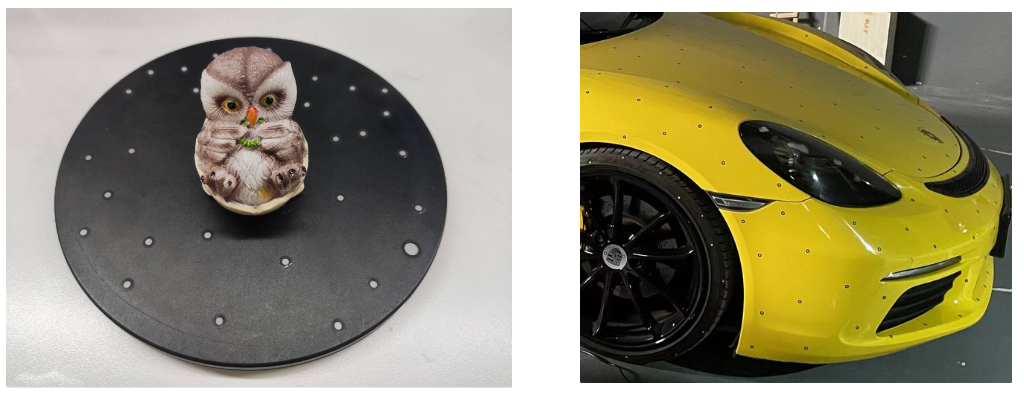
To use the blue laser mode of the Raptor Series and Sermoon Series, the reflective circular markers are required for assistance in scanning. When the object is small, the markers do not need to be attached to the surface of the object; they can be placed on the scanning pad or tabletop. However, when the object is larger, the markers need to be attached to the surface of the object, as shown in the following image. Note that, markers should be randomly placed.
¶ Global Markers
For large objects(larger than 250mm x 250mm x 250mm), we recommend scanning the global markers first, followed by scanning the Pointcloud. Following this approach will result in higher accuracy.
- Create a new project and select Global Marker Mode.
.jpg)
-
Start scanning. After capturing all the markers, click Pause.
.jpg)
-
Switch to Pointcloud Scan Mode. The software will pop up a message: "Complete Global Marker Scan. Start Pointcloud Scan?" Click OK.
-
Set the Real-time Resolution, click Preview, and then start scanning.
.jpg)