¶ Issue Description
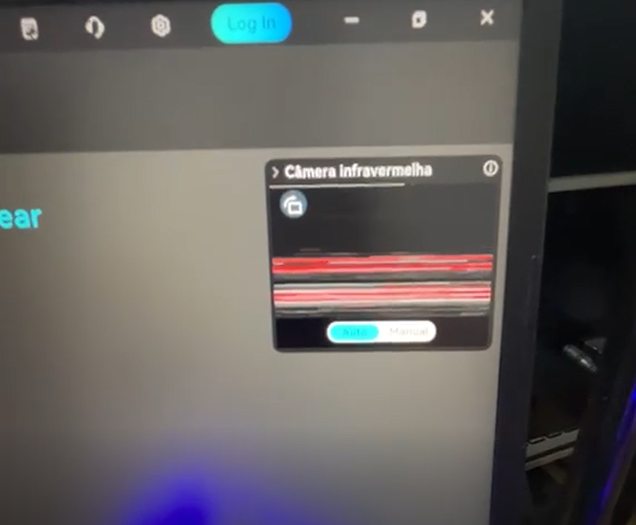
In blue laser scanning mode, with markers randomly attached to the object, the Sermoon X1 scanner does not emit the laser lines, and the right side IR camera window on the software displays snowy noise.
¶ Possible Cause
The firmware version of the Sermoon X1 is incompatible with the installed CrealityScan software version.
¶ Solutions
Update the device firmware
Open the settings screen on the top right corner at the software homepage and verify whether the firmware version of the Sermoon X1 is v1.1.3 or higher, and that the firmware version of the Wi‑Fi wireless handle is v1.3.1 or higher. If not, please click "Update" and wait for the firmware upgrade to complete.

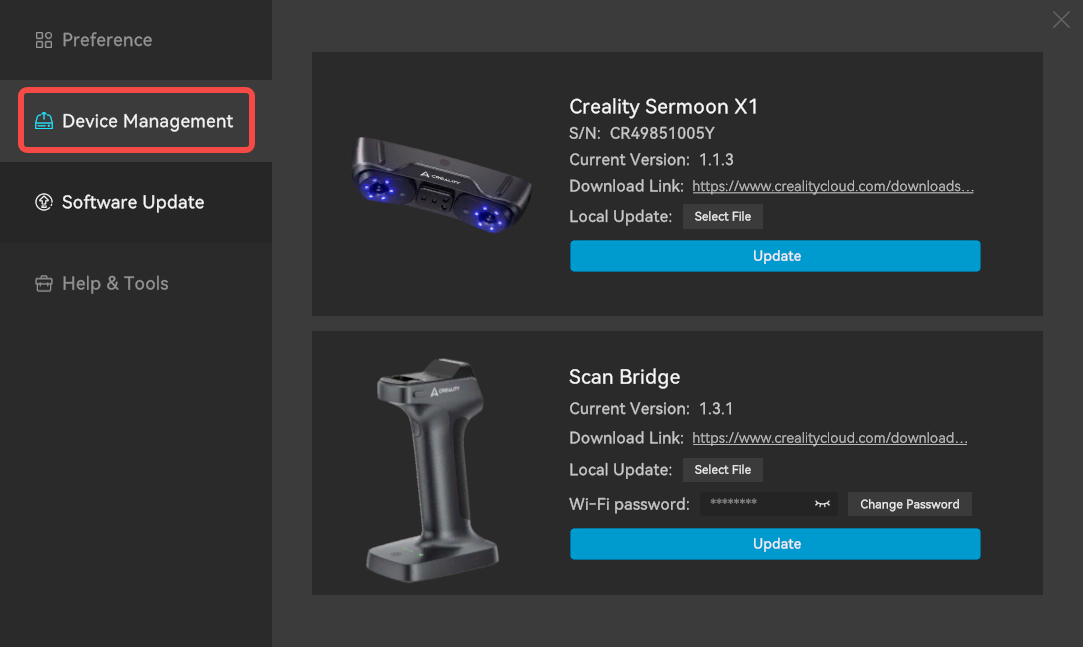
- If online firmware upgrade fails, you can manually upgrade by downloading the latest firmware from Creality Cloud: Click "Select File", select the downloaded firmware package, and then click "Update" and wait for it to complete.
Update the CrealityScan software
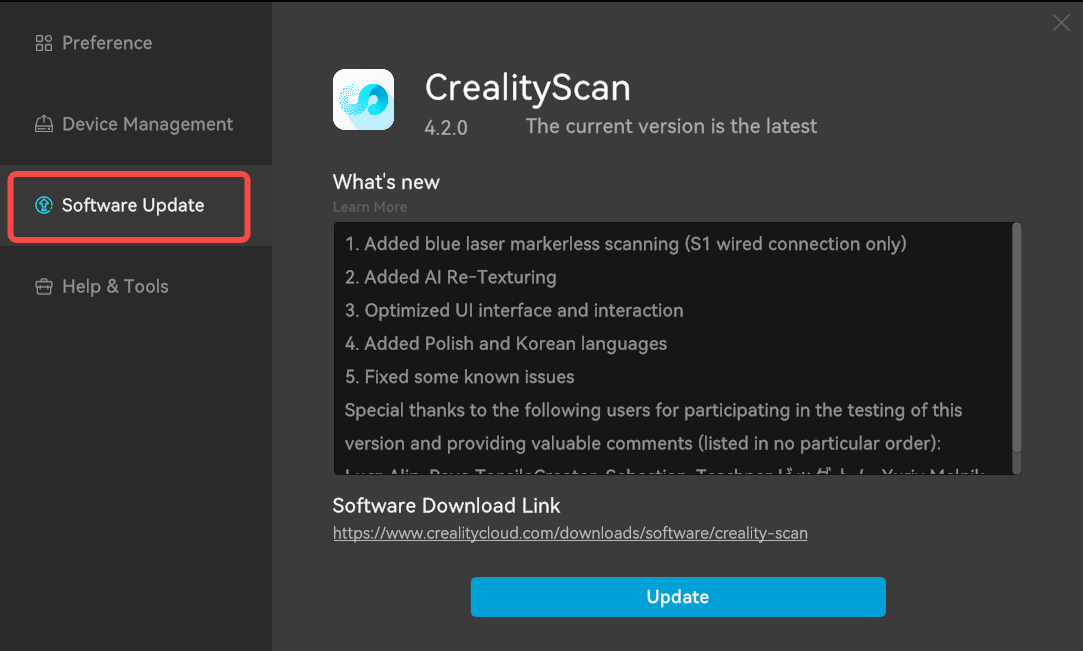
If the Sermoon X1 firmware is v1.1.3 or higher, it requires you to use CrealityScan software version v4.2.0 or higher. Please download and update the latest software from Creality Cloud before trying to scan again.
If the issue persists, please contact after‑sales support for further technical assistance. Send an email to cs@creality.com and provide the following information:
[Device Information] Scanner model, computer configuration, OS version, CrealityScan version, device SN code
[Reproduction Steps] For example: 1. Open the software → 2. Select blue laser scan mode → …
[Attachments] Screenshots, screen recordings, scan project files, log files